
07 July 2023
Windows XP activation algorithm 'cracked' after 21 years
Windows XP always holds a special place in the hearts of longtime computer users in general and love the Windows ecosystem in particular.
Summary of good tips about Windows XP: speed up Win XP, fix Win XP errors, take screenshots of Windows XP computers
Windows XP always holds a special place in the hearts of longtime computer users in general and love the Windows ecosystem in particular.
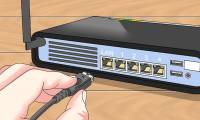
This wikiHow teaches you how to set up a Cisco Small Business router on your local network. To get started, you'll need to connect to the router with a console cable and enable a
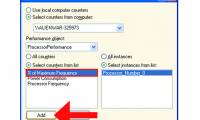
This article describes the different locations where CPU speed is reported in Microsoft Windows XP. In Windows XP and in Windows Server 2003, CPU speed is reported in the following
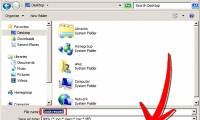
There are many times you will want to resize an image. Maybe you found the perfect picture for your presentation, but it's much too large for the frame. Maybe you want to use it
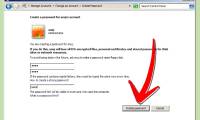
If you forget your password, you can log on to the computer by using a new password you created using the Password Reset Wizard and your password reset disk. In the Welcome to

Bored of your Start menu in Windows XP? Wish you could have it say and do something a little more interesting? Follow these easy steps and you'll have a personalized Start button

Have you ever, EVER wanted to use your dear ol' laptop or desktop at someone's house? Well, thanks to XP's technology, it's as easy as 1, 2, 3! Make sure both computers are
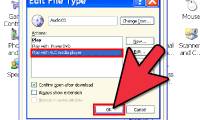
This will show you how to individually configure CD/DVD drives to automatically and play music files, copy pictures to a folder, view pictures as a slideshow, take no action, and
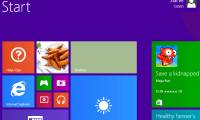
Microsoft has stopped supporting Windows XP, which means that if you're using it you'll need to be a little more cautious than normal. Any exploits in XP discovered by hackers will
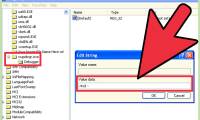
Windows XP is no longer supported by Microsoft as of April 8th, 2014, however the Windows Update service is still able to provide updates from Microsoft if you have installed

Discussed herein are ways through which a PC user can be able to utilize the Group Policy snap-in to develop or edit the lists of applications that load automatically when you log

In Windows XP, the volume control program can be found in the notification area, which is the area normally located in the bottom right corner of the desktop next to the time and

Windows XP was released in 2001, and Microsoft dropped support for the operating system in 2014. As a result, the company no longer updates it for security, and that includes the
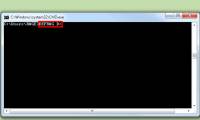
If your computer has started running slowly, it may be time to defragment the hard drive. Fragmentation can slow down your computer and take up your free space. Follow this guide

Computers store their data and operating procedures on devices called hard disks. The process of removing all data from these disks is called (re)formatting. If you are having

A System Restore can help fix problems that might be making your computer run slowly or stop responding. It will return your system to an earlier point in time. Your computer

Don't you hate that stuff popping up automatically when you log in? Well, here is a simple solution. Press the start button.
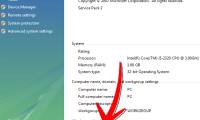
This procedure will guide you on upgrading your Windows XP machine to Vista without reformatting. Back up your files.
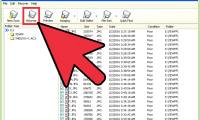
There are two tiers of deletion within Windows XP. If you select a file or folder and press the delete key or right click and select delete from the menu, they are sent to the
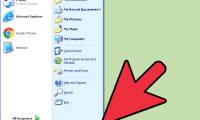
You can enable automatic logon on any personal Windows XP computer by disabling your password under your personal user account or by editing the registry directly. Enabling