Laptop hardware
10 Older Thin-and-Light Laptops to Consider Buying Used
Compare ten lightweight laptops from 2019–2022, see which specifications still hold up, and learn what to inspect before buying a used or refurbished unit.
Explore Laptop hardware guides, practical tips, troubleshooting advice and helpful information for choosing, setting up and using your devices.
Compare ten lightweight laptops from 2019–2022, see which specifications still hold up, and learn what to inspect before buying a used or refurbished unit.
Is your laptop speaker too quiet even at 100% volume? Check out these 5 incredibly simple ways to increase your laptop's volume, from Windows settings to.

Choose an AI laptop by matching local or cloud workloads to the NPU, GPU, memory, storage, software compatibility, battery life, and upgrade options you actually need.
Compare 10 current laptop keyboards for travel, office work, programming, and gaming, with clear guidance on layouts, connections, noise, and compatibility.
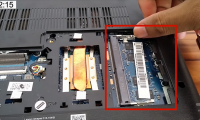
Check laptop RAM compatibility, install a SO-DIMM safely, verify the upgrade in Windows, and troubleshoot a laptop that does not start afterward.
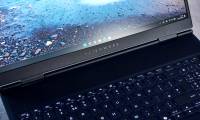
A practical review of the Alienware 16X Aurora's gaming performance, 240Hz display, ports, upgrade options, portability, and configuration differences.
Isolate the device, cable, port, power, driver, and Windows settings before reinstalling controllers or arranging repair for physical damage.

Restart from Start, the keyboard, a command, or a desktop shortcut, and handle a frozen laptop without needlessly risking unsaved work.

Explore effective ways to fix the Problem of a laptop Not Having Bluetooth, including key concepts, practical steps, useful tips, and common questions.

Separate layout, Num Lock, accessibility, driver, debris, liquid, and hardware faults, then restore input without damaging fragile keys or losing data.
Identify the exact wireless adapter, use Windows Update or the laptop maker's official package, and avoid mismatched third-party driver utilities.

Find the correct backlight key on Windows laptops or MacBooks, adjust brightness and timeout, and fix missing, dim, or uneven keyboard lighting.
Use Ctrl+Alt+Delete, Alt+F4, the Power User menu, or a safe shutdown command, and avoid forced power-offs that can lose unsaved data.

Distinguish normal warmth from dangerous heat, reduce workload, restore airflow, check fans and batteries, and know when internal service is required.
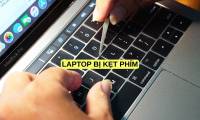
Diagnose a laptop key that sticks, repeats, or does not respond. Safely check for debris, liquid damage, driver problems, and hardware failure, and learn when replacement is the better option.

Identify whether blocked vents, dust, a failing fan, background processes, startup apps, or software problems are making a laptop run hot, then follow a safe troubleshooting order.
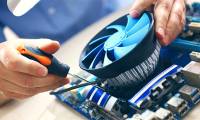
Diagnose loud laptop fans, switch Windows to a balanced power mode, try a reversible processor limit, and recognize when noise indicates a hardware fault.
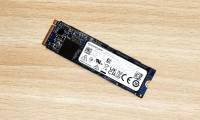
Match an old SATA or NVMe SSD to the correct USB enclosure, install it safely, remove old system partitions, and choose a suitable file system.

Explore HP omnibook ultra flip 14 AI laptop overview with clear explanations, practical guidance, key takeaways, and answers to common questions.
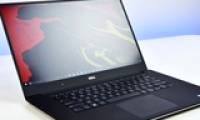
Learn how to checking dell laptop warranty with clear steps, practical tips, and troubleshooting advice for a smooth, reliable result.