Technology
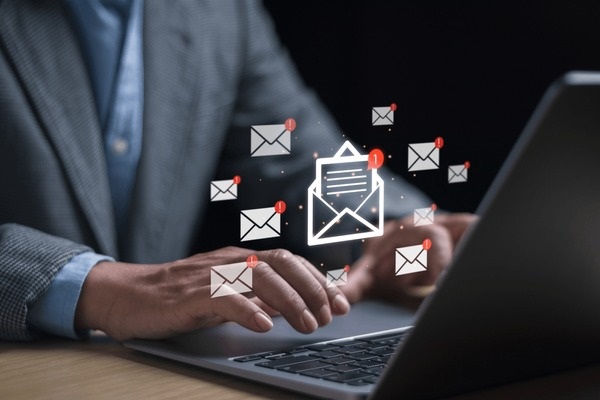
How Email Marketing Can Help Local Businesses
Email marketing helps local businesses stay connected with customers, share useful updates, promote services, and encourage repeat purchases.
Explore clear technology guides, practical tips and useful insights that help you understand devices, software and digital services.
Email marketing helps local businesses stay connected with customers, share useful updates, promote services, and encourage repeat purchases.

Turn a Raspberry Pi into a desktop, media center, file server, camera, controller, gaming system, or learning platform with practical setup and safety guidance.
Understand what the PDF format preserves, when to use it, how to open, create, edit, combine, compress, protect, and sign PDF documents.
Learn how ZIP archives combine and compress files, how to create or extract them on Windows and macOS, and how to handle passwords, conversions, and unsafe archives.

Understand the OpenDocument Text format, open ODT files in LibreOffice or Word, convert them to DOCX or PDF, and avoid formatting loss.

Learn how WebP handles lossy or lossless images, transparency and animation, when it helps a website, and how to open or convert a .webp file.

Understand the ODP presentation format, which apps can open it, and how to convert ODP files to PPTX or PDF without losing important formatting.

Learn how GIF files store simple animations, how to open and edit them on desktop or mobile, and when to convert a GIF to MP4, WebP, PNG, or JPG.

Understand what an Android APK contains, how sideloading works, how to inspect an APK on a computer, and why APK files cannot simply be converted into iPhone or Windows apps.
Learn why some AVI files play while others do not, which players can handle them, and how to convert AVI to MP4 or extract its audio without unnecessary quality loss.

Learn how SVG vector graphics work, when they are better than PNG or JPG, how to open and edit them, and how to use SVG safely and accessibly on a website.

Learn how WAV stores audio, what sample rate and bit depth mean, how to open WAV files, and when to convert them to MP3, AAC, or FLAC.

Learn what a TXT file stores, how text encoding affects readability, how to create or open one on any device, and how to convert plain text to PDF or DOCX.

Learn what an M4A audio file contains, the difference between AAC and ALAC, how to open it, and how to convert M4A to MP3, WAV, or FLAC.
Learn how XML structures data with elements and attributes, how to open and edit an XML file, and how to diagnose syntax, encoding, schema, and security problems.

Set up Focus on iPhone, Apple Watch, and Mac to control notifications, schedule modes, customize screens, and sync settings across devices.

how to enable the screenshot feature, how to take screenshots on Apple Watch, and where to view captured images.

You how to set a moving astronaut wallpaper on your Apple Watch, giving your smartwatch a stunning and unique new look.
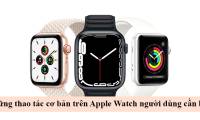
These are the basic operations on the Apple Watch that users need to know to take full advantage of the features of this smart watch.

These methods for fixing Apple Watch notifications that aren't working will help users avoid missing any important notifications.