
Television
Samsung S90F OLED TV Review: Features, Gaming, and Buying Advice
The Samsung S90F offers strong OLED contrast, 4K 144Hz PC gaming, HDR10+, and Tizen, but buyers should check size-specific specs and Dolby Vision needs.
Find practical guides, troubleshooting advice and buying tips for electronics, household appliances and everyday electrical devices.
The Samsung S90F offers strong OLED contrast, 4K 144Hz PC gaming, HDR10+, and Tizen, but buyers should check size-specific specs and Dolby Vision needs.

Enable Bluetooth, pair headphones or input devices, understand TV profile limits, and fix missing devices on Windows 11, Windows 10, or a smart TV.
In today's technological age, tablets have become an indispensable device in our lives.

Connect a laptop or desktop to a TV with HDMI, VGA, USB media playback, Wi-Fi Direct, wireless display, DLNA, Smart View, Bluetooth, or Chromecast, then troubleshoot common display problems.

What is SPD? SPD stands for Surge Protective Device – a device that helps protect systems from sudden voltage surges.

Enable Zoom breakout rooms, assign participants automatically or manually, set timers and room rules, broadcast instructions, and close sessions cleanly.

Use the essential MSWLogo commands for movement, pen control, coordinates, color, output, loops, and reusable procedures, with corrected drawing examples.

Troubleshoot vnEdu access problems, recover the correct account safely, understand unpublished grades, and resolve teacher gradebook restrictions without risking student data.

Edit an authorized student profile in vnEdu, verify changes against school records, and grant teachers only the permissions they need.
Start with an accurate Cinema, Movie, or Filmmaker preset, then adjust brightness for the room. Use Game Mode for low input lag and treat motion smoothing, sharpness, and Vivid mode carefully.
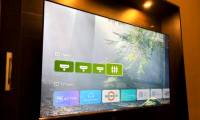
Replace a busy Android TV or Google TV home screen with Projectivy, organize your apps, and understand what the launcher does and does not change.
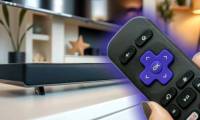
Connect a compatible soundbar through HDMI ARC or eARC and enable CEC for volume control. The setup differs between a Roku TV and a separate Roku streaming player.

Test motion processing, sharpness, and automatic brightness separately. These settings can affect clarity, but low-resolution sources and streaming quality also need checking.

Identify rust, peeling coating, and door damage; understand when a microwave needs assessment or replacement; and prevent further corrosion with suitable cleaning.
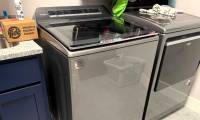
Check clicks, humming, rumbling and squeals by when they occur. Find safe owner checks and the warning signs that need a repair technician.
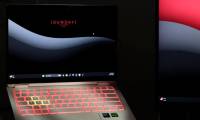
Understand permanent OLED burn-in, recognize temporary image retention, and use practical display settings without relying on unproven repair apps.

Start with Movie or Filmmaker Mode, adjust light output for your room, reduce unwanted processing, and check settings that can hide detail or distort colours.
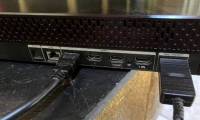
Find the ARC or eARC label, connect the correct soundbar port, and check audio and CEC settings. Understand eARC compatibility and cable requirements.

Keep butter wrapped on an interior shelf for more stable storage. See when a door compartment may be suitable and which foods need the main refrigerator space.
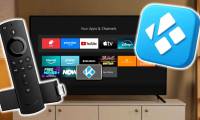
Learn how to install kodi and complete your smart TV setup with clear steps, important checks, and troubleshooting advice for a smoother, more reliable result.