Take and process photos
How to Add a 3D-Style Effect to a Photo
Use the legacy 3D Image Commander interface to tilt a photo, add perspective, reflections, shadows, rounded corners and text, then export the result.
Discover Take and process photos guides, useful tips, updates and step-by-step instructions to improve setup, gameplay and everyday use.
Use the legacy 3D Image Commander interface to tilt a photo, add perspective, reflections, shadows, rounded corners and text, then export the result.
Create an animated text GIF in BlogGIF, customize its font, colors, outline, shadow, rotation and alignment, then save and check the finished animation.
Upload photos to MakeAGIF, arrange the frames, set dimensions and timing, add optional captions or filters, then create and download the GIF.

Combine several images into a GIF with Picasion by ordering the frames, choosing the output size and speed, generating the animation, and saving it.

Download Easy GIF Animator from its publisher, verify the installer, choose setup options, complete installation, and check licensing before creating GIFs.
Turn a short video clip or screen recording into an animated GIF in Camtasia, with steps for both current and older export interfaces.

Use GifCam's movable capture window to record part of the Windows screen, edit individual frames, add text, and save a compact animated GIF.
Record a selected area of the Windows desktop with the legacy Screen GIF utility, adjust capture size and quality, preview the result, and save it.
Upload an animated GIF to Ezgif, add and position captions, control which frames display each text block, then save the edited animation.
Compare 10 online GIF makers by source type and editing strengths, from quick video conversion to captions, design templates, and screen capture.

Save an X post link, capture a GIF as video when direct download is unavailable, convert it back to GIF, or retrieve media from your own X archive.
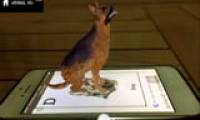
Install Animal 4D+ safely, scan supported flashcards to view augmented-reality animals, troubleshoot recognition problems, and browse the marker gallery.

Create a GIF on Gickr from up to 10 uploaded images or a supported YouTube link, then choose the size and speed and download the result.
Generate an image from a text prompt in Midjourney's web interface or with /imagine in Discord, refine variations, and download the final result.

Understand what artificial intelligence is, how machine learning and generative AI fit within it, where AI is used, and what its practical limits are.

Compare five AI image tools for text-to-image generation and photo transformation, including browser apps, mobile tools, and an open-source option.

Create or transform images with Microsoft Copilot in a browser, the Windows app, or the mobile app, then refine the prompt and save the result.

Build a GIF in GIMP by loading each frame as a layer, setting frame timing, previewing the animation, and exporting with the correct loop options.
Import image frames into GIF Movie Gear, arrange and time the animation, reduce colors or frames to control file size, and save the final GIF.
Use the fastest Windows 11 screenshot shortcuts, capture a selected area or window with Snipping Tool, and find saved screenshots on your PC.