
Virus Removal - Spyware
How to Remove the NPSK Ransomware and Decrypt. Npsk Files
Learn how to remove the NPSK Ransomware and Decrypt. Npsk files with clear steps, practical tips, and troubleshooting guidance for common issues.
Explore practical Virus Removal - Spyware guides, configuration tips and step-by-step troubleshooting for common setup, security and performance problems.
Learn how to remove the NPSK Ransomware and Decrypt. Npsk files with clear steps, practical tips, and troubleshooting guidance for common issues.

Pause Avast protection for a few minutes, an hour, or until restart, then turn it back on safely. This guide also explains when an exception is a better choice.

Compare safe ways to free storage on Android and iPhone, including Files by Google, Samsung Device Care, iPhone Storage, CCleaner, and specialist Android cleaners.

Phone cleaners can recover storage, but RAM boosters, battery savers, and CPU coolers often overpromise. Learn what these apps can do, their risks, and safer alternatives.
Install Bitdefender Antivirus Plus safely through Bitdefender Central, activate the correct subscription, run the Windows installer, and troubleshoot common setup problems.

Compare VirusTotal, MetaDefender Cloud, ESET Online Scanner, and Microsoft Safety Scanner, with guidance on privacy, false positives, and whole-device protection.

Microsoft Defender is enough for many careful Windows users, while paid antivirus can add multi-device tools, parental controls, identity features, and support.

A computer may appear normal without active antivirus, but malicious files can run with less chance of being blocked. Learn the risks and how to check Windows protection.
Use Bkav Tool to create a BL.bkc diagnostic log for Bkav Support, process the returned BT.dat file, and send the follow-up BS file safely.

Update Bkav, choose a quick, full, or custom scan, review detections safely, quarantine suspicious files, and verify that Windows is protected afterward.

Learn how Maoloa ransomware has been identified, what to do immediately after file encryption, how to evaluate recovery options, and how to prevent reinfection.

Run Smart, Full, Targeted, external-drive, or Boot-Time scans in Avast, review detections safely, use Quarantine, and verify that the threat is gone.

Isolate a suspected Trojan infection, scan with Microsoft Defender, use Offline scan for persistent malware, review quarantine, reset credentials, and prevent reinfection.

Download and install Avira Free Security safely on Windows, check current requirements, complete the first scan, and understand the legacy setup screens.
Remove persistent BetterAds pop-ups by checking browser extensions and notifications, resetting browser settings, uninstalling unwanted apps, and scanning Windows.
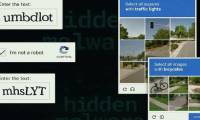
Fake CAPTCHA pages use clipboard tricks and keyboard shortcuts to make Windows users run malware. Learn the warning signs, safe response steps, and recovery actions.
Understand how PXA Stealer uses fake software and archives, what browser data it targets, and the correct steps to prevent and recover from infection.

Verify an APK's source and signature, scan it with Play Protect and VirusTotal, review Android permissions, and understand why a clean result is not a guarantee.
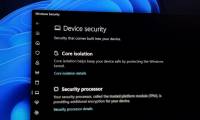
Learn how to remove your antivirus software! Windows security will help keep your computer with clear steps.

Explore 6 simple tricks to stay away from malware, with key benefits, limits, and practical details that help you compare choices and decide with confidence.