Web Email
How to Add Gmail to Classic Outlook Using POP
Configure Gmail POP and SMTP in classic Outlook with the correct encrypted ports, modern sign-in guidance, app-password requirements, and message-handling settings.
Explore practical Web Email guides, useful tools, setup instructions and troubleshooting tips for common tasks, features and problems.
Configure Gmail POP and SMTP in classic Outlook with the correct encrypted ports, modern sign-in guidance, app-password requirements, and message-handling settings.

Turn on Gmail keyboard shortcuts, open the built-in shortcut reference, use essential navigation and message commands, and fix shortcuts that do not respond.
Sign out of Gmail in the current browser, remove saved account choices, end sessions on another device, and secure a lost or unfamiliar login.
Access Gmail from a borrowed computer or phone using a private window, avoid saved credentials and synced data, then sign out and verify the device session.
Choose a built-in Gmail theme, set a personal photo as the desktop background, adjust readability, or switch the mobile app between light and dark modes.

Set a desktop Gmail theme, choose a Google Photos image, and use text background, vignette, and blur controls to keep the inbox readable.

Keep work and personal inboxes open with account switching, browser profiles, private windows, separate browsers, or a desktop email client.

Write clear English emails with a focused subject, appropriate greeting, concise request, useful context, deadline, closing, and polished signature.

When setting up an email client or application, you might encounter the terms POP and IMAP. But what are they? How do they affect your email?

Sign in to Gmail from a web browser or the mobile app, add an account on iPhone or Android, and troubleshoot common login problems.

Create an additional Gmail account, switch between accounts, and choose safer alternatives to bulk account creation or verification workarounds.

Install BlueStacks, sign in to Google Play inside the emulator, download Android apps, and understand when Google's official PC games app is the better option.

Enable Gmail's Reading pane on a computer, place message previews beside or below the inbox, and turn the split view off when you no longer need it.

Use Mailvelope and OpenPGP with Gmail: create or import a key pair, exchange public keys, encrypt a message, and avoid common security mistakes.
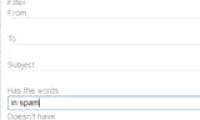
Clear Gmail's Spam folder, understand its automatic 30-day deletion, and create targeted filters for unwanted messages that keep reaching the inbox.

Use Quick Steps, Search Folders, conditional formatting, templates, scheduled sending, shortcuts, and precise search queries in new or classic Outlook.

See how Gmail's Help Me Write, personalized suggested replies, and AI thread summaries work, what remains plan-restricted, and what to check before sending AI-assisted email.

Use Google's official account-recovery process, verify by a recovery phone or email when offered, improve your chances of approval, and secure the account after a reset.

Create reusable email text with My Templates, save full mail templates in new Outlook, or use classic OFT files—then review recipients and details before sending.

Connect Gmail to Claude, request focused email summaries, and verify deadlines and action items against the original messages before acting.