
Archive - Share
How to Send Files Between Devices With Snapdrop
Use Snapdrop in a browser to transfer photos or documents between phones and computers, and know when you are creating a share link instead.
Browse more Explore practical Archive - Share guides, useful tools, setup instructions and troubleshooting tips for common tasks, features and problems.
Use Snapdrop in a browser to transfer photos or documents between phones and computers, and know when you are creating a share link instead.
Compare YouTube Music's installable web app with YTMDesktop, Pear Desktop, and Venipa's client for media keys, plugins, and Last.fm.

On Android, hide clutter from other apps in the Google Photos grid, or choose which apps can still show their images there.

Find what fills your iCloud account and reclaim space from old backups, large files, photos, and messages without losing copies you need.

Compare Google One and OneDrive for family storage, desktop Office apps, photo uploads, and the work involved in moving files.

Select lines from a song, turn them into a shareable lyric card, and see what to do when the Share button is missing.

Compare free and paid storage options from Google, Apple, pCloud, MediaFire, Microsoft, Sync and MEGA, including renewal and sharing costs.

Choose who can open a OneDrive link, limit editing or downloads where available, and revoke access when sharing is over.

See what YouTube's US watch-time numbers mean, which videos suit a TV, and how to use your phone to browse and queue them.

Choose a temporary pause, quit OneDrive, or unlink it from Windows 11 after checking which files are actually stored on the PC.

Rename, reorder or remove videos, choose Public, Unlisted or Private, and share or embed a playlist with the right visibility.

Compare Premium Lite with full Premium for ads, background play, downloads and YouTube Music before choosing a plan.

Request Netflix account deletion on a phone or computer, check when it takes effect, and see what happens to your profiles and history.

Make an encrypted iPhone backup with Finder or Apple Devices and use a separate service for photos if you need more space.

Turn on Data saving or lower video quality on mobile networks, then check autoplay and download settings to prevent extra data use.

Choose a Notion widget for a specific task, embed it correctly, and check how it behaves when the page is shared.
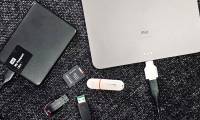
Understand cloud quotas and sync deletions, then build and test a photo backup with local and off-site copies.

Learn how to download files from google drive using IDM with clear steps, practical tips, and troubleshooting advice for a smooth, reliable result.

Learn how to downloading files from google drive without limit with clear steps, practical tips, and troubleshooting advice for a smooth, reliable result.
Learn how to installing and using google drive on all devices with clear steps, practical tips, and troubleshooting advice for a smooth, reliable result.