
System
How to Split the Screen on Windows 10, Windows 11, and macOS
Arrange two, three, or four windows with Windows Snap and Snap Layouts, or use macOS window tiling, Split View, and Mission Control correctly.
Browse more Find practical system guides, configuration tips and troubleshooting steps to keep Windows computers secure, stable and running smoothly.
Arrange two, three, or four windows with Windows Snap and Snap Layouts, or use macOS window tiling, Split View, and Mission Control correctly.
Pair headphones, speakers, phones, keyboards, and other Bluetooth devices with Windows, then fix the most common discovery and connection problems.

Restore missing laptop audio by checking output devices, app volume, cables, Bluetooth and HDMI, Windows services, enhancements, updates, and drivers in a safe order.
Use the symptom, error code, and most recent change to choose safe Windows repair steps before attempting a reset, hardware removal, or clean installation.

Reveal a Wi-Fi password already saved on Windows, macOS, or a NetworkManager-based Linux computer using built-in settings or command-line tools.

Set up Windows automatic sign-in with Microsoft Sysinternals Autologon, netplwiz, or the Registry, and understand the physical-access and credential risks first.

Diagnose an unresponsive, delayed, or partly working keyboard on Windows or Mac by checking power, connections, accessibility settings, software, and hardware.

Open Windows On-Screen Keyboard by shortcut, search, Settings, Run, Control Panel, or the sign-in screen, and understand how it differs from Touch keyboard.
Back up your data, choose between repair, Reset this PC, and a clean USB installation, then restore drivers, activation, and security updates.

Troubleshoot Windows 11 printer error 0x0000011B with safe preliminary checks, a local-port workaround, and a clearly labeled registry option.

Diagnose a slow Windows PC or Mac with a safe, step-by-step checklist covering startup apps, resource use, storage, malware, heat, RAM, and drive problems.

Format an SD card with File Explorer or rebuild it with DiskPart, choose FAT32, exFAT, or NTFS correctly, and avoid selecting the wrong drive.
Understand Windows cached and standby memory, why it normally improves performance, how to diagnose real memory pressure, and when a restart or RAMMap is appropriate.
The native Copilot app adds Windows shortcuts, Vision, file search, Settings guidance, screenshots, and voice features. Here is what each control does.

Compare real VPN trials with paid money-back guarantees from ExpressVPN, NordVPN, CyberGhost, Proton VPN, and Surfshark before subscribing.
Find the CPU, memory, disk, heat, startup, malware, or storage cause of a slow laptop, then apply the safest Windows or macOS fix.
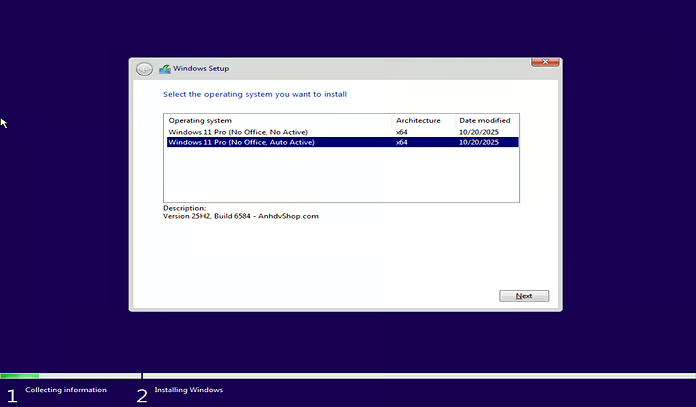
Explore ghost Windows 11 25H2 Includes Office and Other Software, including key concepts, practical steps, useful tips, and common questions.
Diagnose Windows 11 slowdowns, reduce startup load, free storage, tune visual effects and power settings, and decide when hardware needs an upgrade.

Set up a new HDD or SSD with Disk Management, choose GPT or MBR, create and format a volume, and safely shrink or extend existing partitions.

Record the stop code, protect your files, isolate recent drivers or hardware, test Windows and components, and choose the least destructive recovery option.