Windows 10 error cannot be Sleep, this is a fixafter upgrading to windows 10, quite a lot of users reflect that this sleep mode does not work. so how to fix this error, please refer to the following article of network administrator.
Fix keyboard error not working on Windows 10when the keyboard on your windows 10 computer is not working, typing is not possible, type the text but show the menu. although you have applied everything but you seem to be helpless. you can apply some solutions below to fix keyboard error on windows 10 offline.
Instructions for fixing errors do not turn off Windows 10 computers and laptopscurrently, tipsmake.com get a lot of questions about microsoft's new operating system - windows 10, related to the phenomenon of not turning off. this means that you have selected the shutdown command, but the chip fan is still on, the power light (on the laptop and case) is still on, in windows 10
Instructions for fixing errors Start Menu and Cortana do not work on Windows 10one of the new features integrated on windows 10 is cortana virtual assistant. users can use cortana to shutdown, restart, search smart, ... but however supdate windows, many users reflect that the start menu button and virtual assistant cortana are not working, or almost frozen . in the following
10 common errors on Windows 10 and how to fix bugswifi sense feature allows windows 10 users to share wifi networks with friends, without entering a password. it brings convenience but also a security risk. if you don't want to use or worry about security, you can disable the wifi sense feature to prevent any users from automatically connecting
Summary of some ways to fix Windows 10 crash, BSOD error and restart errorthere are many causes that your windows 10 computer crashes, crashes or even reboots itself such as hardware errors, software errors, system failure or due to programs, anti-software virus on your computer .... during use, if unfortunately your windows 10 computer hangs, freezes ... will make you
Backspace key on Windows 10 can only delete 1 character, this is how to fix itusually to delete certain characters, users often use the backspace key. however, recently many windows 10 users reflect that the backspace key only erases 1 single character but cannot delete consecutive characters as before. in the article below, network administrator will show you how to fix
How to fix 'An operating system not found' error on Windows 10 and Windows 8.1error an operating system was not found is one of the common ones that usually happens on windows 10 or windows 8.1. this error comes out after the user upgrades windows (from windows 8.1 to windows 10), updates the bios, .... if the screen of your windows 10 or windows 8.1 computer displays the
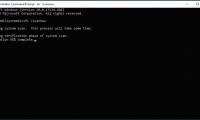
Use the SFC command to fix Windows 10 file system errorsif you find that your computer is frequently corrupted or has a problem during boot ... the most likely reason is that the windows system file is corrupted, lost or even changed when you install a certain program or software on your computer.
 The SFC / scannow tool is 'disproportionate' by a silly error after updating the new Windows 10 version
microsoft's default software repair tool is currently experiencing problems, and according to the initial diagnosis, the underlying cause stems from windows defender.
The SFC / scannow tool is 'disproportionate' by a silly error after updating the new Windows 10 version
microsoft's default software repair tool is currently experiencing problems, and according to the initial diagnosis, the underlying cause stems from windows defender.