
Linux
How to Speed Up Linux Boot Time by Disabling Services Safely
Use systemd-analyze to find real boot delays, inspect dependencies, disable only unneeded units, and restore services if a change causes problems.
Browse more Explore clear technology guides, practical tips and useful insights that help you understand devices, software and digital services.
Use systemd-analyze to find real boot delays, inspect dependencies, disable only unneeded units, and restore services if a change causes problems.

Refresh Arch Linux mirrors with Reflector or the official generator, verify the new list, automate updates, and avoid partial-upgrade mistakes.

Four common reasons users leave Ubuntu—defaults, GNOME changes, Snap packaging, and resource use—plus ways to decide whether switching is worthwhile.

Set up What's Up Docker with Docker Compose, monitor selected containers, read update status, and add notifications without enabling risky blind updates.

Turn a wired Android Auto head unit into a wireless setup with a supported Raspberry Pi, the correct project image, an SD card, and a USB data cable.

Understand what private browsing removes from your device, what websites and networks can still observe, and which privacy tools fit different risks.

Use the square formulas A = a² and P = 4a, work backward from area or perimeter, and follow solved examples with correct units.

See what StudyX offers, how to check its worked solutions and generated study materials, and where to find official downloads and current plan limits.

Use Knowt to make and review flashcards, summarize study material and practice recall, while checking AI limits, source accuracy and sharing settings.

Implement skill discovery, metadata parsing, on-demand activation and context management, with explicit rules for trust, permissions and version changes.

Use Claude Code to prepare presentations, find information across approved sources and draft sales materials, with practical prompts and review checkpoints.

Create and scope Cursor project rules, use valid frontmatter, and check why a rule applies—or fails to apply—to your coding task.

Faster drafting can create more review work, higher expectations and tool overload. See how to measure real gains and keep workload under control.

Claude Code Channels bring chat messages and external events into a running session. Understand how they work, what stays on your computer and how to limit access.
Understand scheduled, GitHub and API-triggered Claude Code routines, how they differ from local tasks, and what to check before running them unattended.

Move from sources to mind maps, comparison tables, slides and audio or video drafts, with checks that keep creative outputs tied to the evidence.

Import an n8n template or workflow JSON, connect your credentials, check destinations and test the workflow before publishing it.

Follow a message from Telegram or Discord to Claude Code, and understand local execution, cloud data flow, remote approvals and connection failures.

Use Cursor's Agent workflow to plan changes across files, supply project context and review the resulting diff without confusing Composer models with the interface.
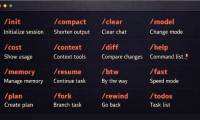
Use the documented Claude Code commands for help, context, compaction, session recovery and permissions, with examples that distinguish prompts from shell commands.