Table of Contents
What Is WhatsApp?
This updated guide explores download WhatsApp for PC, phone, web with practical details, clear explanations, and useful takeaways. WhatsApp is one of the most popular instant messaging and chat apps out there. The service allows users to save data by messaging via a computer with an Internet connection.
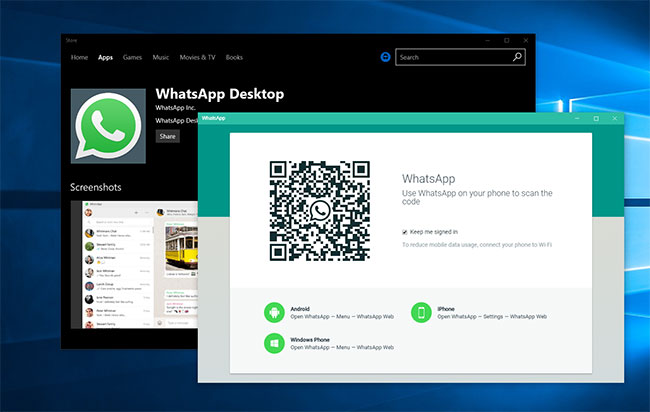
The new desktop app is available for download on both Windows and MacOS. It syncs with the mobile app, and you can customize notifications and shortcuts to your liking.
WhatsApp Is Finally on iPad (after 15 Years)
iPad users finally get what they've been waiting for 15 years: A native WhatsApp messaging app that works seamlessly on the iPad's large screen.
Experience WhatsApp for iPad
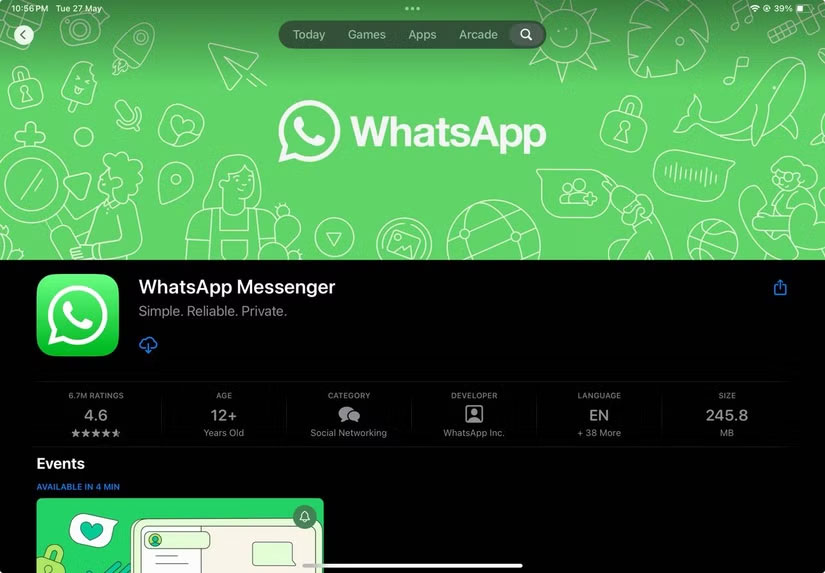
WhatsApp for iPad supports all the key features you'd expect. You can make audio and video calls with up to 32 people. The app lets you share your screen during calls and even use the iPad's dual cameras for more flexible video chats. naturally, all messages and calls are protected by end-to-end encryption, just like on other WhatsApp platforms.
Previously, iPad users had to launch WhatsApp Web in a browser and go through the device-linking process. But the native app for iPadOS saves you many hassle and brings a few extra features.
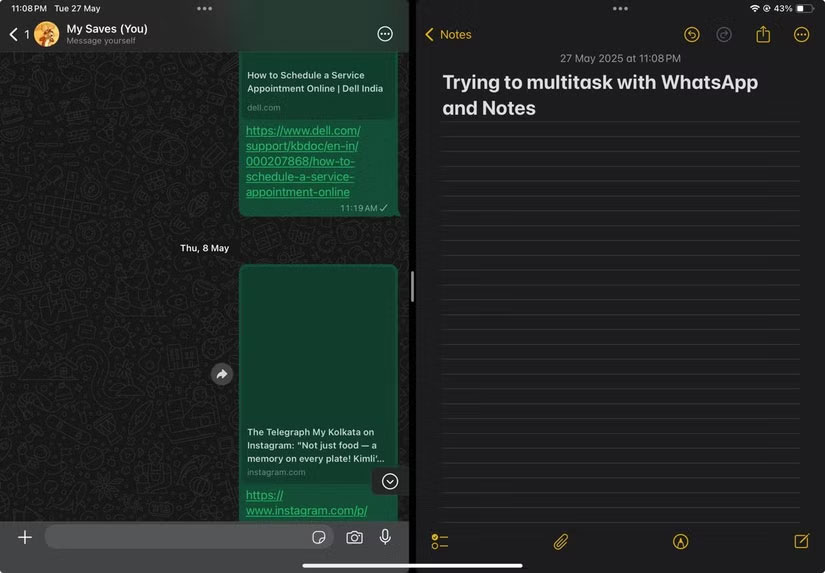
iPad multitasking features like Split View, Slide Over , and Stage Manager will make WhatsApp part of your productivity toolkit. For those sharing an iPad with their family, security features like chat lock will alleviate some of the concerns about your private conversations being read.
The app also works seamlessly with Apple's Magic Keyboard and Apple Pencil, making typing and navigation natural.
This is a big step up from the old solution of using WhatsApp Web, which was never suitable for tablet screens. You can download the WhatsApp app for iPadOS from the App Store.
Multitasking Capabilities for WhatsApp Users
For anyone who uses their iPad for work, school, or daily communication, this app is a productivity booster. Use Split View and Slide Over to keep chats and calls open while you do other things. You can make all your WhatsApp voice and video calls from anywhere if your iPad is SIM-enabled or near a hotspot.
Imagine chatting with friends in a group study session while taking notes or browsing the web without constantly switching apps.
The new app also signals Meta's growing focus on improving the experience across different devices. WhatsApp on iPad offers the same features as the phone app, so you will not lose anything when you move to a larger screen.
While it is possible to use two browser windows (with WhatsApp in one), the native app makes it less cumbersome. it is a clear example of how apps should take advantage of the iPad's unique capabilities rather than simply copying the phone version. There's some talk of Meta developing an Instagram app for the iPad, too.
If you own an iPad and use WhatsApp regularly, this new app will make messaging easier and let you multitask without any hassle. it is nice to see Meta finally giving iPad users what they've been asking for, even after more than a decade and a half.
WhatsApp Features
Low Cost
WhatsApp has largely risen to popularity in many regions because of its low cost of use. At the time WhatsApp was gaining popularity, phone providers in many countries were charging for each text message or placing limits on the number of messages that could be sent. Since all you need to use WhatsApp is an internet connection, it was a more attractive alternative to SMS.
Still, most mobile service providers now offer unlimited SMS text messaging as a standard feature, so there is not much need for an alternative like WhatsApp.
Support Many Types of Devices, Simple to Use
For many iPhone users, iMessage is the default messaging app. It automatically works when you text someone who also has an iPhone. But as Android becomes more widely used around the world, iMessage has lost its popularity.
Many developing parts of the world were also starting to see large-scale smartphone adoption, along with 3G connectivity, when WhatsApp first came out. In many ways, WhatsApp was in the right place at the right time to become as popular as it is today.
Despite the initial explosion, WhatsApp remains at the top thanks to its simplicity and versatility. All you need to message someone is their phone number, so you do not have to worry about connecting on Facebook or using an Apple device. Texting, calling, and photo sharing are all in one place, without any ads. it is all very appealing.
Also, SMS (and MMS, which is used to send multimedia messages) are outdated. SMS is still limited to 160 characters per message, and MMS has strict file size limits that make modern videos and images uncomfortable. WhatsApp is a modern messaging method that solves all of those pain points.
Beautiful and Simple Interface
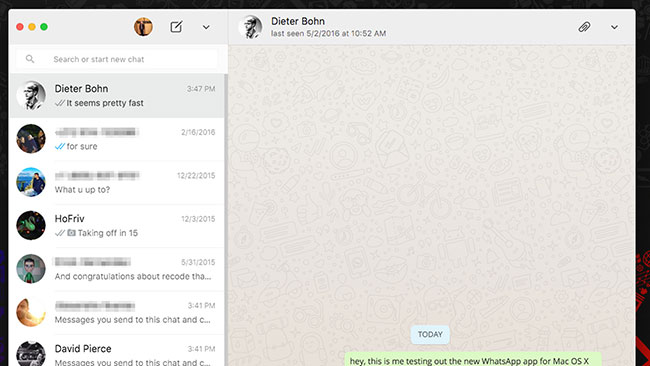
WhatsApp's desktop interface is exactly what you'd expect, with no clutter or clutter. The options are clear and well laid out. For anyone familiar with WhatsApp for Android, navigating and using it will be a no-brainer. If you're new to it, it is also easy to learn.
It does not take much time or effort to figure things out. The options are reminiscent of the WhatsApp app for Android. Users may also be familiar with the web browser version, which is similar in functionality and layout.
Most of the Functions Are the Same and It Is Great
The PC version of WhatsApp is very similar to the web and mobile versions. Most of what you expect to see and use is there, except now on a larger screen. You can chat, send and receive photos or other documents. The app also offers the ability to create and manage groups and make changes to your profile.
Real - time Synchronization
Once you install the software, you will have to scan a QR code with your mobile device. This is similar to WhatsApp Web. Your devices will then sync and you can start chatting from your laptop or desktop.
While the app is similar to the web version, it is nice to be able to access chats without having to open a web browser. The program is made more accessible by tweaking settings to help you receive notifications on your screen.
The problem is that you'll need a constant connection to your phone. If your mobile device is down, you will not be able to log in to the desktop version. Other programs, like LINE, offer OTP (one-time password) methods. This keeps your messages secure, but it does not hamper your desktop experience in case your phone battery dies.
Chat Better, Faster and More Comfortably
Connecting via a PC is usually faster, so files transfer and messages are sent more quickly. Not only is the screen larger and easier to see, but chatting on a computer keyboard is much quicker and more comfortable for most users.
Like the other versions, this chat app gives you the ability to manage groups with up to 256 people at a time. You can name the group and customize notifications. They are useful for event planning or for professional settings.
Better Experience
If you have a webcam and microphone on your computer, you can send photos, videos, and audio clips through your PC.
WhatsApp Is End - to - end Encrypted
An overview of WhatsApp wouldn't be complete without mentioning that it is end-to-end encrypted. That means the messages you send using the service can only be read by the intended recipient.
Many other messaging services, like Telegram, use client-server encryption by default. That means your messages are encrypted in transit, but they pass through the company's servers and are re-encrypted at that point. In theory, someone at the company with the decryption key could read or tamper with your messages.
Despite end-to-end encryption, many people do not trust WhatsApp because it is owned by Facebook. Whether or not you decide to use WhatsApp is up to you. If you have friends from all over the world, you'll probably want to use WhatsApp when you need to chat with them.
The Phone Must Always Be Connected
Unfortunately, having the app connected to your phone is both an advantage and a disadvantage. Your mobile device will always need to be connected when you are using WhatsApp for Windows. To reduce data usage, ensure your Android device or iPhone is connected to a WiFi network.
Some Options Are Missing
There are a few unexpected bugs with the desktop app. Some options are missing, such as the ability to contact people via voice and video calls. You also cannot share your current location with WhatsApp for Windows 10 PCs.
If you are using WhatsApp on a Mac, you can refer to the guide: How to use WhatsApp on Mac for more details.
Advantage
- Better and faster connection than mobile version
- Customize desktop notifications
- Stay connected with friends and family
- End-to-end encryption
Disadvantages
- Do not share location
- No voice or video calls via desktop version
- Requires constant phone connection
FAQ
What is the main takeaway about Download WhatsApp for PC, Phone, Web?
The key is to understand the core idea, compare the available options, and apply the practical guidance that matches your situation.
What should beginners know about Download WhatsApp for PC, Phone, Web?
Start with the essential steps and terminology. Avoid changing advanced settings until you understand how they affect performance, privacy, cost, or compatibility.
How can I use this information in practice?
Follow the relevant section in order, test one change at a time, and confirm the result before moving to the next step or recommendation.
Related Articles
 How to Install Whatsapp on PC or Mac4 minutes read
 Download WhatsApp 2.2102.96 minutes read
 How to Activate 2-Step Verification of Whatsapp Account3 minutes read
 These Features Make It Easier to Master Whatsapp16 minutes read
 How to Register, Activate Your Whatsapp Account on Your Phone2 minutes read
 Instructions for Making Video Calls on Whatsapp Application on3 minutes read
Reader Comments 0
Sign in with email or Google to join the discussion.