Table of Contents
Choose a generative AI tool based on the material you start with and the output you need. A writing assistant can draft from notes, a design tool can help assemble a graphic, and an editor extension can work with code. Test the tool on one real task before paying for it or sharing sensitive material.

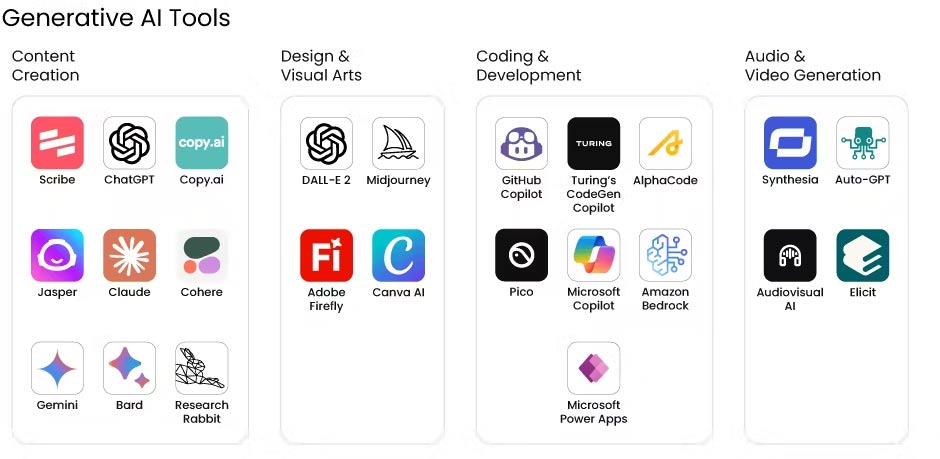
Choose a tool by task
| Task | Examples | How to test it |
|---|---|---|
| Writing and summarizing | ChatGPT, Claude, Jasper | Give it source notes and a specific audience. Compare the draft against those notes and check whether it invented a claim. |
| Workflow documentation | Scribe | Record a short workflow and check whether a new teammate can follow the resulting instructions. |
| Design and image generation | Adobe Firefly, Canva, Midjourney | Test one edit you make often, such as changing a background while keeping the subject. Check the export and usage terms for your project. |
| Coding | GitHub Copilot, OpenAI Codex | Ask it to explain or change a small function. Read the changes and run the project’s tests. |
| Narrated video and avatars | Synthesia | Generate a short segment from a script and review pronunciation, timing, and captions. |
| Research discovery | Elicit | Start with a specific research question and open the papers behind its summaries. |
Compare the workflow before you commit
Use the same input for two candidate tools. Track how much editing the result needs, whether it exports to a format you can use, and what the plan actually includes. If you need the tool inside your own software, a model platform such as Amazon Bedrock serves a different purpose from a ready-to-use chat or design app.

For ways to specify an output and compare responses, see the TipsMake AI and productivity course. If your goal is to summarize sources you already have, this NotebookLM guide shows how a source-based workflow works.
Related Articles
 5 Generative AI Security Risks and Practical Defenses
 What is Generative AI?
 6 Reasons Generative AI Should Not Be in Any Creative App or Software
 5 potential negative health effects of Generative AI technology
 10 Practical Ways to Use Generative AI in Everyday Work and Life
 5 Photoshop AI Tools Beginners Should Learn
Reader Comments 0
Sign in with email or Google to join the discussion.