Table of Contents
This practical guide explains how to change 24 hour format to 12 hour format for WhatsApp. Follow the steps in order, review the requirements first, and use the troubleshooting notes when a setting or option does not work as expected.
How to Change 24 Hour to 12 Hour Format WhatsApp Android
Step 1:
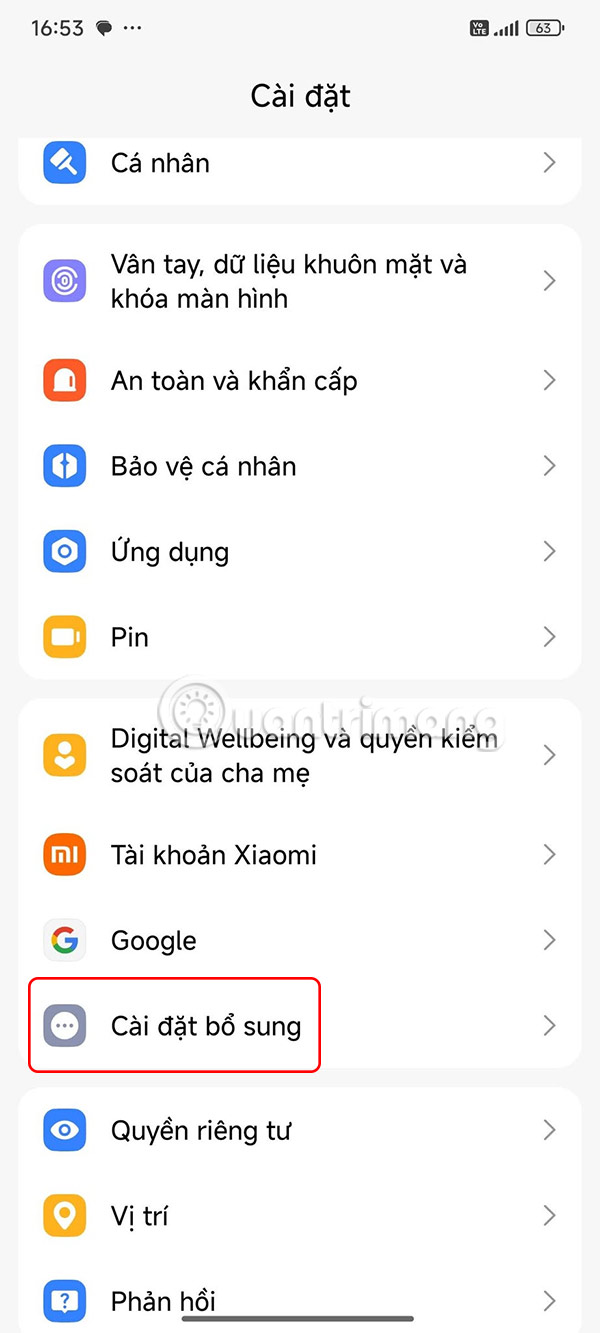
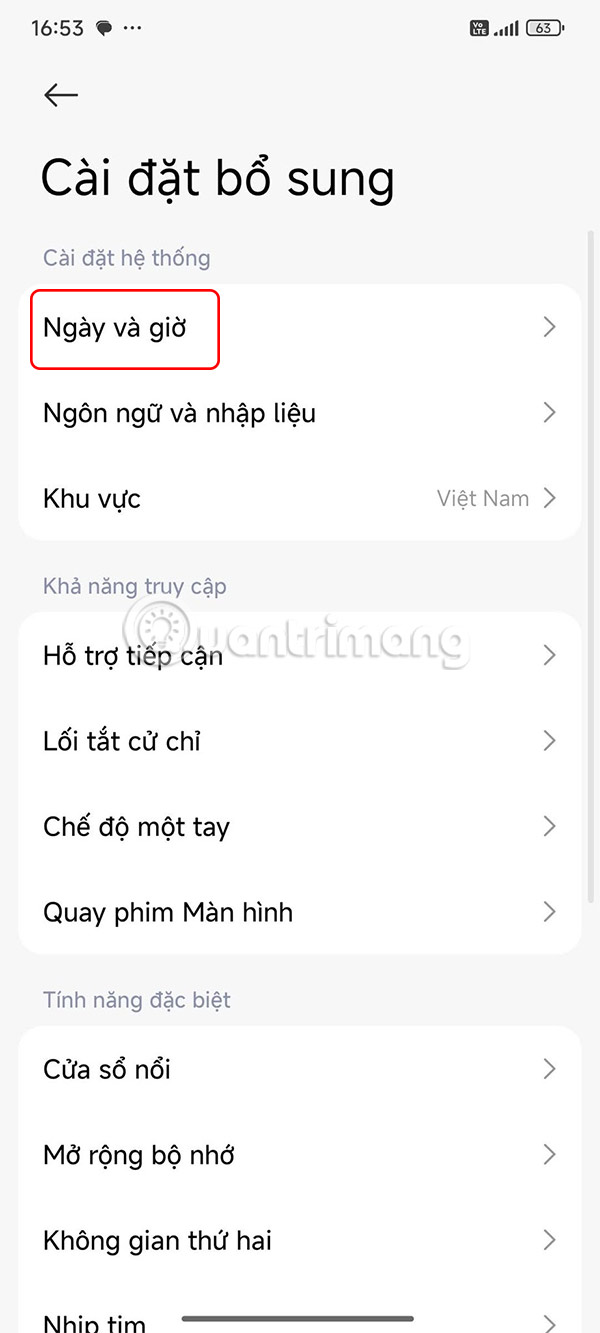
You select Settings on Android , then select Additional Settings . Next, you select Date and time to adjust the date and time format.
Step 2:
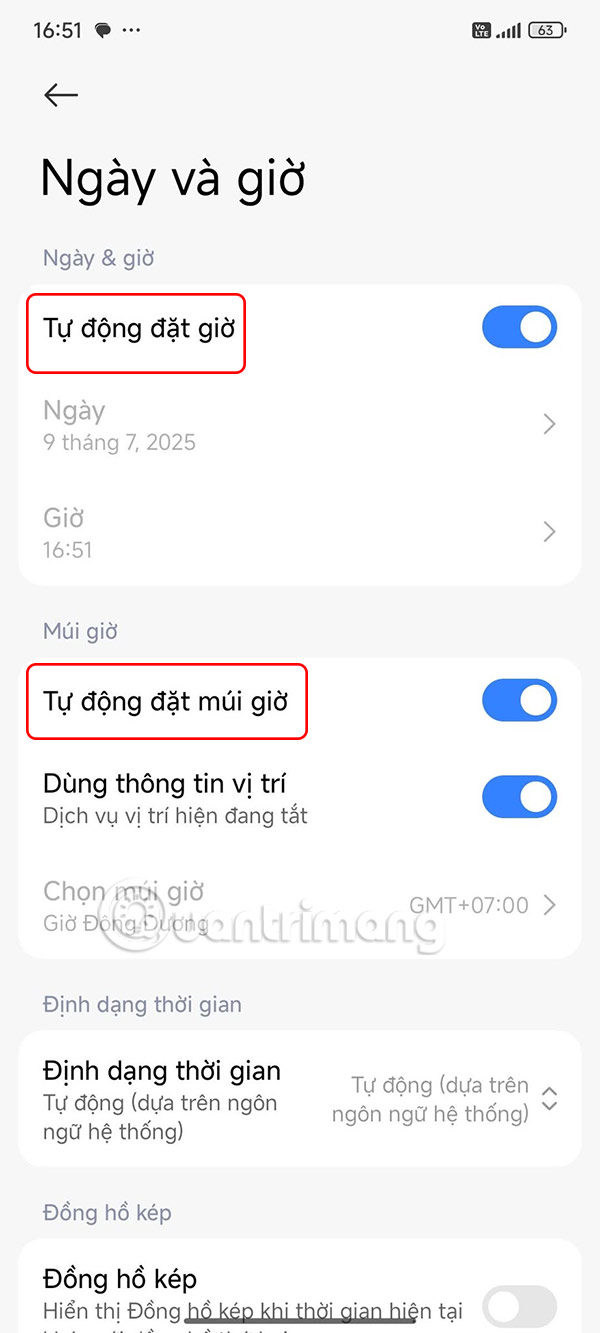
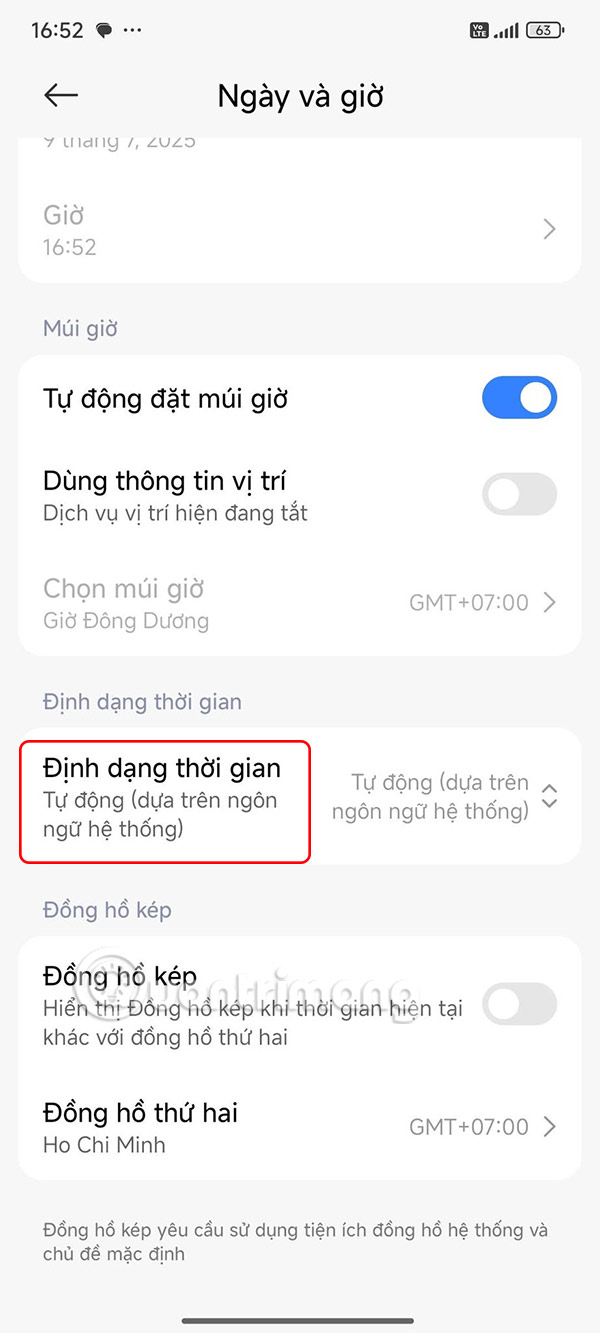
In the date and time adjustment interface on Android, you enable Automatically set time and Automatically set time zone . Then below, the user taps on Time format to adjust.
Step 3:
Now you will select the date and time format as 12 hours . So we have changed the 24-hour format to 12 hours on Android phones to apply to the WhatsApp application.
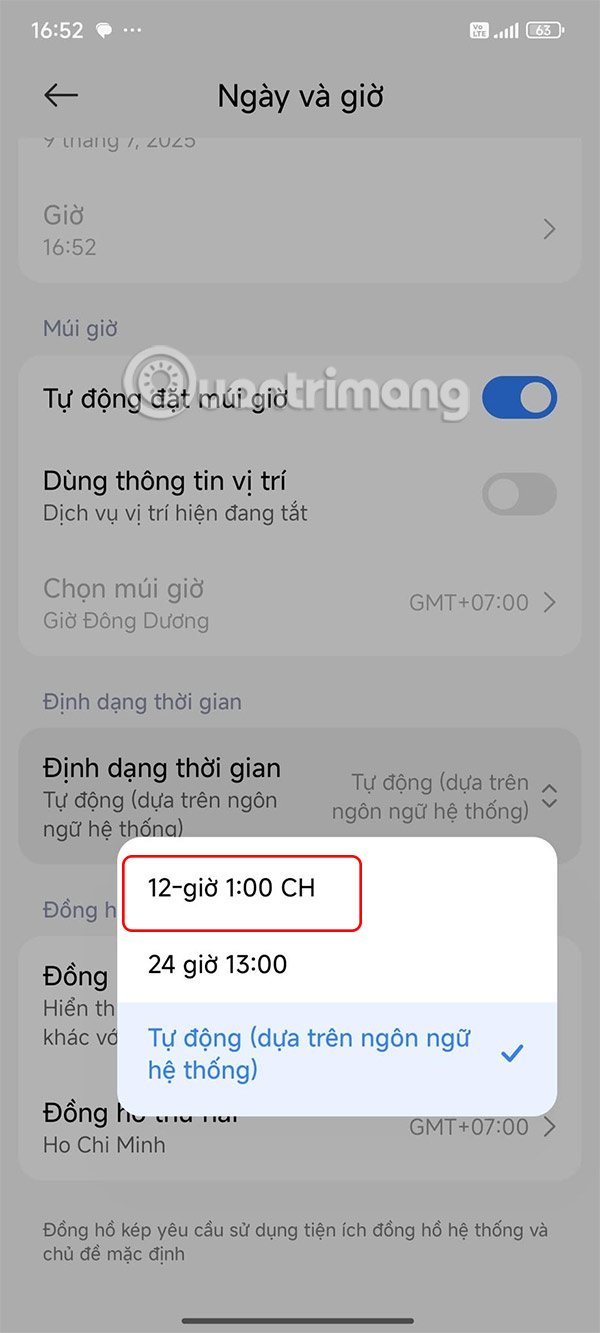
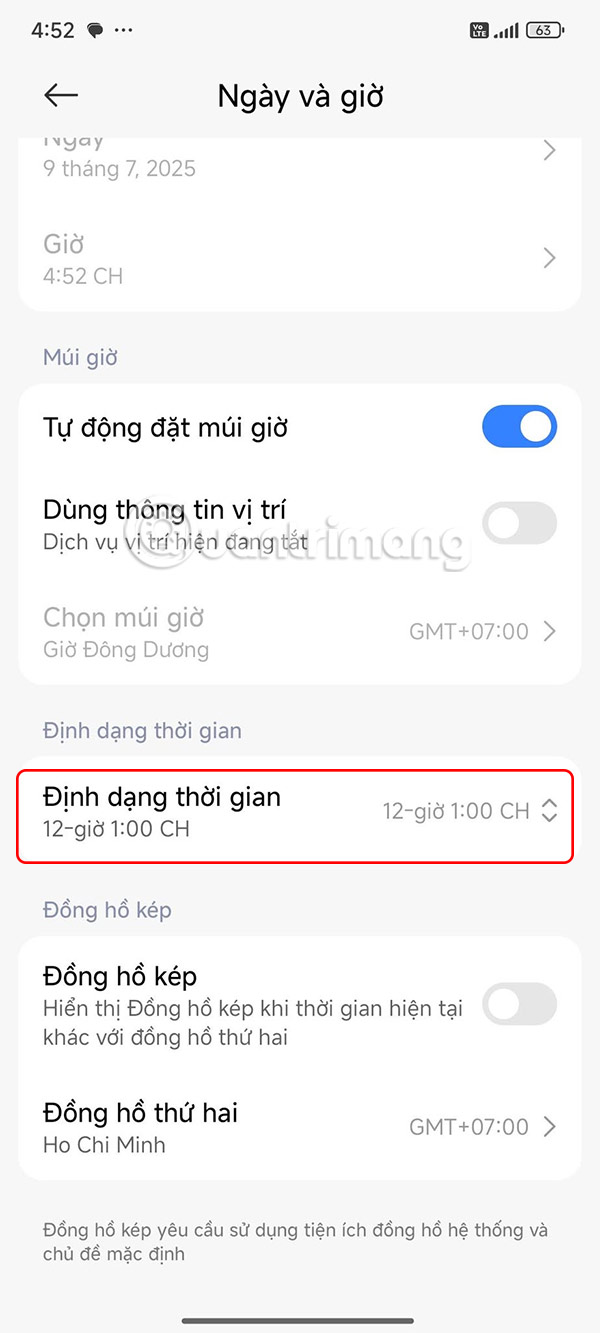
If WhatsApp is still using the 24-hour time format, open the settings app and turn off the toggle for automatic time zone setting.
How to change 24 hour to 12 hour format on iPhone
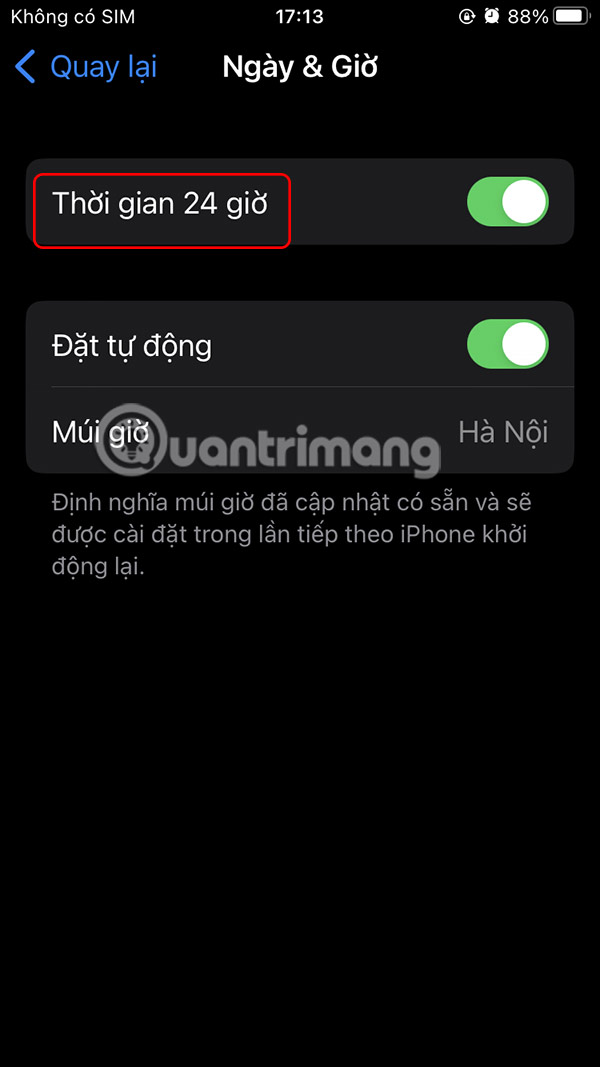
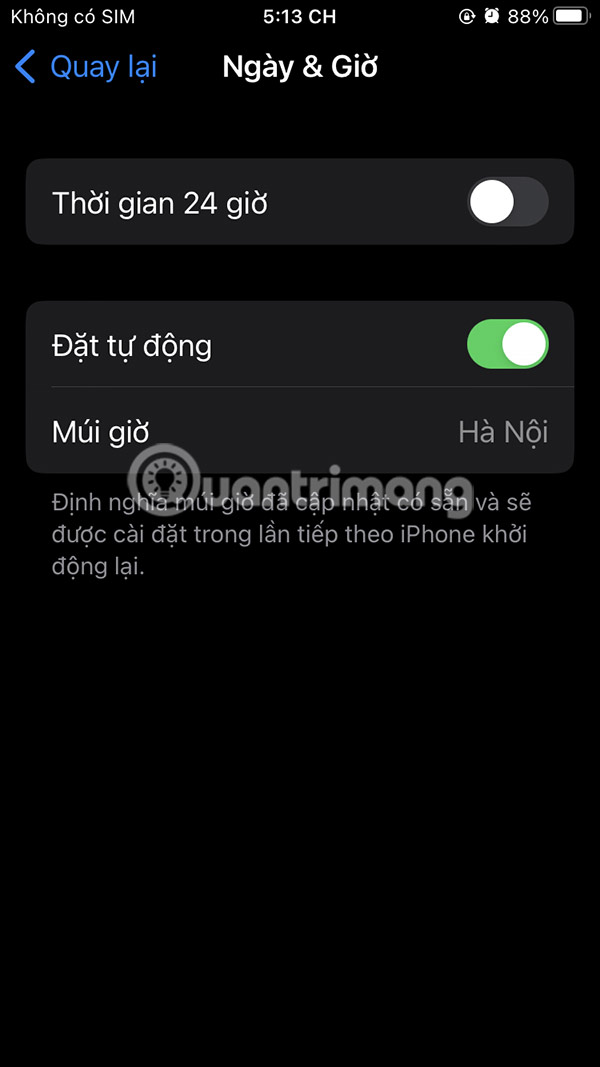
We tap on Settings > General > Date & Time and then also turn off 24 Hour Time mode .
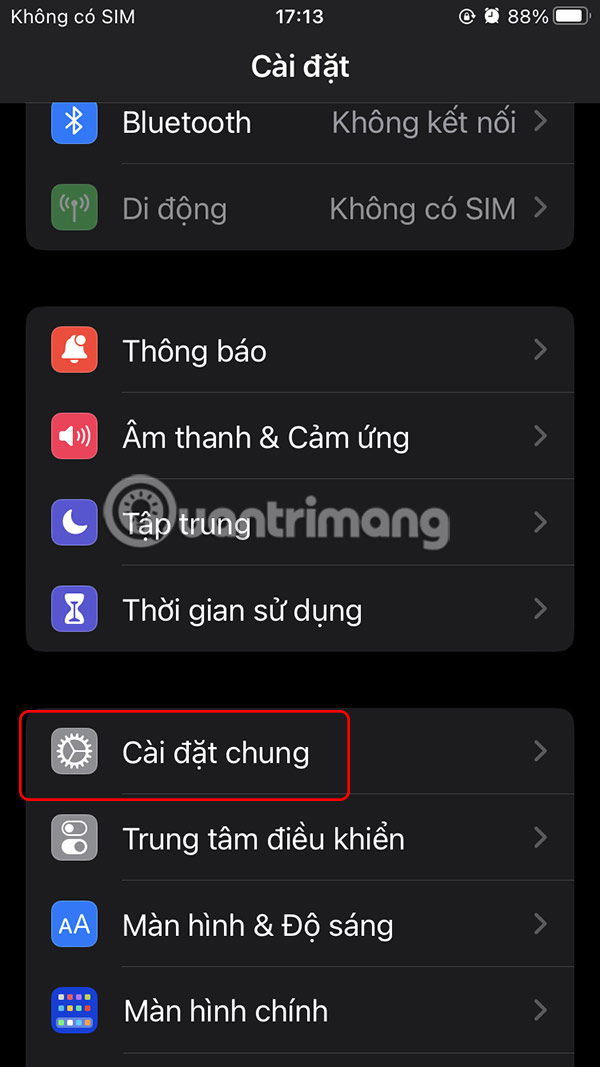
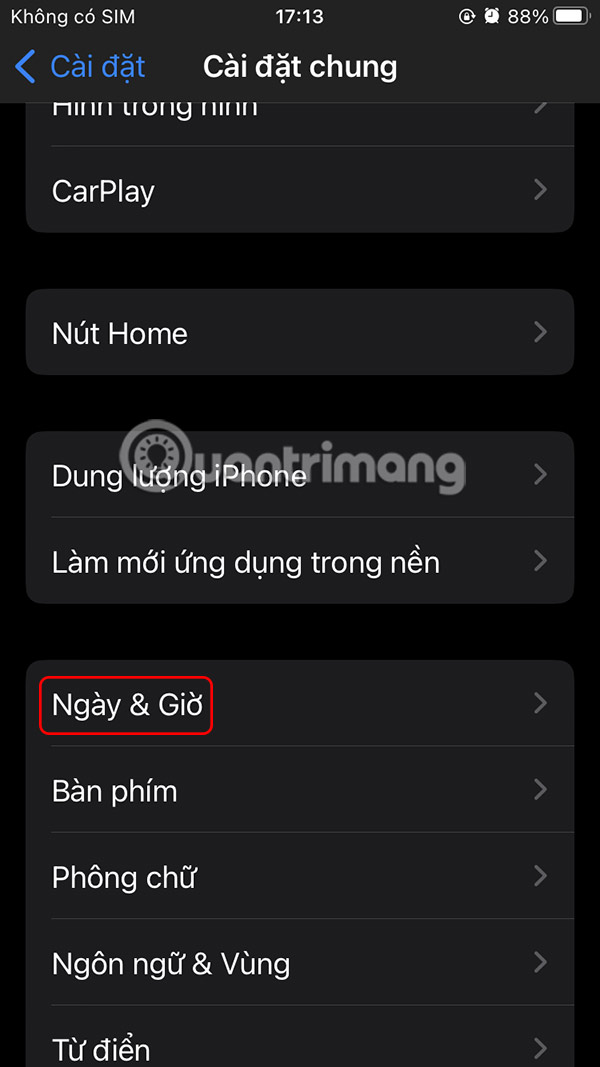
FAQ
How to Change 24 Hour to 12 Hour Format WhatsApp Android?
You select Settings on Android, then select Additional Settings. Next, you select Date and time to adjust the date and time format.
How to change 24 hour to 12 hour format on iPhone?
We tap on Settings > General > Date & Time and then also turn off 24 Hour Time mode.
What does this guide cover?
This guide explains change 24 hour format to 12 hour format for WhatsApp, including the main steps, important details, and practical considerations.
Related Articles
 How to Switch to 24-hour Format on Android4 minutes read
 How to Format Text in WhatsApp Chats: Step-by-Step Guide5 minutes read
 These Features Make It Easier to Master Whatsapp16 minutes read
 How to Convert Time from 24-Hour to 12-Hour: Practical Guide6 minutes read
 How to Change Chat Wallpaper on Whatsapp3 minutes read
 Instructions to Change Whatsapp Display Name3 minutes read
Reader Comments 0
Sign in with email or Google to join the discussion.