Map and Positioning
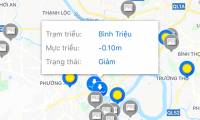
How to Look for Flood Spots in Ho Chi Minh City on the Phone
Learn how to look for flood spots in ho chi minh city on the phone with clear steps, practical context, and useful troubleshooting guidance.
Browse more Explore practical Map and Positioning guides, useful tools, setup instructions and troubleshooting tips for common tasks, features and problems.
Learn how to look for flood spots in ho chi minh city on the phone with clear steps, practical context, and useful troubleshooting guidance.
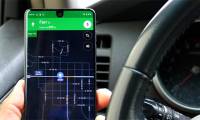
Learn how to turn on dark mode on Google maps with clear steps, practical context, and useful troubleshooting guidance.

Learn how to drop a pin on Google maps with clear steps, practical context, and useful troubleshooting guidance.
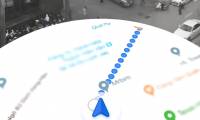
Learn how to using Ar Road Features on Google Maps with clear steps, practical context, and useful troubleshooting guidance.
Get a clear overview of Compare Apple Maps and Google Maps, why it matters, and what readers should know.

Learn how to order Mygo Car, Call Car on Mygo App with clear steps, practical context, and useful troubleshooting guidance.

Learn how to use Smakoon to Find Restaurants on Windows 10 with clear steps, practical context, and useful troubleshooting guidance.

Get a clear overview of Rent a Car: Guide to Rent Cars and Rent Cars with Mioto, why it matters, and what readers should know.
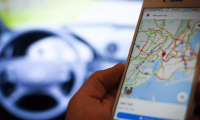
Learn how to enable Speed Limits on Google Maps with clear steps, practical context, and useful troubleshooting guidance.

IParking is an application to find parking, send cars on the phone. Users can use iParking to find parking in the fastest time.

Not only does it help you navigate the road better, Google Maps also captures many difficult moments across the streets of the world.
Explore delete saved places on Google maps and Google now with clear explanations, practical examples, and key details that help you understand and apply.
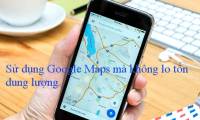
Google Maps is no stranger to anyone who travels without knowing the way. The steps below explain to use Google Maps without 3G / 4G capacity.
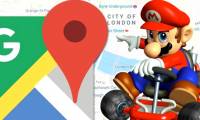
With this tip, you can use the Mario driving game character image instead of the direction arrow on the previous Google Maps application. Interesting, isn't it?
Today, we are almost unable to travel or travel without Google Maps. Unfortunately, Google Maps restricts zooming to a certain extent.

Need to measure the distance between two points on Google maps? Use these practical instructions to complete the process, verify important settings.
Get a practical overview of tips for using Google maps on Android, including important details, common questions, and useful guidance for everyday use.

Complete find the way to Google maps for motorcycles with clear instructions, useful checks, and practical troubleshooting tips for a smoother result.

GrabTaxi is Grab's online car calling service, which helps you find fast taxis from different brands. See how it works and what to consider before using it.
This guide explains how to prevent Google from tracking your location, what to check before you begin, and how to solve common problems.