Table of Contents
Fast Startup Windows 11 helps your computer boot faster than usual, but it can also be the reason why your Windows computer does not shut down completely. If you want to make sure your computer really shuts down every time, you should disable Fast Startup according to the article below.
How to disable Fast Startup Windows 11 feature
Step 1:
Open Control Panel on your computer and click Hardware and Sound .
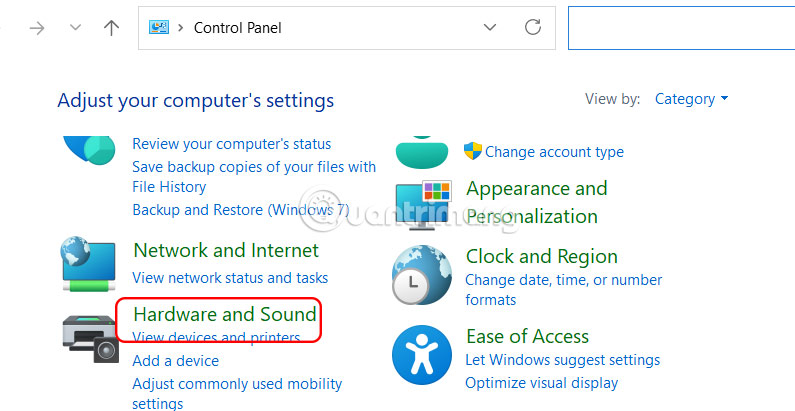
Next, click Power Options .
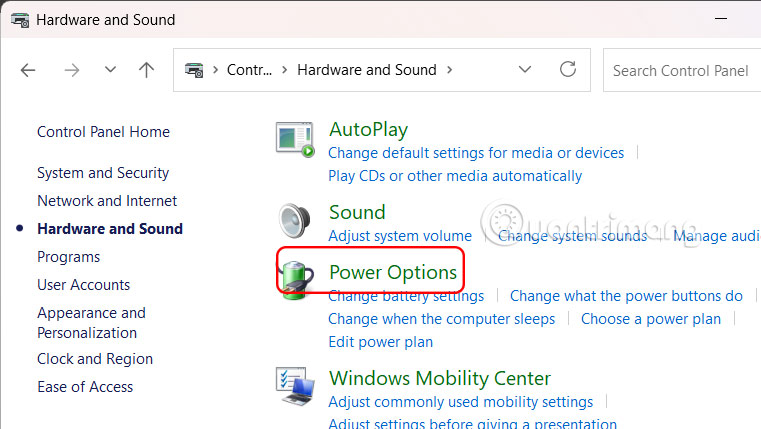
Step 2:
In the new interface, users select Choose what the power buttons do .
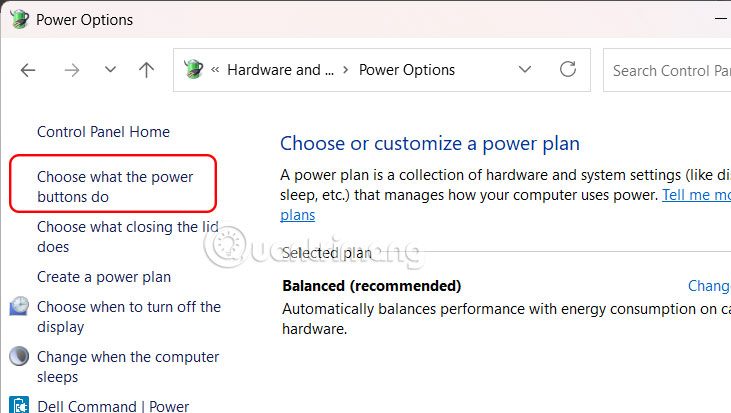
Step 3:
We select Change settings that are currently unavailable above the interface.
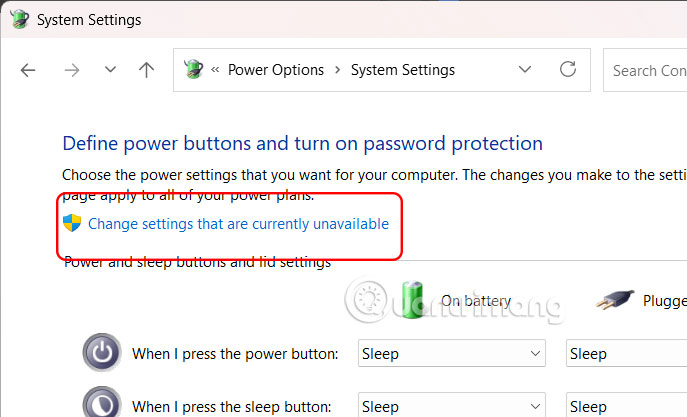
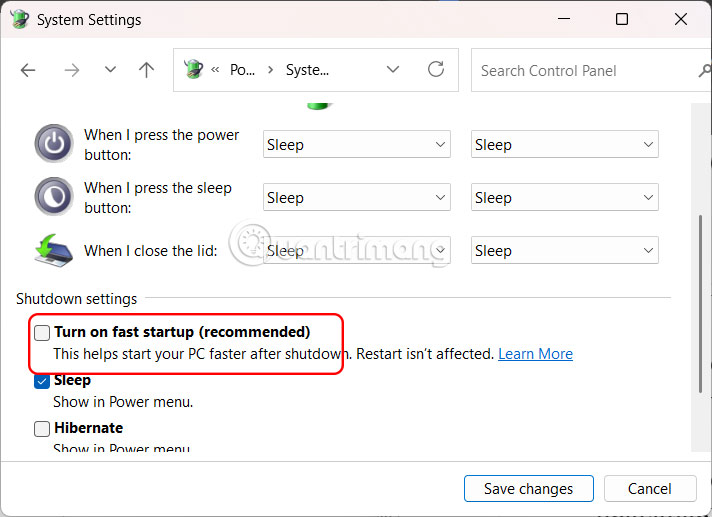
Now below the options display, we will turn off the Turn on fast startup (recommended) setting in the Shutdown settings section.
Finally, click Save changes to save the new settings.
Step 4:
Open Command Prompt with Admin rights on your computer and enter the command below to check if Fast Startup is turned off or not.
powercfg /a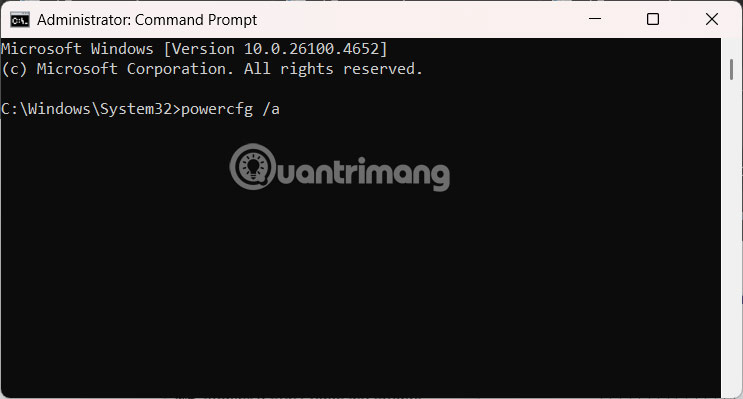
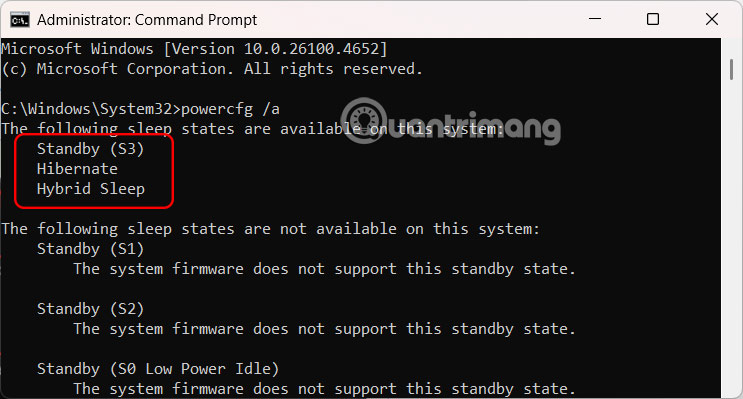
If you see a list of available sleep states displayed on a computer without Fast Startup, then the feature is completely disabled.
If your computer uses an SSD, you should disable Fast Startup. Since SSDs are already very fast to boot up, disabling Fast Startup can help ensure a clean shutdown and avoid potential driver or update issues.
On the other hand, if your computer still uses HDD, turn on Fast Startup mode to speed up computer startup.
Final Thoughts
Following the steps in order and checking version-specific settings should make it easier to Disable Fast Startup on Windows. If an option looks different, verify the device, app, or operating-system version before changing additional settings.
FAQ
What is the best way to Disable Fast Startup on Windows?
Start with the requirements described in the article and follow the steps in order. Fast Startup Windows 11 helps your computer boot faster than usual, but it can also be the reason why your Windows computer does not shut down completely.
What should you know about How to disable Fast Startup Windows 11 feature?
Open Control Panel on your computer and click Hardware and Sound.
What should you do if the instructions do not match your screen?
Check the device, software version, account permissions, and regional settings. Interfaces can change after updates, so use the closest matching option and consult the official support documentation when necessary.
Related Articles
 How to Turn Off Fast Startup on Windows 10 and Windows 8.1 // 87 minutes read
 How to Disable the Fast Startup Feature on Windows5 minutes read
 How to Disable Hibernation Without Disabling the Fast Startup5 minutes read
 Boost Windows 10 Startup Speed by Enabling Fast Startup3 minutes read
 How to Manage Startup Programs with Windows?7 minutes read
 Microsoft Is Committed to Fixing Updates on Windows 103 minutes read
Reader Comments 0
Sign in with email or Google to join the discussion.