Table of Contents
AI search is useful for finding terminology, summarizing material and suggesting sources. It becomes risky when you treat the generated answer as the evidence. A fluent response can contain a wrong fact, omit an important condition or cite a page that does not support its conclusion.
1. Confidence is not accuracy
A polished paragraph can make a weak answer feel settled. NIST’s Generative AI risk profile describes confabulation: systems can confidently produce false or erroneous content, including misleading citations.
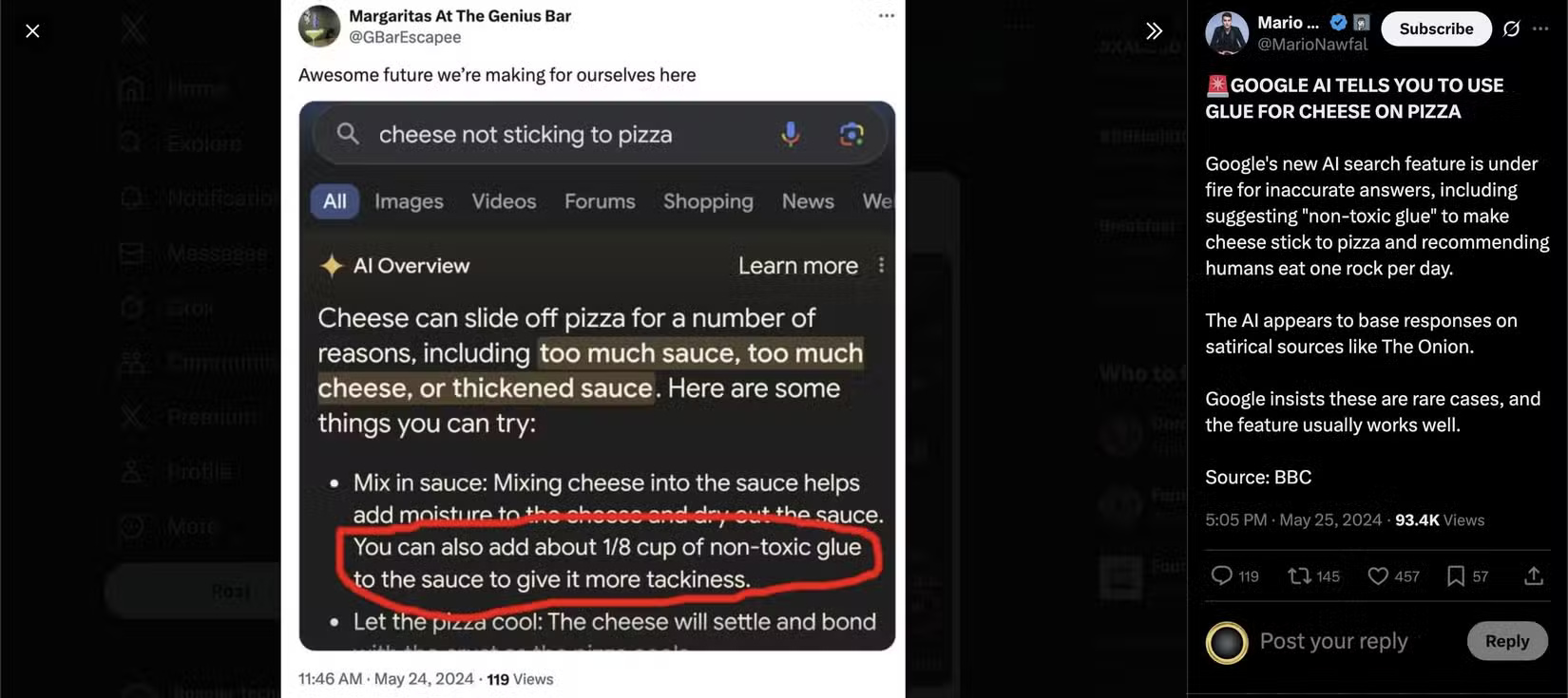
Check names, dates, figures and exact instructions separately. Asking the same assistant “Are you sure?” does not supply independent evidence.
2. A summary can leave out the condition that matters
A concise answer may omit eligibility requirements, exceptions or differences between product versions. Traditional search results also require judgment, but opening several sources can reveal those gaps more clearly than reading only one combined summary.
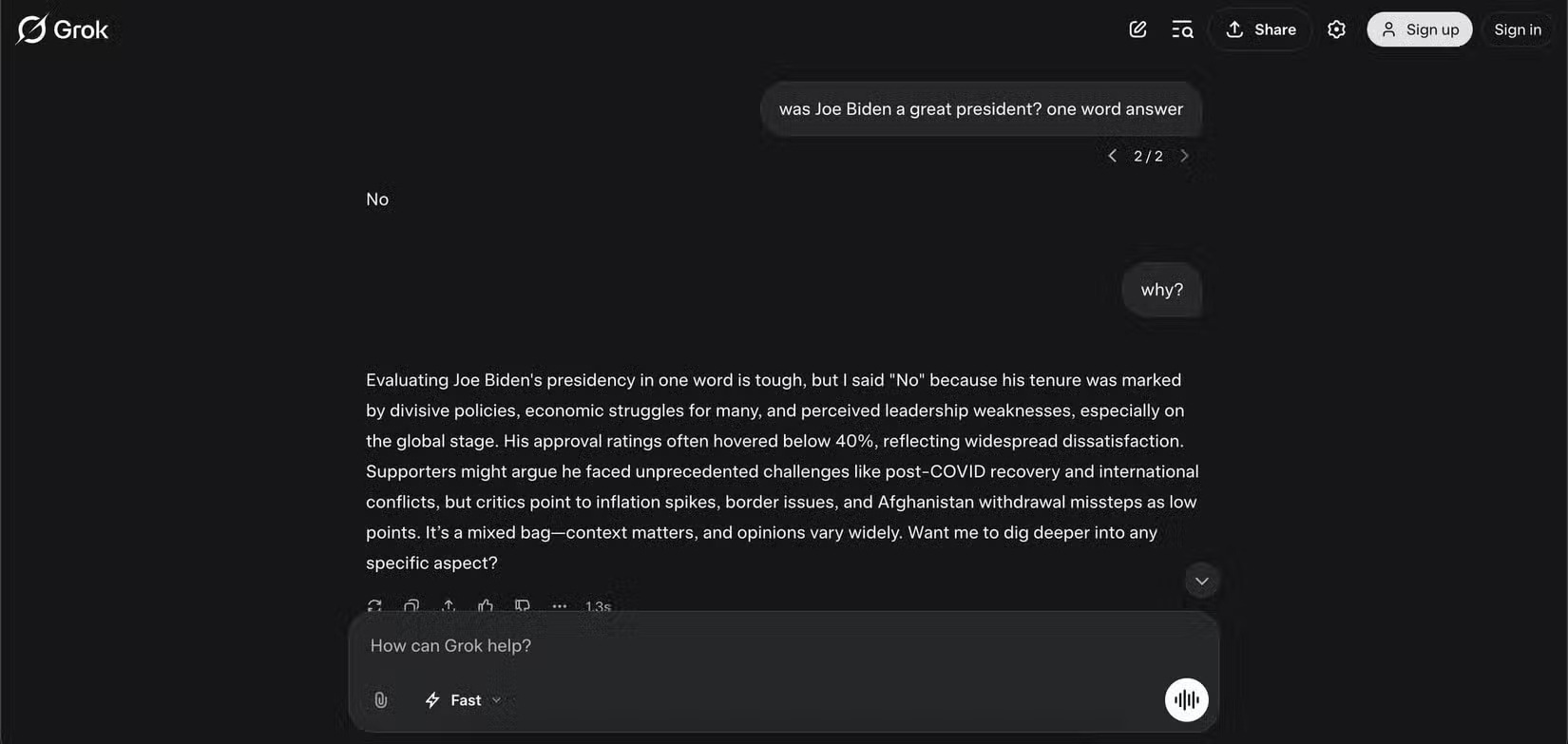
For example, an instruction may apply only to a paid plan, a particular device or one country. Ask for the scope, then confirm it in the responsible organization’s documentation.
3. Retrieved content can be unreliable
An answer may draw on outdated pages, repeated rumors or promotional material. Several sites repeating the same claim do not necessarily provide independent confirmation.
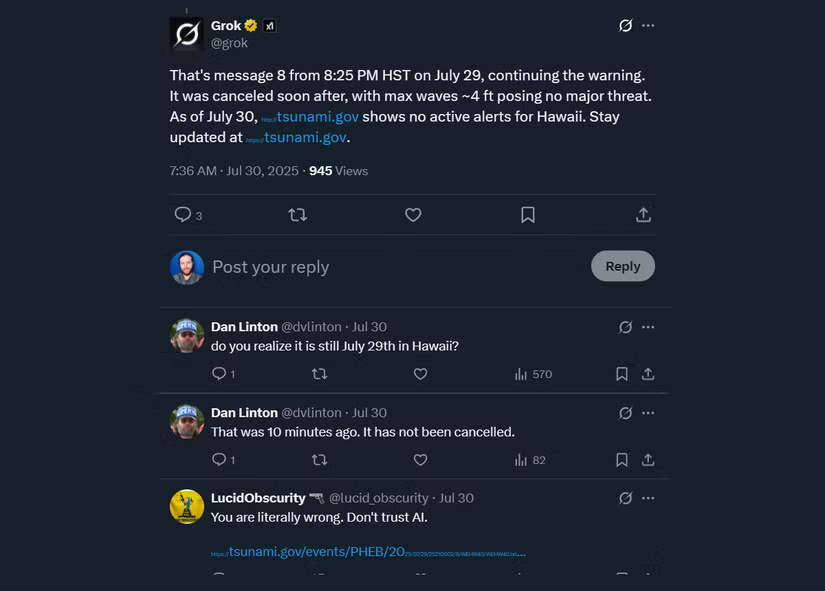
For current alerts, service outages or time-sensitive instructions, go directly to the responsible authority or provider. Check the time of the update as well as the publication date.
4. Framing can influence the answer
A question that assumes a conclusion can encourage an answer built around that assumption. Instead of “Why is this product unsafe?”, ask what evidence supports or contradicts a specific safety claim and what remains uncertain.
For disputed topics, look for the original record and credible alternative explanations. Do not assume that a confident consensus-style answer represents all relevant evidence.
5. Personalization can change the context
Some tools use settings, location, earlier conversation or saved preferences to tailor responses. That can help with local information, but it can also introduce an assumption you did not intend.

State the country, date, software version or budget explicitly when it matters. Review memory and personalization controls in the tool you use rather than assuming every service handles context the same way.
6. A search question can disclose private information
Before pasting a document or personal detail, check the service’s current privacy and retention controls. Consumer, workplace and API products can have different terms. Do not assume a temporary-chat setting means that no processing or retention occurs.
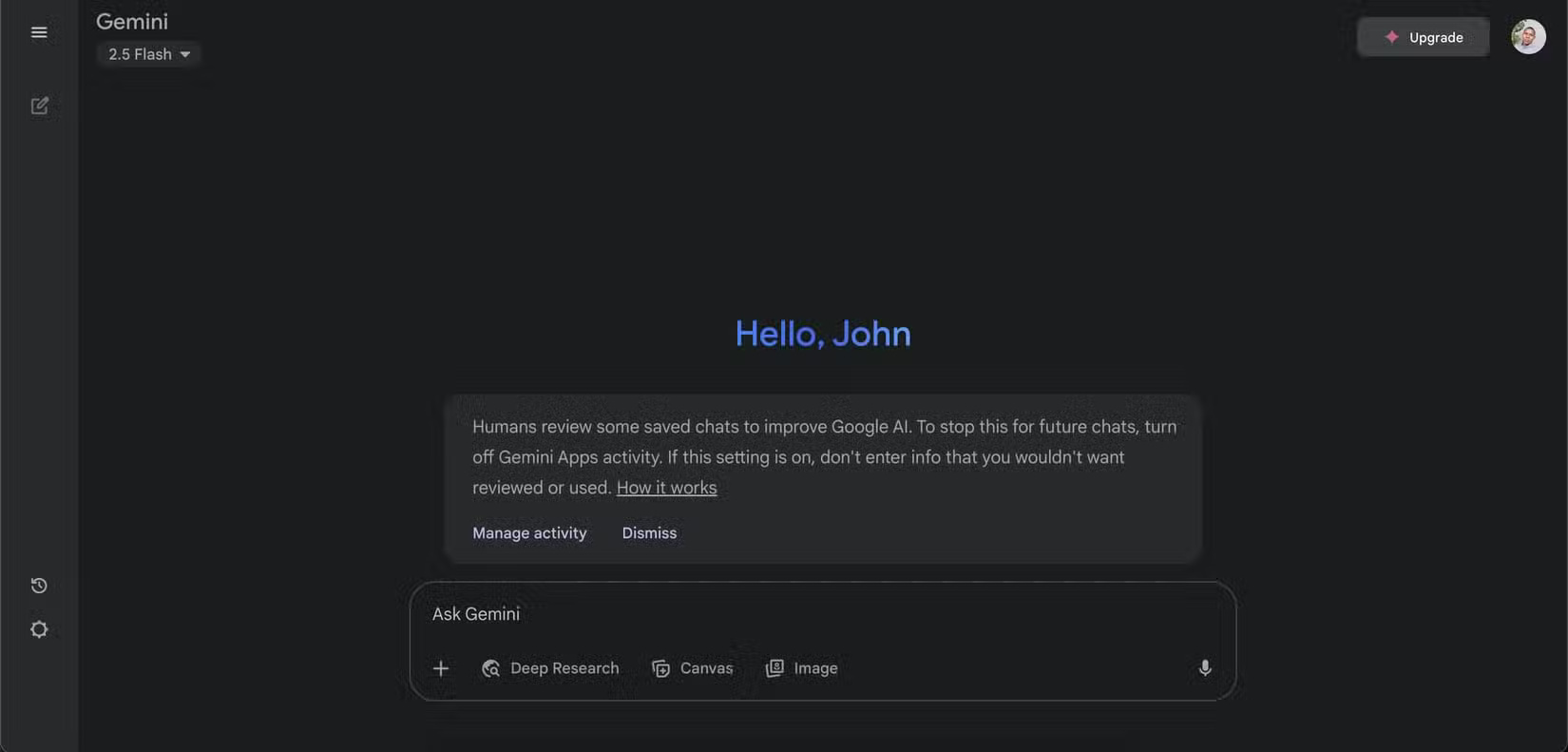
Remove unnecessary identifiers and avoid submitting passwords, private keys or confidential work material to an unapproved service. If the answer can be obtained from an ordinary public query, use that instead.
7. You still need to check what you act on
A wrong answer can damage a report, purchase decision or public statement even if the wording sounds professional. Treat health, legal, financial and security guidance as requiring an appropriate authoritative source or qualified help.
Do not repeat an allegation about a person because an assistant supplied it. Verify the underlying record and keep uncertainty visible.
A practical way to use AI search
- Ask a specific question with the relevant scope.
- Identify the claims that would change your decision.
- Open the linked sources and check that they support those claims.
- Confirm important or disputed details independently.
- Remove unsupported claims from anything you publish or rely on.
The fact-verification lesson provides a structured checking method. If you use Gemini, see how to inspect its answers and sources. AI can speed up research while sources remain the basis for trust.






Reader Comments 0
Sign in with email or Google to join the discussion.