Table of Contents
The Ministry of Public Security has announced that citizens can now change their ID cards on VNeID according to the new administrative boundaries, completely free of charge. If a citizen's ID card is still valid and still under the old administrative unit, it is completely possible to register to change the ID card according to the new administrative unit on the VNeID application. The application also supports citizens to schedule an ID card change to suit and facilitate their work. Below are instructions for changing the ID card on VNeID according to the new ward/commune.
How to change ID card on VNeID according to new ward/commune
Step 1:
First, you need to update the VNeID application to the latest version. Then select the Public Service section of Identity Card and select Issue and change ID card .
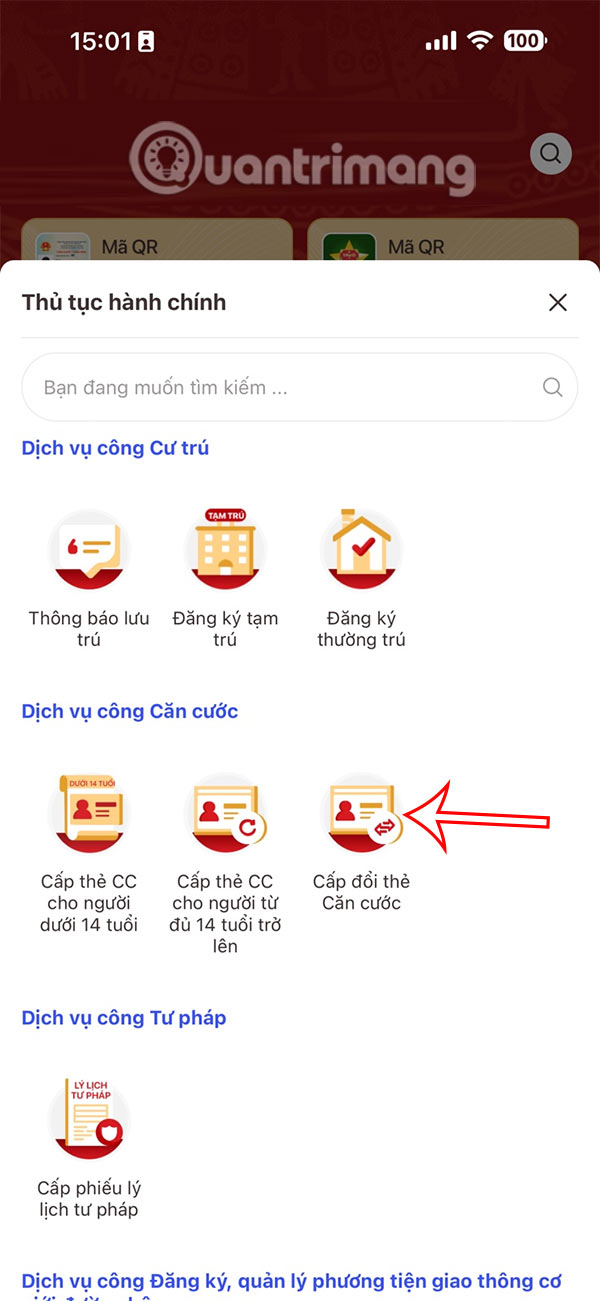
Step 2:
Switch to the new interface, select Create new request and then select the subject to make the ID change request.
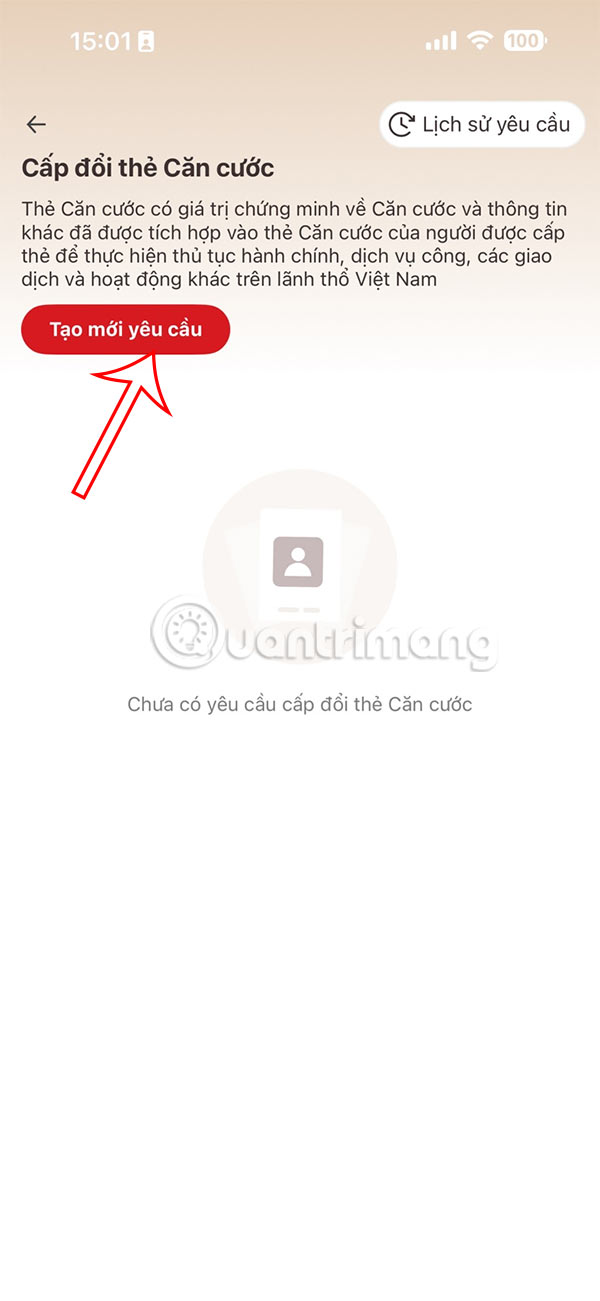
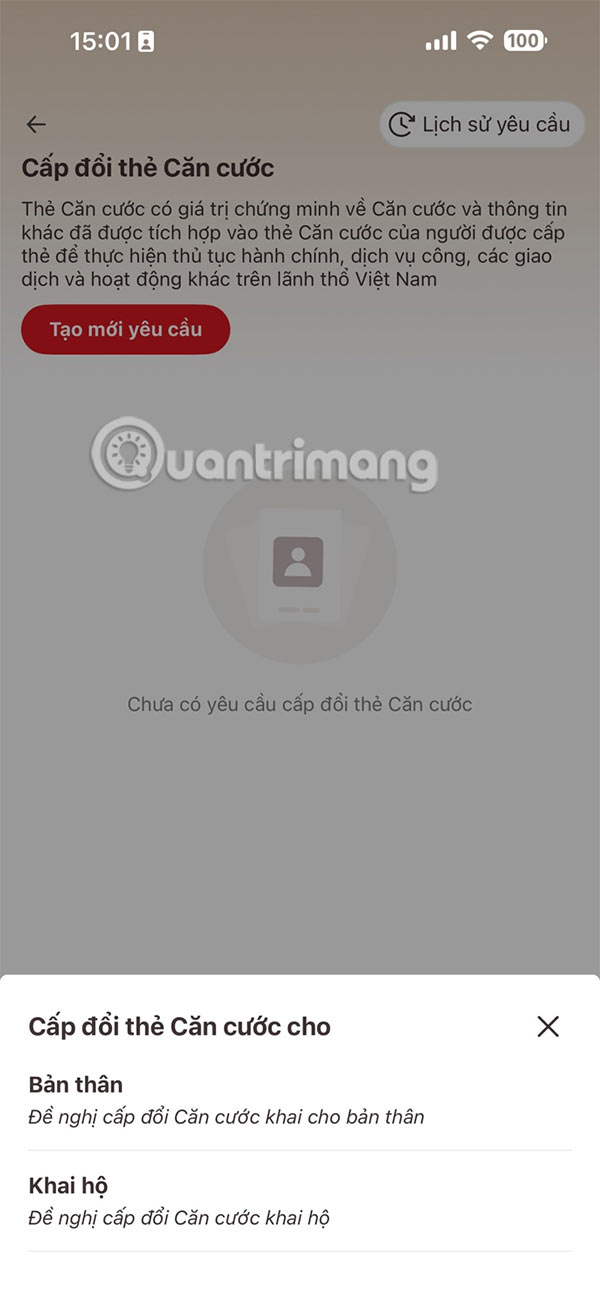
Step 3:
Display the information of the requester, we click Check information and then proceed to select the reason for changing the ID card, which is due to the arrangement/adjustment of the administrative unit . You must choose the correct reason to be exempted from the fee when making and submitting the application.
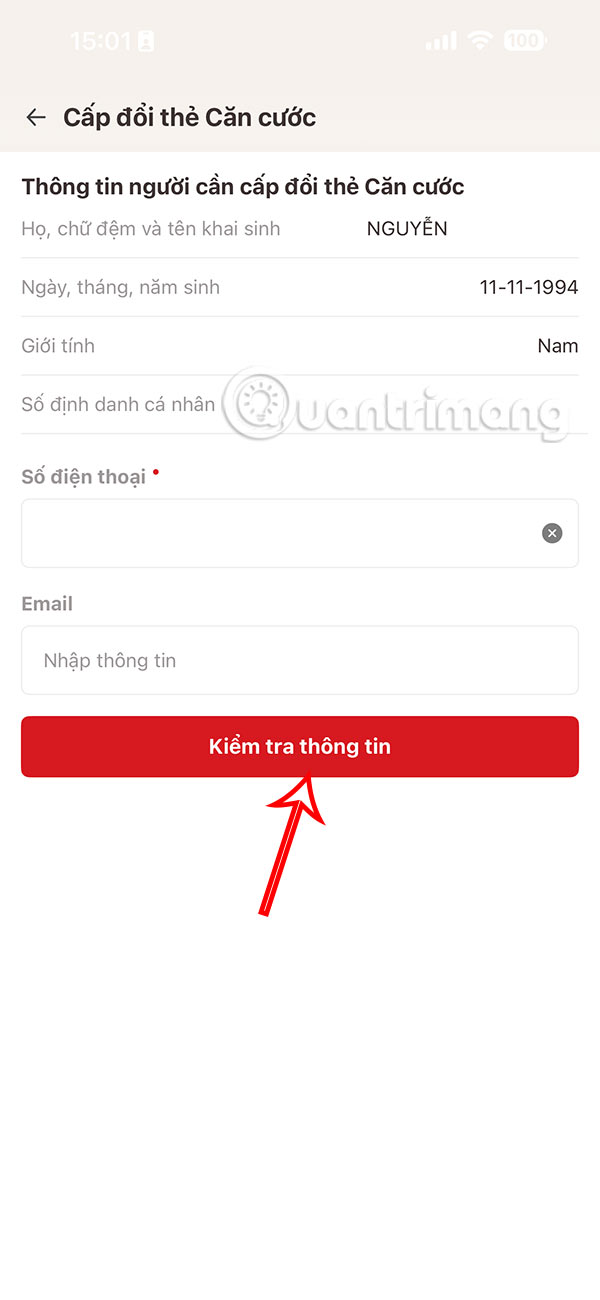
Finally, check the information again and then choose the place of implementation and the form of receipt to send the application and you're done.
The processing time for submitted documents is 7 days from the date your documents have been confirmed. The new ID card will have a new administrative unit after the merger.
Final Thoughts
Following the steps in order and checking version-specific settings should make it easier to Change ID Card on VNeID According to New Ward/commune. If an option looks different, verify the device, app, or operating-system version before changing additional settings.
FAQ
What is the best way to Change ID Card on VNeID According to New Ward/commune?
Start with the requirements described in the article and follow the steps in order. The Ministry of Public Security has announced that citizens can now change their ID cards on VNeID according to the new administrative boundaries, completely free of charge.
What should you know about How to change ID card on VNeID according to new ward/commune?
First, you need to update the VNeID application to the latest version. Then select the Public Service section of Identity Card and select Issue and change ID card.
What should you do if the instructions do not match your screen?
Check the device, software version, account permissions, and regional settings. Interfaces can change after updates, so use the closest matching option and consult the official support documentation when necessary.
Related Articles
 How to View the Latest Driver's License Score on VNeID3 minutes read
 Instructions for Changing Driving Licenses to Plastic Cards Online8 minutes read
 Instructions on How to Fix Unformatted Memory Cards Are6 minutes read
 Instructions for Creating Business Card in Photoshop4 minutes read
 How to Renew an ATM Card When the ATM Card Expires3 minutes read
 Instructions for Making an Online 20/11 Card2 minutes read
Reader Comments 0
Sign in with email or Google to join the discussion.