Table of Contents
Collecting your favorite songs into playlists is a great way to stay organized. With iOS 26, you can save playlists to folders to create a customized listening space. The Apple Music playlist folder shows a consolidated view of all your songs, allowing you to play them in order or shuffle them. Here's how to create an Apple Music playlist folder.
How to create an Apple Music playlist folder
Step 1:
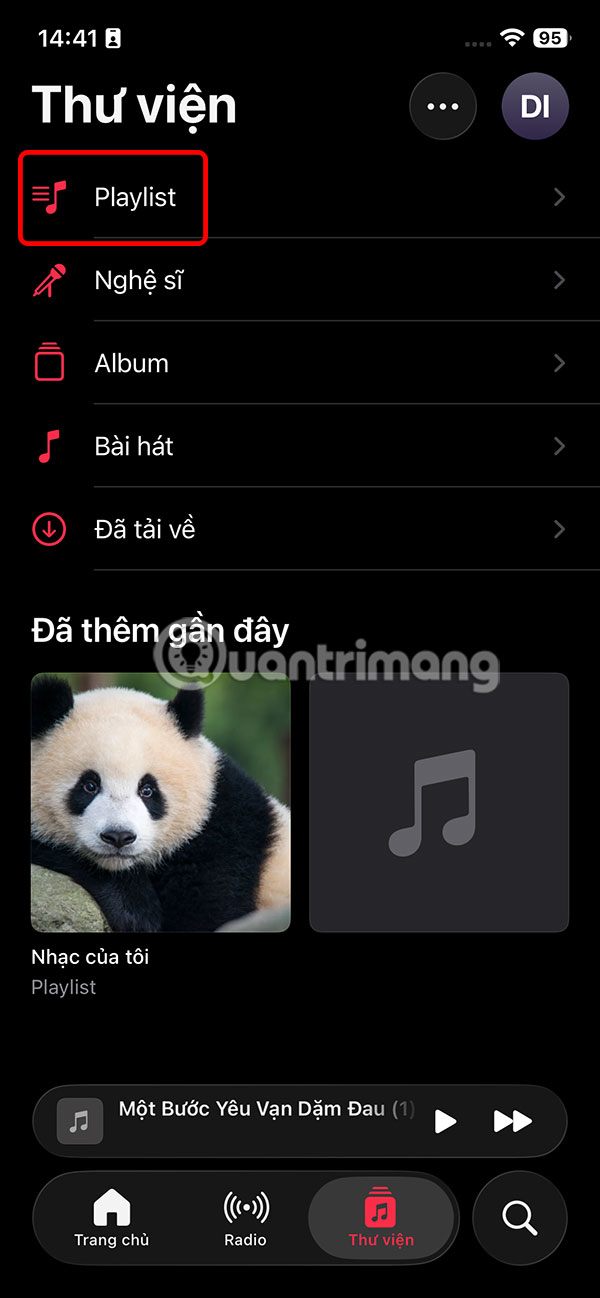
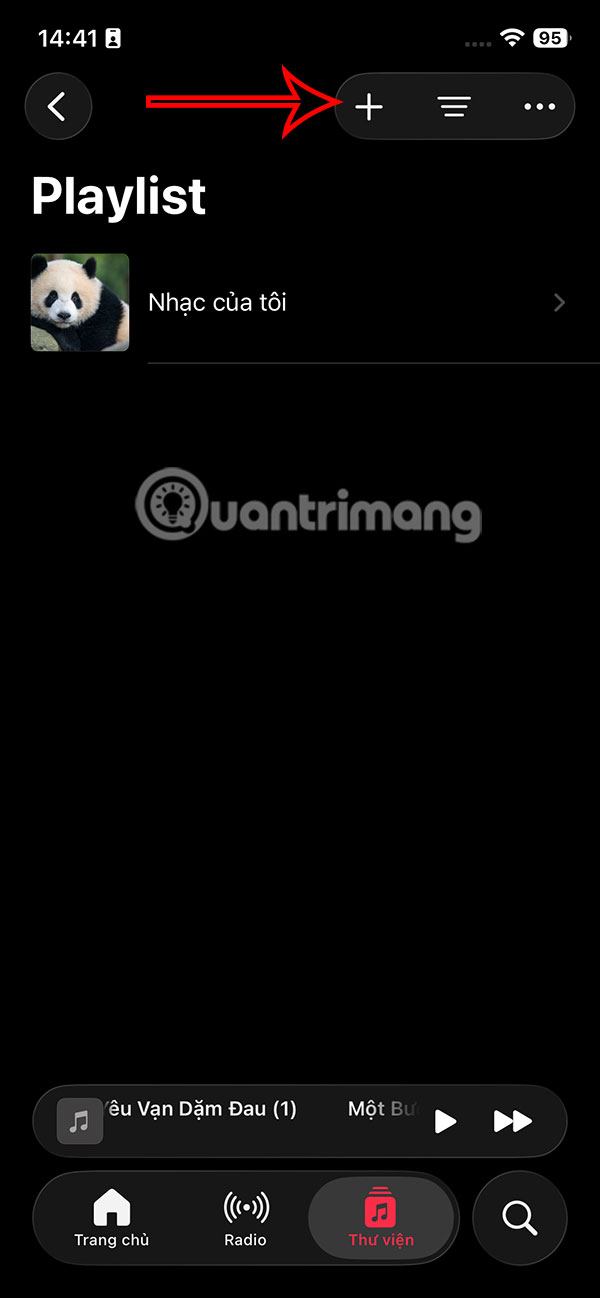
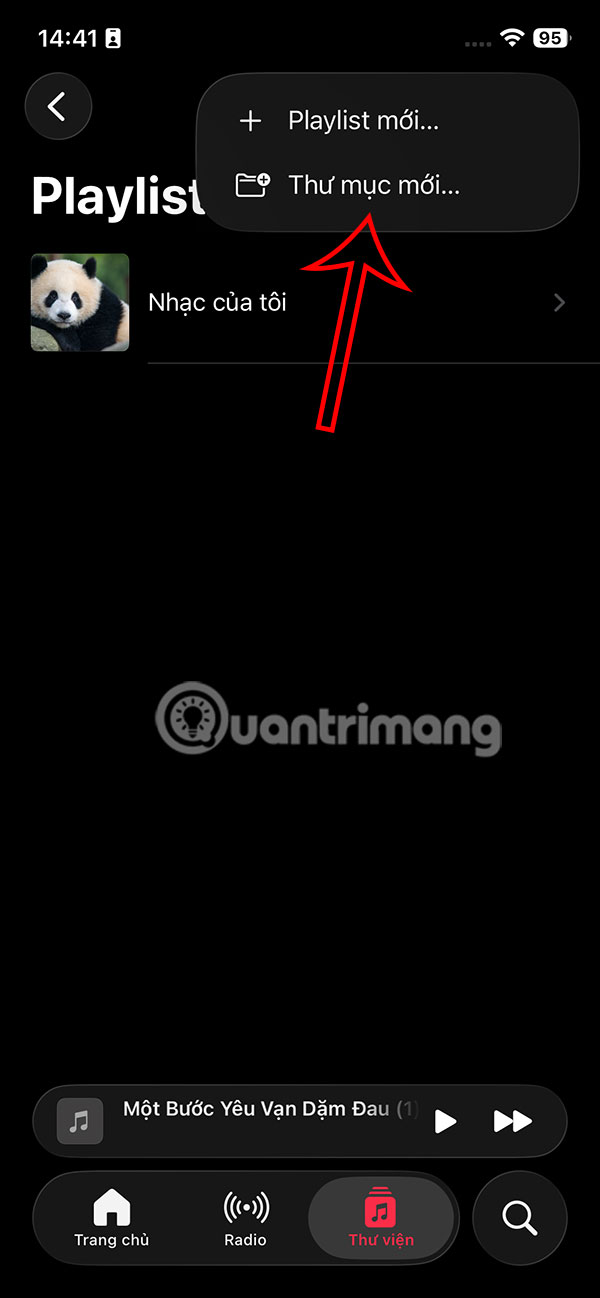
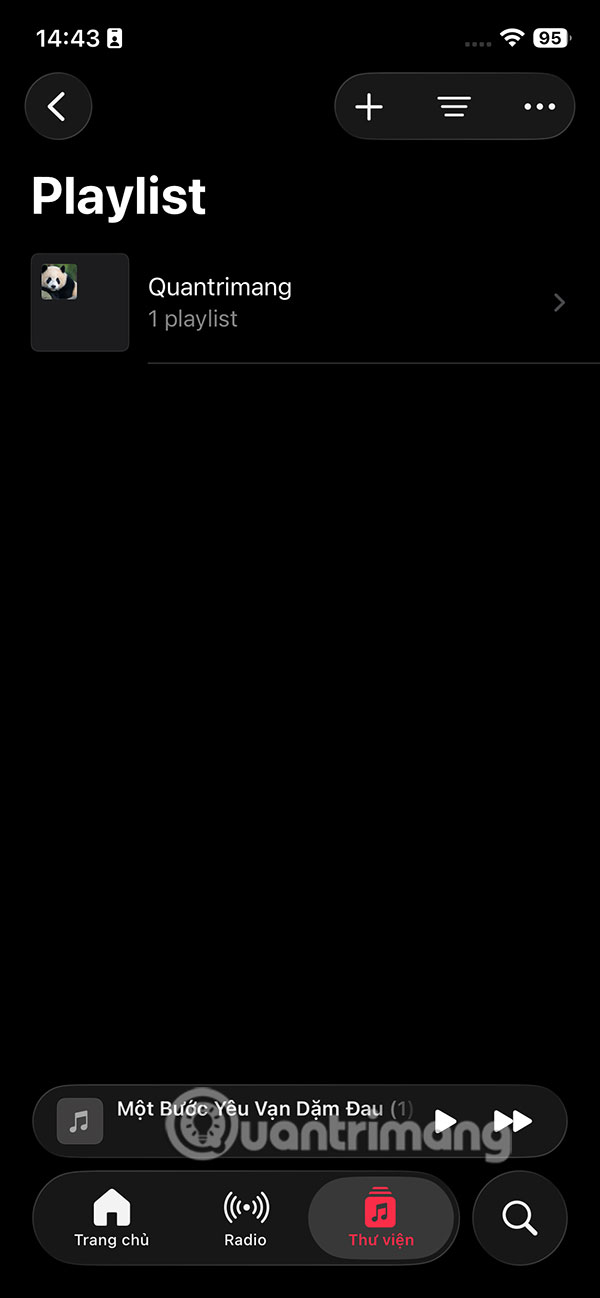
At the Music application interface on iPhone, select Library and then click Playlist . select the plus icon in the upper corner and select New Folder .
Step 2:
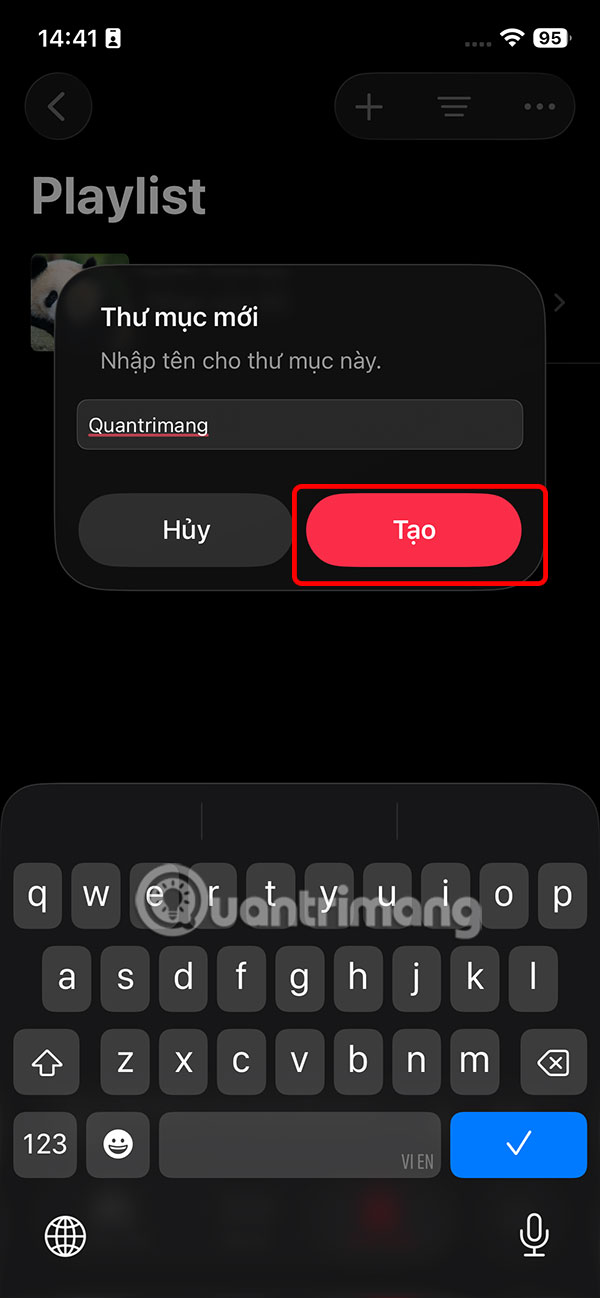
Now you enter a name for the Music playlist folder on iPhone and then press the Create button . Thus you have created a playlist folder.
Step 3:
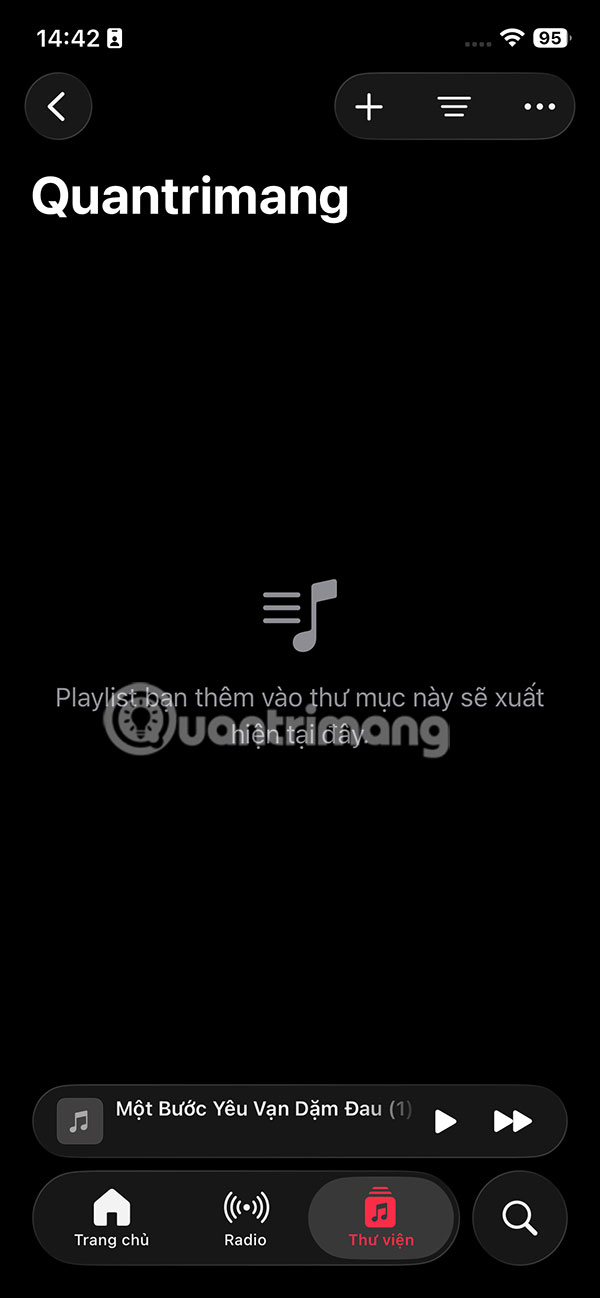
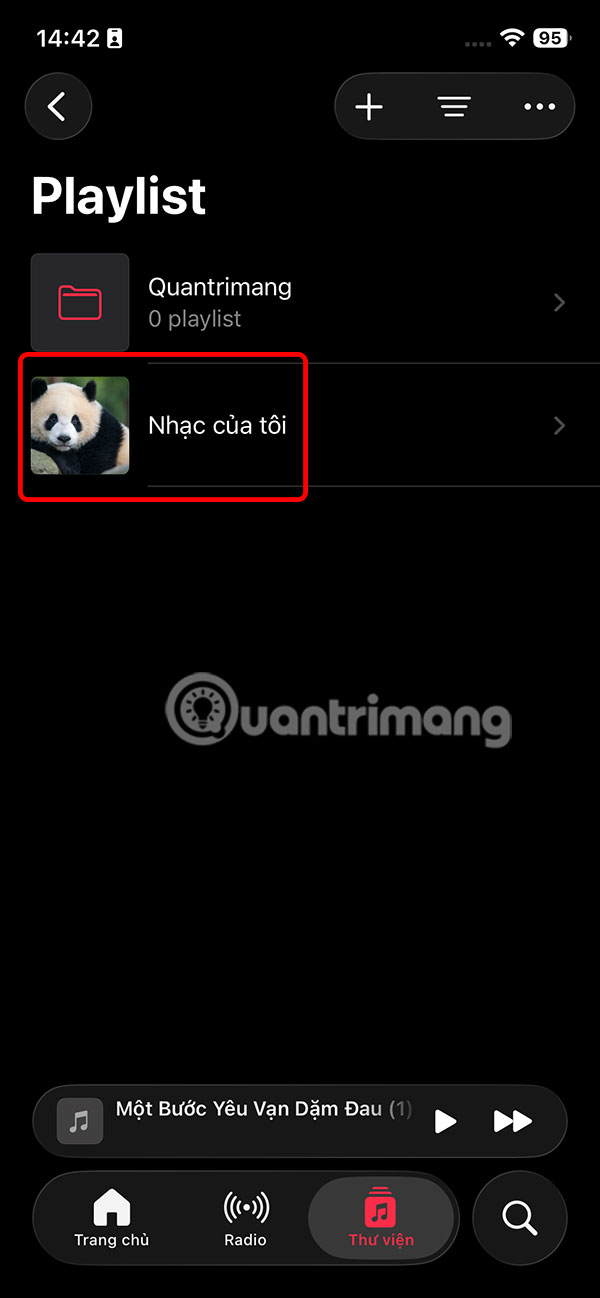
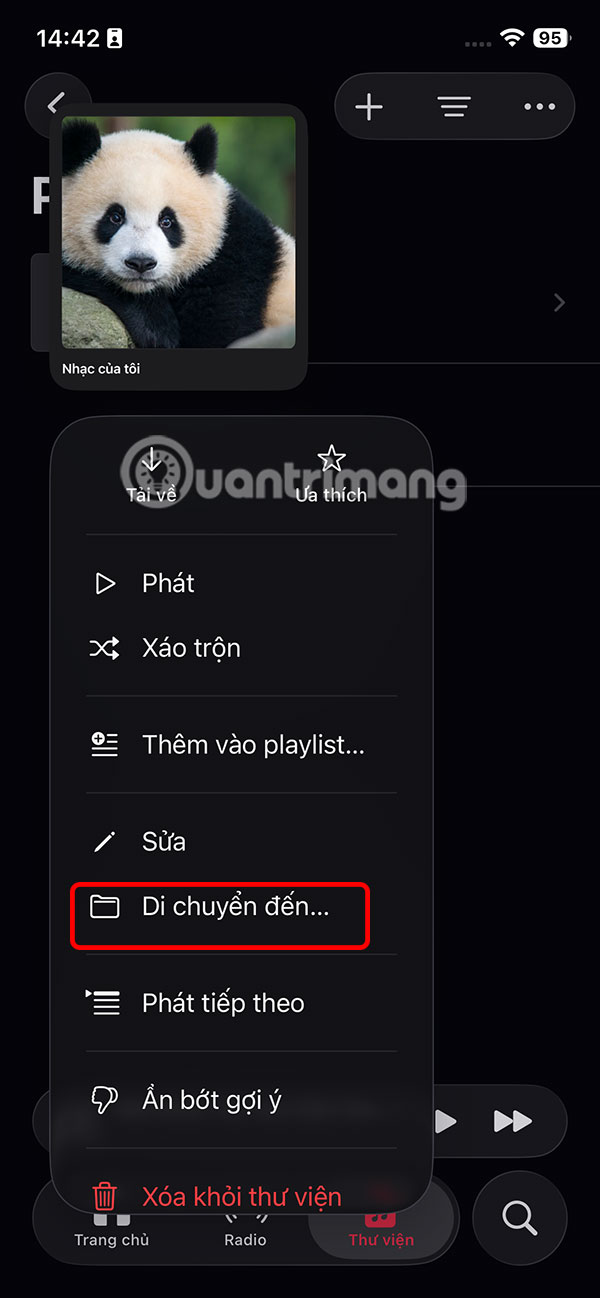
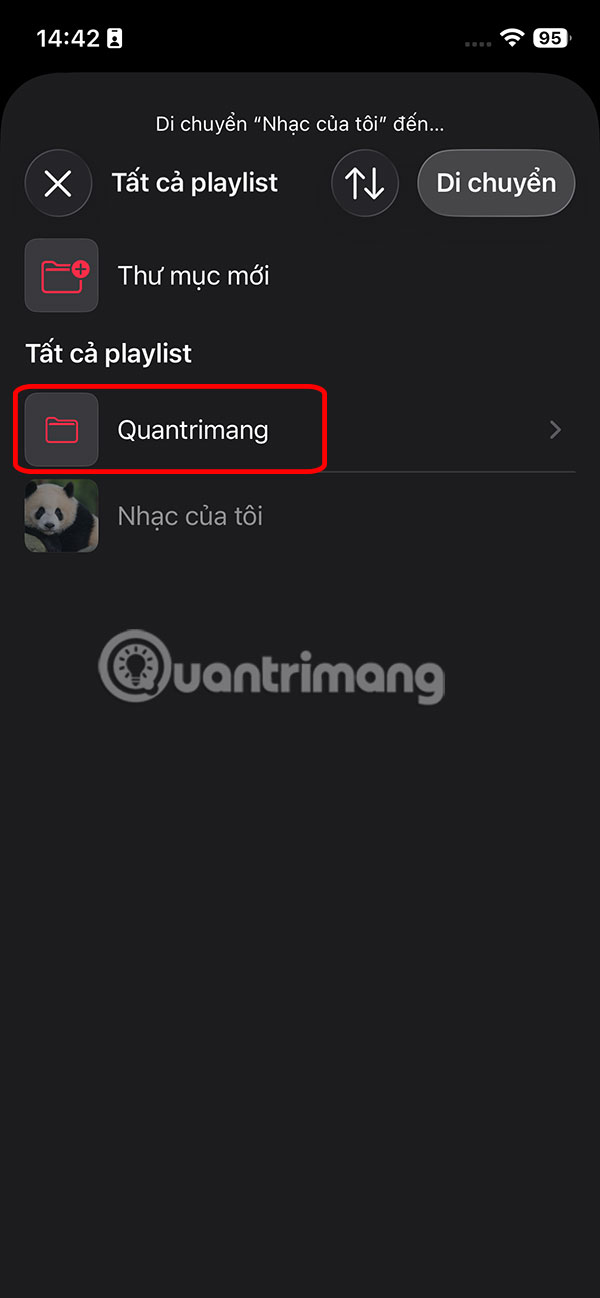
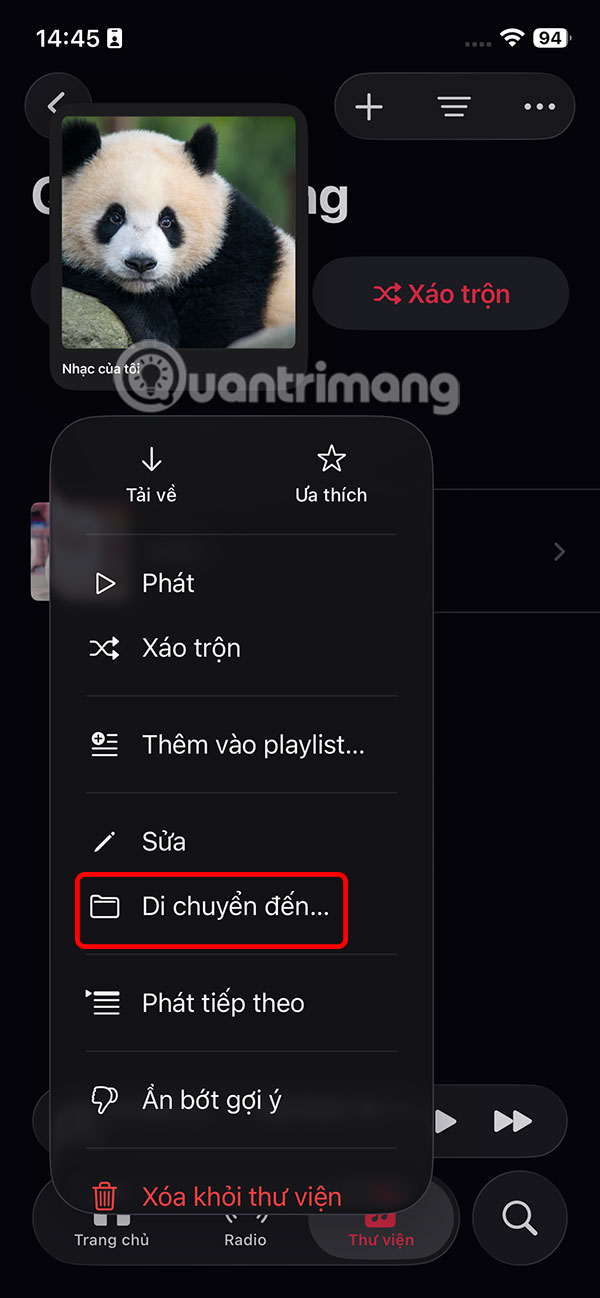
Return to the Library interface on Music, press and hold on the playlist and select Move to . The newly created playlist folder will appear, select the folder and then press Move .

Step 4:
As a result, you will see the Music playlist folder as shown below.

How to customize Apple Music playlist folders
Step 1:
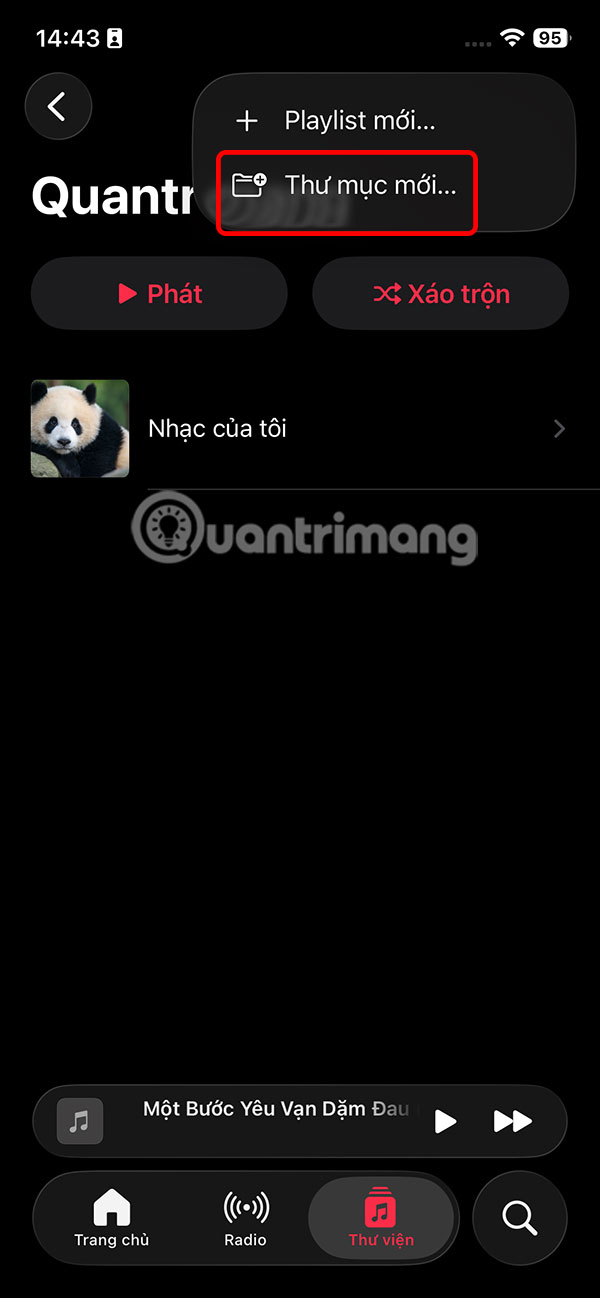
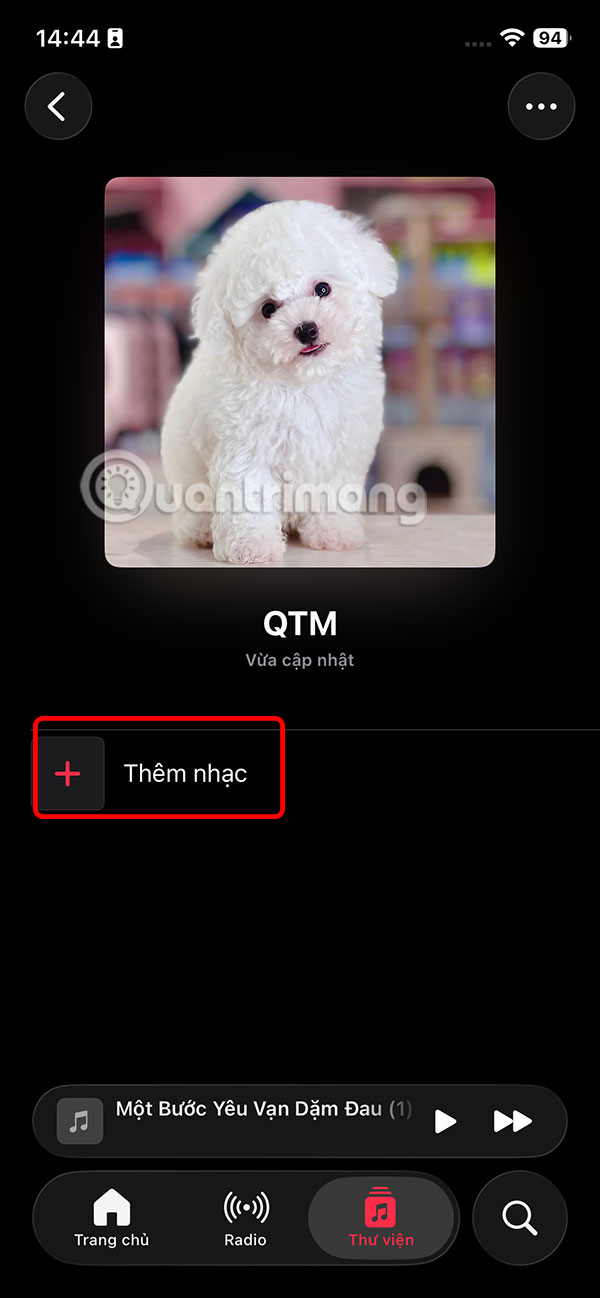
We can also create a subfolder inside a folder if we want. You select the newly created music folder, then click the plus icon and select New Folder . Then you enter a name for the subfolder , create an image for this subfolder.
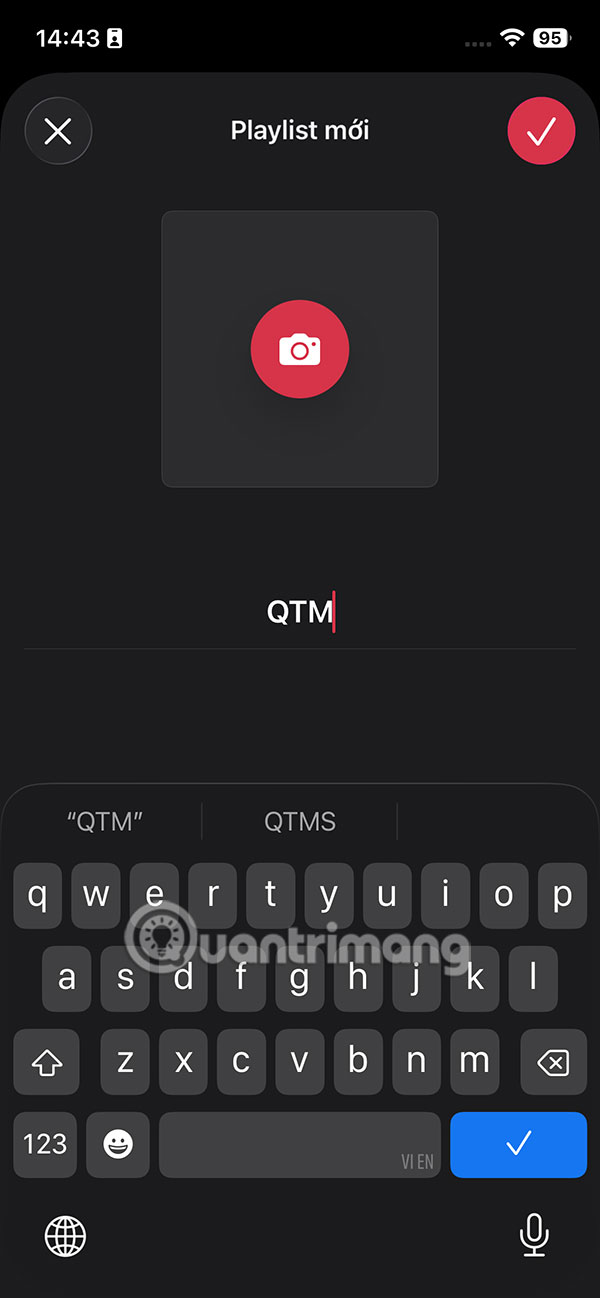
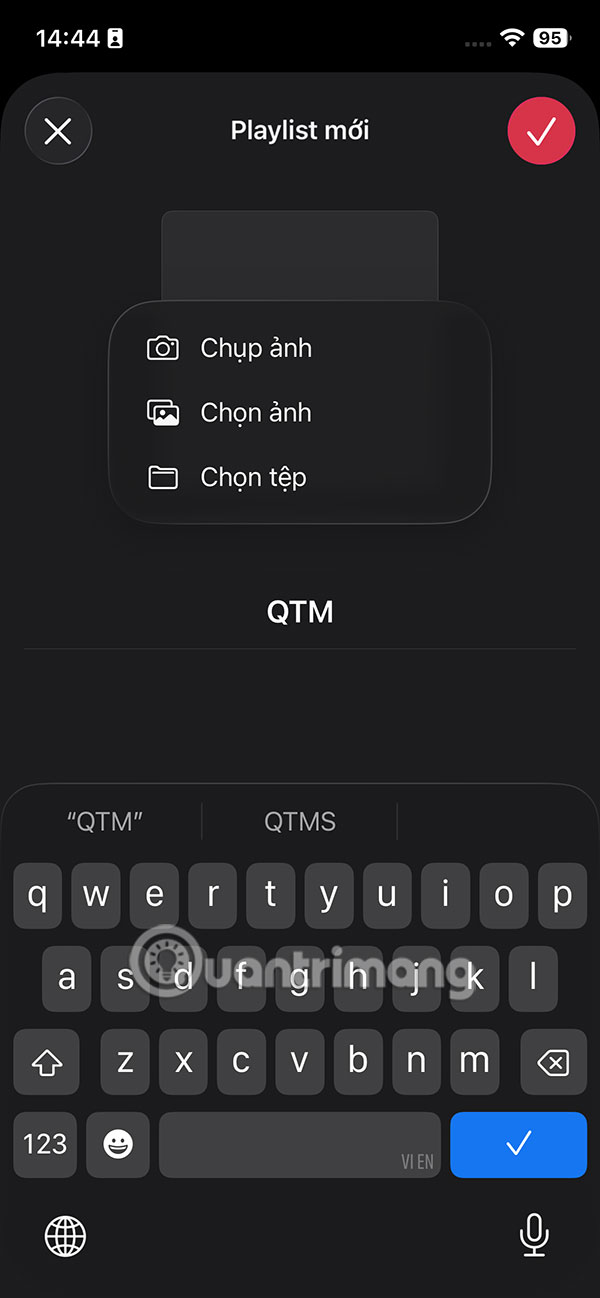
So you have created a subfolder in the playlist folder. We can add music into this subfolder if we want.

Step 2:
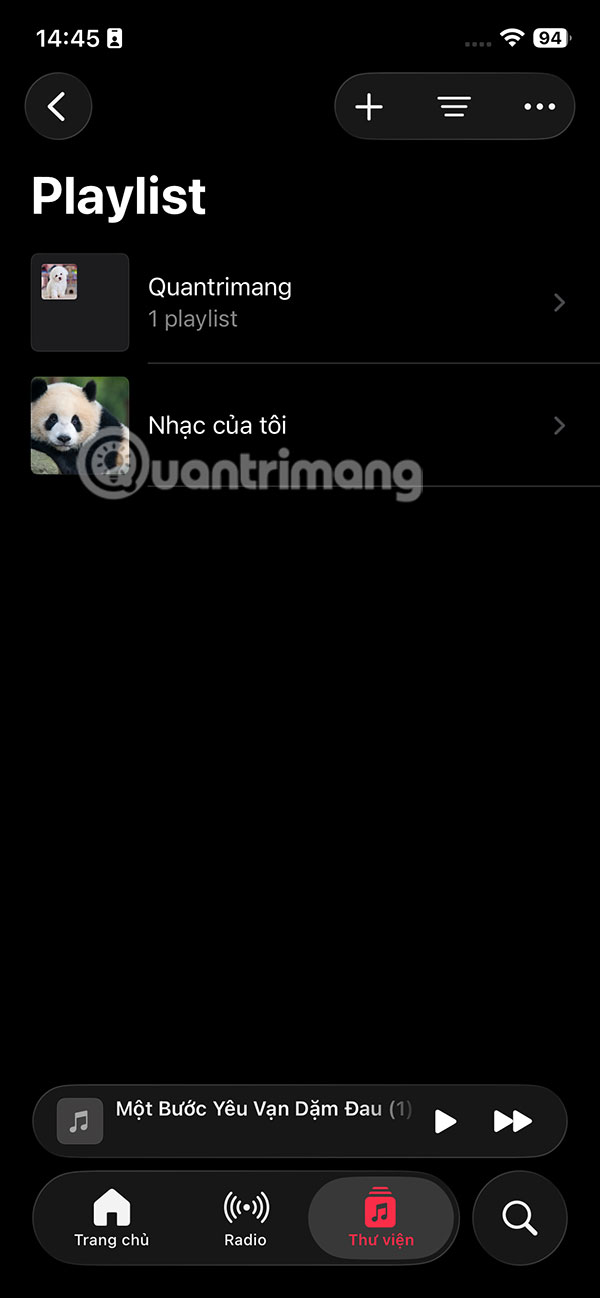
If you want to move the playlist out of the folder , press and hold on the folder and select Move to . Now just press Move to bring it out.
Playlist results are no longer displayed in the folder view.

Step 3:
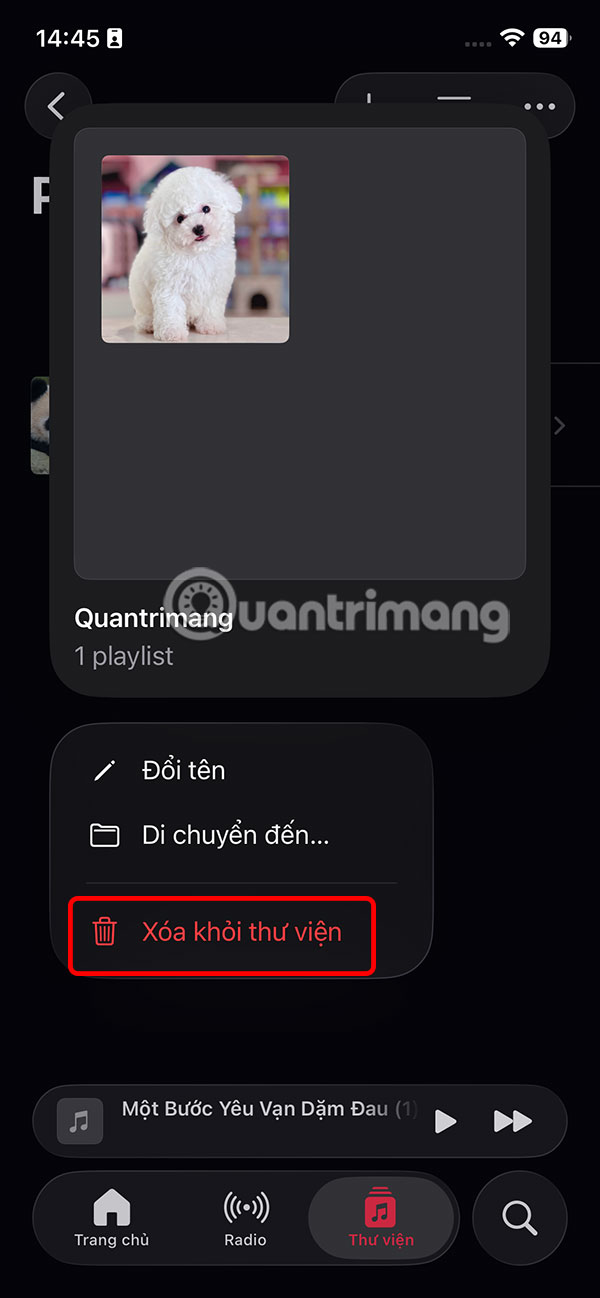
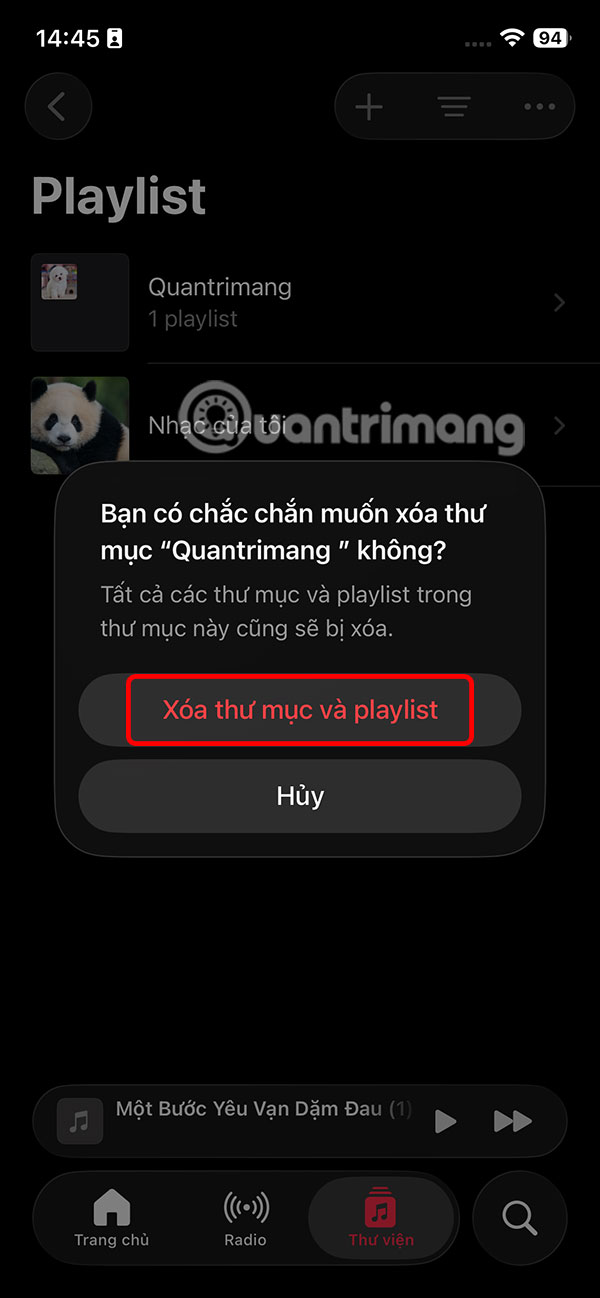
To delete a folder, press and hold on the folder and select Delete from library . Finally, tap Delete folder and playlist.
Final Thoughts
Following the steps in order and checking version-specific settings should make it easier to Create an Apple Music Playlist Folder. If an option looks different, verify the device, app, or operating-system version before changing additional settings.
FAQ
What is the best way to Create an Apple Music Playlist Folder?
Start with the requirements described in the article and follow the steps in order. Collecting your favorite songs into playlists is a great way to stay organized. With iOS 26, you can save playlists to folders to create a customized listening space.
What should you know about How to create an Apple Music playlist folder?
At the Music application interface on iPhone, select Library and then click Playlist. select the plus icon in the upper corner and select New Folder.
What should you do if the instructions do not match your screen?
Check the device, software version, account permissions, and regional settings. Interfaces can change after updates, so use the closest matching option and consult the official support documentation when necessary.
Related Articles
 How to Use Apple Music's Smart Playlists: Step-by-Step Guide4 minutes read
 How to Create a Collaborative Playlist on Apple Music3 minutes read
 Instructions to Transfer Private YouTube Music Playlists3 minutes read
 How to Add Cover Art for Apple Music Playlists: Step-by-Step Guide4 minutes read
 How to Delete an Itunes Playlist6 minutes read
 How to Make an Awesome Music Playlist: Step-by-Step Guide11 minutes read
Reader Comments 0
Sign in with email or Google to join the discussion.