
System
6 Best PDF Readers for Windows, macOS, and Linux
Compare six reliable PDF readers for forms, annotations, signatures, OCR, lightweight viewing, and cross-platform use, plus built-in browser options.
Browse more Find practical system guides, configuration tips and troubleshooting steps to keep Windows computers secure, stable and running smoothly.
Compare six reliable PDF readers for forms, annotations, signatures, OCR, lightweight viewing, and cross-platform use, plus built-in browser options.

Compare Windows Clipboard History, Ditto, CopyQ, ClipAngel, PasteBar, and ClipboardFusion for search, organization, automation, and privacy.

Use Nero, PowerISO, AnyBurn, or UltraISO to mount, extract, convert, or burn an NRG disc image safely.

Understand what an NRG disc image contains, which programs support it, and how to mount, extract, burn, convert, or troubleshoot the file.

Reduce Windows boot time by managing startup apps, checking storage and updates, and diagnosing persistent delays without disabling essential hardware.
Find where a laptop's startup delay occurs, then address updates, startup apps, storage, malware, hardware, or Windows recovery safely.

Learn when a Windows password reset USB works, how local and Microsoft account recovery differ, and why recovery drives and bypass tools are not equivalent.
Use the Windows shutdown command to turn off or restart a PC after a chosen delay, cancel the timer, and avoid losing unsaved work.
Resolve a Windows laptop that hangs during shutdown by checking blocked apps, updates, drivers, Fast Startup, system files, and hardware safely.

Set a supported PC's RTC alarm in UEFI, wake Windows from sleep with Task Scheduler, or schedule a Mac with pmset, with key power and login limitations.
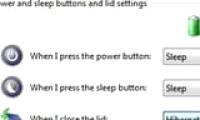
Change the Windows lid-close action to Shut down for battery or AC power, compare Sleep and Hibernate, and avoid lost work or heat in a laptop bag.

Troubleshoot a Windows PC by symptom, from no power and blank screens to boot-device errors, repair loops, blue screens, and safe recovery options.

Create a daily Windows shutdown task, add idle and power conditions, avoid forced app closure, and prevent missed tasks from shutting down at the wrong time.
Use msconfig to stop nonessential programs from launching with Windows 7, identify entries safely, reverse changes, and troubleshoot apps that still start.
Shut down Windows 10 from Start, keyboard menus, commands, desktop shortcuts, SlideToShutDown, or the power button without forcing apps closed.

Set Windows to sleep after inactivity through Settings, Control Panel, or powercfg, and understand the extra steps and risks of a fixed-time schedule.

Use shutdown commands to turn off, restart, delay, or cancel a Windows power action, with correct syntax and clear warnings about forced app closure.

Abort an active Windows shutdown countdown with shutdown /a, understand why it may fail, and disable future shutdowns created by Task Scheduler or other apps.

Use Windows commands, a reusable shortcut, or Task Scheduler for one-time and recurring shutdowns, with cancellation steps and safeguards for unsaved work.

TipsMake has compiled and provided the complete download links for Ghost Win 10 1909, 1903, 19H1, and 1809 Pro in the article below.