Table of Contents
Why Should You Leave Ubuntu and Choose Linux Mint as Your Main Operating System is easier to approach with a clear overview and reliable steps. This guide organizes the essential information, highlights practical details, and explains what to check along the way.
Key Takeaways
- Review experience with ubuntu.
- Understand why people leave ubuntu.
- Understand linux mint is a complete package.
Experience with Ubuntu
Ubuntu isn't all bad. It's fairly easy to set up at first, and you can download many programs for the operating system. Ubuntu introduces you to the terminal, package management, and a completely different approach to installing and updating software than Windows.
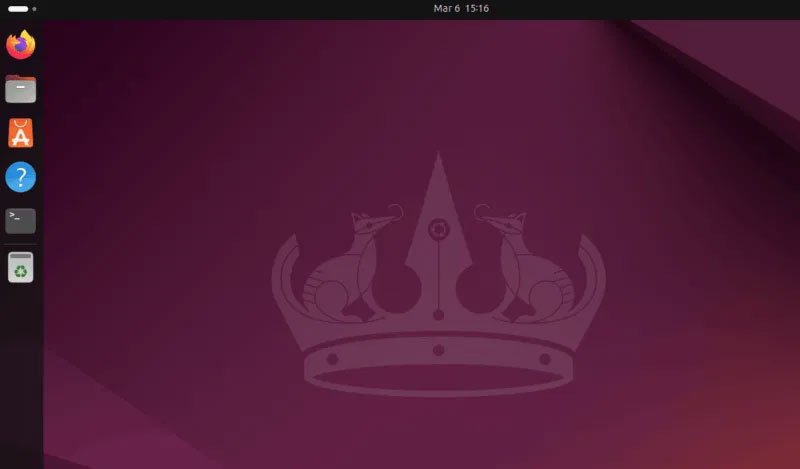
Many users also appreciate the operating system's regular release schedule, which brings new features and improvements every six months, along with the option of a long-term support release that provides stability for up to five years. The Software Center makes finding apps simple, and the default GNOME desktop environment, while different from Windows, is clean and relatively intuitive.
Many people even recommend Ubuntu to friends and family when they express their desire to try Linux, especially if switching from macOS.
Why People Leave Ubuntu
Like any distribution, Ubuntu isn't perfect, and unfortunately, it doesn't meet the specific needs of some people. For instance, many people have old computers that they want to keep around rather than let go of, and the resource-intensive nature of Ubuntu (which is still lighter than Windows) makes it difficult to run smoothly on these systems. The main reason Ubuntu uses more resources is because of GNOME, which is notoriously heavy.
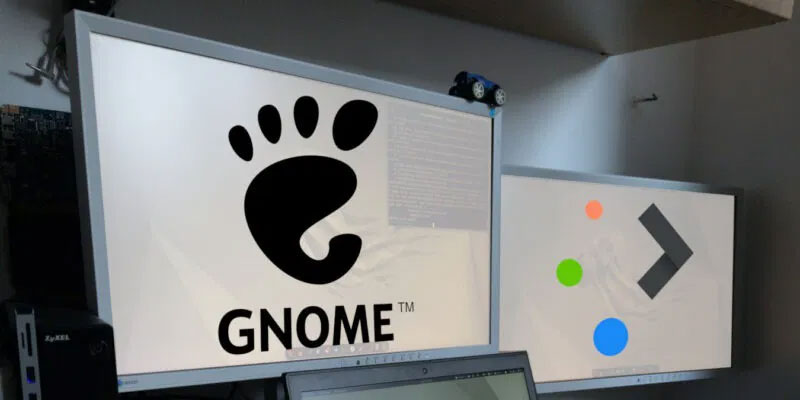
Additionally, many people like to customize their personal workspace to make their work flow more smoothly and efficiently. With Ubuntu, whenever you want to customize something, you have to rely on additional tools like GNOME Tweaks. Finding and setting up these tools can be a hassle, and even then, heavy customization often leads to problems.
Additionally, the forced switch to Snap packages becomes especially annoying when there are many other options available for installing apps.
Linux Mint Is a Complete Package
Once you install Linux Mint on your old PC, you'll be immediately impressed by its performance. Boot times are noticeably faster and applications launch almost instantly, proving that even older hardware can run a modern operating system smoothly.
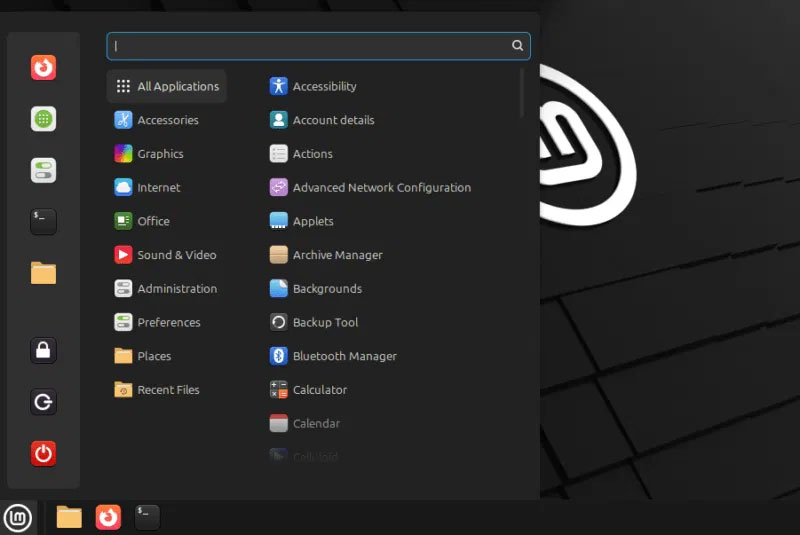
Since most people have been using Windows for a long time, they don't want to learn everything from scratch. Linux Mint fits the bill perfectly, it feels familiar, with a Start menu, easy-to-navigate interface, taskbar, and familiar icons. Ubuntu, on the other hand, is more like macOS, which many people have never liked.
Additionally, personalization in Linux Mint is very simple. Instead of relying on additional software to adjust themes and icons, all customization options are available in the system settings. This design lets you easily customize their desktop environment without affecting performance.
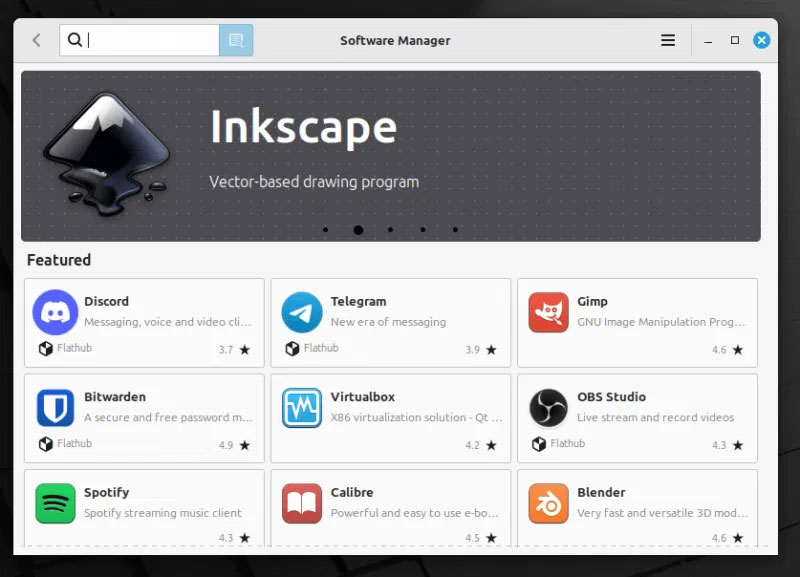
Mint's package management system is both flexible and efficient. Taking advantage of Ubuntu's extensive software repositories, it offers two tools: the traditional APT system and the accessible Software Manager. This dual approach lets you install applications through a graphical interface or manage packages through APT, without having to resort to slower Snap packages.
You'll also be impressed by the supportive Mint community, which helps to further enhance the experience. The Mint community is passionate and focused on simplicity and user experience, providing helpful tutorials and creative ideas while Ubuntu has a large following.
Conclude
The Mint vs Ubuntu debate has been going on for years, with solid arguments on both sides. The choice largely comes down to personal preference while there are technical differences.
The decision to move from Ubuntu to Linux Mint was driven by the need for a more intuitive, efficient, and customizable experience, especially on older hardware. Linux Mint's Cinnamon desktop, with its lighter resource footprint and user-friendly software management, met these needs, providing a perfect alternative.
You can choose between Linux Mint or Ubuntu if you're moving away from Windows. For anyone currently running Ubuntu and looking to make the same switch, we recommend testing Linux Mint through a dual-boot setup, taking advantage of the community resources, and customizing it to suit your workflow. This approach ensures you'll find the distro that best suits your needs, enhancing your Linux experience.
Ultimately, the best Linux distribution is the one that's simple, allowing you to focus on your work rather than the operating system itself. Linux Mint has achieved this ideal balance, providing a stable, responsive platform that supports productivity without requiring constant attention or maintenance.
Final Thoughts
The most reliable way to handle why should you leave ubuntu and choose linux mint as your main operating system is to follow the process in order, verify each important setting, and test the result before moving on. Use the guidance above as a practical reference, then adjust the details for your device, software version, or specific goal.
FAQ
What should I know first about Why Should You Leave Ubuntu and Choose Linux Mint as Your Main Operating System?
For many people, Ubuntu is the first distribution they use when starting out with Linux.
How do I get the best results with Why Should You Leave Ubuntu and Choose Linux Mint as Your Main Operating System?
Use current software or equipment, follow the steps in order, review the recommended settings, and test one change at a time so you can identify what improves the result.
What should I do if Why Should You Leave Ubuntu and Choose Linux Mint as Your Main Operating System doesn't work as expected?
Check compatibility, permissions, connectivity, and version-specific settings. Restart the relevant device or app, then repeat the process carefully before trying a more advanced fix.
Related Articles
 Distinguish Ubuntu and Linux Mint: Explained13 minutes read
 Tips and Tricks After Installing Ubuntu28 minutes read
 6 Best New Features in Linux Mint 21.2 ''victoria''6 minutes read
 How to Upgrade from Linux Mint 19.3 to Linux Mint 208 minutes read
 10 Reasons to Switch to Linux Right in 20126 minutes read
 10 Reasons You Can't Not 'Love' Linux Mint4 minutes read
Reader Comments 0
Sign in with email or Google to join the discussion.