Table of Contents
Claude and ChatGPT can both draft text, analyze files, explain concepts, and help with code. The better choice depends less on a single benchmark score than on the work you need to complete and the tools included with your account.
Models, limits, prices, and plan names change frequently. Use this comparison to identify the features that matter, then confirm current availability on Anthropic's and OpenAI's official plan pages before paying.
Claude and ChatGPT at a glance
| Area | Claude | ChatGPT |
|---|---|---|
| Company | Anthropic | OpenAI |
| Writing and document work | Strong long-form editing, Projects, and configurable Styles | Strong general writing, Canvas editing, and broad tool support |
| Coding workflow | Artifacts for previews; Claude Code for repository and terminal work | Canvas and other coding tools; exact capabilities depend on plan and environment |
| Image generation | Can analyze images; native image creation availability may differ | Image generation is integrated into supported ChatGPT plans |
| Video | No equivalent should be assumed without checking current product options | Sora access may be available with eligible plans and regions |
| Voice and camera | Voice features vary by app, plan, and rollout | Voice, camera, and screen-sharing features may be available in supported apps |
| Custom assistants | Projects, instructions, Styles, skills, and integrations shape repeatable workflows | Custom GPTs can package instructions, knowledge, and supported tools |
| Web and connected services | Search and connectors depend on account access | Search and connected apps depend on account access |
Do not select a service from this table alone. Test both with a representative file, a difficult prompt, and the exact output format your work requires.
Choose by task rather than brand
| Need | What to test | Decision criterion |
|---|---|---|
| Long document editing | Give each tool the same draft and revision brief | Which preserves facts, structure, and voice with fewer corrections? |
| Software development | Use a small real repository with tests | Which understands the codebase, makes a minimal patch, and verifies it? |
| Data or file analysis | Upload the same non-sensitive sample | Which reads the format correctly and explains its calculations? |
| Images or video | Create the same asset with the same constraints | Which has the required generator, editing controls, and usage rights? |
| Team standardization | Build one repeatable assistant or project | Which offers the permissions, sharing, and administration your team needs? |
| Automation | Try one scheduled or multi-step workflow | Which exposes clear controls, logs, and confirmation before consequential actions? |
Writing and creative work
Claude is often chosen for long-form drafting and revision because its Projects and Styles features can keep reference material and writing preferences together. Whether its prose feels more natural is subjective, so compare outputs without revealing which tool produced each version if several editors are evaluating them.

Generic phrases, excessive headings, and unnecessary bullet lists can appear in either product. A precise brief and an example of the desired voice matter more than assuming one model never produces AI-sounding text.
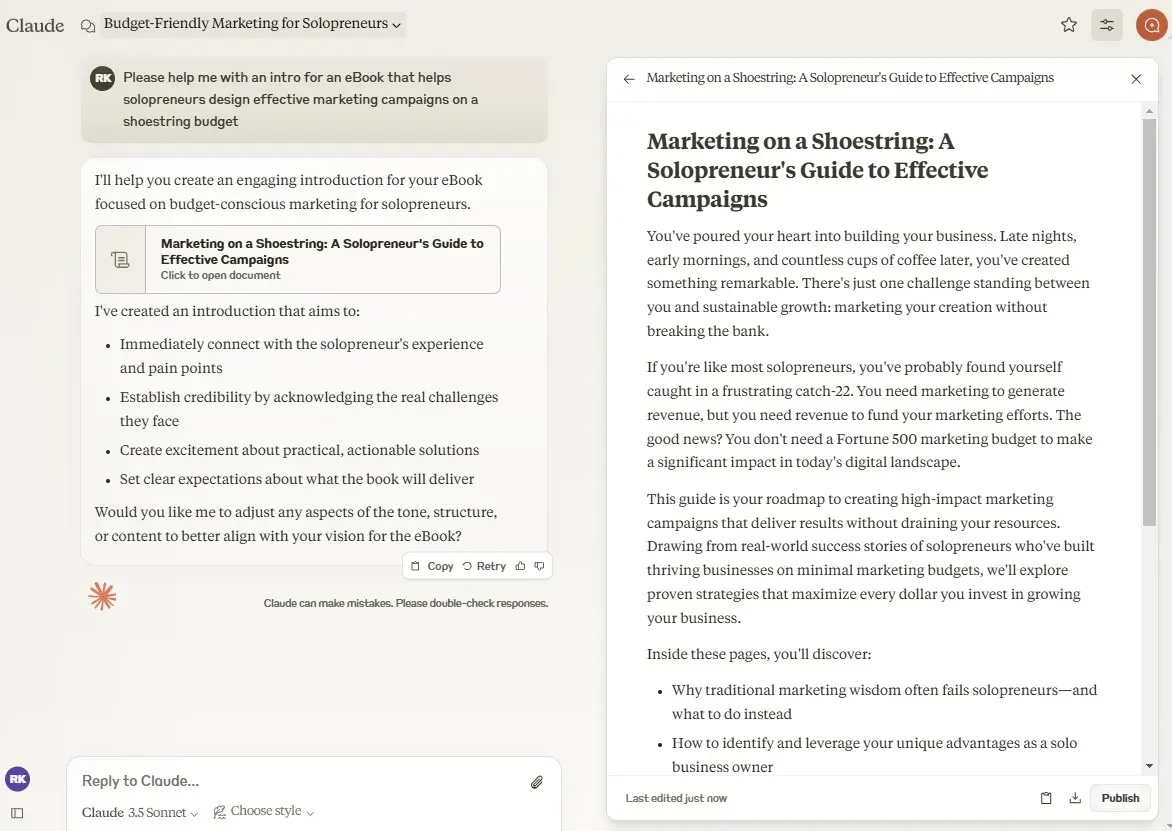
Claude Styles can store different approaches for work such as internal memos, social posts, or longer analysis.

ChatGPT's Canvas provides a document-focused editing surface for revising sections, changing length, or applying specific instructions. The useful difference is the editing workflow, not a claim that one tool always writes better.
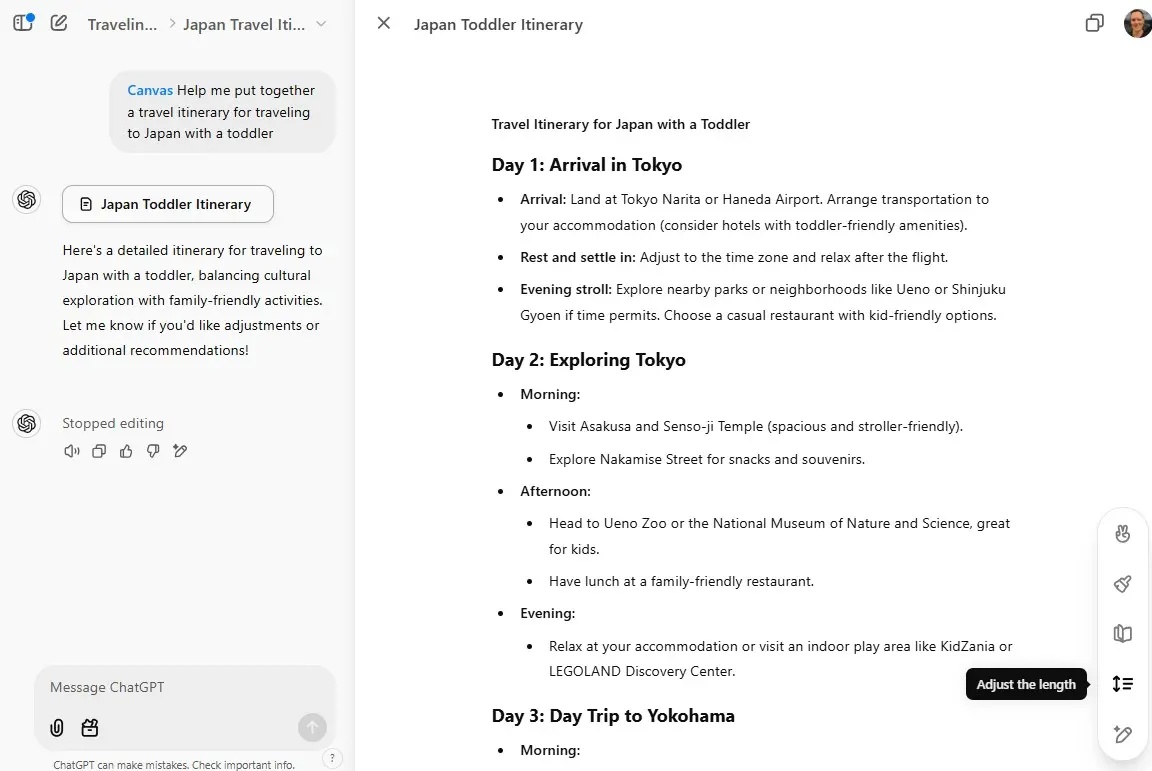
Image and video creation
ChatGPT can generate and edit images in supported accounts, which is an important advantage when a project combines text and visuals in one conversation.

Sora may provide text-to-video, image-to-video, and editing tools for eligible users. Access, limits, and the relationship between Sora and a ChatGPT subscription can change. Claude may analyze visual input, but users should not assume it offers the same native media-generation workflow.
Coding and interactive previews
Claude Artifacts can display code, diagrams, documents, or interactive components beside the conversation. Immediate previews are helpful for small prototypes because the user can see a result and request targeted changes.

Claude Code is aimed at deeper development work involving project files, commands, tests, and version-control operations. ChatGPT also provides coding workflows, but the available environment and degree of computer access vary. For either service, review diffs and run tests before accepting generated code.
A polished demo does not prove that the underlying code is secure, accessible, or maintainable. Test behavior beyond the happy path and do not give an agent broad access to secrets or production systems.
Reusable assistants and team workflows
ChatGPT users can create custom GPTs that package instructions, files, and supported tools for a repeatable purpose. This can standardize common tasks such as product-description drafts or document checks.
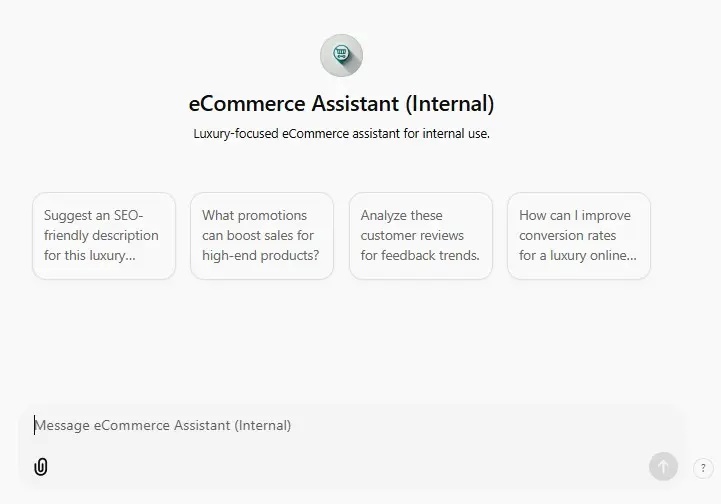
Claude's comparable workflow may use Projects, custom instructions, Styles, skills, or integrations rather than the same marketplace model. For business use, compare who can edit the configuration, what data is retained, how results are logged, and whether administrators can control connectors.
Voice, tasks, and connected tools
ChatGPT may combine voice with camera or screen sharing in supported apps. These features can make troubleshooting and visual questions more accessible, but users should consider what the camera or screen reveals before granting access.
Scheduled tasks or agent workflows can be useful for recurring briefs and reminders. For example:
Every day at 7 p.m., summarize the day's most important technology news in five concise bullet points and include source links.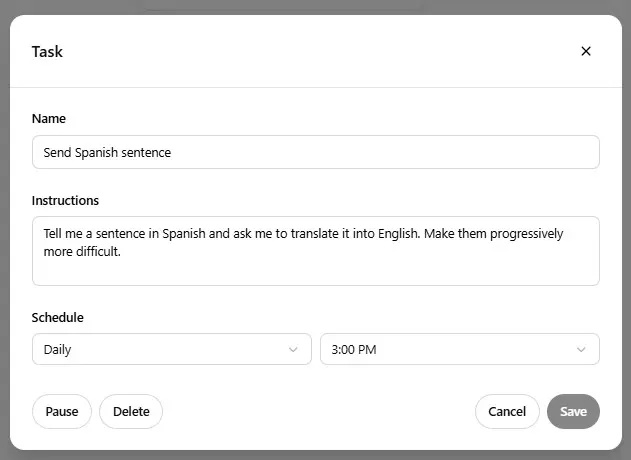
Claude also supports increasingly agentic work through desktop tools and connectors. In both products, actions that send messages, modify files, or use external accounts should remain visible and require appropriate confirmation.
How to make the final choice
- List the three tasks you perform most often.
- Remove confidential data and build one realistic test for each task.
- Evaluate factual accuracy, instruction-following, editing effort, speed, and cost.
- Check required integrations, privacy controls, and team administration.
- Repeat the test when the products or models change.
Claude may be the better fit for a text-heavy or repository-centered workflow, while ChatGPT may be more convenient when one workspace must cover writing, images, voice, custom assistants, and other tools. Many users can begin with the free versions and subscribe only after a real task demonstrates the value.
Related Articles
 Claude vs ChatGPT: Which AI Assistant Should You Use?10 minutes read
 Should I Buy ChatGPT Plus or Claude Pro?10 minutes read
 3 Reasons to Give Up ChatGPT to Switch to Claude: What You Need to Know6 minutes read
 4 Ways AI Claude Chatbot Outperforms Chatgpt6 minutes read
 6 Reasons to Use Claude Instead of ChatGPT7 minutes read
 Why Does Chatting with Claude Feel More Intimate Than ChatGPT?9 minutes read
Reader Comments 0
Sign in with email or Google to join the discussion.