Table of Contents
Obsidian is a note-taking and personal knowledge-management application built around local Markdown files. It can serve as a simple editor, but its distinctive features are links between notes, backlinks, graph views, and a large plugin ecosystem.
Because the underlying notes are ordinary .md files in a folder, users retain direct access to their writing and can open it with other text editors.
Local files and optional paid services
Core use is available without an account, and a vault is stored locally by default. Obsidian also sells optional services such as first-party synchronization and publishing. Prices and license terms can change, so check the current official plan information if those services are important.
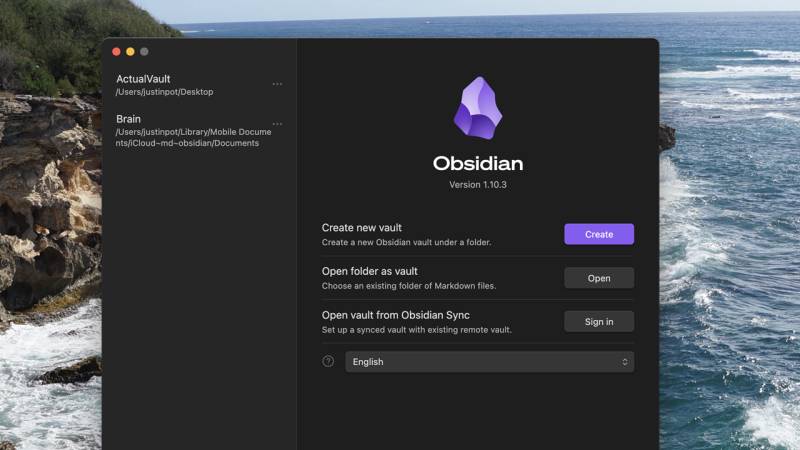
Local storage works well for one device and gives you control over backups. If you synchronize a vault with another cloud-storage tool, first confirm that it is supported on every device and does not create duplicate or conflicting files. End-to-end encryption, version history, and mobile behavior differ among sync methods.
Desktop and mobile availability
Obsidian provides applications for Windows, macOS, Linux, Android, and iOS. Current operating-system requirements should be checked before installation because older platform versions may stop receiving support.
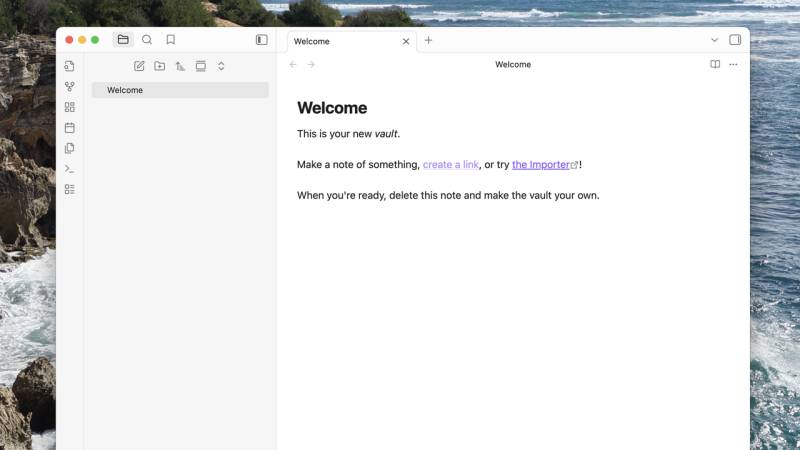
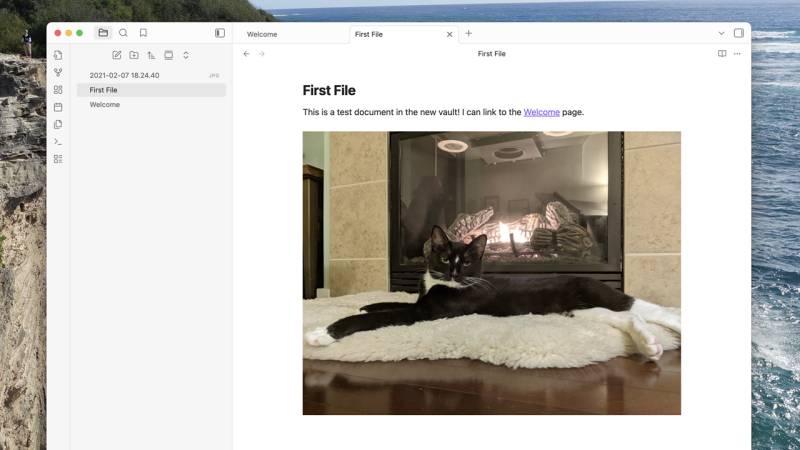
To begin, create a vault. A vault is a folder containing notes and related attachments. You can drag images, PDFs, and other supported files into it and link or embed them from a note.
Writing with Markdown
Obsidian uses Markdown, a lightweight way to represent headings, links, lists, emphasis, and code in plain text. For example:
# Project notes
## Next steps
- Review the draft
- Contact [[Alex]]
- Update the deadline to **Friday**
The editing interface can display much of the formatting while you type, so beginners do not need to memorize every Markdown character at once.
Folders, tags, links, and backlinks
The file panel shows folders and notes, and changes made in a normal file browser are reflected in the vault. Folders are useful for broad categories, while tags can group notes by status or theme.
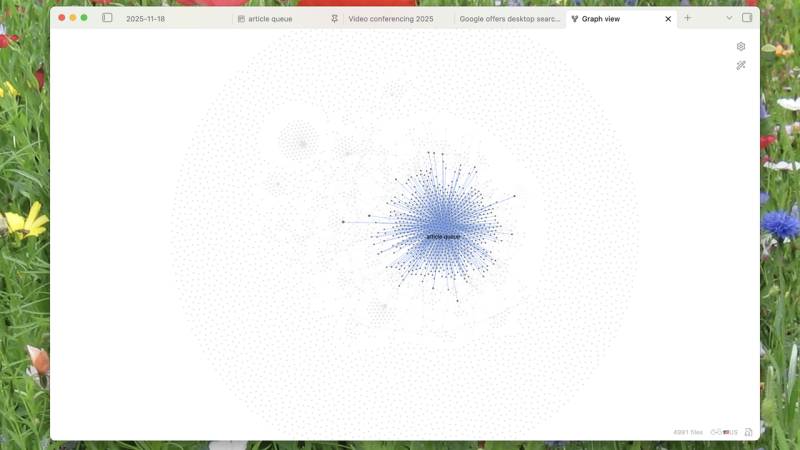
Internal links are the foundation of an interconnected vault. Typing [[Note name]] links to another note. A backlink panel then shows which other notes point to the current one. This is useful for research, project documentation, and long-term notes in which one idea relates to several topics.
The graph view visualizes those connections, but a dense graph is not automatically a useful knowledge base. Clear note titles, focused content, and meaningful links matter more than the number of connections.
An open and portable note format
Each note remains a Markdown file that can be read without Obsidian.
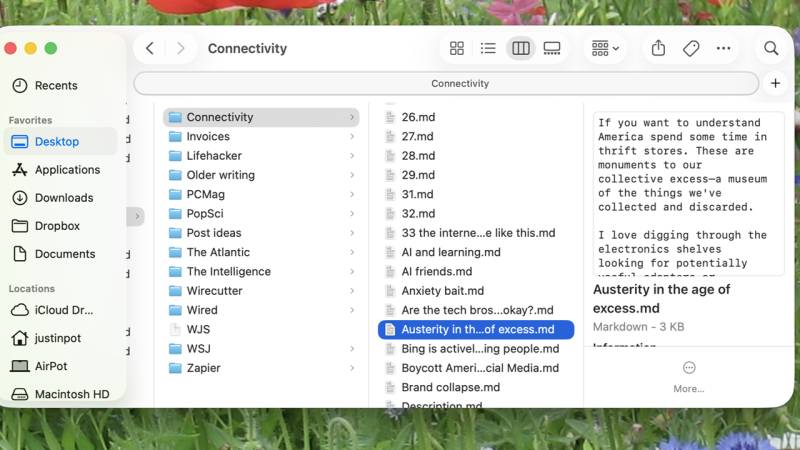
This reduces lock-in, but portability still requires care. Obsidian-specific links, embedded files, plugin syntax, and custom metadata may not render the same way in another application. Keep regular backups of the entire vault, including its attachments and configuration folder, rather than copying only the visible notes.
Plugins and themes
Community plugins can add kanban boards, calendars, task tracking, data queries, mind maps, and many other workflows.
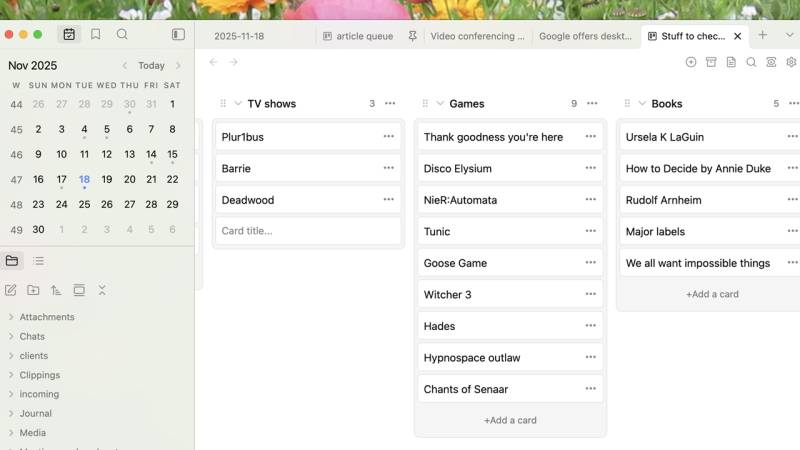
Plugins run code inside the application and may access vault content. Install only the features you need, review the developer and update history, and avoid testing an unfamiliar plugin on your only copy of important notes. Too many plugins can also make a vault slower and harder to maintain.
Strengths and limitations
Strengths:
- Notes remain as local, readable Markdown files.
- Links and backlinks support connected research and documentation.
- Folders, tags, properties, search, and split views provide several ways to work.
- Plugins and themes allow extensive customization.
- The core application can be useful without a paid service.
Limitations:
- The number of options can create a steep learning curve.
- Real-time collaboration is not its main strength.
- Sync and backup require a deliberate setup.
- Plugin-heavy workflows may be harder to move to another app.
Who should use Obsidian?
Obsidian is a strong fit for people who want local ownership, Markdown portability, and a flexible system for linking ideas. A cloud-first editor may be easier for teams that need effortless real-time collaboration or users who do not want to manage files and backups.
For a first vault, begin with plain notes, a few folders, and internal links. Add plugins only after a repeated need becomes clear.
Related Articles
 What Is Obsidian Note-Taking? Obsidian User Manual6 minutes read
 Why Should You Stop Switching Note-taking Apps to Obsidian?6 minutes read
 4 Smart Ways to Link Notes in Obsidian Automatically5 minutes read
 Is Obsidian Note-taking App Worth Your Time?8 minutes read
 Three Note-taking Apps That Make a Perfect Combination: Google Keep4 minutes read
 7 Best Obsidian Plugins for Mobile: Complete Guide6 minutes read
Reader Comments 0
Sign in with email or Google to join the discussion.