data encryption
-
 What is data encryption? Things to know about data encryption
data encryption is to transfer data to a new form that users cannot read and need to use the key to encrypt the data.
What is data encryption? Things to know about data encryption
data encryption is to transfer data to a new form that users cannot read and need to use the key to encrypt the data.
-
Automatically encrypt EFS in Windows XP, Vista or Windows 7
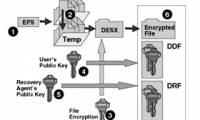
in the following article, we will show you how to create scripts to automate the efs standard data encryption process of user accounts every time they log in. the purpose of encryption in this way is to protect confidential documents, information of individuals, organizations or companies, then
-
How to use BitLocker to encrypt data on Windows 8
microsoft provides users with a bitlocker encryption tool to ensure user data is protected at the highest level. if you have some important data to store in your computer hard drive or usb flash drive, you can use the bitlocker encryption tool.
-
Instructions for using EFS to encrypt files and folders on Windows 8.1 Pro
if you are worried that others can access the system, search for sensitive data information, the easiest way is to encrypt the files and folders that contain that data with a long-standing efs tool. on windows versions.
-
DNSCrypt client for Windows: Encrypt data from computer to DNS
if you don't use vpn, dnscrypt will help you stay safe when communicating on the internet. communication can be anything from email to im to browsing websites.
-
How to use Bitlocker to encrypt data on Windows 10 (Part 1)
encryption is a method of securing information that does not allow others to use it illegally. when encrypting your information, you can still use this information even if you can share it with other users. in the article below, network administrator will guide you how to encrypt data on windows
-
How to use Bitlocker to encrypt data on Windows 10 (The last part)
if you get an error message after setting up bitlocker, this means that your computer does not support the trusted platform module chip (1.2). how to fix this error.
-
5 popular encryption algorithms you should know
you have heard or used encryption and know how important it is. most internet services use encryption to keep user information safe. however, coding is still something difficult to understand. there are many types of encryption and are used for many purposes. how do you know the 'best' encoding?
-
Google Chrome 10: Breakthrough
if you are using chrome, you should automatically update the new version automatically. below, let's take a look at the highlights from the stable release of google chrome 10.
-
20 technology habits that change lives (Part 2)
gather all the e-mails to one place, turn the internet into a clerk to work efficiently, use a usb drive to replace the laptop ... the seemingly small habits are very useful
-
10 things you can do with USB
usb flash drives can perform many features in addition to data storage. in this article we will summarize and introduce to you 10 ways to use this device.
-
Data encryption on Android
by default, android os does not allow full device encryption to protect data, but if you are looking for a solution to encrypt files on your device, a third-party application will be needed. so here is how you can encrypt your data.
 Home
Home
 Wifi Tips
 Fix Computer
 Windows 10
 Windows 11
 Artificial Intelligence
 Space Science
 Strange story