Table of Contents
Explore tips to increase productivity when using YouTube, including the key concepts, practical examples, important considerations, and useful guidance.
But instead of completely avoiding YouTube, you can reshape how you use it. Set some rules, stop clicking randomly, and, while still watching the same videos, they quickly cease to be a temptation. YouTube is now part of your workspace, and you don't need to use multiple different productivity apps anymore.
Use YouTube as a work environment, not a distraction!
Transform videos into spaces where you can immerse yourself in your mind





YouTube can be more productive if you view it less as a media library and more as a space. This means shifting your mindset from watching videos to listening to them while working to watching them within your own workspace. But this only works if you watch long, slow videos with minimal movement. Here are a few examples:
- Rainy Jazz Cafe
- Library Sounds
- Rainy Dystopian Library Ambience
Don't just watch these videos as usual, leaving them there, in a hazy state. Playing these videos while working and seeing familiar images creates a sense of familiarity, like opening the office door every morning, even when you're working from home.
Your brain recognizes the environment in these videos as a workplace, and you can sit there, focus, and immerse yourself in the task at hand. These YouTube videos will help you easily switch to work mode, no matter where you are.
Let the video tell you how much time has passed!
Replace the stopwatch with visual and auditory progression
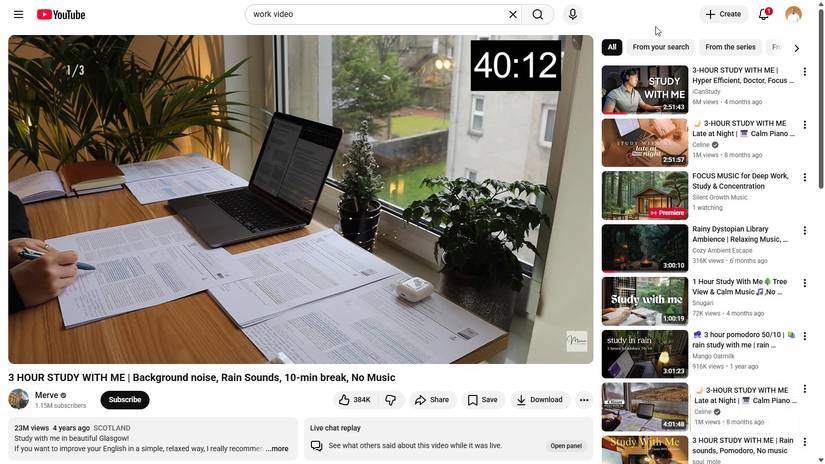
In the past, people relied heavily on stopwatches. In fact, they've come up with a few tricks to use the Clock app more effectively. Pomodoro, alarm, and countdown apps all work, but people become overly focused on time; unconsciously checking the alarm three or four times before it actually rings. These solutions disrupt concentration and are somewhat counterproductive.
Now, watch a long video and treat its entire duration as your workspace. You'll immediately stop keeping track of the time; at worst, you'll just glance at the progress bar, which is already displayed on the screen. When the video ends, move on to something else.
Some natural videos can help with this. Any video with a looping image seems to work. These types of videos make time seem to stand still. Initially, you might struggle because it's less precise than a stopwatch, but ultimately, it will help you calm down a lot more, and that's quite important.
Develop discipline by working with strangers
Use stunt videos to silently remind yourself
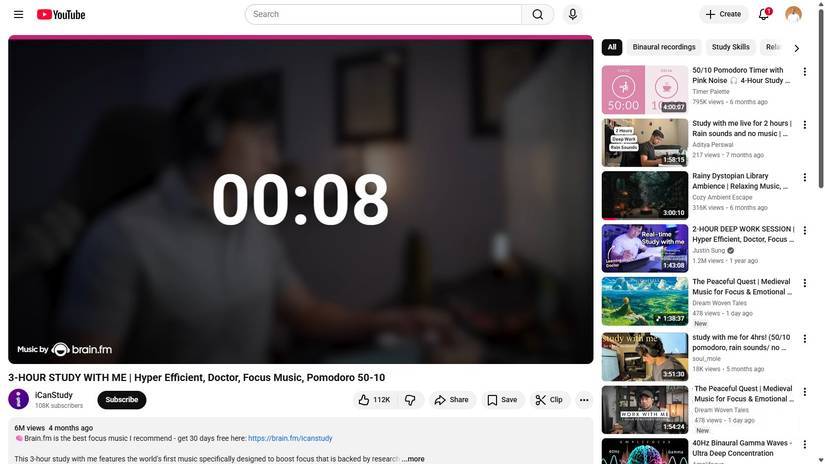
There are days when you simply aren't in the mood; you lack the motivation to work. Working in silence makes it harder to concentrate and be productive in such situations. Since shared workspaces aren't always available, "learn with me" videos and focused work videos have been surprisingly helpful. Many people particularly enjoy this ICanStudy "learn with me" video because it has perfect breaks and background music.
In these videos, the stranger doesn't give instructions or speak, but you silently benefit from their presence. It's equivalent to sharing a workspace without interacting with that person.
To be truly productive, avoid switching between many different content creators. You can figure out what works for you, usually something neutral and consistent, and then stick with it. Without saying a word, the person on screen will motivate you. If they can work three hours, so can you.
Choose videos that match your energy level, not your personal ambitions!
Let YouTube adjust its pace instead of forcing your attention
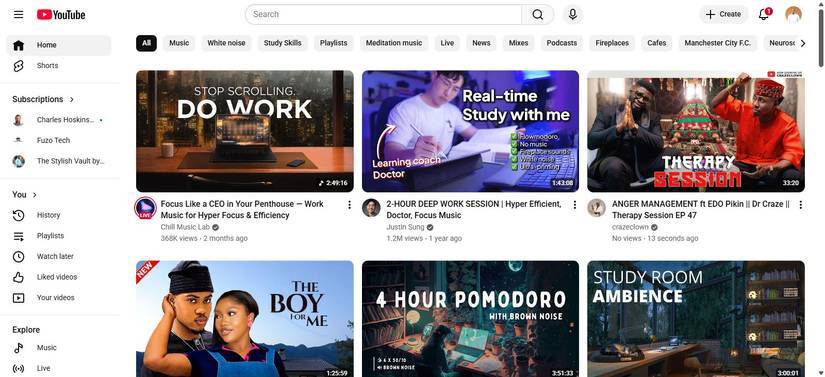
Previously, many people tried to force themselves to focus on the same posture every day. But the reality is that some days are great for deep thinking, while others are better suited for cleaning, editing, or repetitive tasks. YouTube helps you accept that mood.
You can watch slow, minimalist videos when you need to think or write, as they tend to blend into the background. When you have to tackle something you've been putting off, look for something a little faster-paced. You can turn on the video, but increase the speed slightly. This often creates a sense of urgency, putting you in the right mindset to get the job done. The goal isn't necessarily to push yourself harder, but to use these videos to meet your current needs.
Final Thoughts
Understanding tips to increase productivity when using youtube makes it easier to evaluate the information and apply the most relevant recommendations. Focus on the key points above and verify details that may change over time.
FAQ
What is tips to increase productivity when using youtube?
Explore tips to increase productivity when using YouTube, including the key concepts, practical examples, important considerations, and useful guidance.
What key points does this article cover?
The article focuses on Use YouTube as a work environment, not a distraction!, Transform videos into spaces where you can immerse yourself in your mind, Let the video tell you how much time has passed!, with practical explanations and examples.
How can you use this information in practice?
Use the explanations to compare options, verify important details, and make a more informed decision. Apply the recommendations that best match your goals and situation.
Related Articles
 10 Tips to Increase Productivity on Windows 1012 minutes read
 5 Practical Ways to Use AI for Better Productivity8 minutes read
 7 Simple Tips to Increase Productivity in the Afternoon9 minutes read
 SEO YouTube - Step by Step Guide to Uploading Videos to the Top14 minutes read
 9 Tips to Increase YouTube Video Rankings on Google12 minutes read
 Tell You 5 Tips with YouTube: YouTube Tips6 minutes read
Reader Comments 0
Sign in with email or Google to join the discussion.