Table of Contents
Many consumer AI and creative services provide a setting that limits whether future content is used to improve generative AI models. Turning it off usually applies prospectively: it may not remove material already used for training, erase account history, stop safety processing, or prevent use of feedback you deliberately submit.
Settings and regional rights change. Use the paths below as a starting point, then read the current notice shown in your own account before saving the change.
Quick reference
| Service | Setting to check | Important limit |
|---|---|---|
| ChatGPT | Settings > Data Controls > Improve the model for everyone | Feedback may include the associated conversation; Temporary Chats are retained for a limited safety period |
| Gemini | Settings & help > Activity > Keep Activity | Chats can still be retained for up to 72 hours when activity is off |
| Claude | Settings > Privacy > Help Improve our AI models | Feedback and chats already included in training pipelines can follow separate retention rules |
| Adobe | Adobe account privacy > Content analysis for product improvement | Adobe Stock contributor content and business profiles follow different rules |
| Figma | Team or organization Admin/Settings > AI > Content training | Availability and defaults depend on plan; an admin controls the setting |
| Settings & Privacy > Data privacy > Data for Generative AI Improvement | Opt-out applies going forward and does not cover every non-generative AI use | |
| Meta products | Privacy Center generative-AI notices and available objection controls | Choices depend on product, account, and jurisdiction |
ChatGPT: turn off model improvement
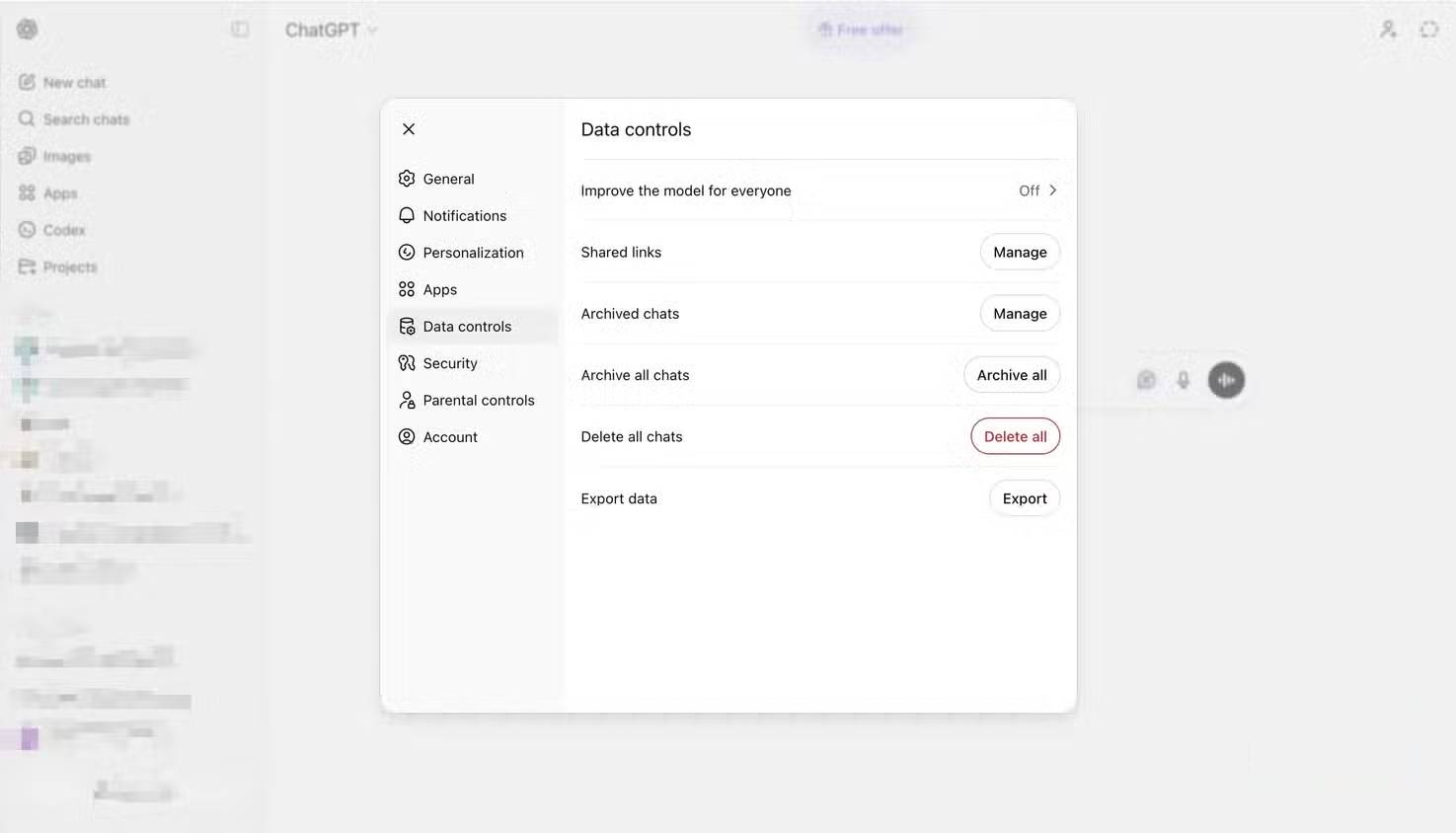
- Open your profile menu.
- Select Settings, then Data Controls.
- Turn off Improve the model for everyone.
OpenAI's Data Controls FAQ says the account-level setting syncs between web and mobile. New ChatGPT conversations remain in history but are not used to train models after the opt-out.
Temporary Chat is useful when you do not want a conversation in history or memory. OpenAI says Temporary Chats are not used for training and are deleted from its systems after 30 days, although they may be reviewed for abuse monitoring.
Submitting thumbs-up or thumbs-down feedback is a separate choice: the conversation associated with that feedback may be used for training even if model improvement is off. OpenAI also documents a separate Codex control for sharing full environments; changing the ChatGPT toggle does not necessarily change that environment setting.
For ChatGPT Business, Enterprise, Edu, and API products, OpenAI says inputs and outputs are not used for training by default unless the organization explicitly opts in.
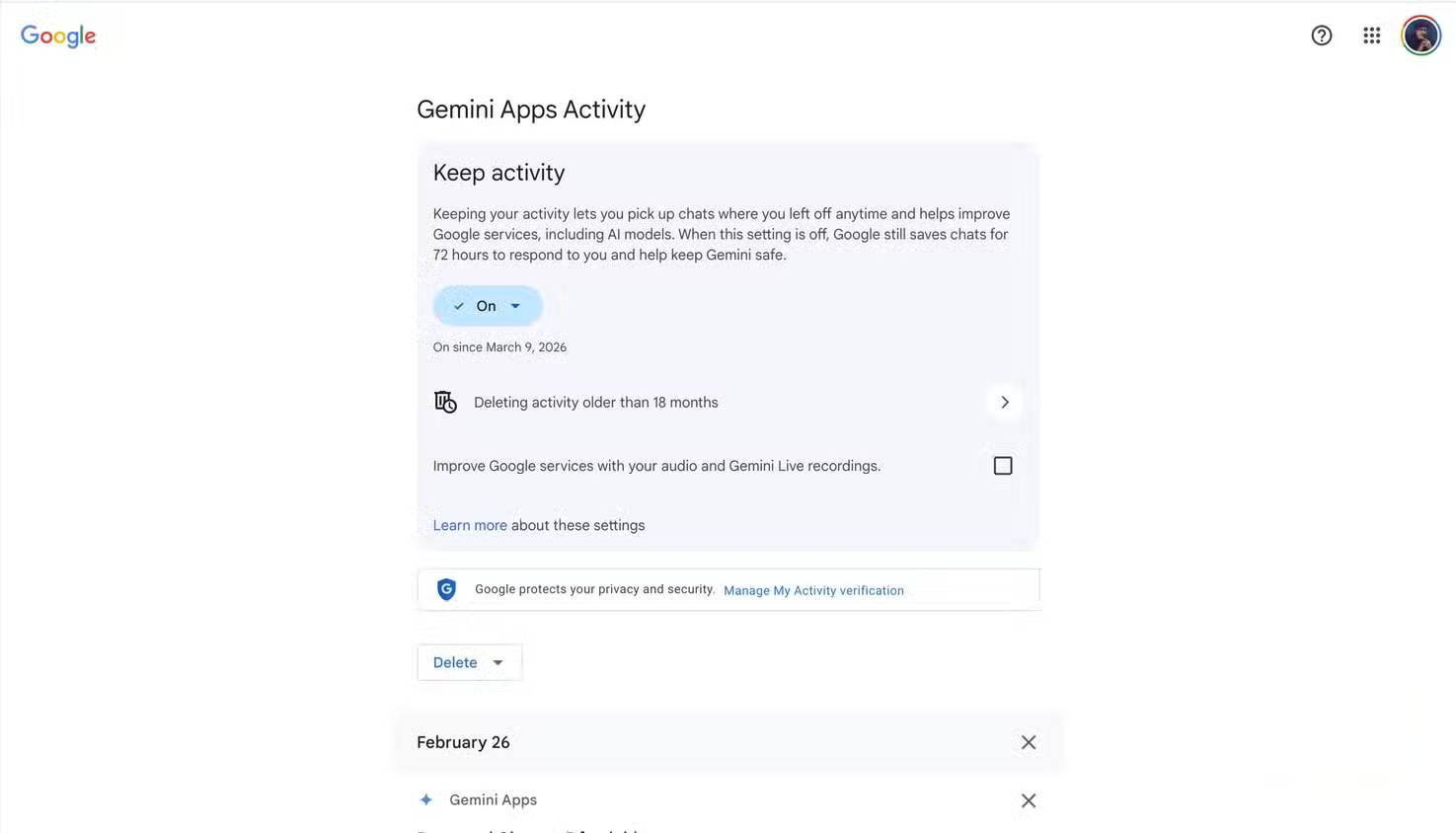
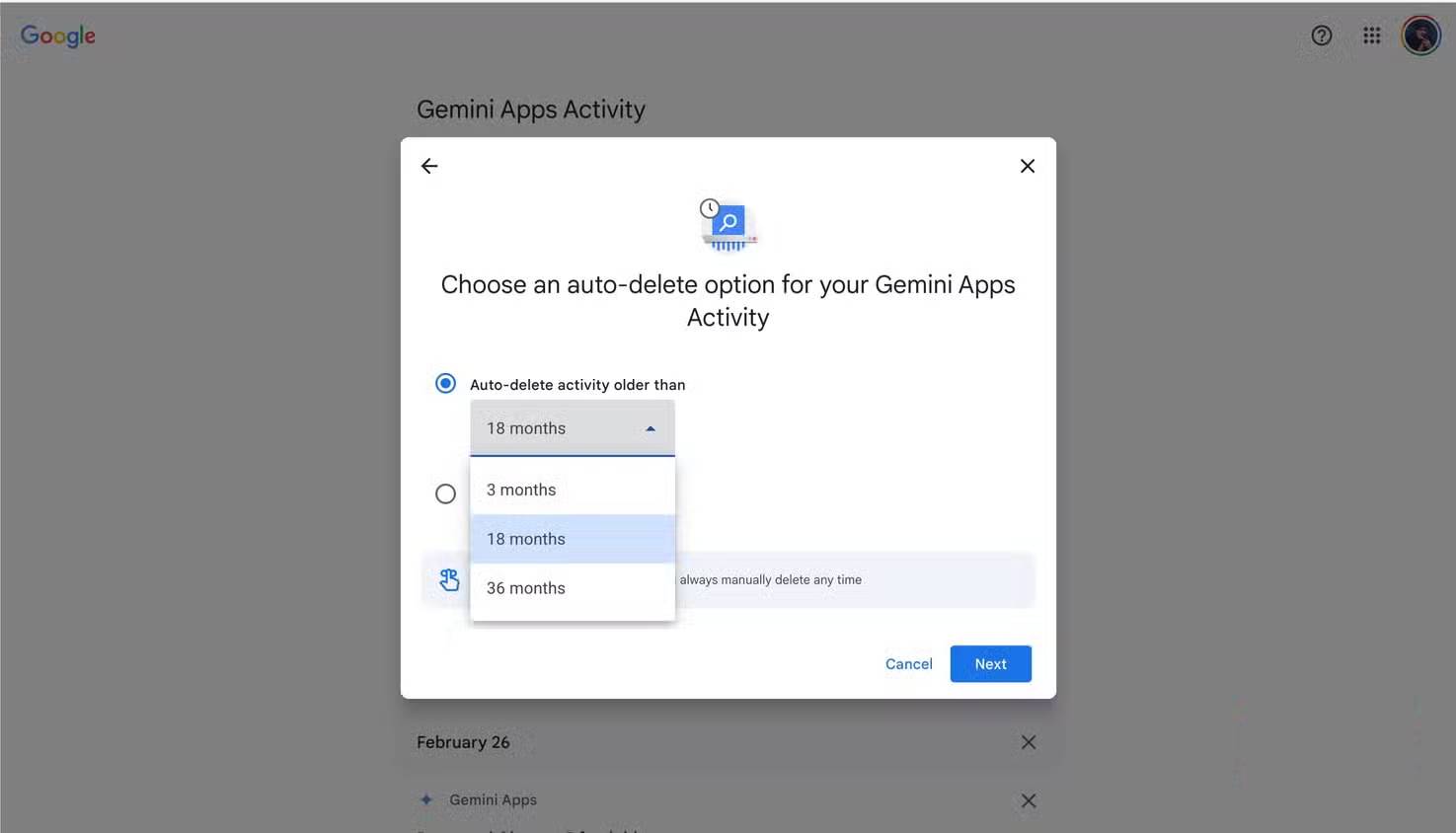
Gemini: turn off Keep Activity
- Open Gemini and select Settings & help.
- Open Activity.
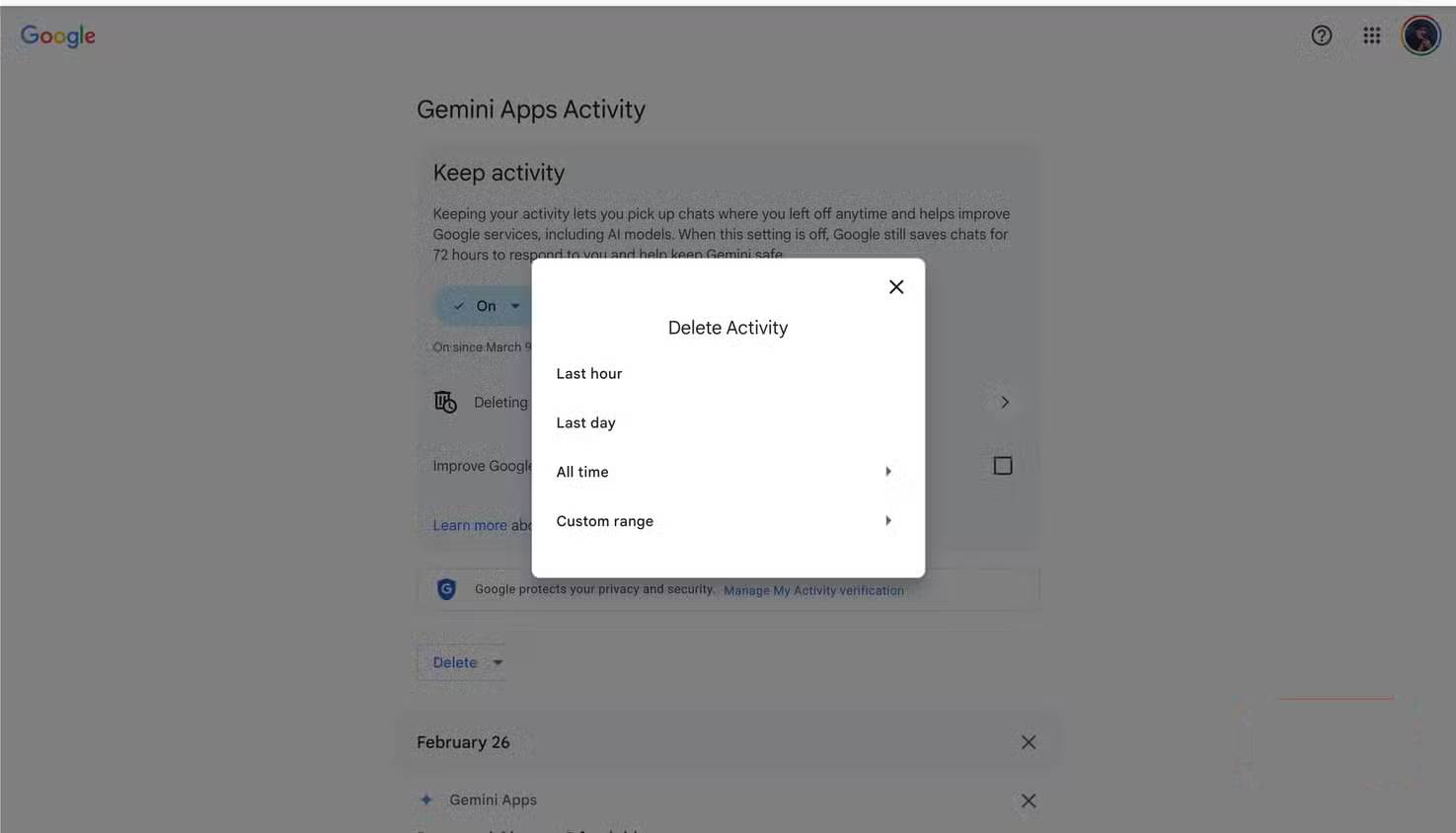
- Under Keep Activity, choose Turn off or Turn off and delete activity if that option is shown.
- Review the separate auto-delete period and existing activity.
Google's Gemini Apps Privacy Hub says Temporary Chats and chats created while Keep Activity is off are retained with the account for up to 72 hours to provide the service and protect users. Turning the setting off is therefore not the same as zero retention.
Deleting visible activity does not necessarily erase data already separated from the account for security, legal, or reviewed-data purposes. Read the notice shown with the delete control for the current scope.
Claude: disable model improvement
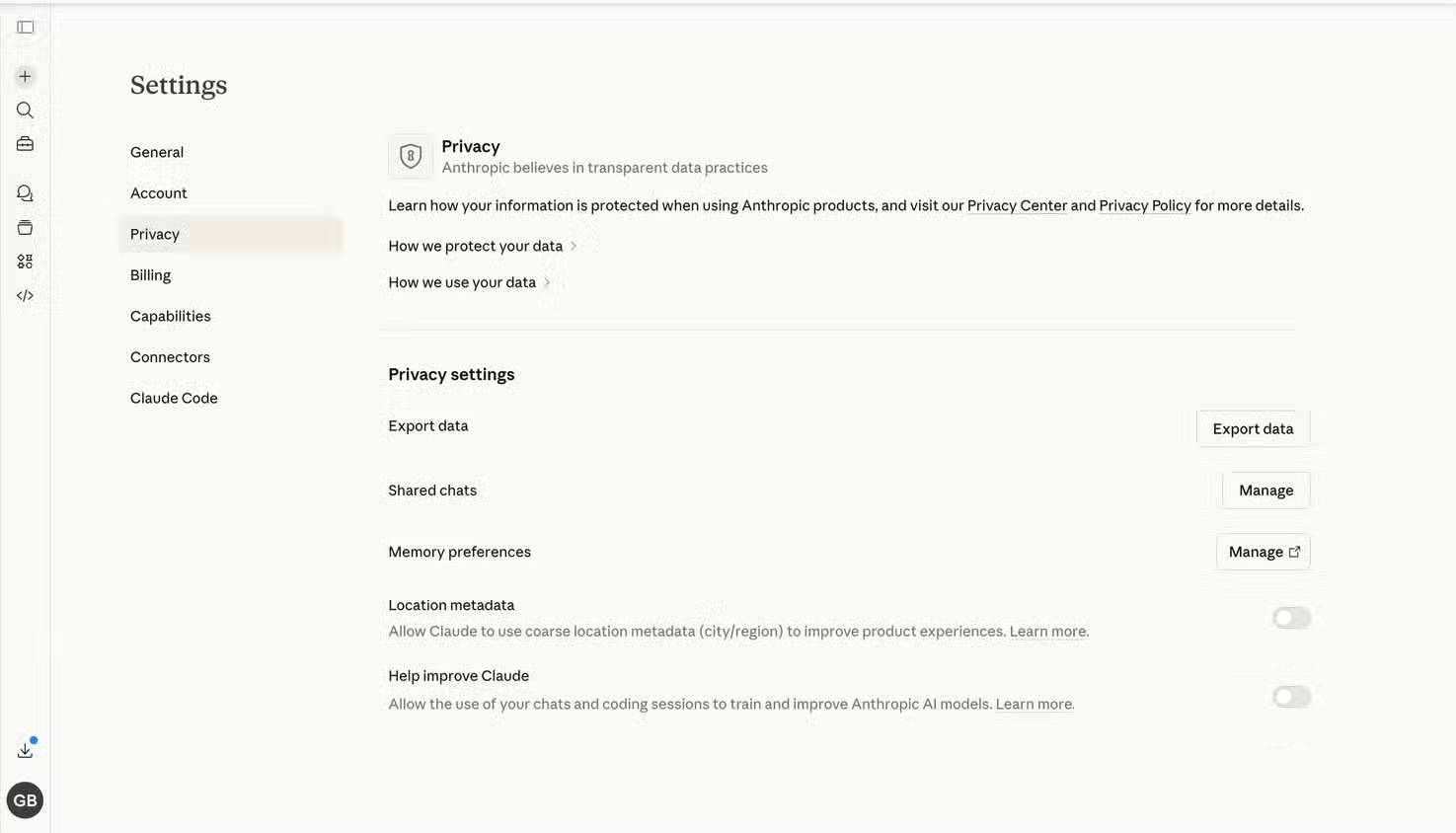
- Open your profile menu and select Settings.
- Choose Privacy.
- Turn off Help Improve our AI models.
Anthropic's privacy instructions apply to the consumer Claude experience. Anthropic also offers Incognito chats, which it says are not used to improve Claude even if the general model-improvement setting is enabled.
Feedback is again a separate data path. Anthropic says data voluntarily shared for model improvement or through feedback can have longer retention than ordinary consumer chats. Commercial products such as Claude for Work and the Anthropic API are not used for model training by default, according to Anthropic's commercial privacy documentation.
Adobe: content analysis is not the same as every AI-training use
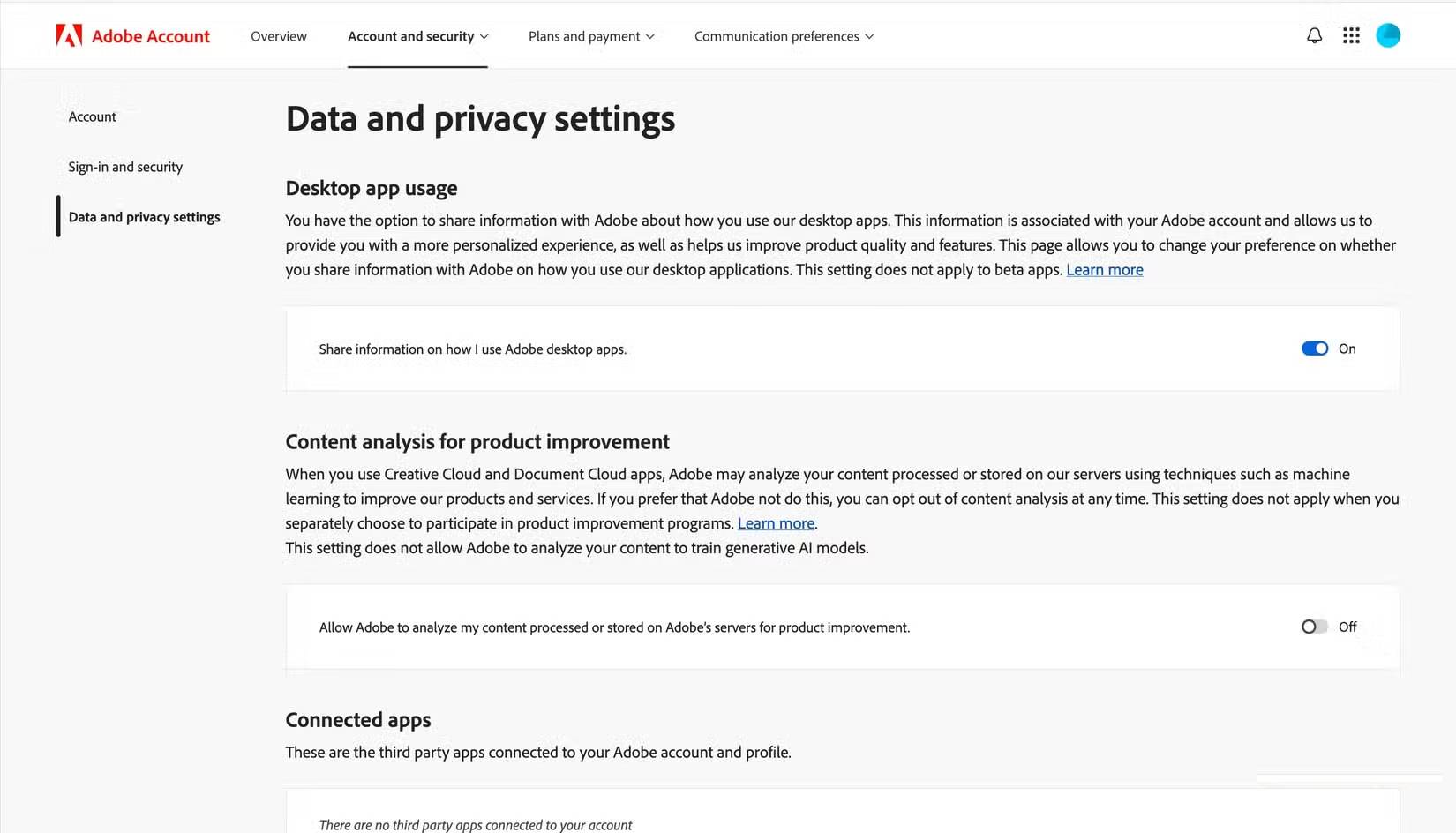
For a personal Adobe account:
- Sign in to the Adobe account privacy page.
- Find Content analysis for product improvement.
- Turn the toggle off.
Adobe's content analysis FAQ says this control concerns content processed or stored on Adobe servers, not files kept only on a local device. Business profiles are automatically opted out of this content analysis and may not show the toggle.
This setting does not rewrite every Adobe program or marketplace rule. Adobe says contributed Adobe Stock content follows its contributor agreement and currently has no opt-out from relevant training uses. Do not upload work to a marketplace unless you accept its current terms.
Figma: an admin controls content training
Figma's control is managed at the team or organization level rather than as one universal personal toggle:
- Open the relevant team or organization.
- Open Admin or team settings.
- Find the AI section.
- Open Manage AI settings if shown, then turn Content training off.
Figma's official plan guide says defaults and who can change the setting vary by plan. Organization and Enterprise content training is off by default in the current guidance, while some Starter or Professional teams may have it on. Disabling content training is separate from disabling access to AI features.
LinkedIn: opt out of generative-AI model improvement
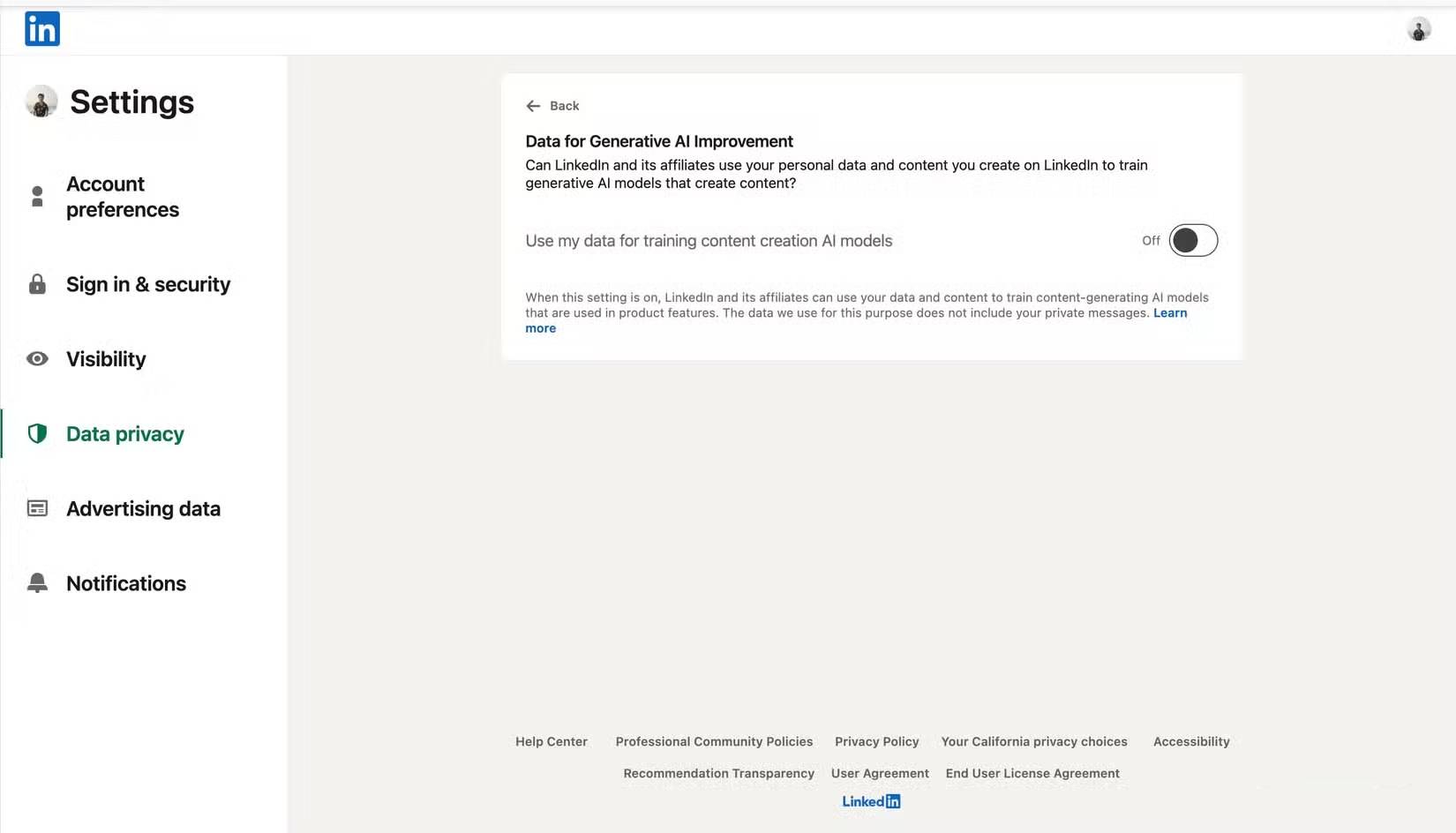
- Open Settings & Privacy.
- Select Data privacy.
- Open Data for Generative AI Improvement.
- Turn the setting off.
LinkedIn's official explanation says the opt-out stops LinkedIn and its affiliates from using data and content you provide to train content-generating models going forward. It does not undo training already completed and does not apply to all AI used for personalization, safety, security, or anti-abuse. Feedback can also be used separately.
Meta: review the controls available in your region
Meta describes using public information from its products and interactions with its generative-AI features to develop and improve models. The available objection or opt-out process varies by product, age, account, and jurisdiction.
Open Meta's Privacy and generative AI page while signed in, follow the notice for your region, and use any objection control offered there. Avoid claims that “nothing can be done” or that one form works everywhere; rights and procedures differ by location and may change.
Regardless of the control, reducing the audience for a post or deleting it is not guaranteed to remove information already collected, copied by others, or used in completed model training.
What these switches do not guarantee
- They may not remove data from models or datasets created before the opt-out.
- They do not necessarily delete chat history, account records, or security logs.
- They may not cover feedback, abuse reports, or content submitted to a public marketplace.
- They do not stop another person from entering your public content into an AI tool.
- They do not replace privacy requests available under local law.
Reduce exposure before sharing
- Do not paste passwords, API keys, private medical records, customer data, or confidential work into consumer tools.
- Remove names and identifiers when they are unnecessary.
- Use employer-approved business products for work data.
- Review connected apps, file permissions, chat history, memory, and deletion controls separately.
- Recheck settings after major product updates, account migrations, or plan changes.
An opt-out is useful, but data minimization is stronger: share only what the task requires, prefer approved services, and treat feedback buttons and public uploads as deliberate disclosures.
Related Articles
 How to block the use of personal data to train AI8 minutes read
 minutes read
 The Longest Train in the World, More Than 7km Long, Has 682 Cars Explained4 minutes read
 How Valuable Is the User's Personal Data?4 minutes read
 Backup Personal Data on Facebook, Twitter and Google+4 minutes read
 How to Turn Off Facebook Platform to Stop Sharing Personal Data3 minutes read
Reader Comments 0
Sign in with email or Google to join the discussion.