Table of Contents
Grok Imagine can generate a landscape video from a written description or a reference image. Selecting a 16:9 aspect ratio before generation gives you a widescreen frame suited to standard YouTube videos, presentations, televisions, and computer displays.
The interface, available models, duration options, resolution, and account limits can change. Use the controls shown in your current Grok account and treat the screenshots below as a guide rather than an exact map.
Step 1: Open Imagine
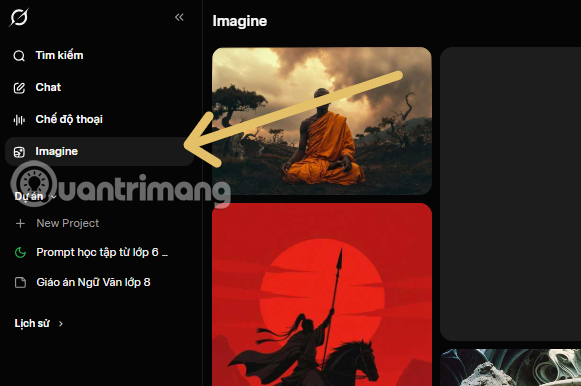
Open Grok and select Imagine from the available creation tools. If the option is missing, confirm that your app or browser is up to date and that video generation is available for your region and account type.
Step 2: Choose Video and the 16:9 frame
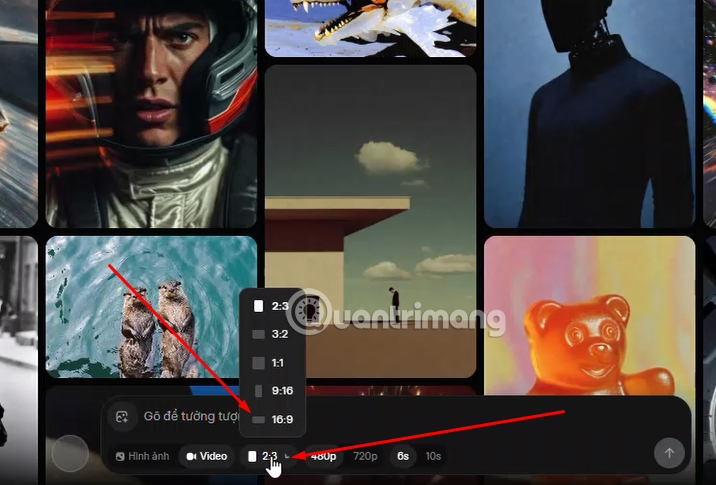
Select Video rather than Image. Open the aspect-ratio control and choose 16:9. If duration or resolution controls are displayed, choose them before generating; higher settings may consume more credits or take longer.
A 16:9 frame is approximately 1.78 times as wide as it is tall. Selecting the ratio does more than crop the result: it gives the model a landscape canvas when it composes the shot.
Step 3: Write a prompt for one clear shot
Describe what the viewer should see during a short clip. Include:
- Subject: the main person, object, animal, or environment;
- Action: one clear movement;
- Framing: wide, medium, close-up, low angle, or aerial;
- Camera movement: static, pan, tracking, dolly, or slow zoom;
- Lighting and time: overcast morning, sunset, studio light, or night;
- Style: realistic, documentary, animation, miniature, or another visual direction.
Example:
Wide 16:9 documentary-style shot of a passenger jet descending toward a runway at sunset, camera tracking from the side, landing gear down, subtle heat haze behind the engines, realistic motion, stable horizon.
Avoid unnecessary claims such as a specific airline, location, or aircraft model unless the visual accuracy can be verified. AI video may create plausible-looking but technically incorrect details.
Step 4: Generate the clip
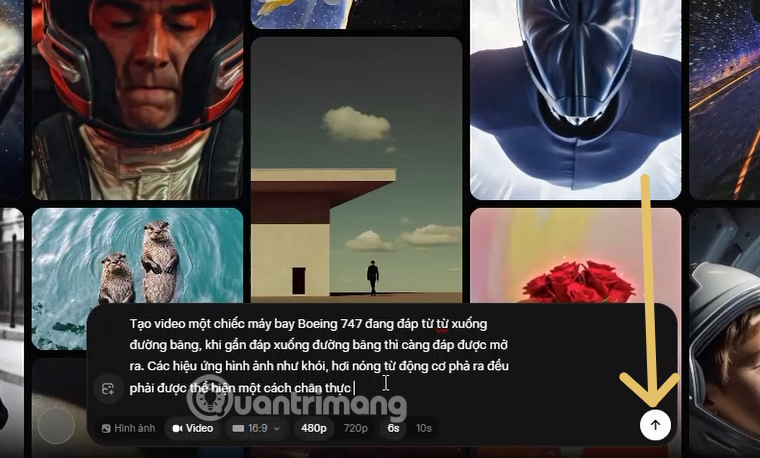
Submit the prompt and wait for processing to finish. Do not repeatedly press the generate control if progress appears slow; duplicate generations may use additional credits.
If the result is close but not usable, change one part of the prompt at a time. For example, keep the subject and lighting while simplifying the camera movement. This makes it easier to identify which instruction causes unwanted motion or composition.
Step 5: Review before downloading
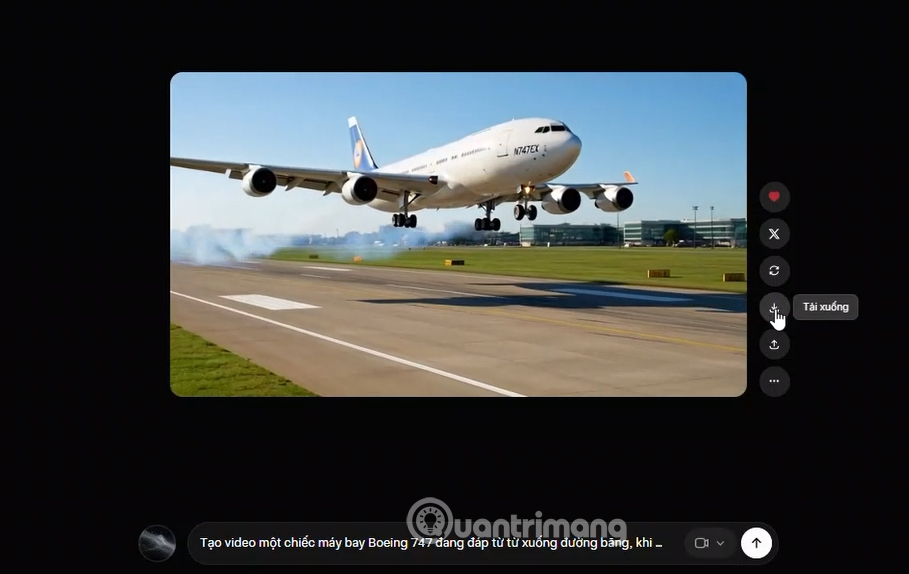
Play the entire clip and inspect more than the first frame. Check:
- whether the subject remains consistent;
- whether objects appear or disappear unexpectedly;
- whether hands, faces, wheels, text, and reflections are distorted;
- whether camera motion matches the prompt;
- whether important content is safely inside the 16:9 frame;
- whether the clip could be mistaken for real footage.
Download only the version you intend to use. Finish titles, captions, licensed music, and precise transitions in a video editor rather than relying on generated text inside the footage.
When 16:9 is the right aspect ratio
- Standard YouTube videos: landscape viewing on phones, computers, and TVs.
- Presentations: modern slide decks and conference displays commonly use widescreen layouts.
- Web embeds: many video players are designed around a 16:9 frame.
- Television and monitor playback: the frame fills most contemporary displays without large side bars.
- Landscape demonstrations: tutorials, product shots, and environments that need horizontal space.
Use a vertical ratio such as 9:16 when the primary destination is a full-screen mobile feed. Use square or other ratios only when the publishing platform or composition calls for them.
How to improve a weak result
The subject is too small
Change “wide shot” to “medium shot” or tell the model how much of the frame the subject should occupy.
The video feels static
Add one restrained movement, such as a slow camera push or the subject turning toward the camera. Too many simultaneous actions can reduce consistency.
The horizon or framing drifts
Request a static camera or stable horizon, simplify the action, and generate a shorter shot if that option is available.
Objects look technically wrong
Use a suitable reference image and avoid presenting the result as documentary evidence. For products, aircraft, medical procedures, or safety instructions, verify visual details independently.
Publishing checks
Use only reference material you have the right to upload. Obtain consent before generating a recognizable real person, and follow the destination platform's rules for synthetic-media disclosure. Check the current Grok plan for watermark, export, and commercial-use terms.
A 16:9 setting establishes the canvas, but prompt clarity and review determine whether the finished clip works. Plan one shot, describe it precisely, and make small revisions rather than trying to generate an entire sequence in a single prompt.
Related Articles
 Creating Videos from Photos Using Grok9 minutes read
 How to Create Videos on Grok AI7 minutes read
 What Is the Aspect Ratio? Things to Know About Aspect Ratio5 minutes read
 Is 4:3 or 16:9 Aspect Ratio Better for Photos and Videos: Complete Overview9 minutes read
 Turn Still Photos into Videos with Grok's New Tool: How to Do It Super Easy4 minutes read
 Guide to Creating 3D Animated Videos About Smartphones with Grok AI6 minutes read
Reader Comments 0
Sign in with email or Google to join the discussion.