Table of Contents
An AI administrative assistant can help staff find information in approved documents, draft routine letters, and reuse consistent templates. The useful version is not a chatbot that guesses from general knowledge: it is an assistant grounded in a controlled reference library, with clear instructions and a human review step.
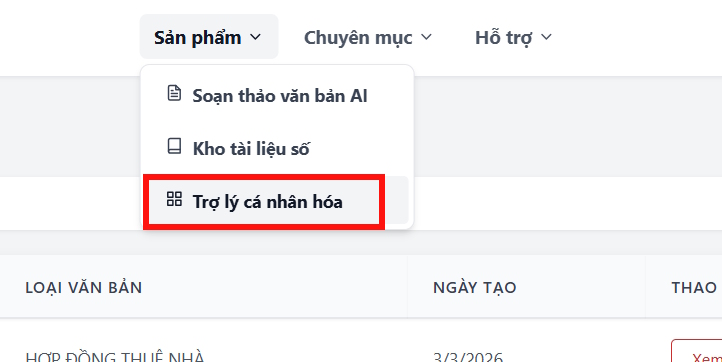
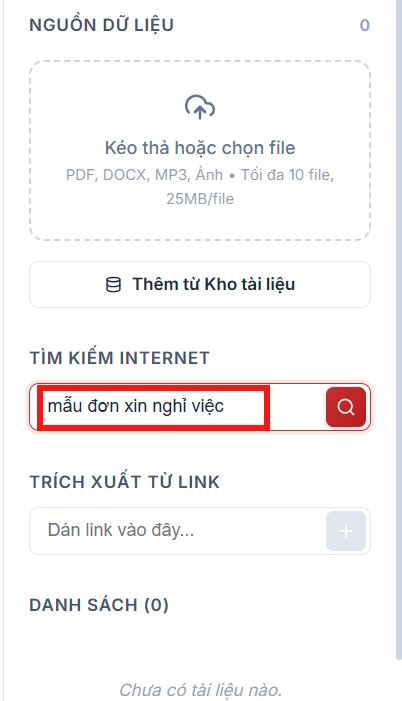
The screenshots below show one example interface. The original source did not identify or link the product, so button names may differ in the service you use. Before uploading workplace files, confirm that the tool is approved by your organization and that its data terms meet your requirements.
What the assistant should do
- Find an approved policy, form, or template by topic.
- Answer questions using only the uploaded references.
- Draft letters, notices, agendas, minutes, and internal memos from a template.
- Extract dates, responsibilities, and required fields.
- Flag missing information instead of inventing it.
- Show the source file and section used for important claims.
Do not use it to make final legal, employment, financial, or disciplinary decisions. Those require the designated owner and, where appropriate, professional review.
1. Choose an approved platform
Compare products on access control, retention, model-training policy, file encryption, regional processing, audit logs, export options, and administrator controls. A Google or Microsoft sign-in button does not by itself prove that the service is approved or secure.
Use a business workspace rather than a personal account when documents contain employee, customer, or operational information. Avoid providing a phone number or granting broad cloud-drive access unless the feature is necessary and authorized.
2. Create a dedicated assistant
Open the platform's assistant, knowledge base, or custom-agent area. Create a separate assistant for one department or document family instead of combining unrelated material.
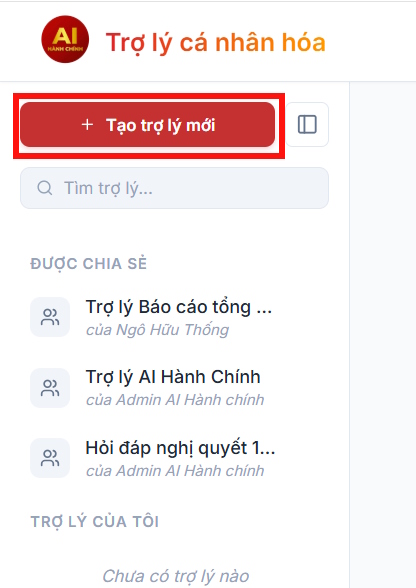
Give it a specific name such as HR Policy Finder or Operations Letter Drafting Assistant. Assign an owner who is responsible for the reference files and review rules.
3. Build a clean reference library
Upload only current, approved material. Good sources include:
- official letter and memo templates;
- policy manuals and procedures;
- approved terminology and style guides;
- forms with instructions;
- contact lists that are safe for the selected platform.
Remove duplicates, drafts, and superseded policies. Use clear filenames that include the document title, version, and effective date. If the platform can search public sources, do not add a random internet template as if it were an organizational standard.
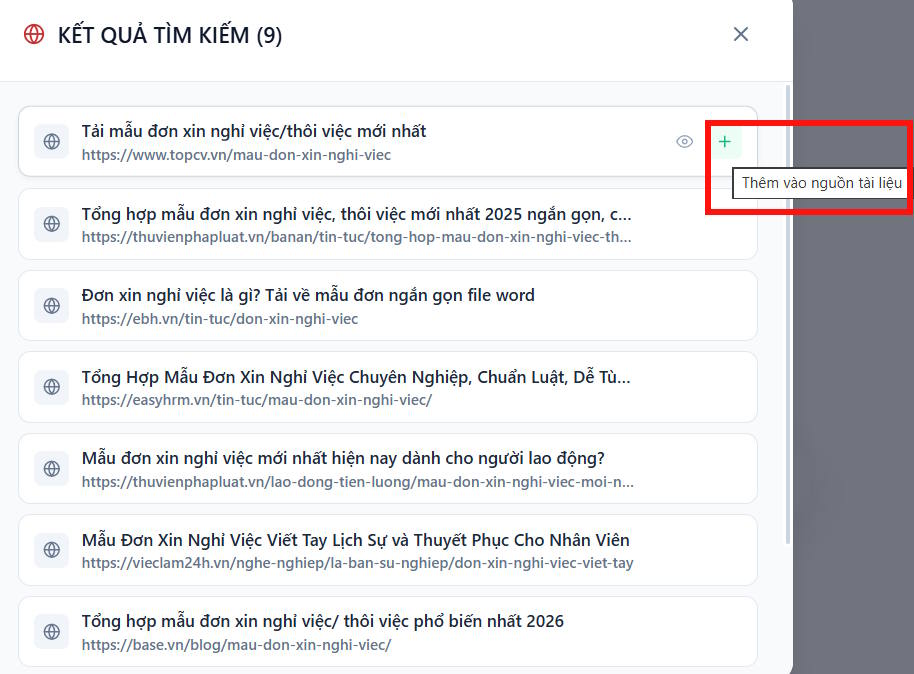
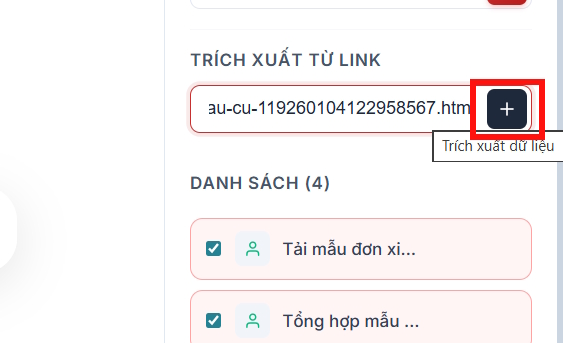
A pasted link can change without notice. For policies that must be reproducible, store an approved copy and record its version instead of relying only on a live webpage.
4. Write strict assistant instructions
Use instructions similar to these:
You are an administrative document assistant.
Use only the approved reference library for policy claims.
Cite the source filename and section.
If the references do not contain the answer, say so.
Never invent names, dates, approvals, legal requirements, or contact details.
Drafts must be labeled DRAFT and require human approval.
Preserve required template headings and placeholders.
Add department-specific rules for tone, date format, signatures, document classification, and who may approve each document type.
5. Test retrieval before drafting
Ask factual questions with known answers and check whether the response points to the correct source:
- “Which form is required for travel reimbursement? Cite the policy section.”
- “What is the approval sequence for a purchase request?”
- “List the required fields in the resignation acknowledgement template.”
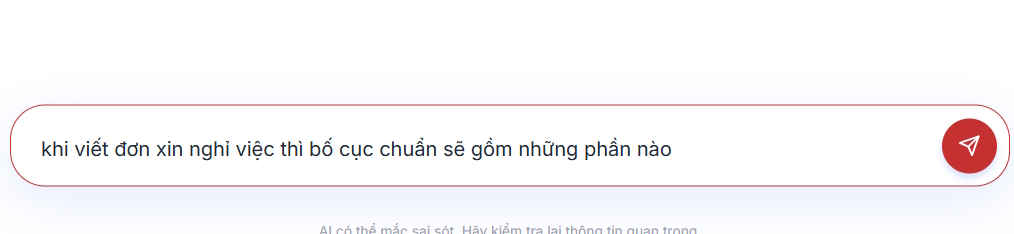
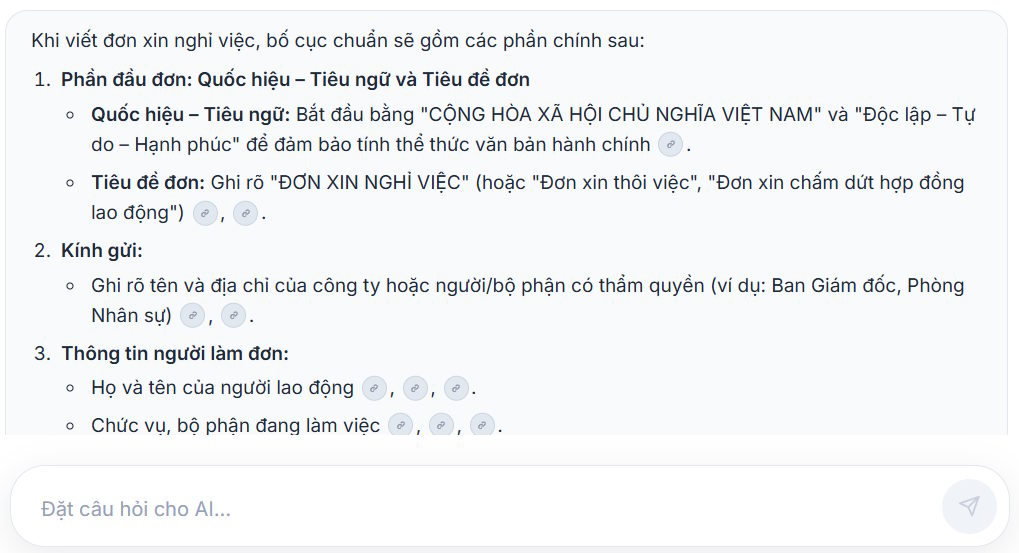
Test a question that is not answered by the library. The correct behavior is to identify the gap, not create a plausible policy.
6. Draft with structured inputs
Provide facts in a small form or labeled list rather than a vague prompt. For example:
Document: Meeting notice
Audience: Project steering committee
Date: [confirmed date]
Time and timezone: [confirmed time]
Location or link: [confirmed location]
Agenda items: [list]
Approver: [name and role]
Use template: Meeting_Notice_v3.docx
Do not fill any missing field; leave [PLACEHOLDER].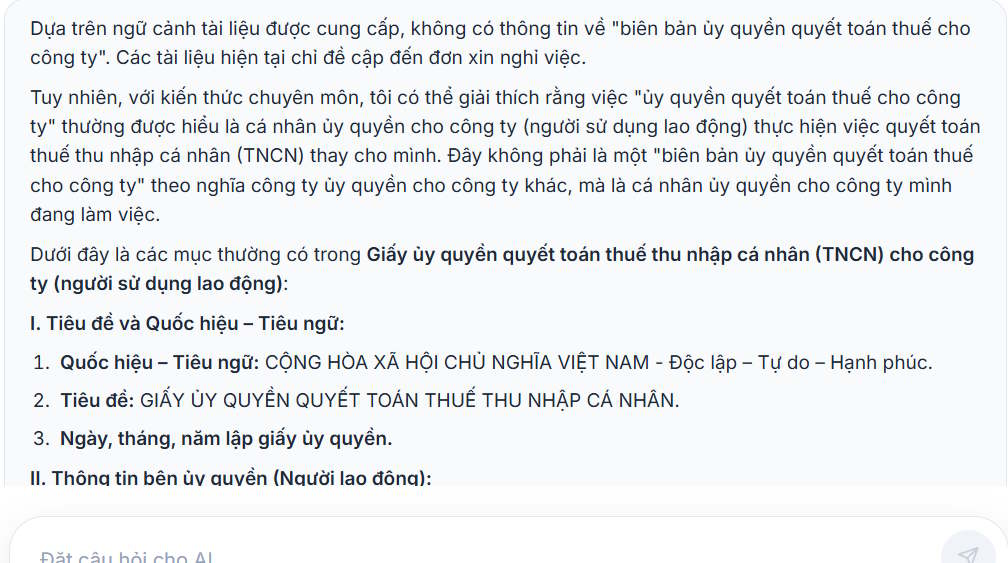
For resignation letters, disciplinary notices, contracts, or regulated forms, use an approved template and route the result to the responsible HR, legal, or compliance reviewer.
7. Review every draft
Before sending or filing a generated document, check:
- names, titles, dates, amounts, addresses, and reference numbers;
- the correct template version and required clauses;
- whether every policy statement is supported by a cited source;
- tone, grammar, and accessibility;
- attachments and recipients;
- confidentiality label, approval, and retention requirements.
Keep the final approved document in the normal records system. A chat transcript is not a substitute for the official file or approval trail.
Maintain the assistant
Assign a review schedule and remove obsolete references. Track common unanswered questions, but add new material only after an owner approves it. Re-test critical tasks after changing the model, system instructions, or reference library.
A useful administrative assistant reduces search and drafting time while making sources easier to check. Its value comes from controlled documents and a reliable review process—not from allowing the model to make unsupported decisions.
Related Articles
 Digital Citizen Assistant on Zalo: Complete Guide3 minutes read
 How to Align Margins in Word7 minutes read
 Why Granola Is the Perfect AI-Powered Meeting Assistant: Explained7 minutes read
 PDF AI: Turning Documents into Conversations5 minutes read
 Is Cursor Worth It? AI Coding Editor Review for 202614 minutes read
 Research: Women Who Use Smart Assistants Are More Polite Than Men3 minutes read
Reader Comments 0
Sign in with email or Google to join the discussion.