Table of Contents
An AI fashion campaign looks coherent when it is directed like a real production: one creative brief, a controlled cast and wardrobe, a repeatable lighting plan, and a defined shot list. Nano Banana Pro can help generate and revise the frames, but consistency comes from the workflow—not from asking for “luxury” in every prompt.
Use AI imagery only when you have the rights to every reference and product asset. Do not imitate a real person, photographer, campaign, or protected brand identity without permission. Label synthetic imagery when required by law, a platform, a client, or your organization's policy.
1. Write the campaign brief first
Define the decisions that should remain constant across every image:
- Purpose: launch, seasonal lookbook, editorial story, social carousel, or concept test.
- Audience: who should recognize themselves in the styling and setting.
- Visual idea: one sentence describing the story rather than a list of adjectives.
- Cast: age range, appearance, styling, expression, and movement—without naming a real person.
- Wardrobe: garment silhouette, fabric, construction, color palette, and accessories.
- Location: architecture, time of day, weather, and background activity.
- Photography: aspect ratio, framing, lens feel, camera height, lighting direction, contrast, and grain.
- Deliverables: exact sizes, safe areas, crops, and number of final images.
A focused brief prevents the model from reinventing the campaign each time.
2. Create a reference frame
Generate or upload one approved “anchor” image that clearly shows the character, key garment, palette, and lighting. Use it as the visual reference for later shots where the tool permits reference-image editing.
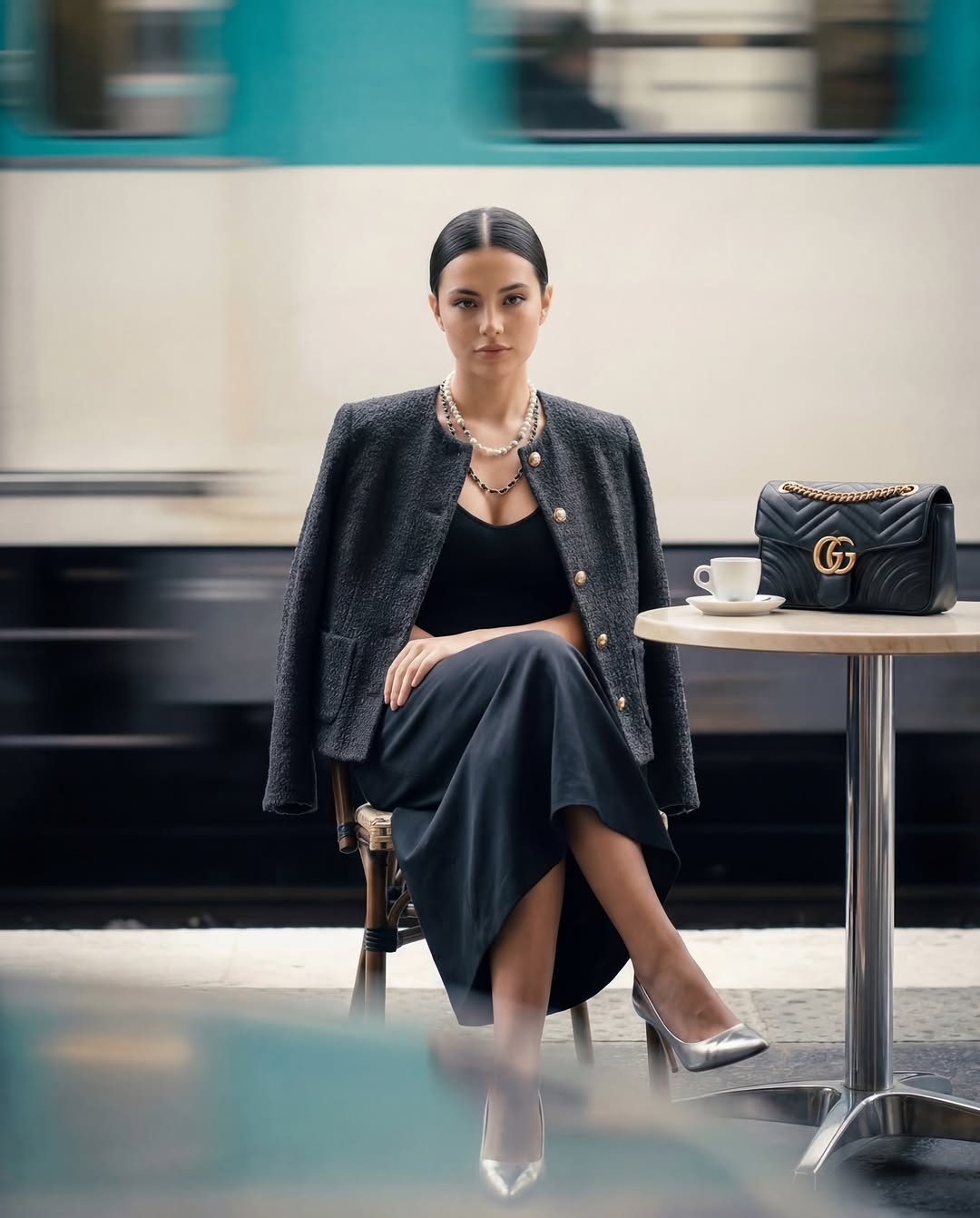
Reference images improve continuity but do not guarantee it. The model may change facial proportions, hands, seams, jewelry, logos, or fabric structure. Treat the anchor as a guide and inspect every output.
3. Use a reusable prompt structure
Keep a fixed block for campaign identity, then change only the shot-specific block.
CAMPAIGN CONSTANTS
Subject: [stable description]
Wardrobe: [exact garment, fabric, color, construction]
Location: [stable setting]
Lighting: [direction, softness, color temperature]
Color grade: [palette and contrast]
Photography: [lens feel, camera height, aspect ratio]
Must preserve: face, hairstyle, garment details, accessories

SHOT
Framing: [wide / full length / medium / close-up]
Pose and action: [specific]
Background movement: [specific]
Composition: [subject position and negative space]
Output use: [banner / carousel / portrait]
Use physical descriptions such as “dense ivory tweed with a matte weave and dark piping” instead of relying on a luxury brand name. This produces a clearer material target and avoids implying that the campaign belongs to another company.
4. Build a shot list before generating
| Shot | Purpose | What must stay consistent |
|---|---|---|
| Hero wide | Establish location and campaign mood | Wardrobe, subject, palette, key light |
| Full-length | Show silhouette and styling | Garment proportions, shoes, accessories |
| Medium portrait | Show expression and upper-body detail | Face, hair, makeup, jacket construction |
| Product detail | Show fabric, stitching, hardware, or bag | Real product geometry and materials |
| Motion frame | Add energy for social or editorial use | Subject identity, garment shape, direction of light |
Generate a small contact sheet for each shot, select one direction, then refine it. Endless random variations make continuity harder.
5. Control motion and depth of field
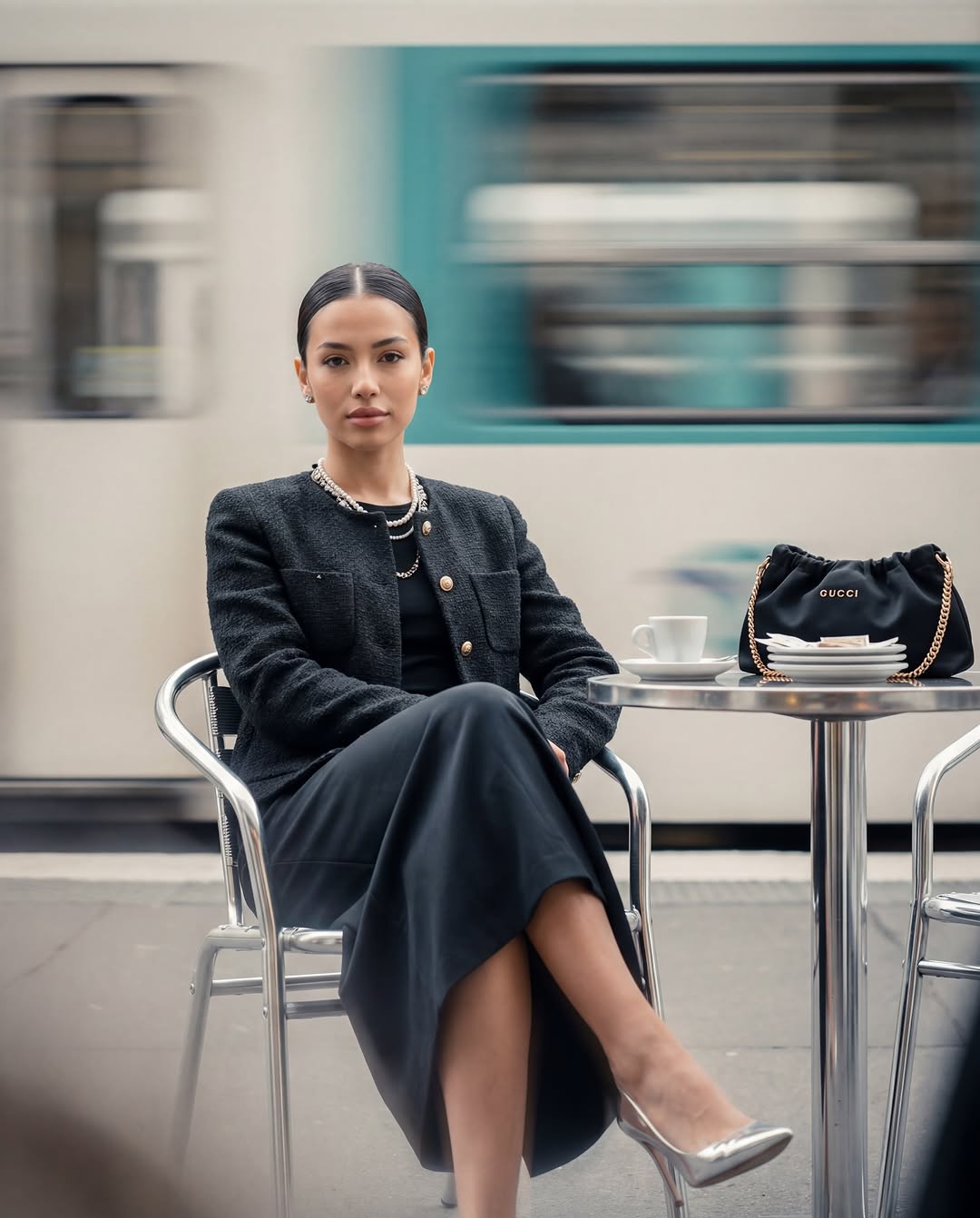
Motion blur should tell the viewer what moved and how. Specify whether the subject is sharp while a train or crowd moves behind them, or whether the camera pans with the subject. Avoid contradictory instructions such as freezing every detail while also demanding heavy blur across the same object.
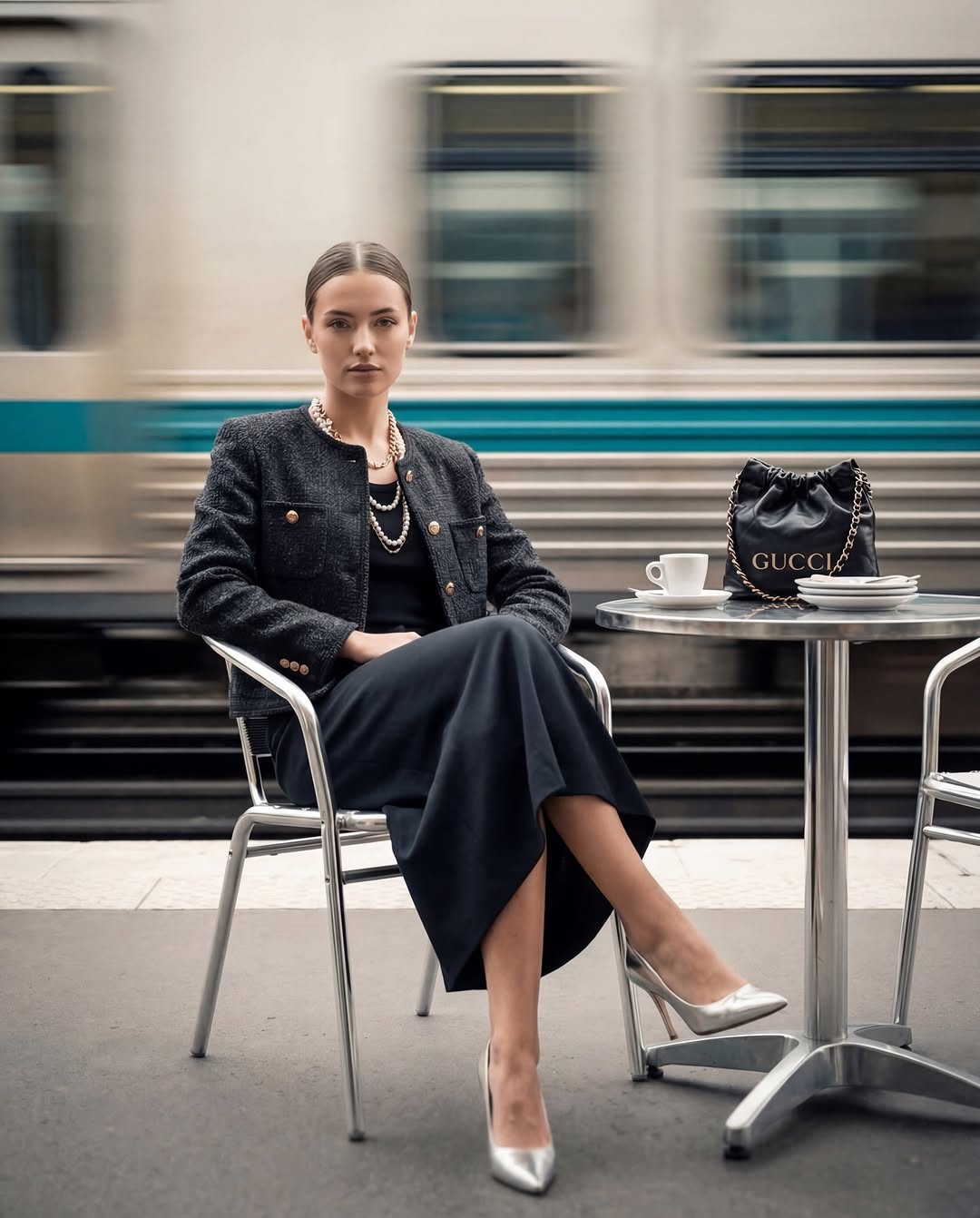
Useful direction includes:
- subject sharply focused, background commuters streaked horizontally;
- soft foreground obstruction with the face and garment in focus;
- moderate depth of field so the location remains recognizable;
- consistent light direction and shadow softness across the series.
Do not add technical camera settings merely because they sound professional. Describe the visible result unless the tool reliably interprets a specific shutter speed or lens.
6. Generate formats from one approved frame
After approving the hero image, create platform-specific crops and extensions from that frame rather than regenerating the whole scene.
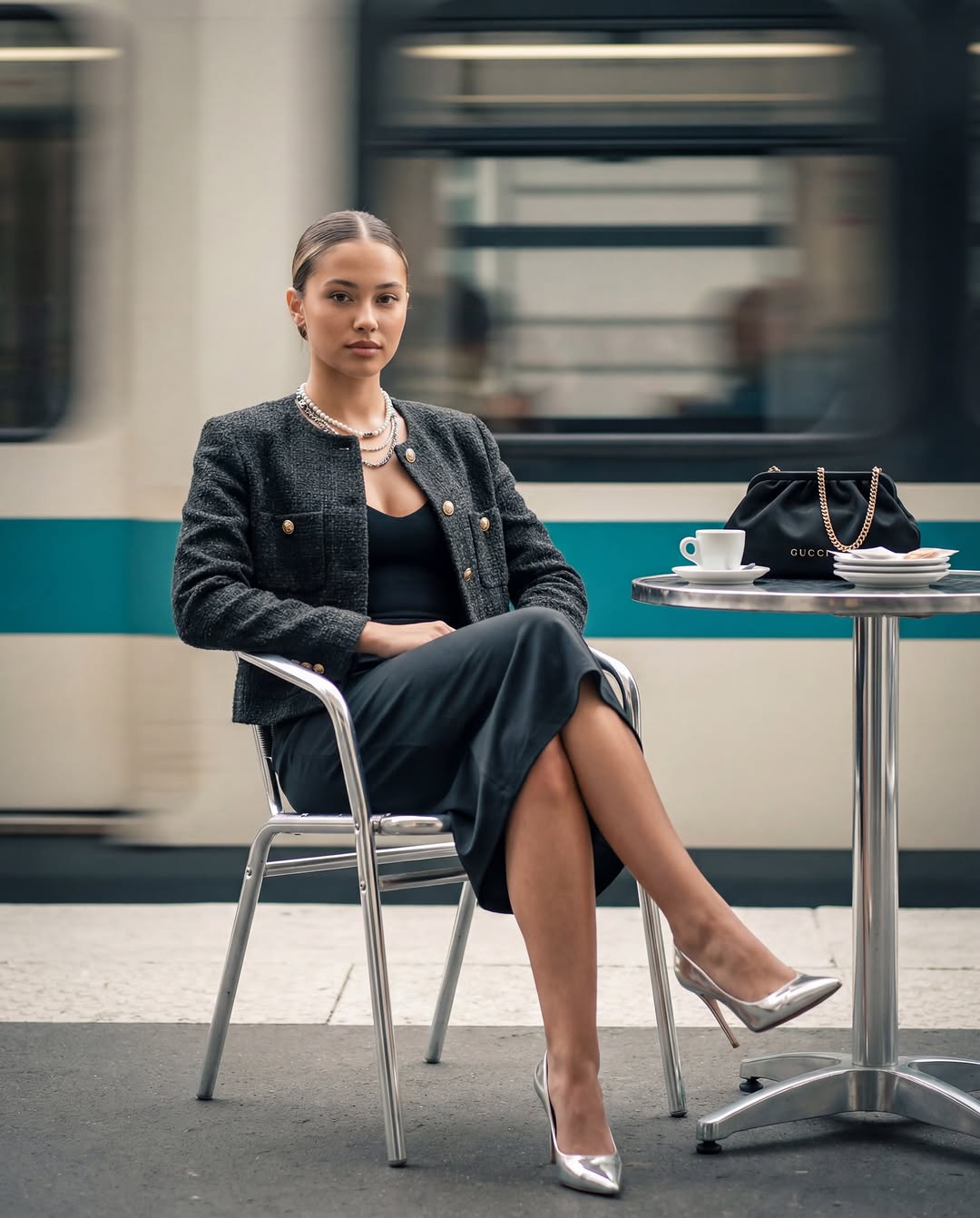
- Use wide negative space for website copy.
- Keep faces, products, and text-safe areas inside the required crop.
- Create vertical versions for stories and short-form feeds.
- Keep the same color grade and grain across all formats.
An example scene prompt:
In a busy metropolitan station café, the campaign subject sits at a small table with an elegant, relaxed posture. Preserve the approved face, hairstyle, ivory tweed jacket, dark piping, and gold hardware. The subject is sharp; commuters and an arriving train create restrained horizontal motion in the background. Soft window light from camera left, muted stone-and-burgundy palette, medium portrait, negative space on the right for copy.7. Check fabric and product fidelity
Fashion images fail when the mood is convincing but the item is wrong. Zoom in and compare against the real product reference.
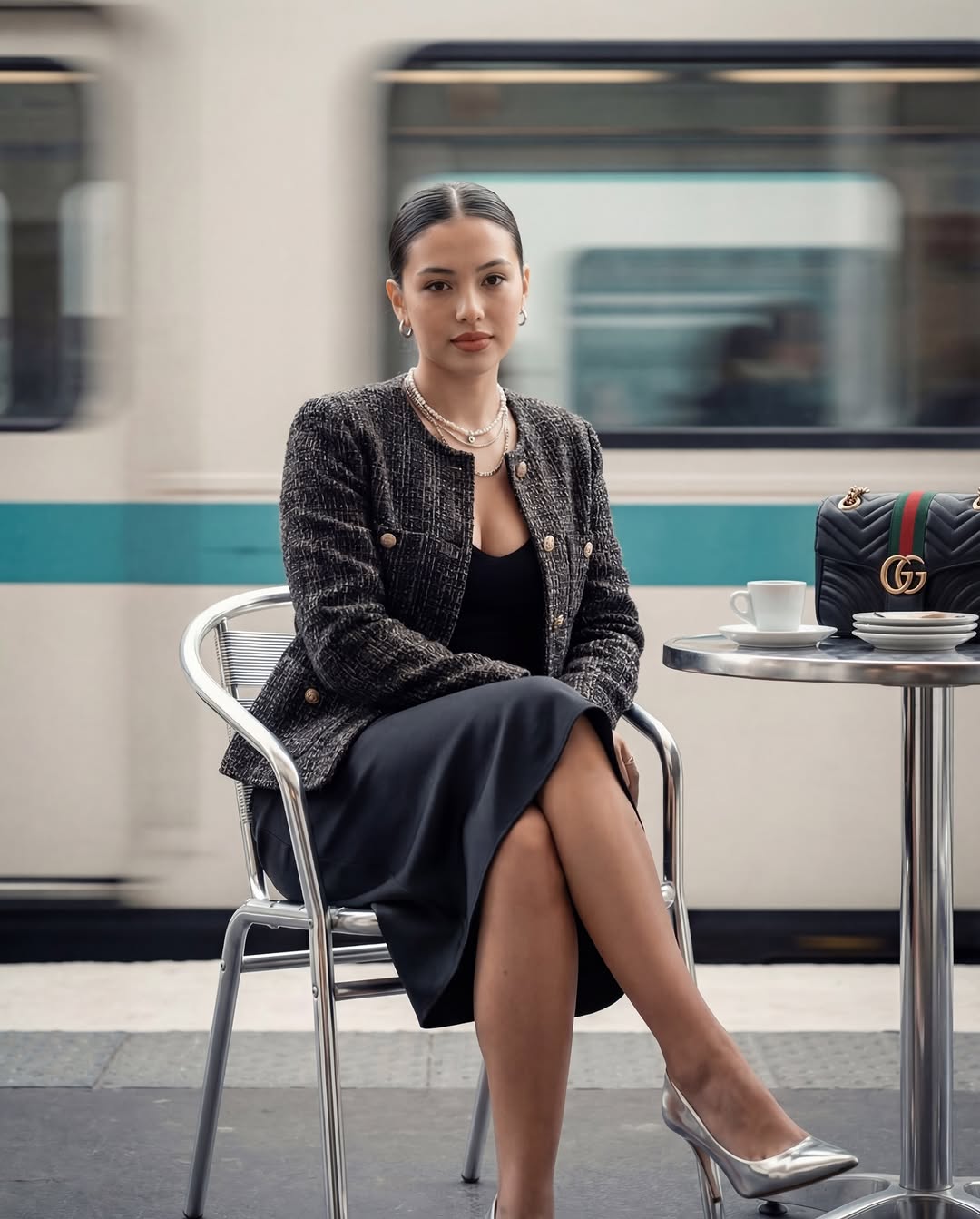
Inspect:
- seam placement, lapels, buttons, pockets, hems, and fasteners;
- fabric weave, thickness, drape, reflection, and transparency;
- logo spelling and geometry—remove invented marks;
- jewelry count and position;
- hands touching products, straps, handles, and garment edges;
- reflections, shadows, and occlusion.
If exact product representation is required, use approved product photography and compositing rather than asking the model to reconstruct the item from text.
8. Review the entire campaign as a set
Place every candidate in one grid and check continuity before retouching individual frames. Reject images with identity drift, impossible anatomy, inconsistent garments, changing architecture, misleading product features, or typography artifacts.
Then perform a final production review:
- rights and consent for references, people, locations, and products;
- brand guidelines and platform advertising rules;
- required AI disclosure or provenance metadata;
- accessibility text and crop safety;
- color and resolution at the final delivery size;
- approval from the creative and product owners.
Use AI for iteration, not unsupported promises
AI can reduce the cost of concept exploration and make variations faster, but it does not automatically replace photographers, stylists, models, retouchers, location work, or legal review. For campaigns that must represent a real product accurately, combine generated concepts with controlled photography or carefully supervised compositing.
The strongest result is a believable visual system: a clear story, repeatable direction, consistent assets, and an honest production process.
Related Articles
 How to Use Nano Banana to Create Effective AI Images3 minutes read
 10 Best Photo Creation Prompts Using Google Gemini's Nano: Key Takeaways8 minutes read
 How to Obtain Nano Banana Tokens to Automatically Create AI Images6 minutes read
 Embrace Cinematic Realism in AI Photography with Nano Banana Pro6 minutes read
 Top Free AI Image Creation Tools in 20268 minutes read
 Try Lyria 3 Now to Create High-quality Music on Gemini: Explained4 minutes read
Reader Comments 0
Sign in with email or Google to join the discussion.