Table of Contents
Learn how to cleaning up excel data tables with clear steps, practical tips, and troubleshooting guidance for a reliable result.
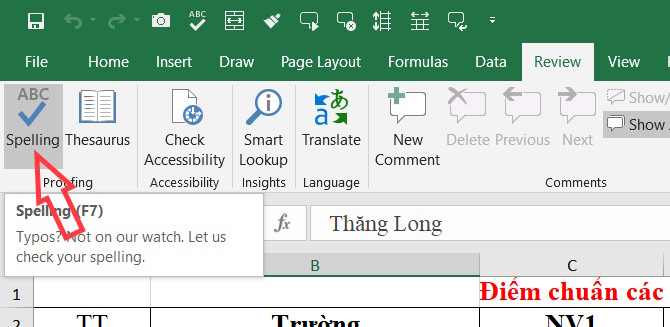
Use Excel's spell check tool
Excel also has a built-in spell checker to quickly correct spelling errors.
- Excel 2019 (Part 10): Spell Checking
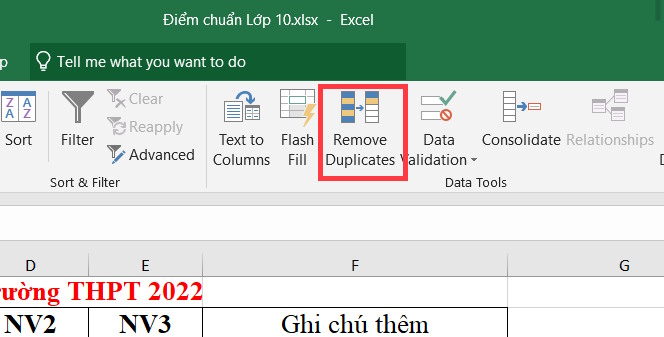
Remove duplicate entries in Excel
Your spreadsheet might contain duplicate data or entries that you're unaware of. Instead of manually reviewing the data, you can use a built-in tool to do this.
- How to delete duplicate data and content in Excel
Use Excel data validation
Data validation is similar to setting grouping rules for cells in Excel. This ensures that only the correct data type is entered and eliminates any errors or spelling mistakes.
Depending on your data entry requirements, we will set up the appropriate data.
- How to limit input values using Excel Data Validation
- How to create a duplicate data entry notification in Excel
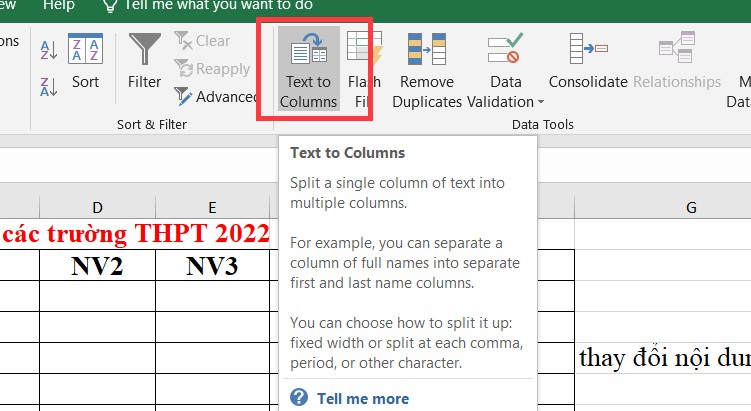
Convert text to columns in Excel
With a tool available in Excel, you can split a column of text into multiple columns, precisely.
- Instructions on how to split column data in Excel
Remove all formatting in Excel
Spreadsheets with many settings and formatting options can affect how you adjust them to your liking. In this case, you should remove all Excel formatting to return the spreadsheet to its original state, containing only plain data.
- Instructions on how to remove table formatting in Excel
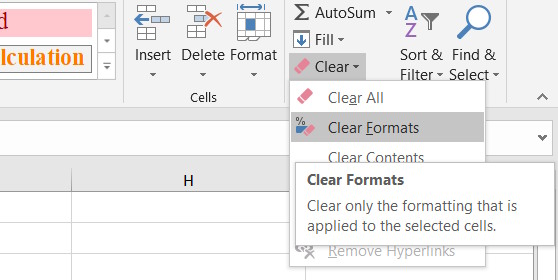
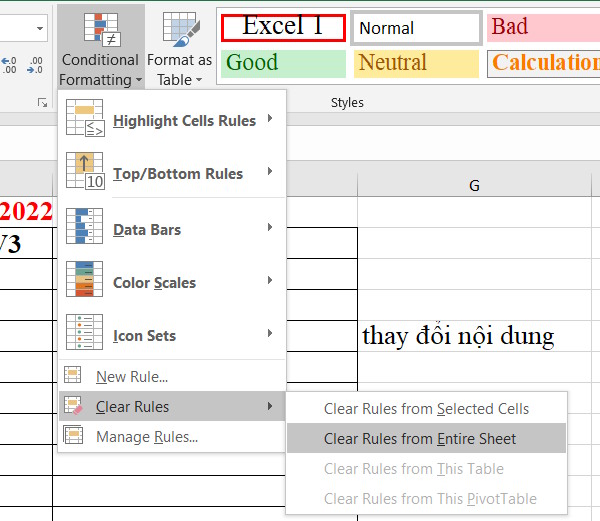
If you want to delete a spreadsheet conditionally, click Conditional Formatting > Clear Rules > Clear Rules From Entire Sheet.
Remove spaces in Excel
You can even use formulas and functions to remove extra spaces and non-printable characters, as well as capitalize letters in Excel. All of this is done using functions or formulas in Excel.
- TRIM function: A function to remove extra spaces in Excel.
- 5 ways to capitalize the first letter in Excel
- 5 functions to instantly clean up a cluttered Excel spreadsheet.
Divide the content into multiple pages
Instead of cramming all your content into a single worksheet—including PivotTables, charts, filters, timelines, etc.—use different worksheets for specific purposes.
This makes it easier to work without affecting other content if it doesn't need to be linked together.
Final Thoughts
Use this guide as a practical checklist for how to cleaning up excel data tables. Work through the steps in order, verify each result, and adjust the options to match your needs.
FAQ
What do you need before following this How to Cleaning up Excel Data Tables guide?
Review the required tools, accounts, settings, or materials mentioned in the article. Learn how to cleaning up excel data tables with clear steps, practical tips, and troubleshooting guidance for a reliable result.
What are the main steps for how to cleaning up excel data tables?
Follow the sections in order, especially Use Excel's spell check tool, Remove duplicate entries in Excel, Use Excel data validation. Complete each step before continuing and verify the result as you go.
What should you do if the process does not work as expected?
Recheck the prerequisites, update the relevant app or service, review the settings, and repeat the step that caused the issue. Use any troubleshooting notes included in the guide.
Related Articles
 Steps to Create Relationships Between Multiple Tables Using9 minutes read
 How to Create an Excel Table, Insert a Table in Excel7 minutes read
 7 Ways to Clean Up Data in Microsoft Excel9 minutes read
 Guide to Automatic Filter and Filter Detailed Data in Excel6 minutes read
 Manipulating Tables in Excel2 minutes read
 Simple Power Query Commands That Save Hours Cleaning up Excel Data: Key Facts7 minutes read
Reader Comments 0
Sign in with email or Google to join the discussion.