Table of Contents
Equipped with 5 basic skills to help PC users confidently handle problems, install operating systems, create bootable USBs, manage drivers and processes without depending on IT.
Want to be a more independent PC user, without having to call IT every time you have a problem? Most common problems can be solved yourself if you have some basic skills. Here are five important skills that every computer user should know – and where to start learning.
1. Access BIOS/UEFI
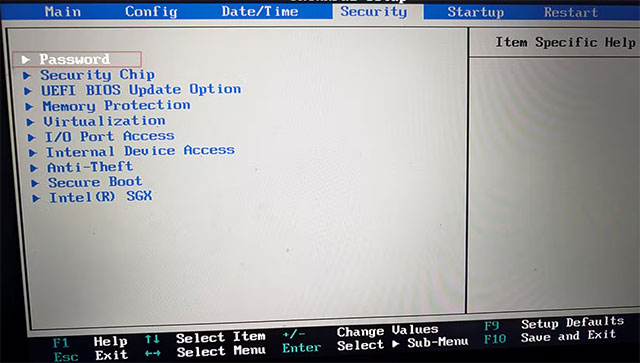
BIOS (Basic Input Output System) or UEFI (Unified Extensible Firmware Interface) on modern computers is the basic system that helps the computer boot, control hardware and interact with the operating system.
Knowing how to enter BIOS/UEFI will help with many low-level system issues, such as enabling/disabling Secure Boot – a factor that affects the installation of some operating systems.
- How to enter BIOS (UEFI) on Windows 10, how to fix the error of not being able to enter BIOS Win 10
2. Create and use USB Boot
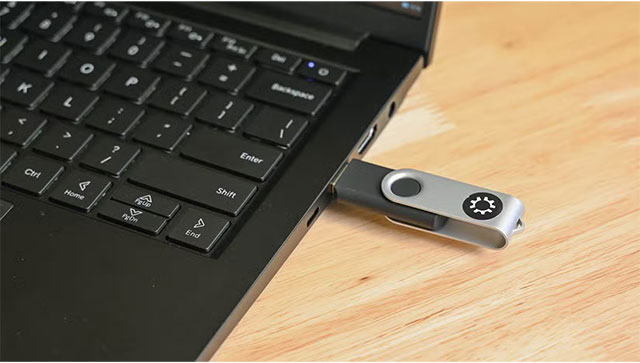
In an era where optical drives are almost extinct, USB boot Has become an essential tool. It is the only way to start a computer with a blank or damaged hard drive, as well as the first step before installing an operating system.
Also, USB boot is also extremely useful in troubleshooting, for example, scanning and removing stubborn viruses. So, prepare a few USBs and learn how to create a Windows 11 or Linux installation USB.
- How to create USB Boot, USB to install Windows using Rufus
3. Install the operating system from scratch
Once you have a bootable USB, the next step is to install the operating system (OS). This is much simpler today than it was in the DOS era or early Linux versions.
In particular, new Windows computers often come pre-installed with many junk software (bloatware), a clean install will help the system run smoother instead of having to spend time removing each unnecessary application.
- Instructions for installing Windows 11, installing Windows 11 using ISO file
4. Install and update drivers
The operating system is not enough to exploit all the hardware, but Drivers Are needed. With Windows 10/11, most drivers will be recognized and installed automatically. However, sometimes the Windows update itself causes errors, at that time You should know how to go to Device Manager To handle it yourself.
Some hardware, typically Graphics cards , should always download and install drivers directly from the manufacturer to ensure performance. With macOS, users do not need to worry much, but on Linux, manual driver installation (like with NVIDIA GPUs) requires careful work.
- 5 basic ways to update drivers for your computer
5. Identify and terminate the error-causing process
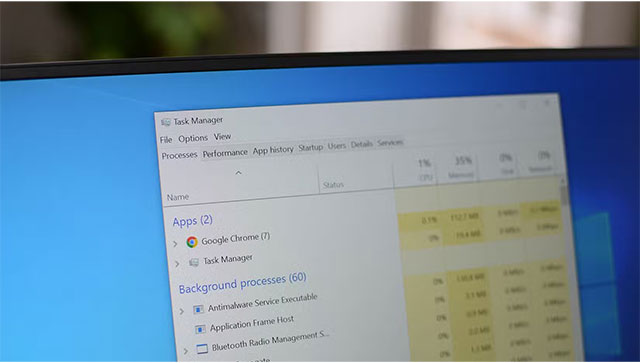
Every program running on a computer creates a process. When a process encounters an error or consumes unusual resources, the system will slow down or freeze.
Users should familiarize themselves with a process management tool: Task Manager On Windows, Activity Monitor On macOS, or similar tools on Linux. This will not only help detect the 'problematic' application, but also allow them to immediately kill the error-causing process so that the computer can function normally again.
By mastering the above 5 skills, PC You can confidently handle most common problems, as well as proactively maintain their computers daily without having to rely too much on IT.
FAQ
What should you know about the options in this guide?
In practical terms, equipped with 5 basic skills to help PC users confidently handle problems, install operating systems, create bootable USBs, manage drivers and processes without depending on IT.
Which option is the best choice?
The best choice depends on your priorities, compatibility, budget, and the specific features discussed in the comparison.
What should you compare before deciding?
Compare core features, limitations, ease of use, compatibility, and long-term value before making a decision.
Related Articles
 Basic Office Skills in Excel6 minutes read
 Instructions for Using Basic Mouse Skills Mouse Training Software Explained4 minutes read
 Soft Skills for IT Workers: 7 Soft Skills Needed by an IT Worker6 minutes read
 31 Things if You Want to Be Independent in Modern Society You Must5 minutes read
 6 Months for 8 Skills and Life You Will Change9 minutes read
 7 Commands to Manipulate the Most Basic Files and Folders6 minutes read
Reader Comments 0
Sign in with email or Google to join the discussion.