Table of Contents
Instead of having to use two apps (Keep and Google Tasks) in parallel, many people have finally decided to switch to Tasks.org.
Google Keep has been a go-to to-do app for many people for nearly a decade now. However, among Google Keep's many great features, some people rely on its location-based reminders the most. Google has decided to remove this feature in favor of moving reminders from Keep to Google Tasks.
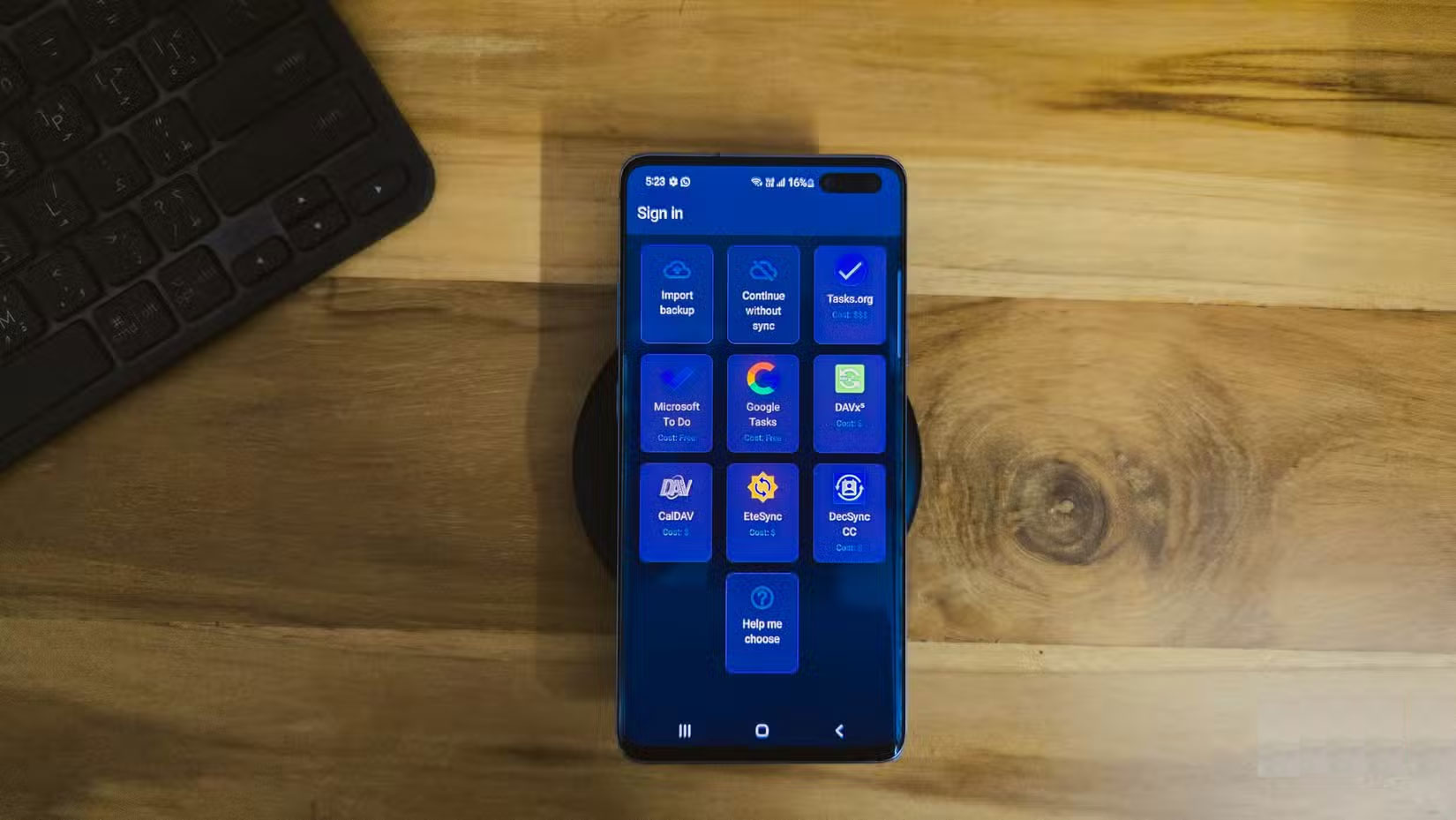
Instead of having to use two apps (Keep and Google Tasks) in parallel, many people have finally decided to switch to Tasks.org. This is an open-source task management app that syncs with Google Tasks and Microsoft To Do and offers location-based reminders. Overall, it is a superior alternative to Keep in terms of task management.
Why Google Keep isn't enough for many people?
Go beyond mere reminders
Many people started using Keep solely for its reminder features. They could set quick reminders, get notifications, and mark them as completed. Over time, Keep became their default to-do app, and eventually, they started using it for note-taking. However, as more tasks and notes were added, Keep's lack of organization became more apparent.
Now, many people have turned to Obsidian on both their phones and computers for note-taking and media storage, which means Keep is back to being just a note-taking and reminder app.
That said, some people need a hierarchical task management system that accommodates subtasks, something that Keep has never offered, and Google Tasks still doesn't handle very well. To be fair, that's not entirely Keep's fault, as it wasn't designed to be a robust task management app.
The final thing that drove many people crazy was Google's announcement that it was moving reminders to Google Tasks. This meant they would have to use two separate apps and lose location-based reminders entirely. Google Tasks doesn't support them, and apparently has no plans to add them.
Tasks.org offers better task management features
Powerful task management structure and hierarchy
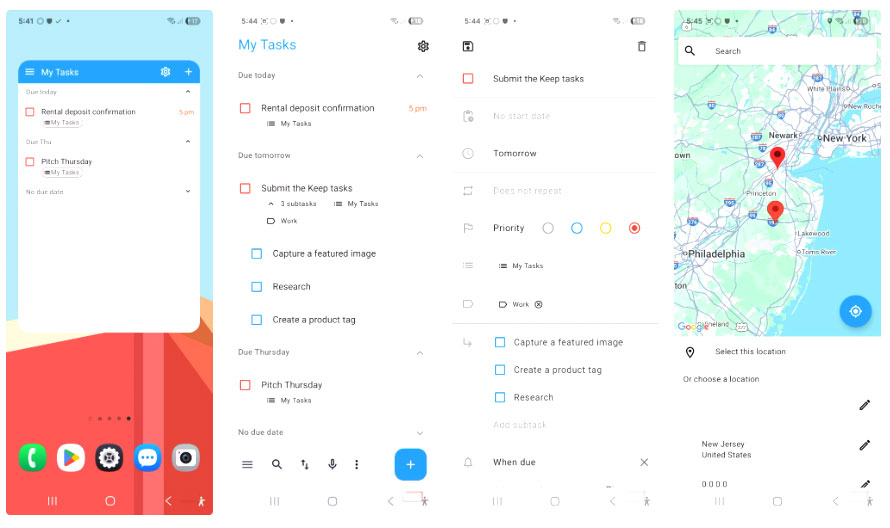
I've tried Tasks.org multiple times over the years. Each time, I liked its task-focused structure and powerful reminder system, but never really committed because Keep was good enough. But with Keep losing its reminders feature, it was a no-brainer to switch to Tasks.org.
Tasks.org doesn't pretend to be a multi-tasker. Built as a spiritual successor to the now-defunct Astrid, it really knows what it is: a dedicated task manager that does that job very well. The interface is clean and focused, clearly designed around efficient task management.
The app offers matching sub-tasks that you can nest inside each other as you like. You can also set priorities, add tags, attach files, and even track time spent on tasks. Each task can have multiple reminders, including the all-important location-based reminders that Google is phasing out.
You can also add the Tasks.org widget to your home screen for quick task management. This widget lets you mark items as completed, add new tasks, and view different filtered lists without opening the app. The transparency and color can also be customized to match your wallpaper.
Switch from Keep to Tasks.org
Sync, create, and manage new tasks
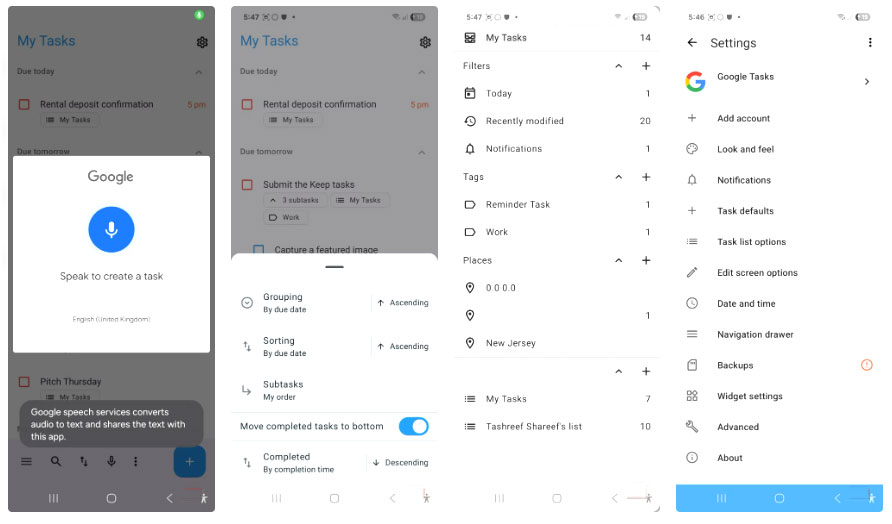
Switching is surprisingly easy. Tasks.org syncs with both Microsoft To Do and Google Tasks, so you don't have to abandon the Google ecosystem entirely. Set it up to sync with Google Tasks, which means any basic reminders you create in Tasks will still show up in Tasks.org.
If you're familiar with how Tasks.org works, setting up a daily workflow shouldn't take much effort. Recreate your regular lists, set location reminders for places like the grocery store and the gym, and organize everything with tags.
Use the My Tasks Page in the three-bar menu as your daily dashboard, where you can filter by tags, lists, and due dates. You can also sort and filter tasks in any list view. The search function works as expected and returns exact matches.
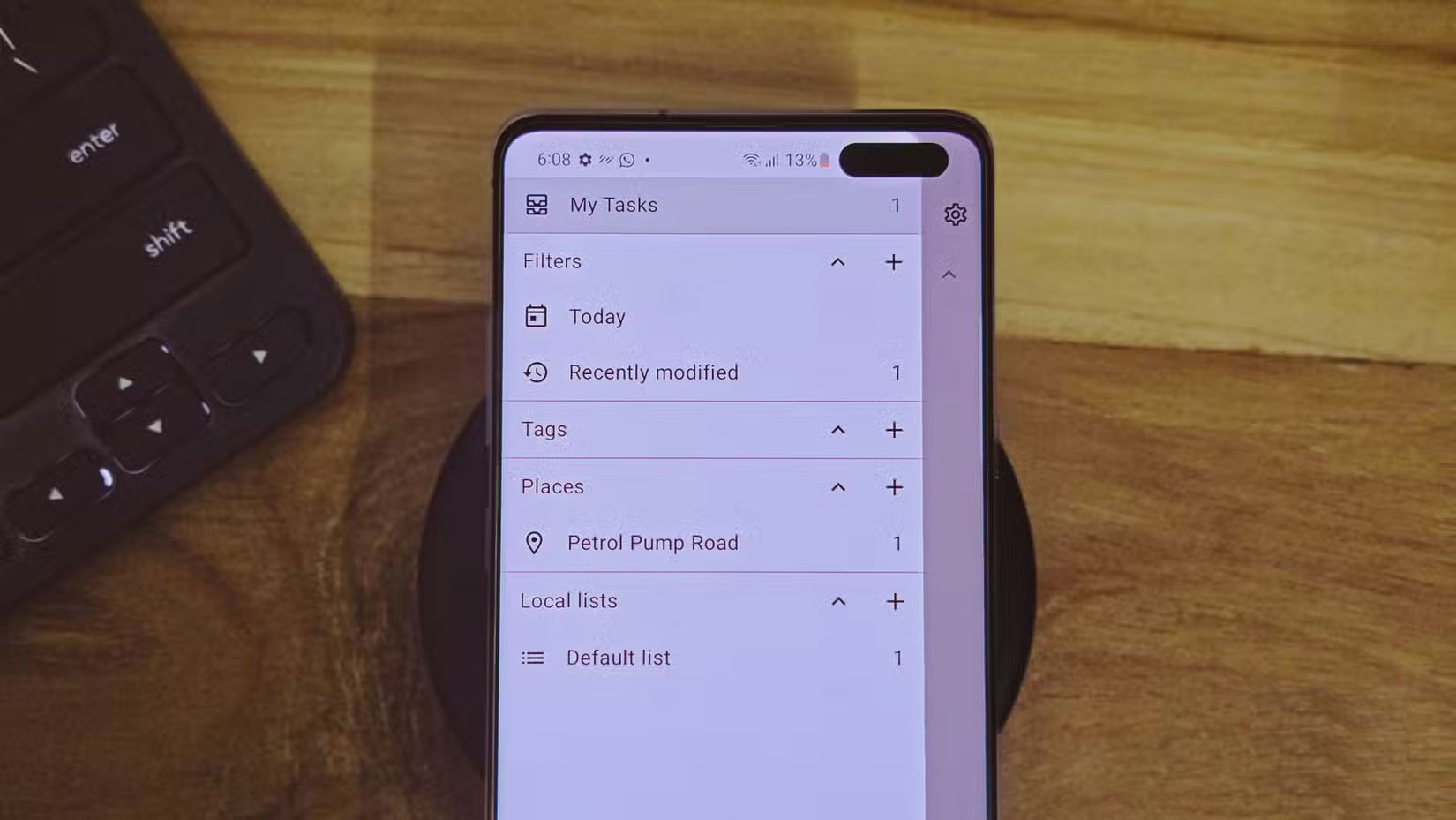
Location-based reminders work as expected. Create a task, tap Add reminder , select the location option, and search for a location or select a location on the map. You can set a reminder for when you arrive, leave, or both. The app will create a geofence around the location you selected and send you a signal accordingly.
While the app is free to download from the Play Store, there is a Pro version that unlocks additional features like additional sync services (DAVx5, CalDAV, EteSync) and more customization options. If you download it from F-Droid, you will have all the features unlocked from the start.
FAQ
Why Switch from Google Keep to the Open Source Tasks.org App: Explained?
In practical terms, instead of having to use two apps (Keep and Google Tasks) in parallel, many people have finally decided to switch to Tasks.org.
What factors are most important?
The article highlights that instead of having to use two apps (Keep and Google Tasks) in parallel, many people have finally decided to switch to Tasks.org.
What is the main takeaway?
The main takeaway is that switch from Keep to Tasks.org Sync, create, and manage new tasks Switching is surprisingly easy.
Related Articles
 Try Switching Everything to Open Source for a Week, You'll Be Amazed!6 minutes read
 What Is Google Gemma 4? Everything You Need to Know About Google's New7 minutes read
 Can Open Source Technology Make Money?5 minutes read
 What Is Open Source Software?7 minutes read
 4 Great Benefits of Using Open Source Software6 minutes read
 10 Best Open Source Web Browsers9 minutes read
Reader Comments 0
Sign in with email or Google to join the discussion.