Table of Contents
Explore 5 free excel templates to simplify complex tasks, including the key concepts, practical examples, important considerations, and useful guidance.
Most templates include a user guide, making it much easier to get started using them.
Balance Sheet Template
Achieve financial transparency without building a formula
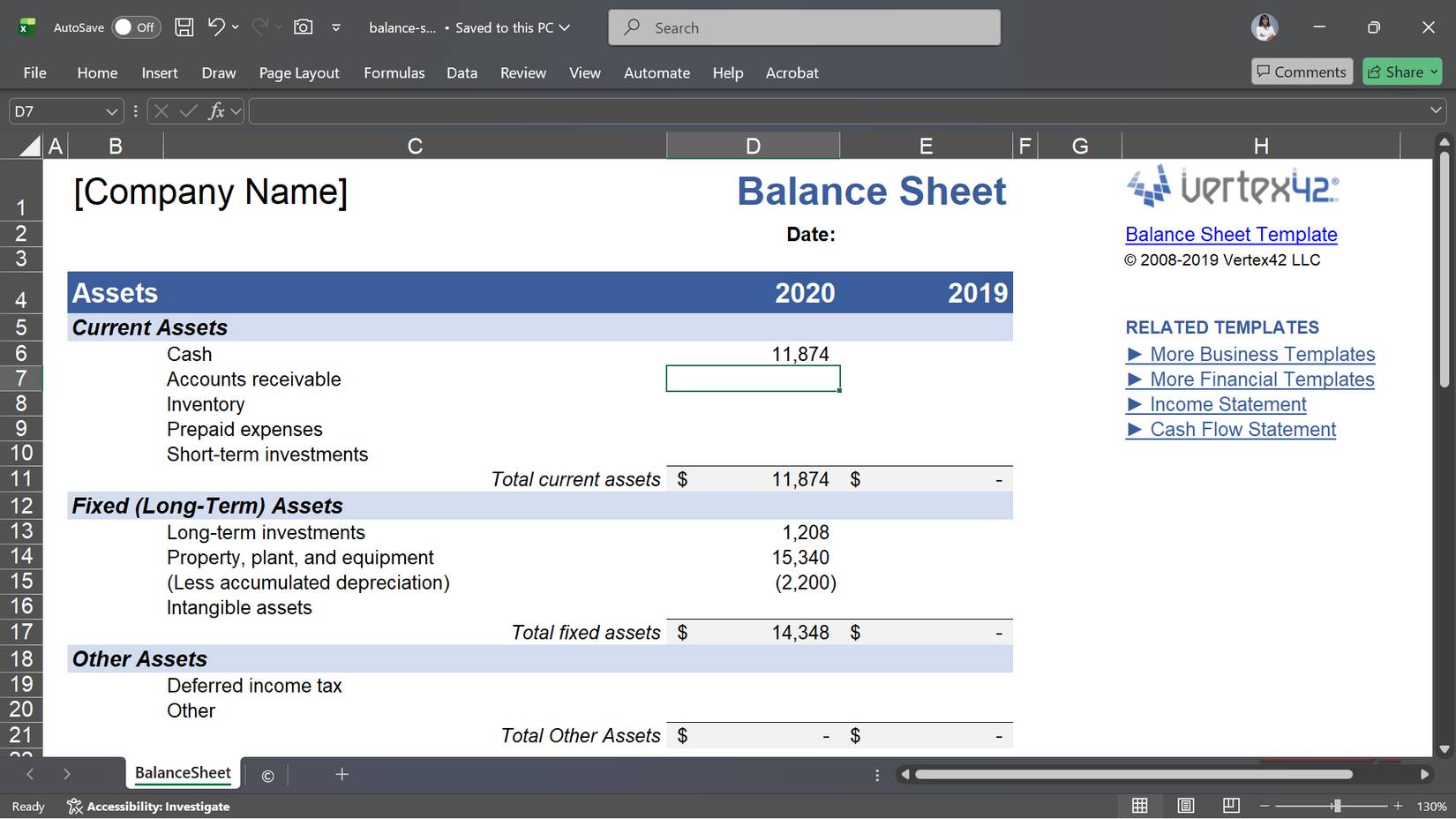
If you're running a business and not tracking your finances, you're essentially operating in the dark. The challenge is that creating a balance sheet from scratch in Excel means grappling with accounting equations and checking every number to ensure they balance.
Vertex42's Balance Sheet Template handles all of that for you. It's specifically designed for small business owners and automatically calculates equity by subtracting liabilities from assets. All you need to do is fill in the relevant figures.
This template divides everything into clear categories: short-term assets, such as cash, inventory, and anything you'll convert within a year, and long-term assets like real estate and equipment that you intend to hold for a long time. Your liabilities follow a similar structure, separating short-term obligations from long-term loans and mortgages.
Income Statement Template
A readily available way to track profits
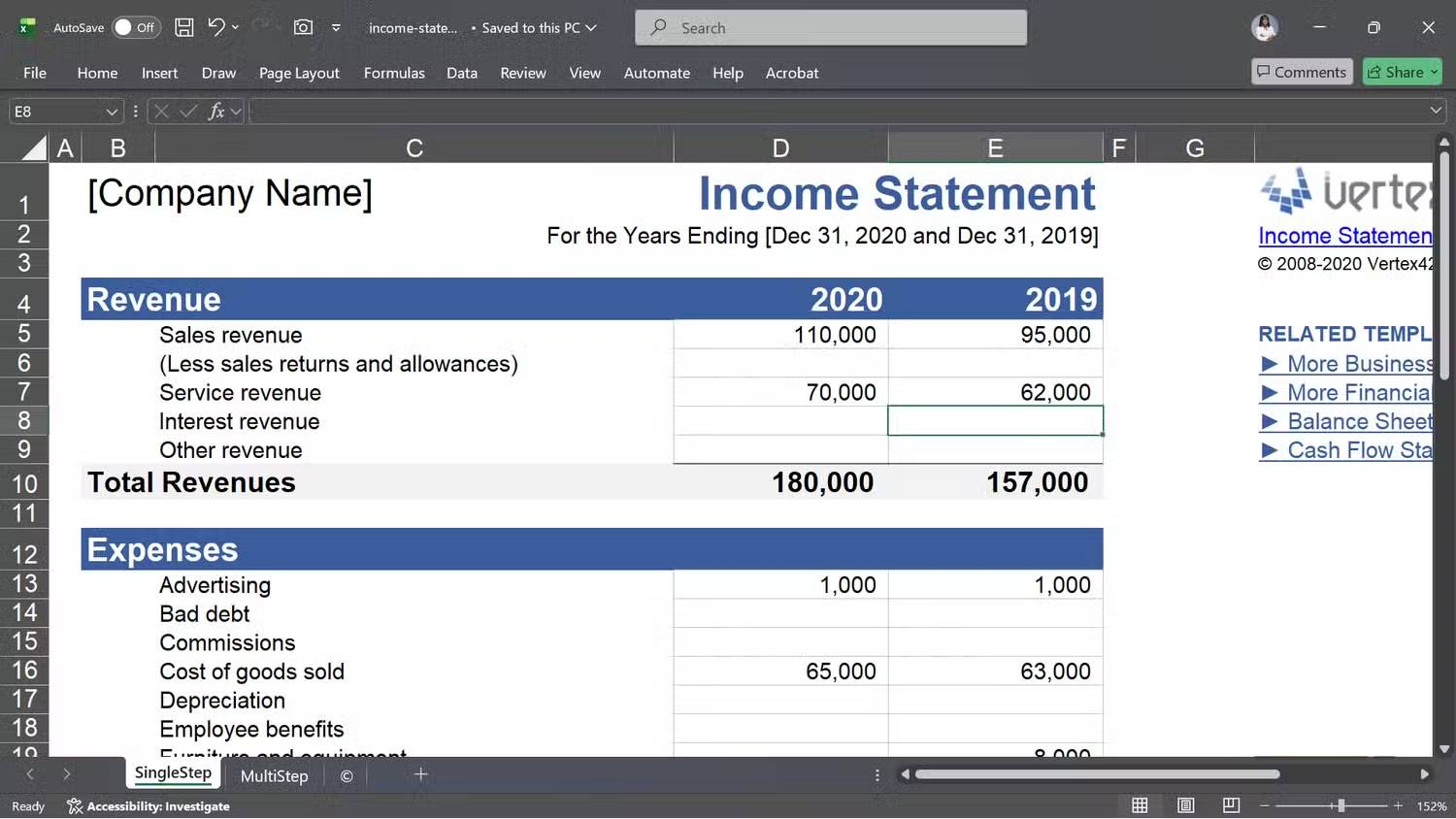
This income statement template summarizes all your revenue, subtracts expenses, and tells you whether you made a profit or not. It offers two formats, and the format you choose depends on how your business operates.
If you're running a service business where cost of goods sold isn't a major factor, the SingleStep format is ideal: Total revenue minus total expenses equals net income, and you're done. If you're in retail or manufacturing, the MultiStep version is more suitable. It separates your gross profit from operating income, which is crucial as it helps you determine whether product costs or operating expenses are reducing your profit.
RACI Matrix Template
The quickest way to end a dispute about who is responsible for what
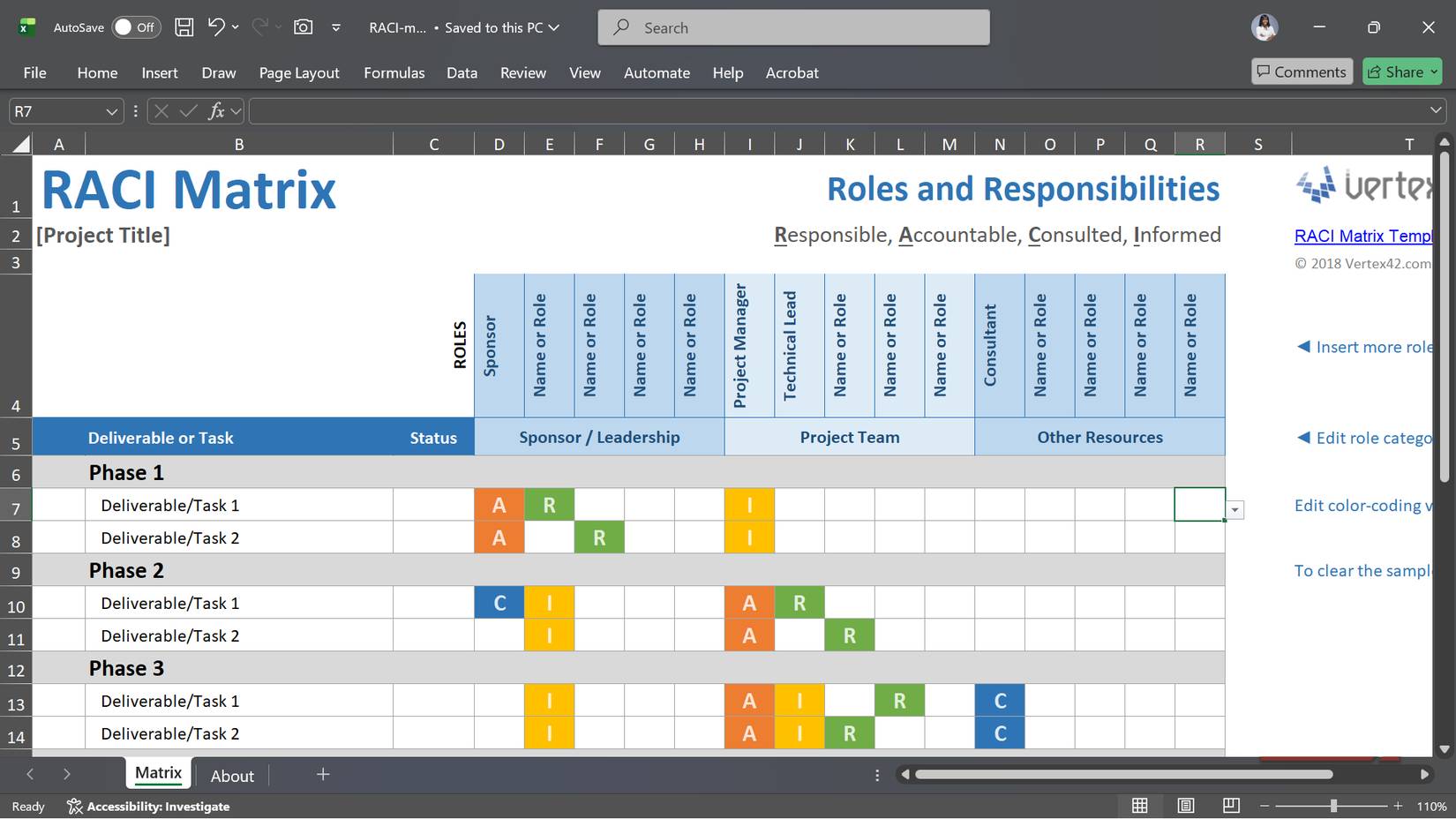
Nothing ruins a project faster than confusion about who does what. You think Bella is handling it, Bella thinks it's Jack's job, and then nothing gets done. The RACI (Responsible, Accountable, Consulted, and Informed) matrix is a simple way to eliminate that organizational chaos.
You start by listing all the tasks or deliverables that need to be completed, then assign roles to each person: R for the person performing the work, A for the person responsible if problems arise, C for those who need to contribute ideas, and I for those who just need to be updated.
If your team uses a variant like RASIC or CAIRO, you can easily customize the abbreviations. The setup only takes a few minutes.
Gantt Chart Template
A timeline makes it easy to manage deadlines
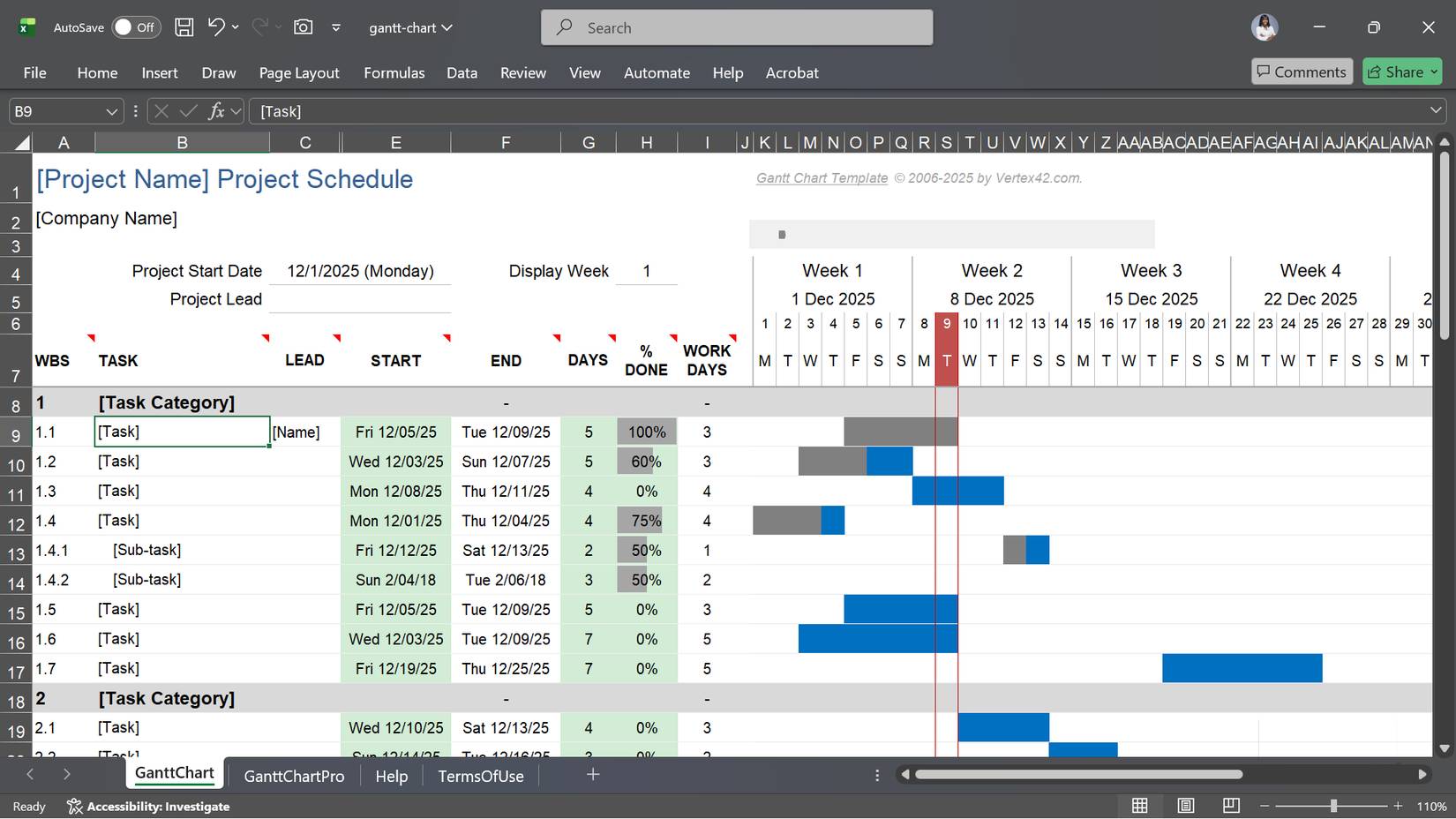
An Excel Gantt chart is a project manager's best friend because it displays every task, start and end times, and progress made. This format hasn't changed much since Henry Gantt introduced it in the early 1900s, mainly because it still does the job well.
This template requires nothing complicated: No macros, settings, or advanced Excel skills are needed. You simply set the project start date, list the tasks, specify the start date and duration, and the chart will automatically handle the timeline. As you work on the project, all you need to do is update the "% DONE" column, and the bars will fill up to reflect your progress.
For larger or more complex projects, templates support dependency relationships between tasks, ensuring that one task will not begin until another is completed.
Random Group Generator Template
Perfect teamwork, unbiased and effortless
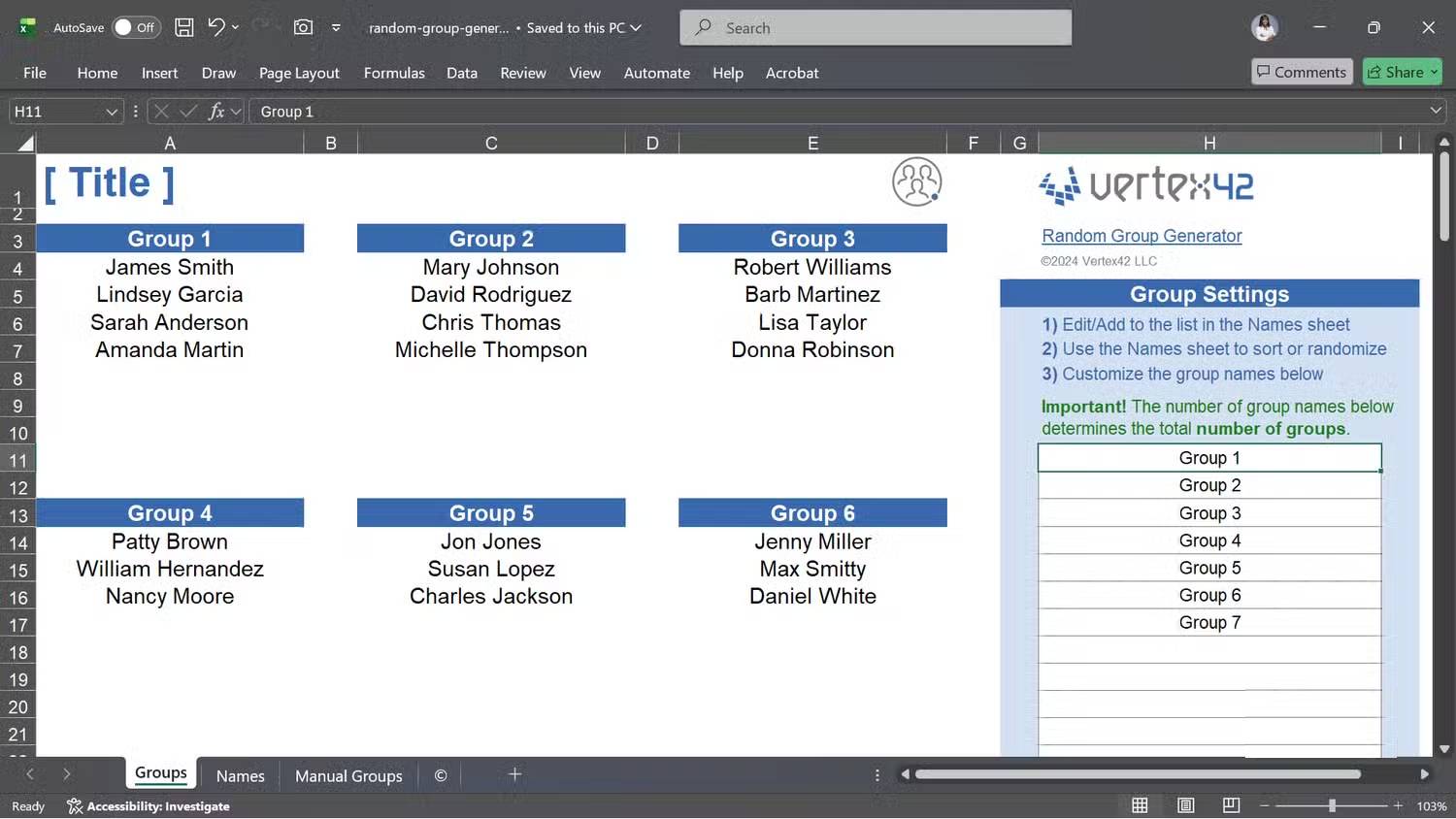
Whether you're running a conference, teaching a class, or organizing a friendly basketball game, you'll eventually need to divide people into groups. The challenge is doing it fairly, and the simplest solution is to randomize the grouping, which this template will handle for you.
You start by pasting your list of names into the "Names" sheet. You can also add additional details, such as phone numbers, skill levels, or anything else you need. Next, you sort by the RAND column, and the template will generate a random list.
From there, you choose the group type: Consecutive groups (1,1,1,2,2,2) or rotating groups (1,2,3,1,2,3). Set the number of groups you want, and the template will calculate the number of people in each group. If you need to restore the original order, simply sort by the CUST ORDER column.
Final Thoughts
Understanding 5 free excel templates to simplify complex tasks makes it easier to evaluate the information and apply the most relevant recommendations. Focus on the key points above and verify details that may change over time.
FAQ
What is 5 free excel templates to simplify complex tasks?
Explore 5 free excel templates to simplify complex tasks, including the key concepts, practical examples, important considerations, and useful guidance.
What key points does this article cover?
The article focuses on Balance Sheet Template, Achieve financial transparency without building a formula, Income Statement Template, with practical explanations and examples.
How can you use this information in practice?
Use the explanations to compare options, verify important details, and make a more informed decision. Apply the recommendations that best match your goals and situation.
Related Articles
 12 Stunning HTML5 Templates That Web Designers Should Not Ignore7 minutes read
 MS Excel 2003 - Lesson 8: Excel Macro - Automate Complex Tasks4 minutes read
 Prompt Templates Help Diagnose Complex Code Errors3 minutes read
 Excel Templates Help You Avoid Building Spreadsheets from Scratch: Key Facts6 minutes read
 The Easiest Way to Use Macros in Excel8 minutes read
 12 Great Free Keynote Templates for Your Presentation8 minutes read
Reader Comments 0
Sign in with email or Google to join the discussion.