Table of Contents
CRT screens are difficult to take good pictures of because the display mechanism is different from LCD or OLED.
If you're a CRT fan like me, you've probably noticed that when you take pictures or videos of your screen, the images that come out look weird. This isn't your fault – it's the way CRTs work.
If you watch old movies or news reports with a CRT TV, you will see flickering or streaks of light running from top to bottom - something that is not visible to the naked eye. So why does this happen, and is there a way to fix it?
How crt displays images
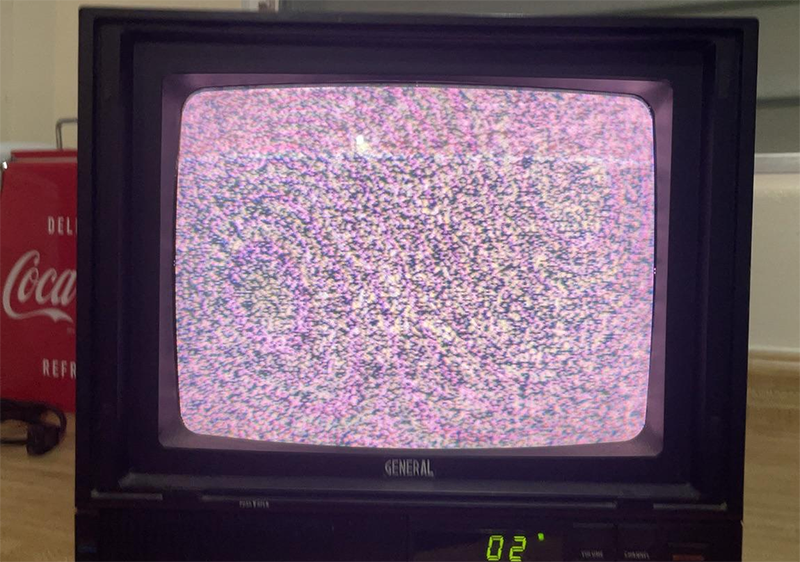
To understand why CRT photos look 'wrong', You should understand how they work compared to modern flat panel displays.
LCD or OLED screens display images using a fixed grid of pixels, all of which are refreshed at the same time – a technique called 'sample and hold'. CRTs, on the other hand, do not display the entire image at once, but instead scan the electron beam from left to right, top to bottom across the phosphor-coated glass inside.
The phosphor lights up when swept by the electron beam, then quickly fades, so the screen must be constantly rescanned to maintain the image.
Conflict between scan frequency and shutter speed
The first problem is the camera's shutter speed. Each frame captures light for only a short amount of time. If this speed is out of sync with the CRT's refresh rate (usually 60Hz in North America), the camera will 'capture' the image mid-scan – creating streaks of light or dark areas.
In contrast, with LCD or OLED screens, the image is refreshed entirely at once, so there are no 'scan streaks' like with CRTs.
Phosphor light and uneven color
In addition to streaking, CRT images often have uneven color and brightness. This is because the phosphor on the screen only lights up for a very short time after being stimulated. The human eye doesn't notice this, but the camera does - giving the image a patchy appearance, with some light and some dark.
Image distortion and reflection
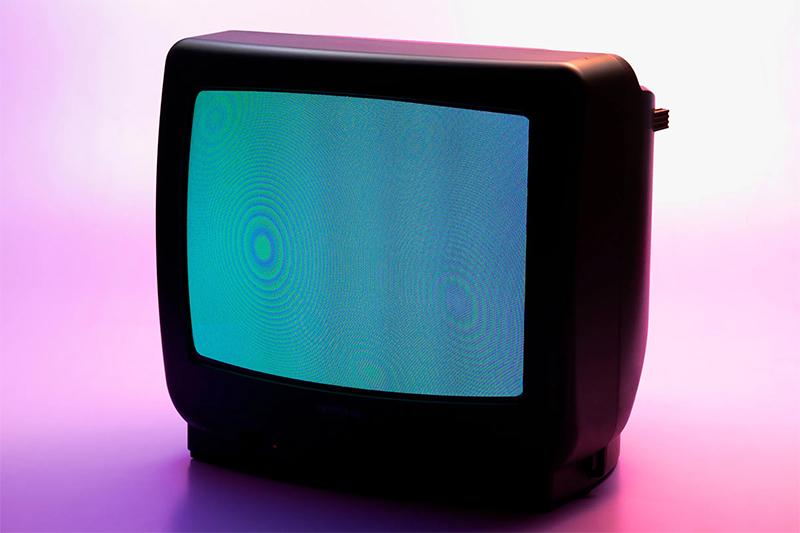
Most CRTs have a curved surface like a glass bowl, only the latest models have flat screens. So when taking pictures, the image is easily distorted, along with light reflections from the environment - especially if the room is bright.
How to fix
Some cameras have a special mode that synchronizes the shutter speed with the refresh rate of the screen, but this feature is not common in phones. A simpler way is to use the Live Photo mode – the phone will record a short clip, you choose the best frame, where there is no scanning line.
Reducing the contrast on CRTs also helps reduce flare and color distortion. Turn down the lights or shoot in a dark room to reduce reflections.
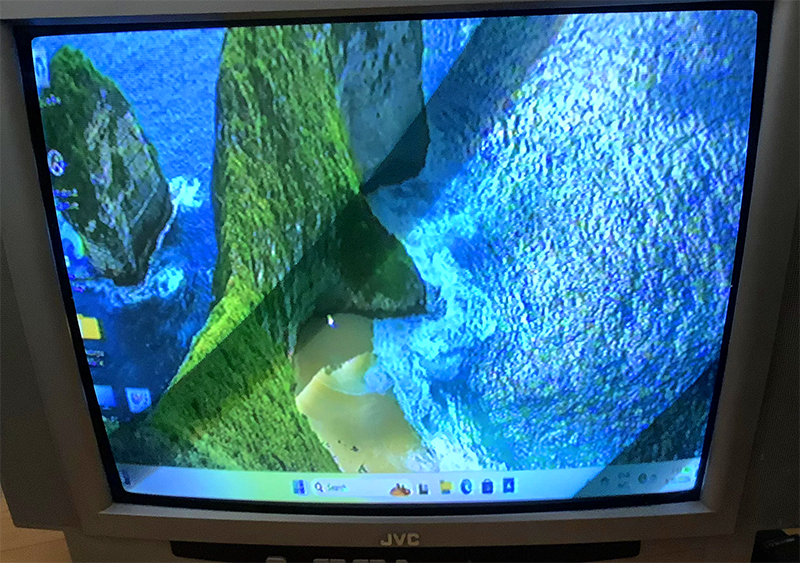
In professional films or TV shows, devices called 'genlocks' are used to synchronize timing between multiple monitors and cameras - but that's studio technology.
If you just want to create a CRT-like photo effect, it's better to use a CRT simulation filter in software instead of taking a real photo. After all, when viewed on a flat screen, people won't feel the real CRT image quality.
Finally, if you just want to share your CRT passion, don't be too picky. CRT images with light trails or slight distortions are part of the nostalgia – leave them alone, because that's part of the charm of this old technology.
FAQ
Why Is It Harder to Photograph CRT TV Screens Than LED Screens: Explained?
In practical terms, cRT screens are difficult to take good pictures of because the display mechanism is different from LCD or OLED.
What factors are most important?
The article highlights that if you watch old movies or news reports with a CRT TV, you will see flickering or streaks of light running from top to bottom - something that is not visible to the naked eye.
What is the main takeaway?
The main takeaway is that how crt displays images To understand why CRT photos look 'wrong', you need to understand how they work compared to modern flat panel displays.
Related Articles
 Samples of Curved Screens, the Best 3D Projection Screens5 minutes read
 5 Reasons Why the More Intelligent, the Harder It Is for a Lover6 minutes read
 How to Use 2 Screens on Win 10 Is Extremely Simple6 minutes read
 How to Take Pictures of Wild Animals with Your Phone8 minutes read
 Desktop Screens Are Extremely Messy Which Makes You Feel Dizzy3 minutes read
 Top 10+ Ways to Reduce Computer Screen Brightness8 minutes read
Reader Comments 0
Sign in with email or Google to join the discussion.