Table of Contents
If your photo is underexposed or we want to change the light area of the photo in a more special way, we can take advantage of AI technology to edit photos without having to do too many operations, or need photo editing software that you are not proficient in. With the website in this article, we just need to upload the photo and choose the lighting style for the photo that we like. Below is how to adjust the light for photos with AI.
How to adjust photo lighting with AI
Step 1:
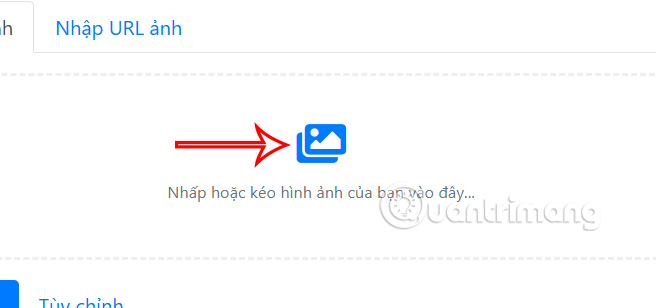
First, you access the website below to access the page to adjust the light for photos using AI.
https://taoanhdep.com/tai-tao-anh-sang-cho-anh-bang-ai/At this interface, you upload the photo you want to adjust the brightness to the website.
Step 2:
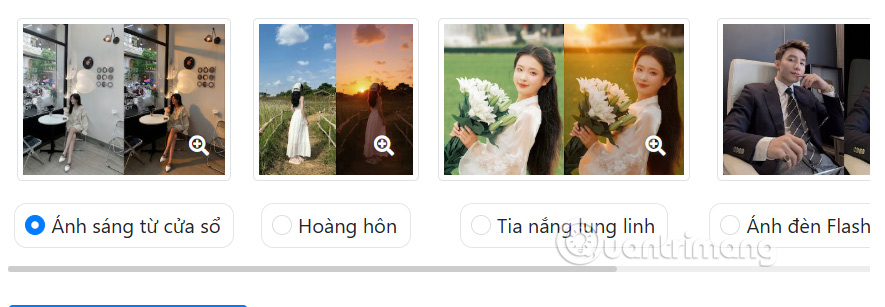
Then you choose the type of lighting you want to use for your photo. There are many different types of lighting, depending on what your original photo is like and how you want to add light to your photo.
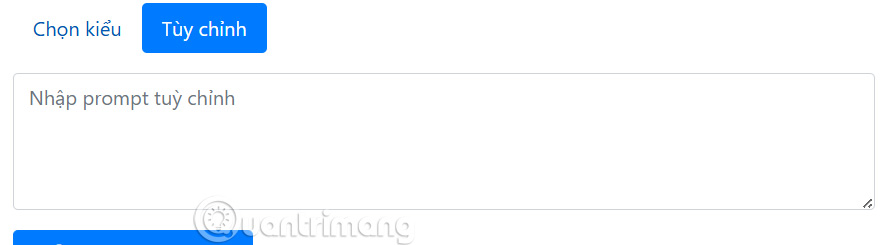
Or you select Customize and enter the photo editing command for AI to analyze the content.
Step 3:
After selecting the photo editing style with light, click Recreate Light to perform.
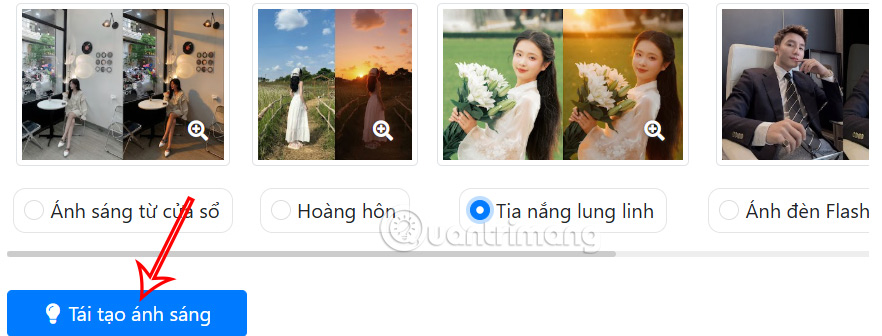
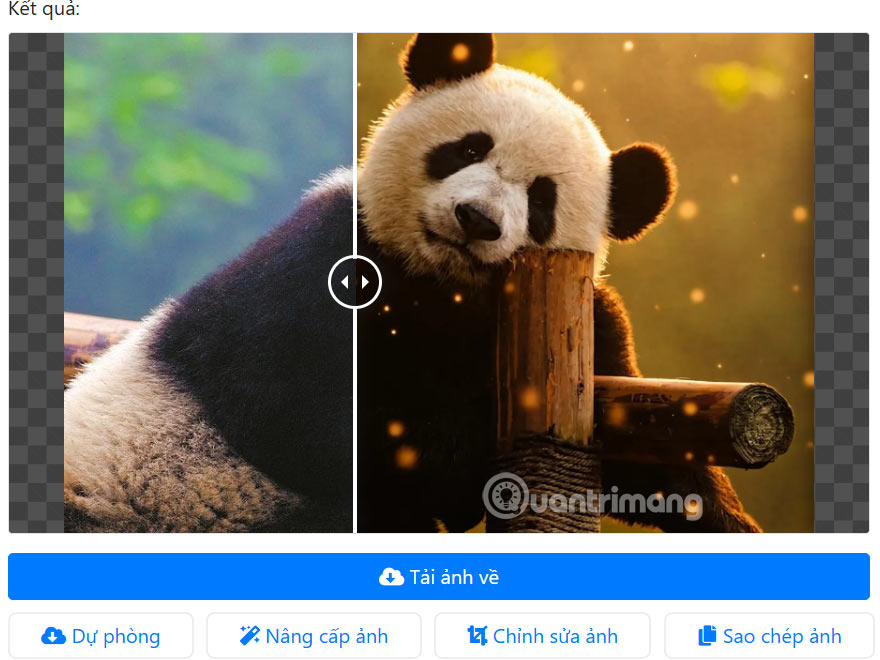
Wait a moment and you will see the light adjusted image as shown below.
This guide will see a comparison between the un-lighted photo and the photo with added light. If you like it, click Download Photo .
Final Thoughts
Following the steps in order and checking version-specific settings should make it easier to Adjust Light for Photos Using AI. If an option looks different, verify the device, app, or operating-system version before changing additional settings.
FAQ
What is the best way to Adjust Light for Photos Using AI?
Start with the requirements described in the article and follow the steps in order. If your photo is underexposed or we want to change the light area of the photo in a more special way, we can take advantage of AI technology to edit photos without having to do too many operations, or need photo editing software that you are not proficient.
What should you know about How to adjust photo lighting with AI?
First, you access the website below to access the page to adjust the light for photos using AI.
What should you do if the instructions do not match your screen?
Check the device, software version, account permissions, and regional settings. Interfaces can change after updates, so use the closest matching option and consult the official support documentation when necessary.
Related Articles
 How to Adjust Photo Lighting with Relight Windows 112 minutes read
 Instructions for Setting Basic Parameters on the Camera6 minutes read
 How to Fix Low Light Images on iPhone and Android: Practical Guide7 minutes read
 7 Camera Settings for Low-light Photography: Best Options Compared9 minutes read
 5 Easy Ways to Handle Low-Light Photos in Photoshop10 minutes read
 8 Tips to Take Better Night Photos with Android Phones: Top Picks and Buying9 minutes read
Reader Comments 0
Sign in with email or Google to join the discussion.