Table of Contents
This guide provides a clear, practical overview of "NotebookLM's New Features Will Amaze You". It organizes the most useful details, explains important considerations, and highlights the steps or choices that matter most.
NotebookLM can do more than ever before
NotebookLM has been a hot topic in the productivity community for good reason. It was already very powerful, and its latest update makes it hard to believe it's still free.
NotebookLM's Audio Overviews have been a real game changer. They get better with each update. Adding more languages is a huge step forward - NotebookLM's Persian is incredibly natural, honestly the best you'll ever hear from an AI.
Now, Video Overviews is here. At first many were skeptical, thinking it was just a gimmick, but they were wrong.
Create truly intelligent AI videos
Creating a Video Overview is simple: just open your notebook, and there will be an option right next to Audio Overview. The new interface is much more streamlined, and finally very easy to use.
Click this button, your video will be added to the queue. On average, this process takes about 15 minutes to process.
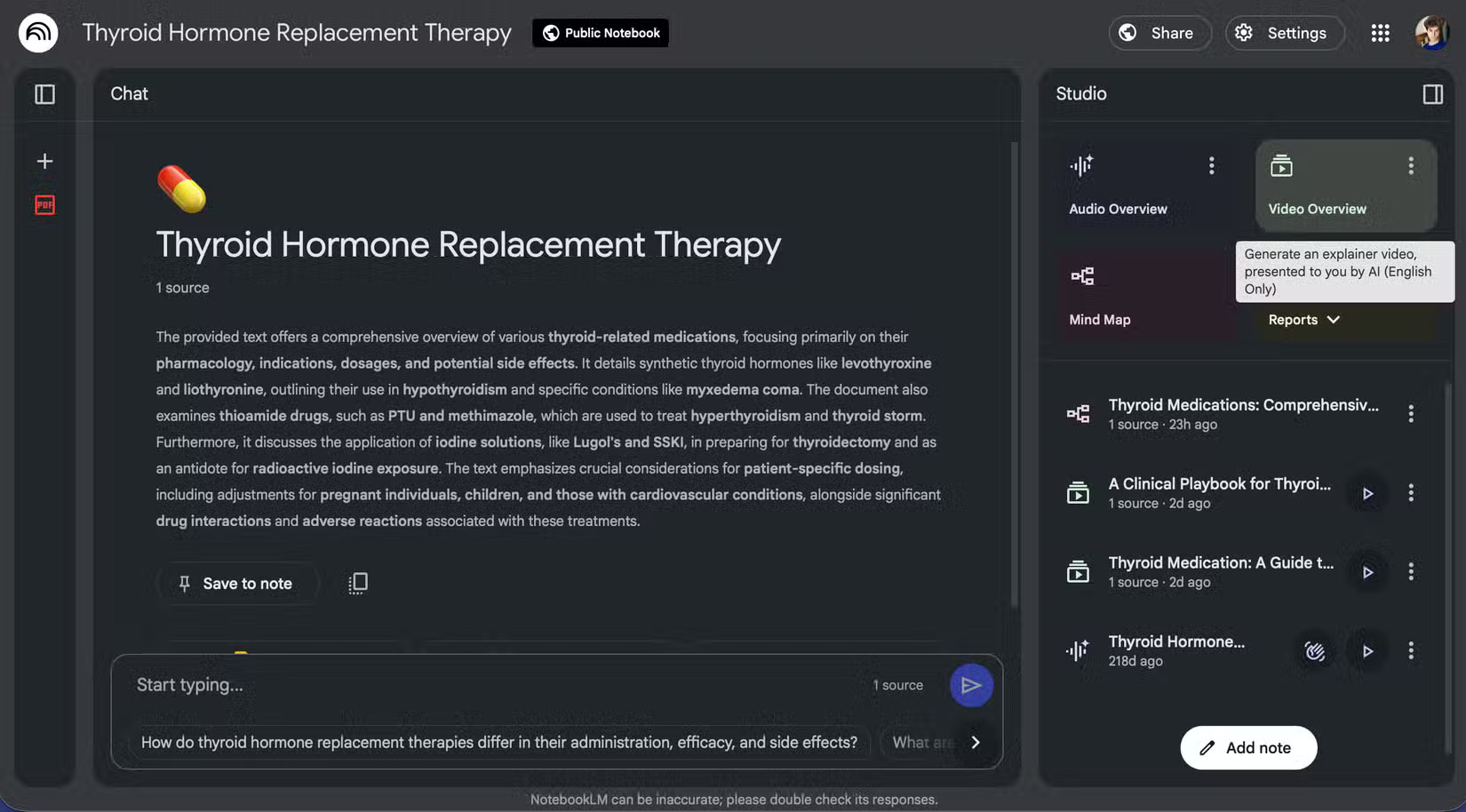
Creating an Overview Video is simple, but the difference between a mediocre video and a useful one is the ability to quickly control it. Don't just press the button. Instead, open the customization menu (three vertical dots) and navigate.
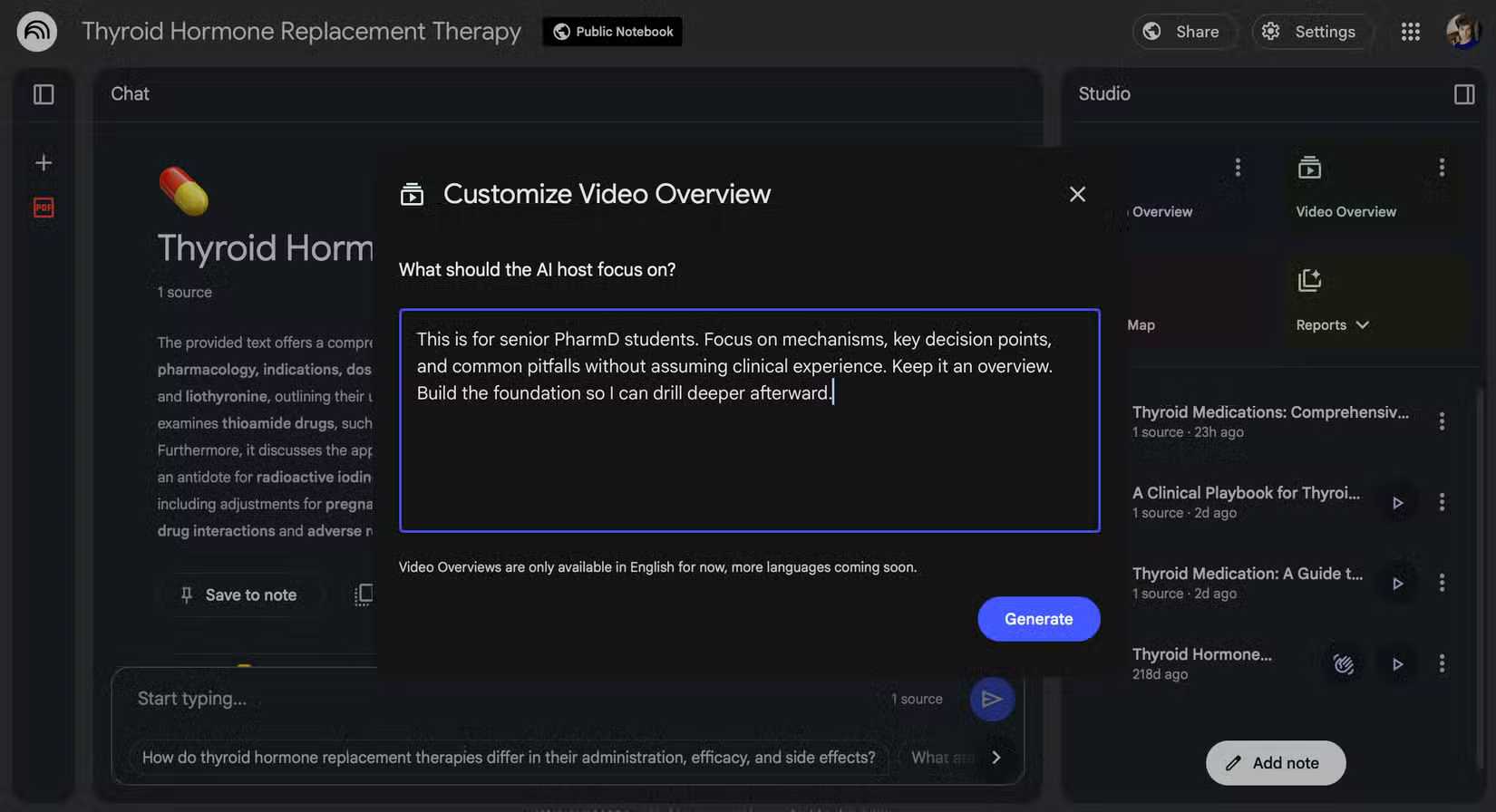
The author learned this the hard way in his Thyroid Medication Guide. The first version, without the custom instructions, was geared toward people with thyroid disease rather than people trying to learn how to treat it.
That mismatch made the whole process useless. You can watch the video below:
Then try again with a custom prompt like this:
'This is for senior PharmD students. Focus on mechanisms, key decision points, and common pitfalls without assuming clinical experience. Keep it an overview—build the foundation so I can drill deeper afterwards'.
'This content is intended for final year Pharmacy students. Focuses on mechanisms, key decision points and common pitfalls without assuming clinical experience. Keep it general - build a foundation so I can dig deeper later'.
This time, the slides matched what the author actually needed, and the voiceover filled in the gaps without going too far. The video still has some rough edges. Sometimes the voiceover cuts off abruptly between slides — but overall, it's a quick and useful framework. Check it out below:
The main limitation is length. Unlike hour-long Audio Overviews, videos are limited to around 8 minutes. That's fine if you consider them a proper 'starter', but the AI will pick uneven depth unless you instruct it to. Some topics take up too much time while others are skipped. That's something you can control with more precise prompts.
Tip : In addition to length, you are limited to 3 video creations per day. Use them wisely!
Powerful Combo: Source, Video, Audio, Mind Map
What really turns NotebookLM from a useful tool into a learning tool is the combination of its components. While the philosophy of the platform is to stick to your own sources rather than the noisy web, I tried Discover sources on a broader platform (Nietzsche) and was pleasantly surprised. I wanted a starting point that didn't rely on random YouTube biases or superficial perspectives.
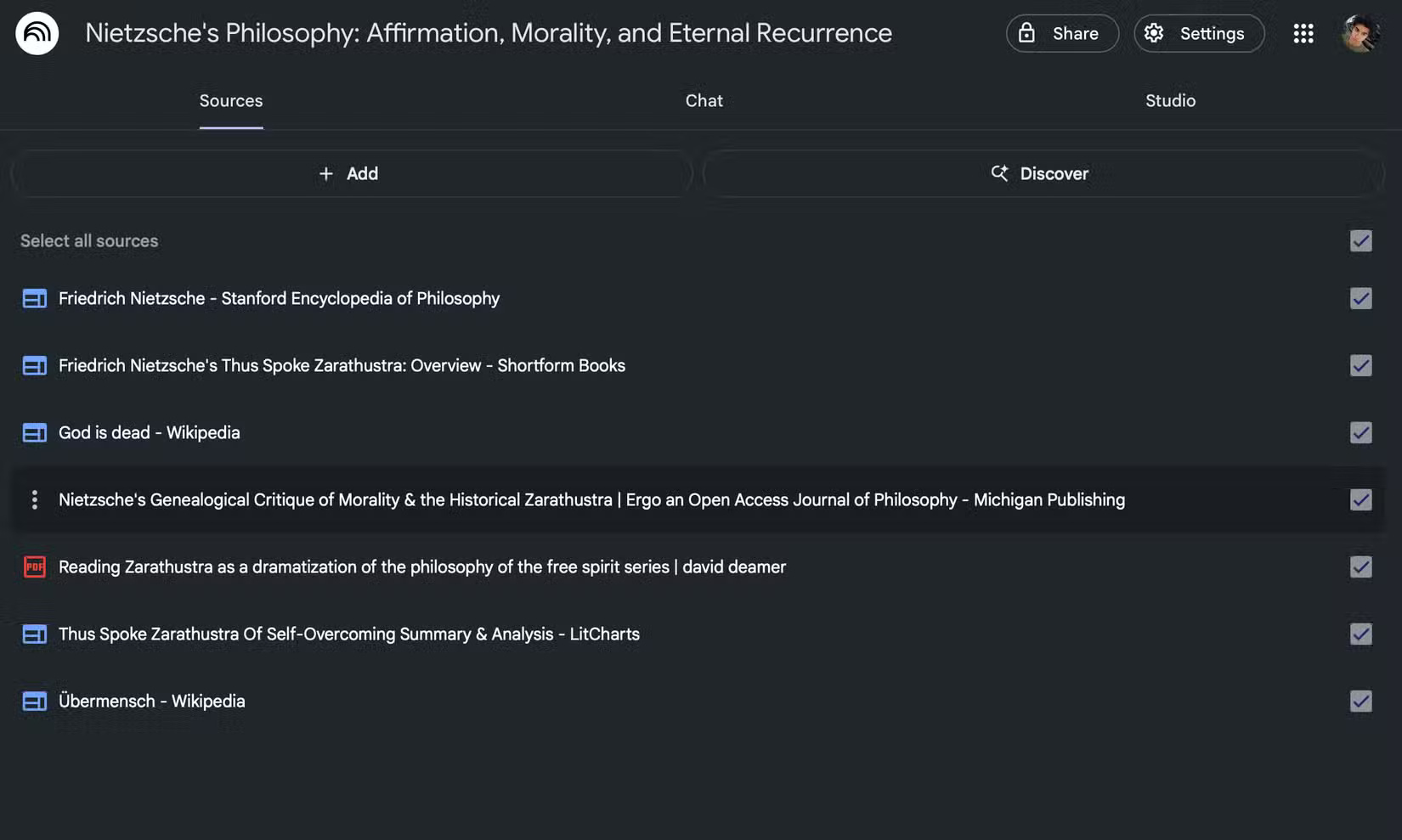
The author created a new notebook, used Discover sources with a refined query and filtered out untrusted sources (Reddit). Then, requested a Video Overview with something like this:
'Give me a high-level walkthrough of Nietzsche's core philosophical pillars, starting from his early ideas and building up. Don't deep dive into any single concept. Frame this as an overview that sets up what I should study next'.
'Give me a detailed guide to Nietzsche's core philosophical pillars, starting with the initial ideas and building up gradually. Don't delve too deeply into any one concept. Think of this as an overview to guide me on what I should learn next. '
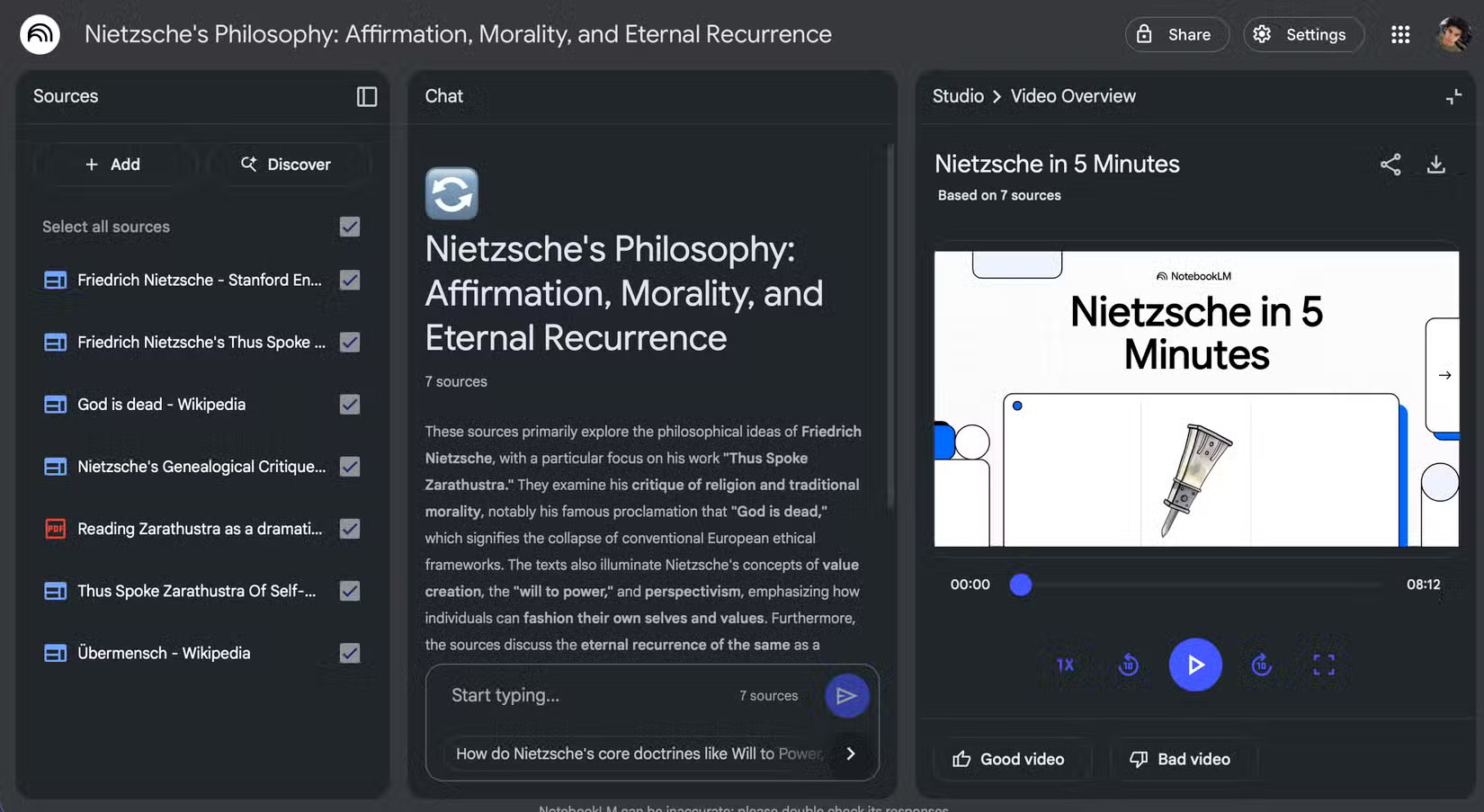
A moment later, there's a video that gets straight to the heart of the topic. There are some rough edges—like awkward voiceovers and bland diagrams—but it works. The video gives you a structured overview, and the narration fills in the gaps. It's certainly not an in-depth class, but it's a solid, easy-to-understand start.
Note : Ironically, the video is titled "Nietzsche in 5 Minutes" but it is actually 8 minutes long.
And that's just the beginning. After the video is finished, the author plays the Audio Overview while doing other things. If you really want to dig deeper, create a mind map in NotebookLM. If you get stuck, you can ask NotebookLM right in the chat.
For difficult topics or topics with little online content, you'll get a concise explanation, an audio summary, and an interactive Q&A - all in just a few minutes. This combination breaks down the common "where do I start?"
What else do you need?
Once you have the framework in place, everything else is easier. Video tutorials and audio fill in the time when you're multitasking, source-based reading deepens understanding, mind maps provide structure, and chat handles the inevitable gaps.
Now, what more could we ask for in a learning tool.
FAQ
What should you know about notebookLM can do more than ever before?
NotebookLM has been a hot topic in the productivity community for good reason. It was already very powerful, and its latest update makes it hard to believe it's still free.
What should you know about create truly intelligent AI videos?
Creating a Video Overview is simple: just open your notebook, and there will be an option right next to Audio Overview. The new interface is much more streamlined, and finally very easy to use.
What should you know about powerful Combo: Source, Video, Audio, Mind Map?
What really turns NotebookLM from a useful tool into a learning tool is the combination of its components. While the philosophy of the platform is to stick to your own sources rather than the noisy web, I tried Discover sources on a broader platform (Nietzsche) and was pleasantly surprised. I wanted a starting point that didn't.
What else do you need?
Once you have the framework in place, everything else is easier. Video tutorials and audio fill in the time when you're multitasking, source-based reading deepens understanding, mind maps provide structure, and chat handles the inevitable gaps.
Related Articles
 7 iOS 26 Features You'll Actually Want to Use9 minutes read
 The Strangest Graves in the World Amaze You: Tombs4 minutes read
 10 Facts That Amaze You About Your Human Body6 minutes read
 The Facts About the Universe Amaze You2 minutes read
 10 Photos Reveal the Facts About Life That Amaze You4 minutes read
 14 Interesting Facts About the Universe Amaze You5 minutes read
Reader Comments 0
Sign in with email or Google to join the discussion.