Table of Contents
A short 3D animation can turn the idea of a “stomach asking for help” into a memorable character scene. Start with a small storyboard and one clear action per clip, then use a video generator such as GeminiGen.AI to test the visuals. Treat the character as a storytelling device, not as evidence for a health claim.
Plan the scene and character
Write a simple sequence: a friendly stomach character looks overwhelmed at a crowded table, pauses, then relaxes as the scene slows down. Keep the message neutral unless a qualified source supports a specific health statement. Decide whether you want a vertical frame for short-form feeds or a landscape frame for a wider presentation.
Describe the stomach's shape, color, face, and lighting consistently. If you have a reference image you are permitted to use, it can help the model keep the same character across clips. This storyboard workflow explains why separating scenes and reviewing continuity helps.
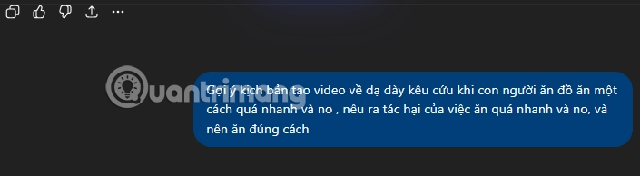
Write a prompt for one short shot
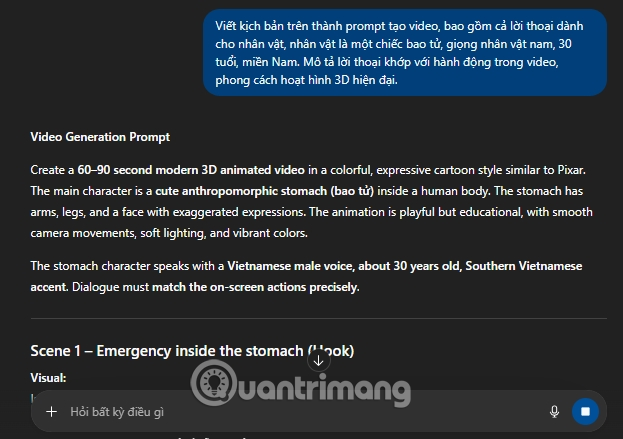
Keep visual direction and dialogue distinct. For example:
Modern 3D cartoon. A rounded pink stomach character with small arms sits at a dinner table. A flurry of food passes by; the character raises one hand and says, “Wait, give me a moment.” Medium shot, warm kitchen light, expressive face, gentle comic tone. Keep the same character design throughout. No on-screen medical claims.If the generator supports audio, specify voice and pacing separately and listen for mispronounced words or dialogue that does not match the action. For a longer story, create a separate prompt for each shot instead of asking one generation to cover the whole script.
Generate and review in GeminiGen.AI
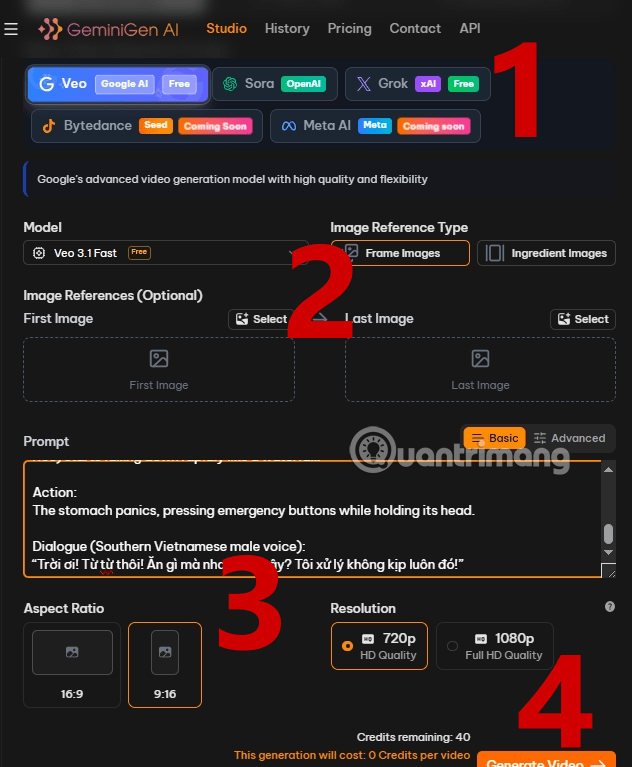
- Open GeminiGen.AI and choose an available video model. The available providers, plans, and controls can change.
- Paste the shot prompt. Add a reference image only if the selected mode supports it and you have rights to the image.
- Choose an aspect ratio that fits the destination and review any resolution, credit, or usage details displayed before submitting.
- Generate a test clip. Check the stomach character's continuity, visual artifacts, spoken line, and whether the scene communicates the intended idea.
Regenerate only the shots that need work, then assemble the clips in a video editor. Keep transitions and sound levels consistent. If the finished video makes health recommendations, verify them with an appropriate medical source and distinguish them from the fictional character's dialogue. For multi-shot consistency, see TipsMake's character consistency guide.
Related Articles
 How to Create a 3D Animated 'Stomach Crying for Help' Video with Veo 3 in Genminigen AI7 minutes read
 Creating Animated Videos Using Anijam AI Is Definitely Worth a Try4 minutes read
 A Guide to Creating an Awesome AI Video Titled 'the Evolution of Car Models'12 minutes read
 How to Create Animated Character Videos Using Canva AI5 minutes read
 Guide to Creating 3D Animated Videos About Smartphones with Grok AI6 minutes read
 How to Prevent Stomach Viruses After Exposure4 minutes read
Reader Comments 0
Sign in with email or Google to join the discussion.