Table of Contents
Double Commander serves as a free, open-source File Explorer alternative that won't disappoint.
Windows File Explorer has only improved slightly over the years, and it still has many limitations. Microsoft has given it a new look, including a tabbed interface and a few new tricks, but at its core, it still lacks the powerful features that regular users want.
Double Commander is a free, open-source File Explorer alternative that won't disappoint. It offers superior tab support, an advanced search tool, and tons of keyboard shortcuts. It does everything Windows Explorer can do, but it adds features and flexibility that make file management easier.
Double Commander is the file browser Microsoft should have created
Work twice as fast with two panes and built-in preview
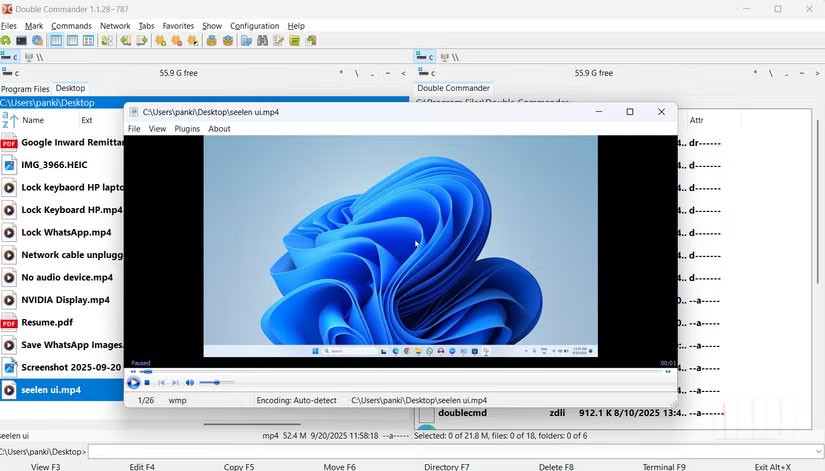
Double Commander packs everything you'd expect File Explorer to do into one fast, reliable, and endlessly customizable tool. Its interface may not be as modern as File Explorer, but it's certainly not lacking in features.
One of the first things you'll notice when you open Double Commander is its two-pane layout. Instead of having to open two separate File Explorer windows and drag them around the screen, you get both views side by side in a single interface. This simple change makes a huge difference. Moving files from one folder to another becomes as easy as dragging from left to right, and comparing folder contents no longer requires switching between windows because everything is neatly contained within one window.
There's also a built-in file viewer, another feature that seems to have become standard on Windows. Double Commander lets you preview the contents of text, image, audio, video, and even archive files without launching a separate program. All you have to do is select the file and press F3 To view it in the application.
Double Commander also supports plugins. So if you want to add support for new archive formats or integrate version control tools, plugins helps you do that. For example, you can take full control of archive types like RAR, 7z, or TAR, or improve text and code handling with additional editing and syntax highlighting features.
More tab options, shortcuts, and customizations
Tabs, hotkeys, and workflows are really useful
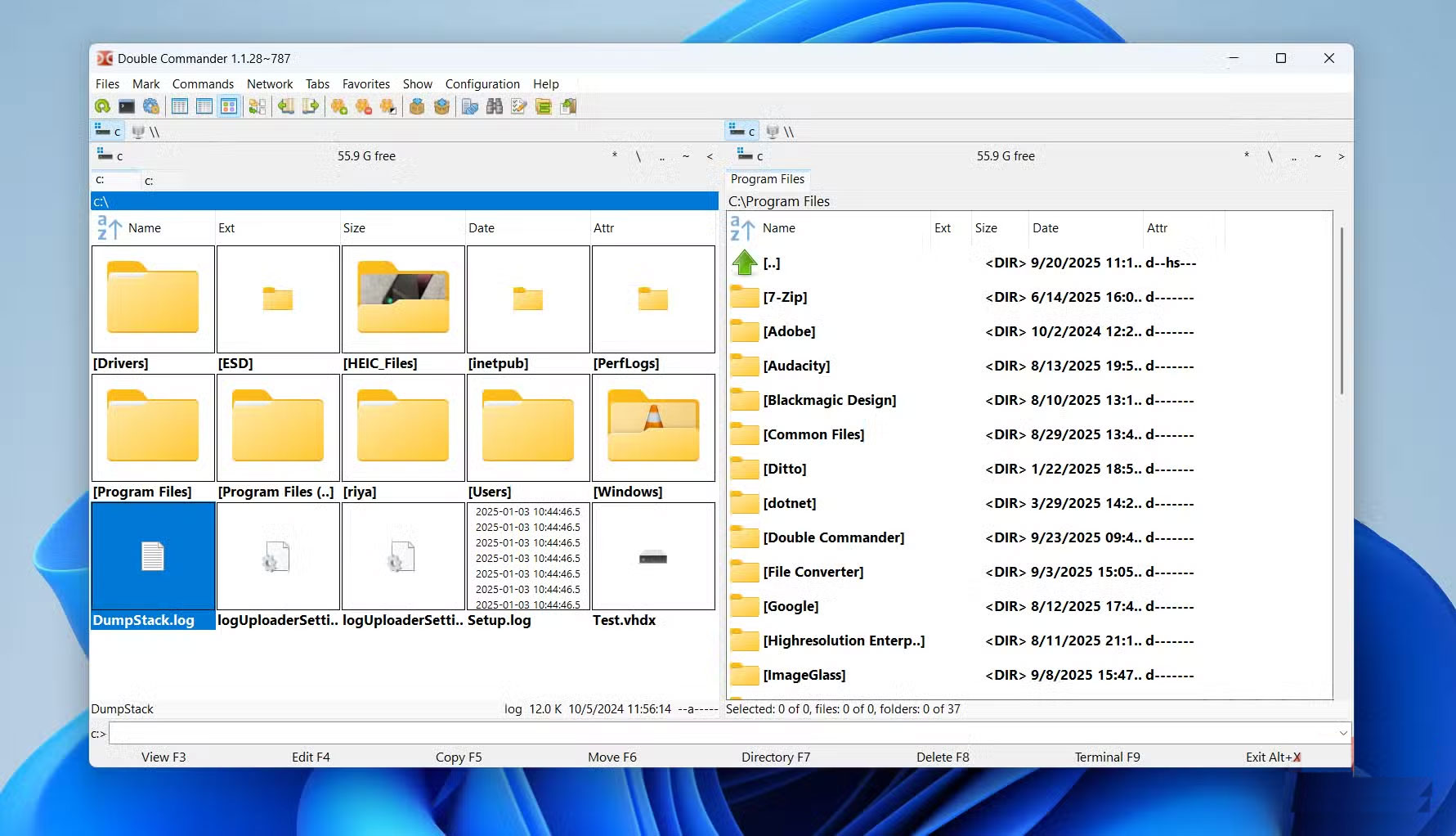
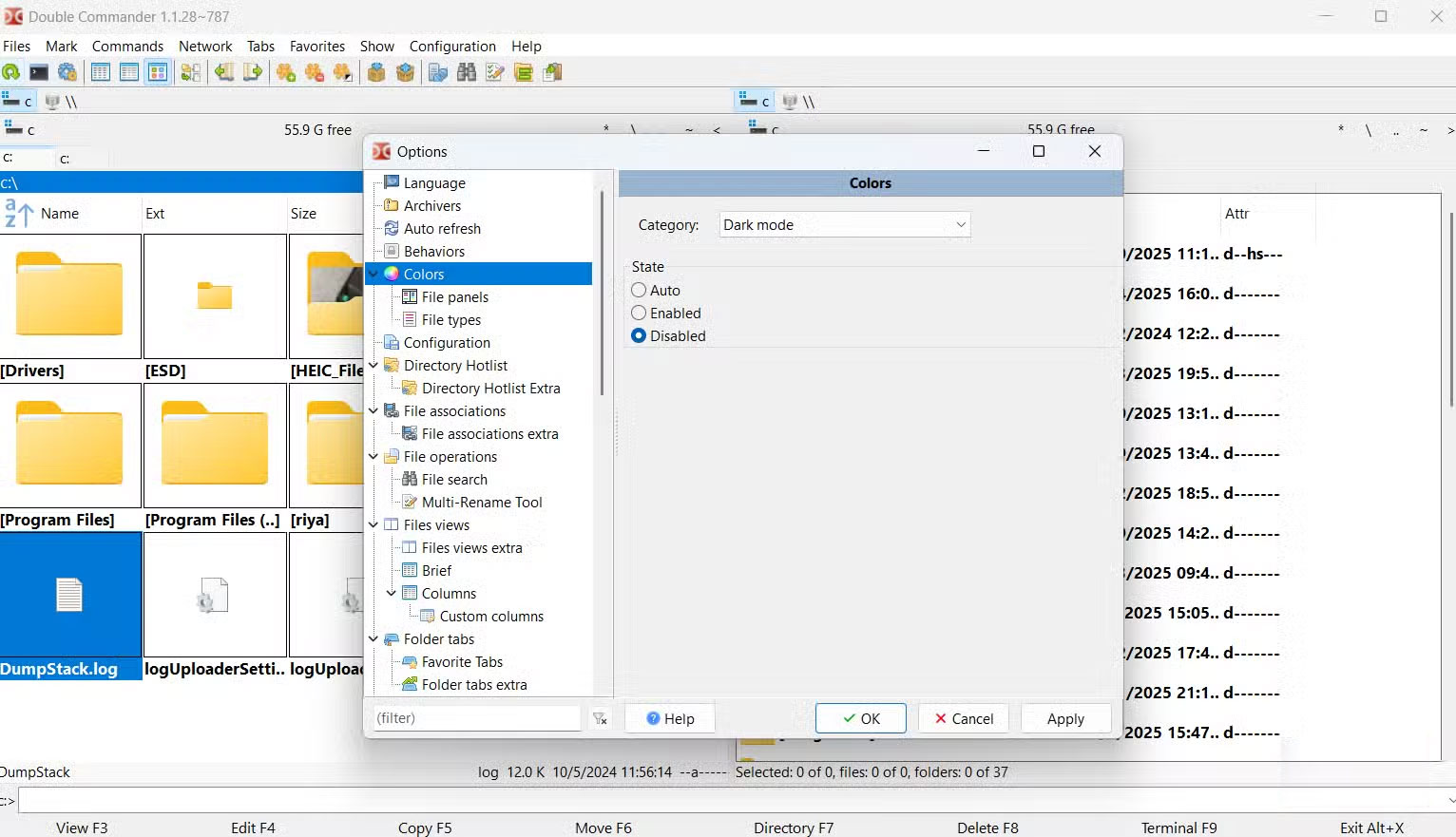
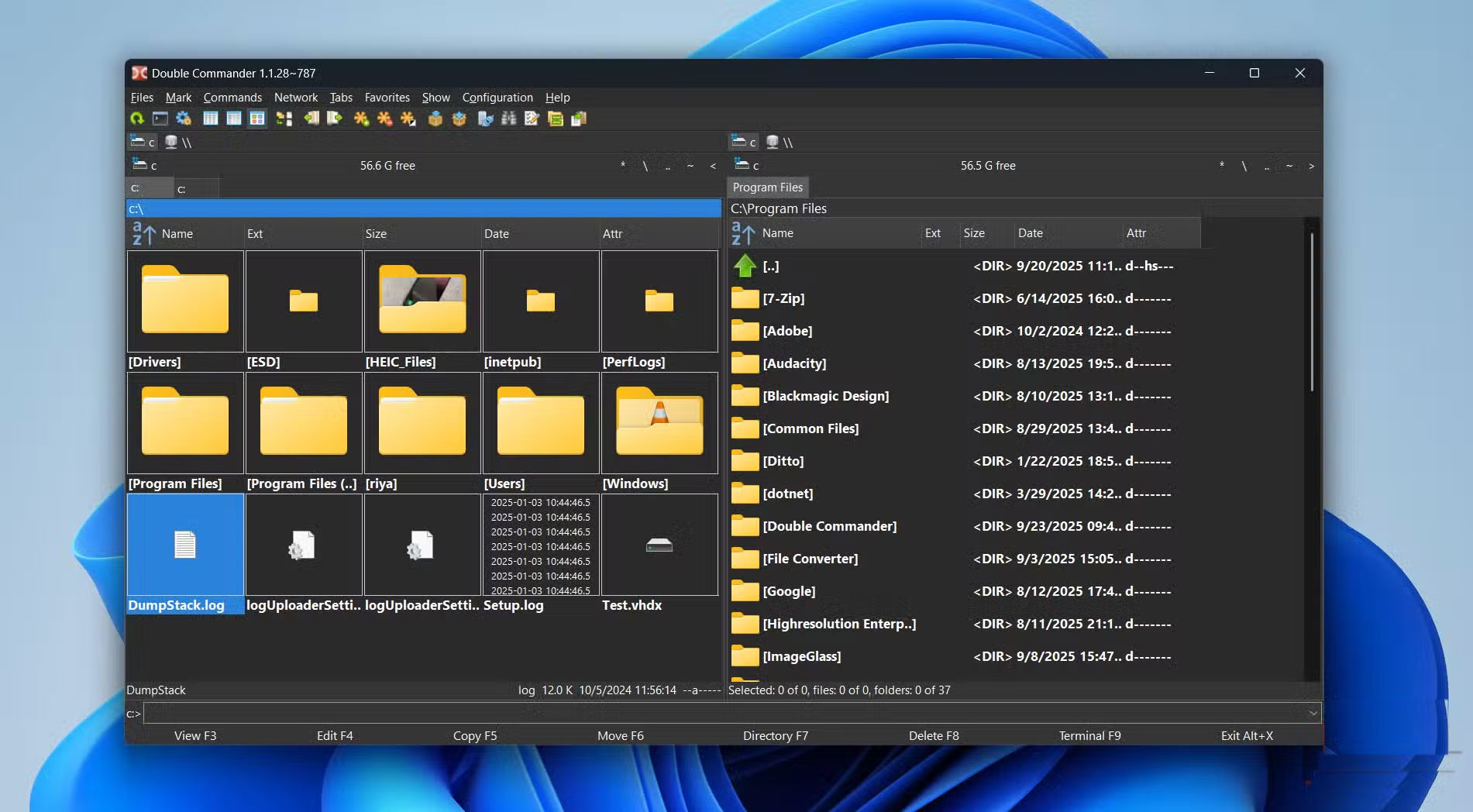
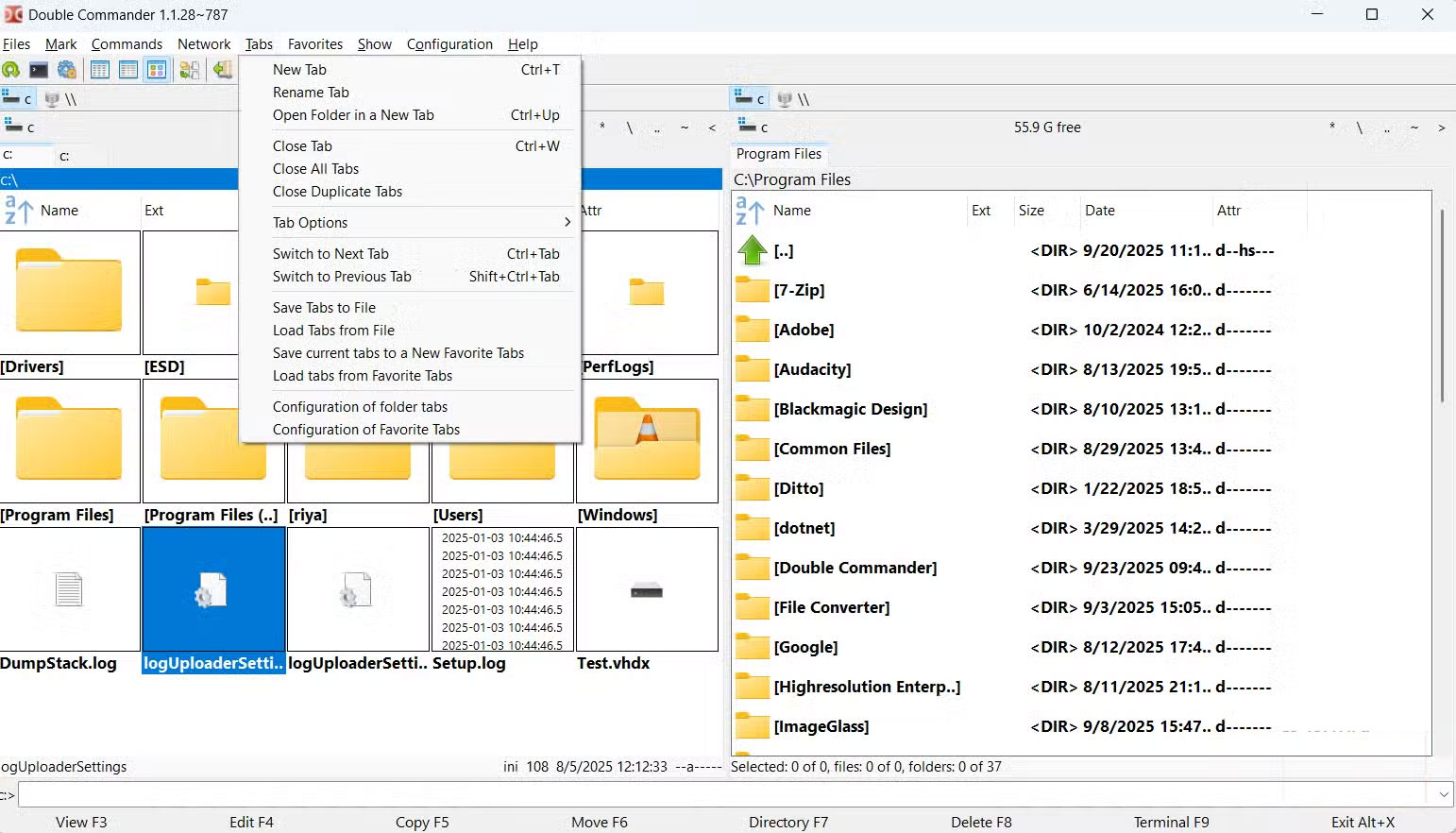
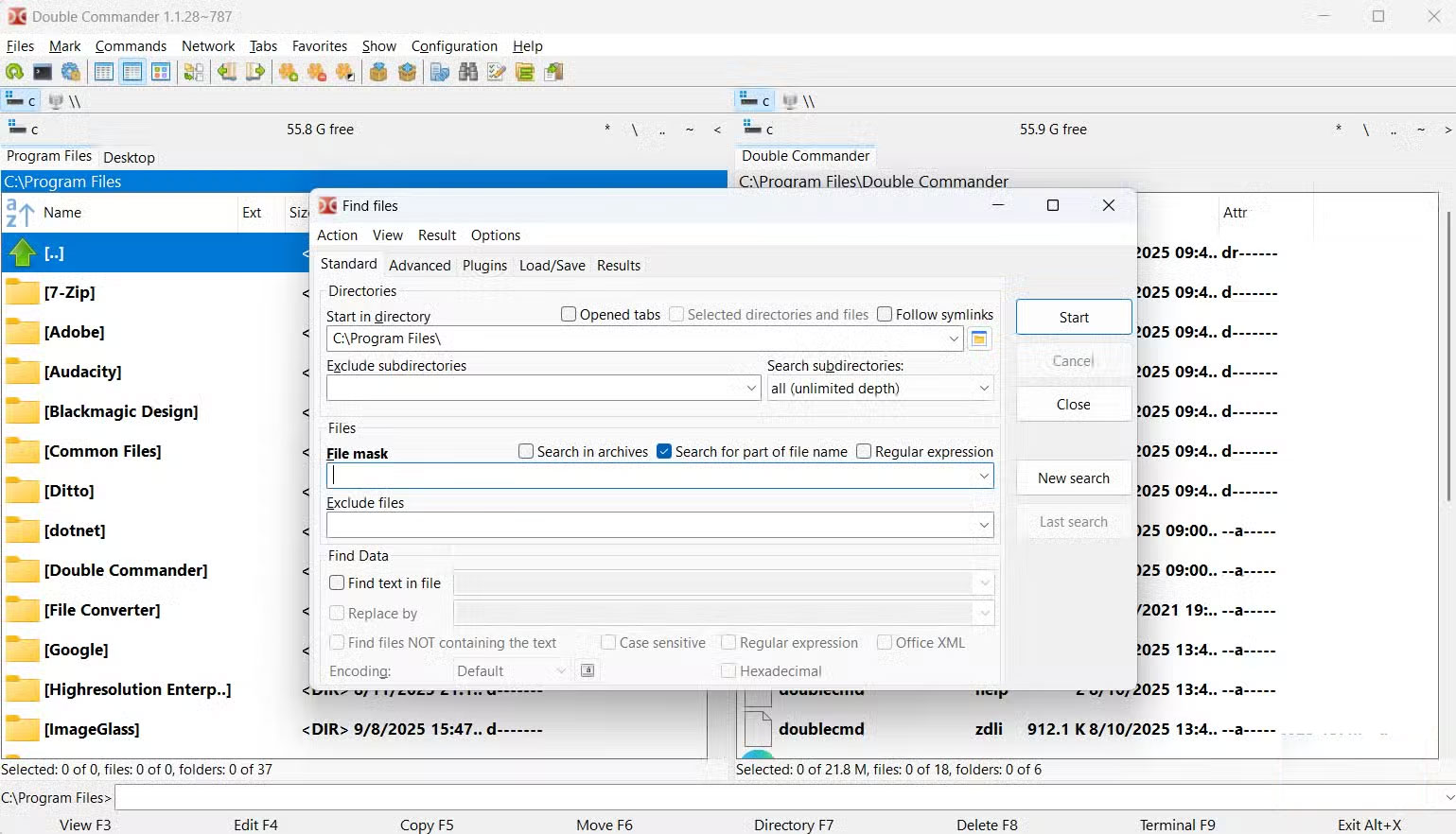
If the dual-pane view is what first attracted you to Double Commander, the tabs are what keep you coming back. Each pane can contain multiple tabs, so you can open multiple folders at once without cluttering your desktop with extra windows. Of course, Windows File Explorer now has tabs too, but they're different. You can lock specific tabs to avoid accidentally closing them, quickly close duplicate tabs, and even save groups of your favorite tabs to favorites to open them with a single click.
Another powerful feature that is especially useful is symbolic link support. You can create symbolic links to files and folders as well as hard links without having to use command line tools. And if you are a fan of keyboard shortcuts, then there are even more reasons to love Double Commander.
The app has built-in hotkeys that let you handle tasks at lightning speed. Press F4 To activate the Edit function and edit code directly in the program with syntax highlighting. Ctrl + F1, Ctrl + F2 , and Ctrl + F3 Switch between different views without touching the mouse. Ctrl + M Opens the powerful multi-tasking renaming tool, allowing you to batch rename dozens of files in seconds. F5 Copies files, F6 Moves files, F7 Creates new folders, etc. You can see the full list of shortcuts on the GitHub page.
Double Commander gives you control over almost everything. You can redesign your toolbar, change the color scheme, tweak the fonts, and assign custom hotkeys to actions. If you want your file manager to fit your workflow instead of the other way around, Double Commander is perfect.
Paying for a file manager app isn't for everyone
Why pay when you can get it for free?
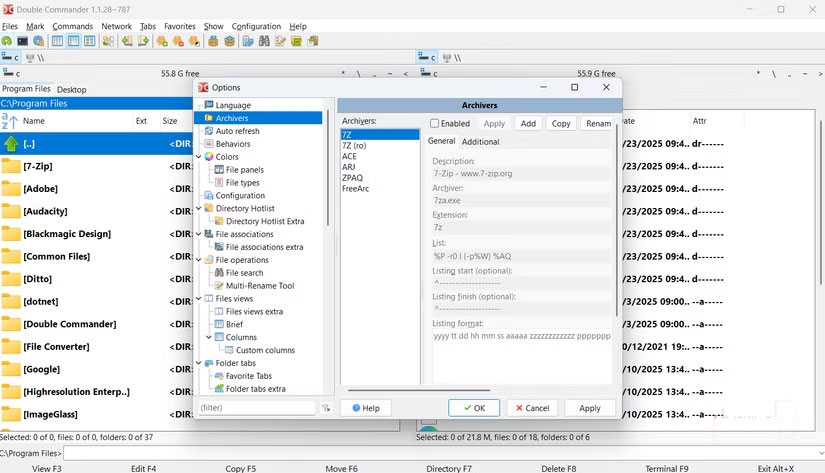
You can find plenty of paid File Explorer alternatives on the market that promise speed, extra features, or a sleeker interface. Total Commander, for example, is a popular choice, but it costs $44. File Pilot is another fast, full-featured option that costs $200—more than a Windows license.
Double Commander proves that great software doesn't have to come with a high price tag. For the average user, Double Commander offers everything Windows Explorer does and more. For power users, it can replace paid tools with faster navigation, better file management, and incredible customization options. You get all the productivity improvements without breaking the bank. That freedom alone is reason enough to give it a try.
With its two-pane layout, tabbed interface, built-in file viewer, and endless customization options, Double Commander surpasses Windows File Explorer in ways you might not expect. Add plugins, keyboard shortcuts, and advanced features like creating symbolic links, and it becomes a real productivity tool. After using it for a few weeks, many people will definitely not go back to File Explorer anytime soon.
FAQ
What should you know about meet double commander?
In practical terms, double Commander is a free, open-source File Explorer alternative that won't disappoint.
Why does meet double commander matter?
The article highlights that double Commander is the file browser Microsoft should have created Work twice as fast with two panes and built-in preview Double Commander packs everything you'd expect File Explorer to do into one fast, reliable, and.
What is the main takeaway?
The main takeaway is that with its two-pane layout, tabbed interface, built-in file viewer, and endless customization options, Double Commander surpasses Windows File Explorer in ways you might not expect.
Related Articles
 Jitsi Meet -- Open Source Zoom Alternative8 minutes read
 10 Best Open Source Web Browsers9 minutes read
 How to Install and Use Jitsi Meet on Ubuntu Server4 minutes read
 Can Open Source Technology Make Money?5 minutes read
 Total Commander Is Forbidden to Install APK Files on Android3 minutes read
 Double Clicking Does Not Open the File, What Do You Need to Do to Fix the Error7 minutes read
Reader Comments 0
Sign in with email or Google to join the discussion.