Table of Contents
A fake version of the popular Flyoobe tool is circulating online, tricking Windows 10 users into downloading malware.
A fake version of the popular Flyoobe Tool is circulating online, tricking Windows 10 users into downloading malware under the guise of helping them bypass Windows 11 's hardware tests.
Emergency warning
Millions of Windows 10 users are looking for ways to bypass Microsoft's strict hardware requirements to upgrade to Windows 11. Cybercriminals are exploiting this urgent need.
A fake version of the Flyoobe tool – Used to install Windows 11 on unsupported PCs – is circulating and may contain Malware Or tampered code. The official developer of the tool has issued a public warning, urging users to avoid unofficial sources and only download from the project's official GitHub page.

Many users believe that Microsoft's decision to end support for Windows 10, coupled with Windows 11's strict hardware requirements (including 4GB of RAM, a TPM 2.0 chip, UEFI With Secure Boot , and more), is a form of Programmatic obsolescence . This has fueled the popularity of third-party tools like Flyoobe (formerly Flyby11).
Flyoobe lets you strip away unwanted AI Features and apps to simplify Windows 11. However, bad actors are taking advantage of the tool's growing popularity to trick unsuspecting users trying to upgrade.
Risks from fake websites
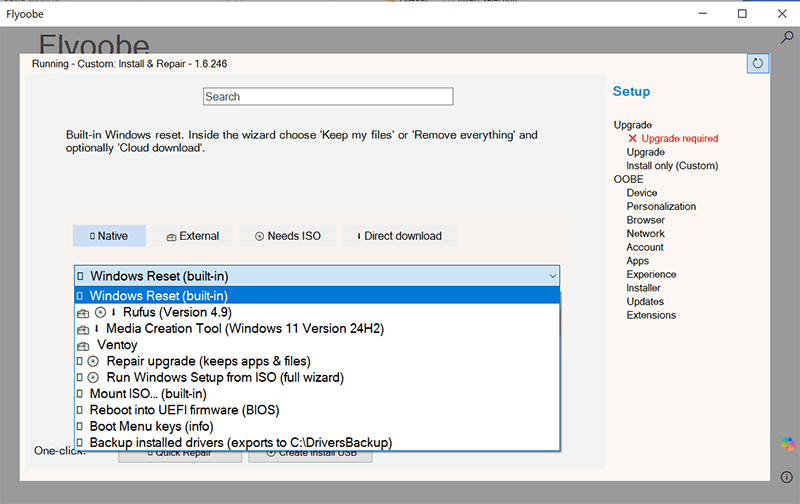
Bad actors have been delivering a malicious update to the software through a domain that looks very similar to the official site.
- Flyoobe developers have issued a warning about this suspicious site and update, claiming they are not affiliated with that project.
- A security warning On Flyoobe's official GitHub page states: "An unofficial mirror is being hosted at [URL] (do not visit), which may contain malware or a tampered build of Flyoobe."
Interacting with third-party tools always carries serious risks, and can even brick Your Device. Extreme caution should be exercised when using these tools.
Alternatives
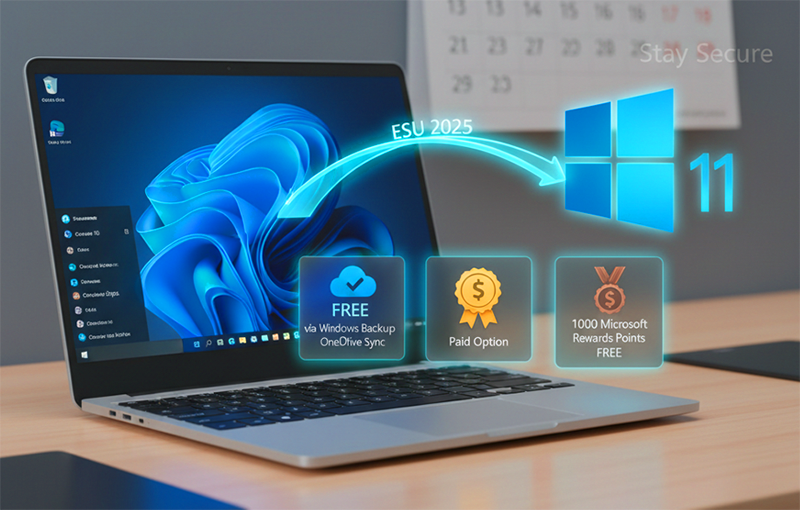
In the context of Microsoft stopping support for Windows 10, You can consider the following options:
- Microsoft's ESU (Extended Security Updates) program: This is an official option, but requires users to sync their PC settings to the cloud via a Microsoft Account, or pay a $30 fee (or 1,000 Microsoft Reward points) to continue receiving security patches. (Except in the European Economic Area.) However, many tech groups consider ESU to be only a temporary solution.
- Switch to another platform: Alternative operating systems like Linux and Chrome OS are becoming more popular. The main motivation is to avoid demanding hardware requirements, advertising, and remote tracking.
Essential Security Guide
As Microsoft phased out Windows 10 support, bypass tools will continue to proliferate, along with the security risks that come with them.
Always verify the download source Before using any third-party utility. A shortcut to install Windows 11 is not worth compromising the security of your entire system.
FAQ
What should you know about flyoobe bypass Windows 11 tool impersonated as malware?
In practical terms, a fake version of the popular Flyoobe tool is circulating online, tricking Windows 10 users into downloading malware.
Why does flyoobe bypass Windows 11 tool impersonated as malware matter?
The article highlights that a fake version of the Flyoobe tool – used to install Windows 11 on unsupported PCs – is circulating and may contain Malware or tampered code.
What is the main takeaway?
The main takeaway is that essential Security Guide As Microsoft phased out Windows 10 support, bypass tools will continue to proliferate, along with the security risks that come with them.
Related Articles
 New Malware Discovered That Can Bypass Windows SmartScreen and Steal User Data6 minutes read
 Kaspersky Lab: New Malware Targets Windows 64-bit3 minutes read
 80% of New Malware Easily Bypass Antivirus Software1 minutes read
 What Is Bypass? Information About iPhone Bypass You Need to Know7 minutes read
 Wsreset Tool of Windows 10 Store Was Used by Hackers to Bypass Anti-virus5 minutes read
 Download the Malware Removal Tool and Clean up Malware Hunter PRO4 minutes read
Reader Comments 0
Sign in with email or Google to join the discussion.