Table of Contents
Slack seems easy (open a channel and send a message), but it takes a lot of elements to make it a fun experience for everyone.
Many people have been using Slack since its official launch. It's been the primary method of communication they and their teammates have used for almost their entire careers.
Slack may seem easy (open a channel and send a message), but there are many things that go into making it a fun experience for everyone. Here are some helpful tips on Slack etiquette to help things run smoothly!
Don't spam short messages!
This is a top etiquette tip for any messaging app, not just Slack. Sending a complete message is much better than a series of short messages.
You should never send Slack messages like this (also known as 'Shatner messages,' a reference to the way William Shatner speaks in short):
Greet!
How are you?
I have a question for you
About the next meeting
Later
Do we need to prepare anything?
?
Thank!
Sending multiple messages in a row will create a barrage of notifications for the other person. Not only is this extremely distracting, but it also leaves them with no idea when you'll be done typing and when they should respond. Very few messages are urgent enough to warrant typing this way.
It's better to gather your thoughts and send a complete message.
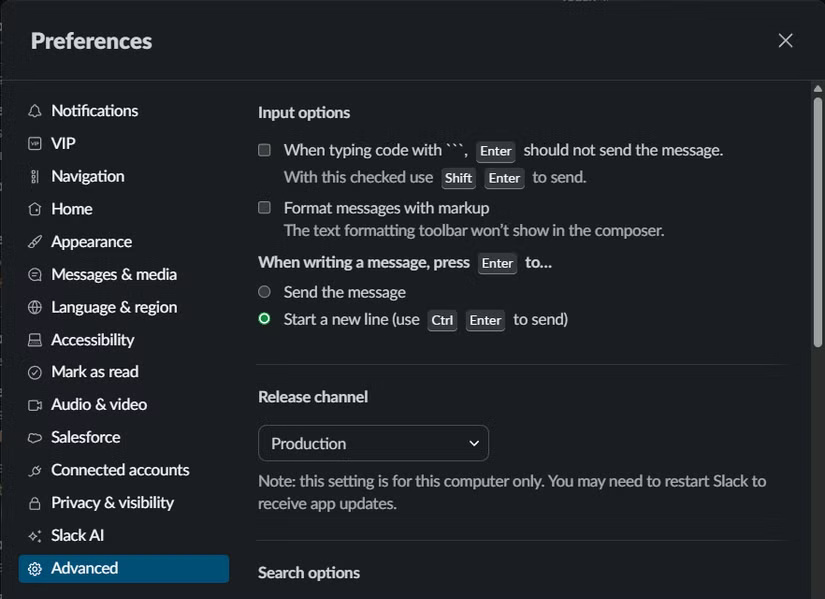
Using message threads
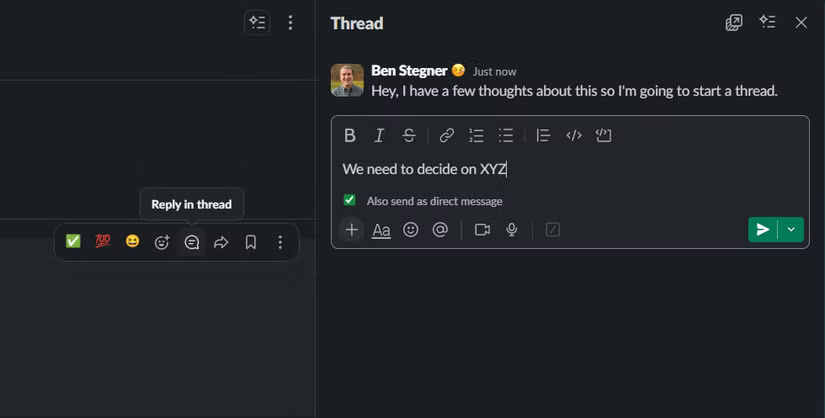
Messages in Slack channels can move quickly. Threading is an important way to keep discussions private for those who need to participate, while also making the channel easier for everyone else to read. Without threading, when a channel is discussing one topic, it would be difficult for someone to jump in and ask about another topic.
Click The Reply in thread Button to start a new message thread, if you haven't already. When you have a message in a message thread that's relevant to the entire channel, check the Also send to [channel name] Box, and that message will appear in the main chat window. If you forget to do this, you can always select Send reply to this channel From the three-dot menu later.
Take advantage of reactions
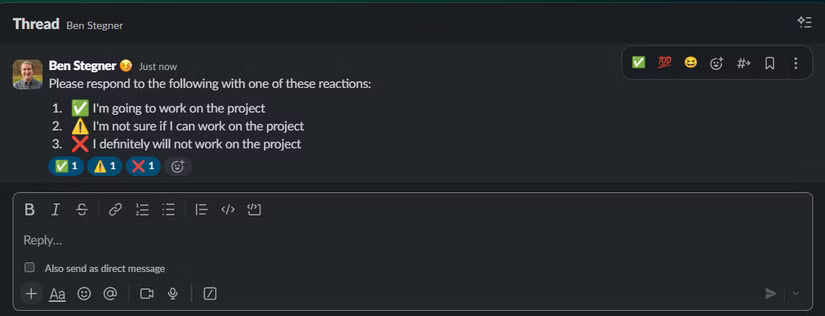
Slack Reactions lets you put any emoji below your messages, which is super convenient. Go to Preferences > Messages & media And turn on Show one-click reactions on messages to set up three quick reactions (your most used or any other reaction you choose). Click the Find another reaction Icon to choose a different reaction if needed.
Reactions are great because they allow you to respond to messages without sending a ping. As discussed, it can be distracting to get a notification that just says 'Thanks!' Instead, you can react with a heart emoji to show your appreciation.
Reactions can act as read receipts, acknowledgements of a notification, or other important messages (it's annoying not knowing if anyone bothered to read your messages). You can use them to ask people for quick feedback, like whether they like design A or B, without having to reply to dozens of messages. They can also express your feelings about a suggestion, that you're considering something, etc.
Don't ask just to ask!
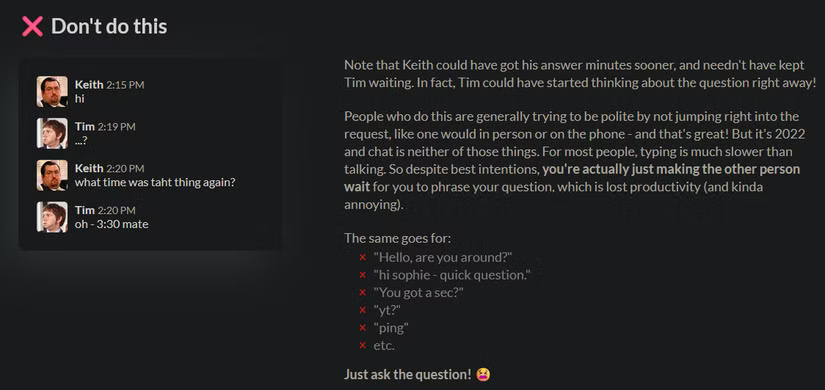
Continuing from the first point: When you have a question, ask it directly. Sending 'Can I ask you a question about the spreadsheet?' means they have to say 'yes' and ask you for more information. This wastes time, leads to more notifications, and makes the recipient think about the problem until it's solved.
Try to communicate asynchronously on Slack as much as possible, especially if your team works across different time zones. If you work at very different times, a simple question can take days to resolve if you don't ask explicitly at the beginning. And even if you do work at the same time, a "Hey" is a meaningless message.
Set your status to keep everyone updated
Slack lets you set a custom status that appears next to your name for a period of time you specify. This is a great way to communicate information to your team without having to contact multiple people individually.
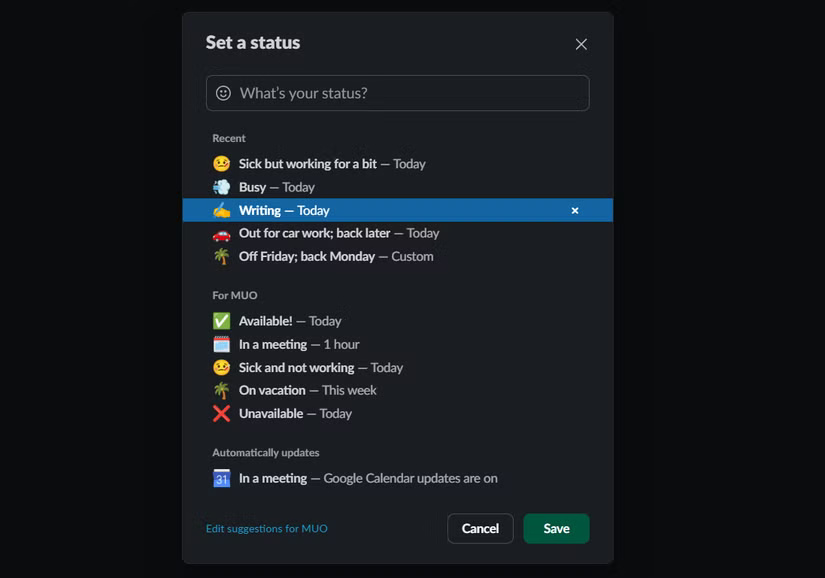
While your status doesn't need to reflect up-to-the-minute changes, you should use it to notify coworkers if you're frequently unavailable.
Use @ to mention sparingly
Using @ mentions gets someone's attention and tags the channel accordingly. While mentions are good in moderation, you shouldn't overdo them. You don't have to @ mention someone just because they show up in a conversation; you do it to make sure they see the message.
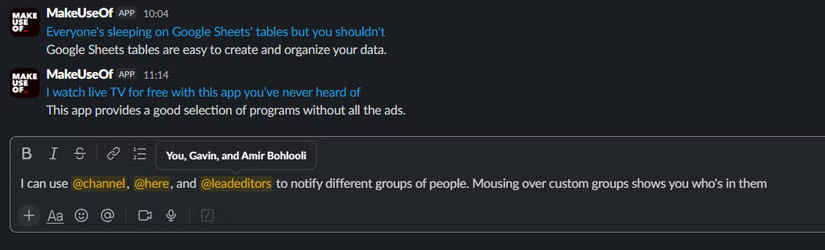
Tip : Slack lets you create @groups for custom mentions. If you frequently ping the same group of people, ask your Slack admin to set up @sales, @technical, or similar.
Discuss on public channels as much as possible
Slack works best as a collaboration platform. Whenever possible, send messages in public channels so everyone can benefit from them. Direct messages (DMs) have their place, but it's best to use public channels as the default.
In public discussions, you can easily connect with new people using @, instead of having to create a new group DM and explain it to new people again. You can link to messages to easily follow up on important information, and others can find the discussion later by searching for it.
Other rules of conduct on Slack
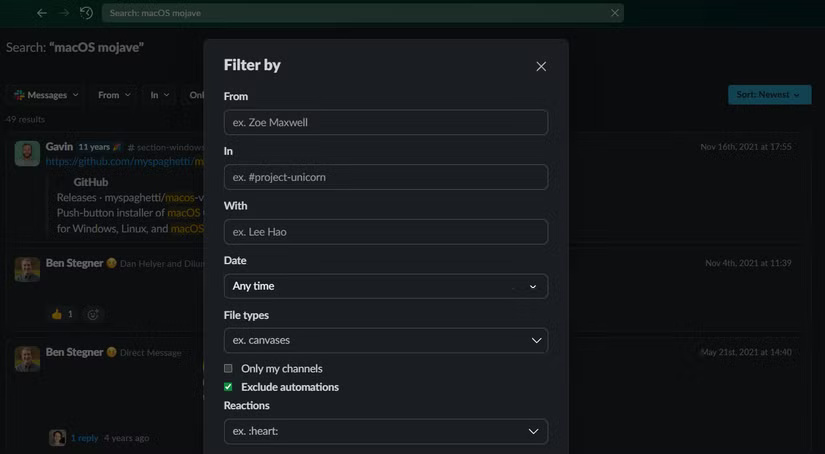
A few other little rules of Slack etiquette are to always search Slack before asking a question. The search tool is powerful, allowing you to filter by date, channel, person, and more. It's worth checking to make sure you're not asking the same question for the third time in a week.
Also, avoid sending duplicate messages. For example, if you ask someone a question in a DM and they don't respond right away, don't ask the same question again in a public channel. This wastes their time because they might see your DM before your public one and will have to wait to respond when someone else has already responded. Instead, ask publicly and @mention or send a link to the message via DM if necessary. This helps to centralize all the communication on that topic in one place.
FAQ
What should you know about the options in this guide?
In practical terms, slack seems easy (open a channel and send a message), but it takes a lot of elements to make it a fun experience for everyone.
Which option is the best choice?
The best choice depends on your priorities, compatibility, budget, and the specific features discussed in the comparison.
What should you compare before deciding?
Compare core features, limitations, ease of use, compatibility, and long-term value before making a decision.
Related Articles
 Useful Tips for Mastering Slack19 minutes read
 Ways to Slack Activities with Your Favorite Services13 minutes read
 What Is Slack? Instructions on How to Use Slack9 minutes read
 11 Advanced Search Tips with Slack4 minutes read
 How to Set Up a Slack Account: Step-by-Step Guide4 minutes read
 How Will Slack Change in 2023?6 minutes read
Reader Comments 0
Sign in with email or Google to join the discussion.