Table of Contents
Learn what new features will Google messages be rolling out early this year means.
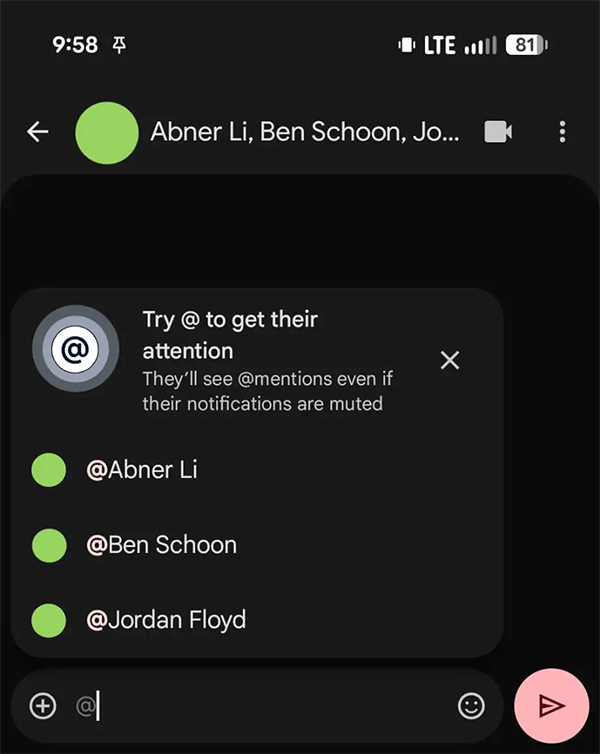
The @ option is mentioned in RCS group chats
This feature will directly remind people in group chats, even if they have turned off notifications. The feature is currently in beta.
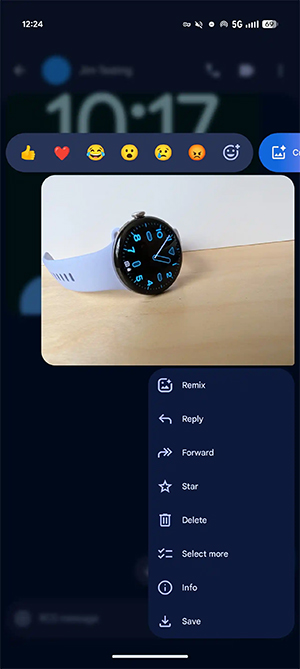
Menu (press and hold)
Instead of a toolbar, when you press and hold an image or message, a floating menu will appear allowing you to select the next action you need.
MLS encryption
Universal Profile 3.0 adds support for the Messaging Layer Security (MLS) protocol, enabling end-to-end encrypted RCS (E2EE) across platforms (Android-iOS).
You can check if this feature is active by pressing and holding the message and opening the Details page. The section related to MLS is the Encryption Protocol item. A value of 0 indicates current end-to-end encryption, while a value of 1 indicates an upcoming approach.
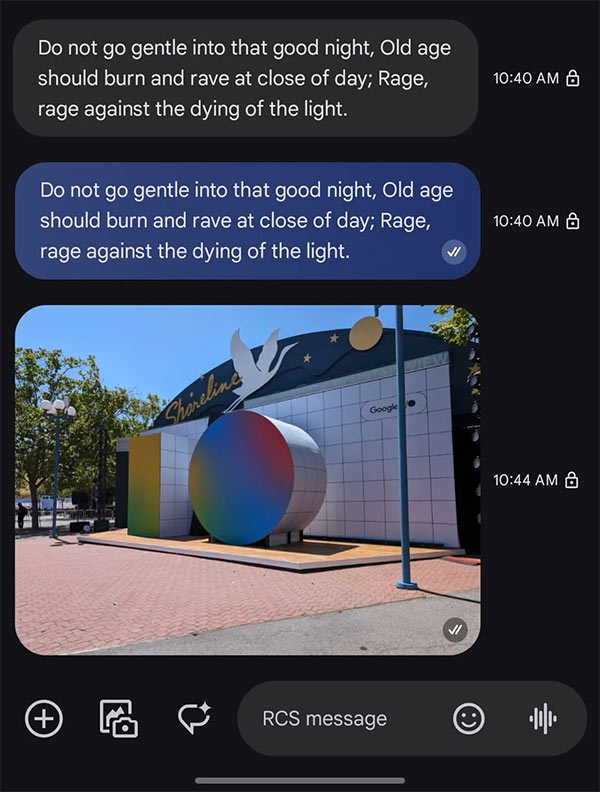
Notification has been read
Following the last redesign in early 2023, another update indicates whether a message has been read. We will see a circular icon with two checkmarks (✓) in the bottom right corner of the message.
Adjust the Nano Banana's position
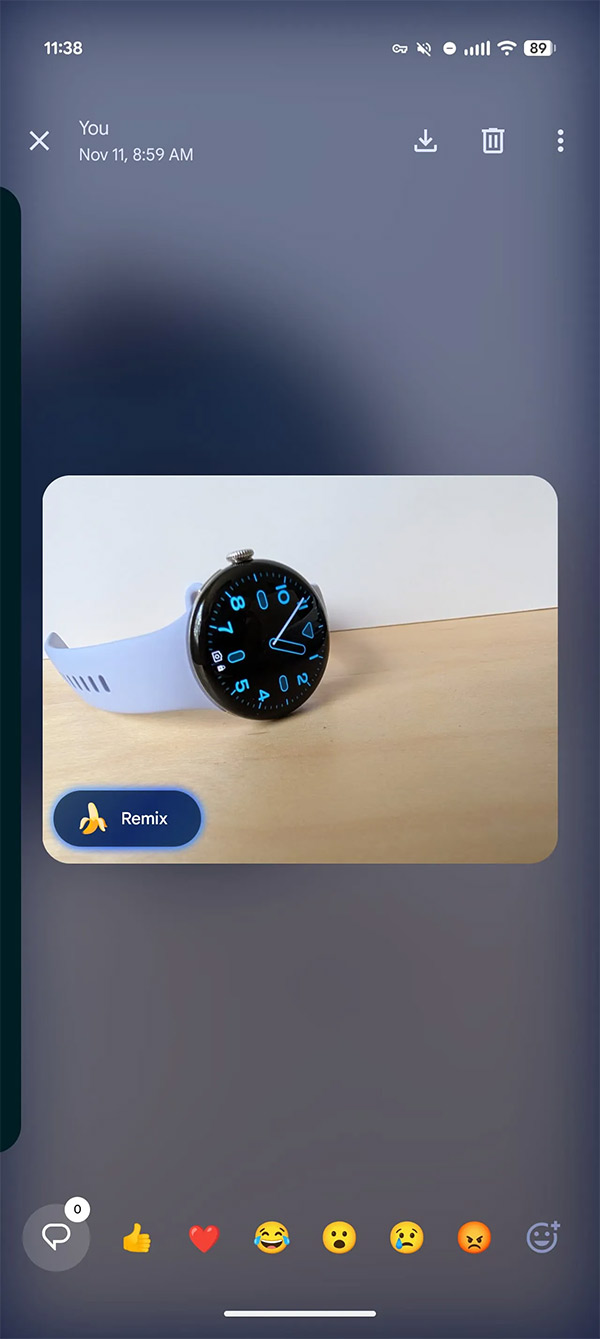
When you press and hold an image, the Remix button in the bottom left corner will become smaller. At the same time, the full-screen viewer has moved this button to the bottom row to display the image without it being obscured.
Adjust the camera
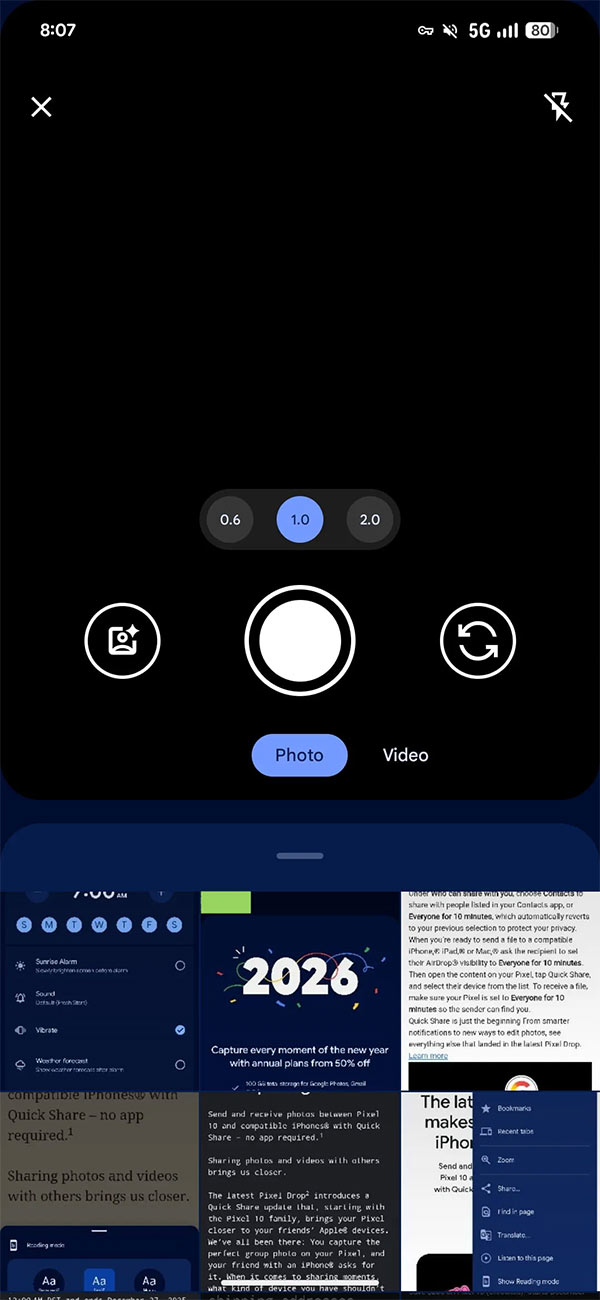
Google has reduced the height of the camera viewfinder, and the photo gallery now displays two full rows of images.
Gemini Action Button
The Gemini floating action button is now larger, roughly the same size as the new message creation action button.
Redesign the link preview
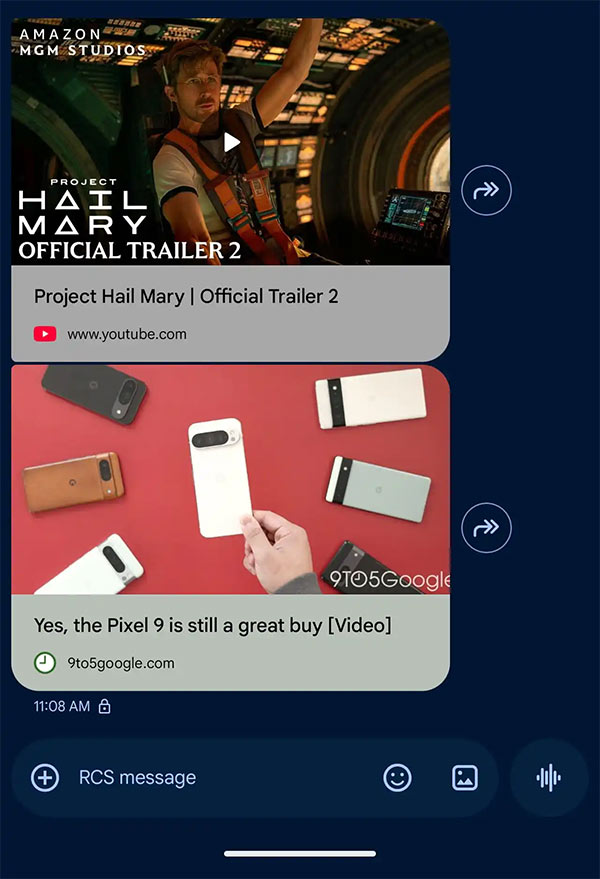
The link previews, including YouTube, have a new design and a taller cover image. The page header is larger with the domain name accompanied by a favicon and a more prominent background.
Leave unknown chat group
You can absolutely leave a group if you receive an invitation from an unknown phone number, using the Block and Report options. The warning card above the text input box explains that 'An unknown sender has added you', the phone number is clearly displayed, followed by the number of people participating in the conversation. The message will note if anyone you know is participating in the conversation.
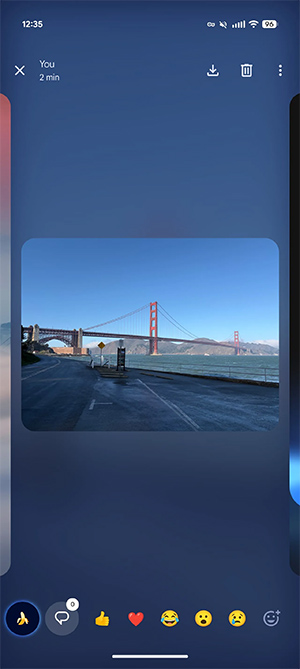
Redesign the image viewer
Following its initial testing in June, Google has launched a new photo viewer interface. The full-screen interface features a blurred background and left/right swipe functionality. Photos or videos are centered, and tapping them opens them in full size. Other options are located in the upper right corner, while the bottom row displays frequently used comments and emojis.
Final Thoughts
Understanding what new features will google messages be rolling out early this year makes it easier to evaluate the information and apply the most relevant recommendations. Focus on the key points above and verify details that may change over time.
FAQ
What is what new features will google messages be rolling out early this year?
Learn what new features will Google messages be rolling out early this year means.
What key points does this article cover?
The article focuses on The @ option is mentioned in RCS group chats, Menu (press and hold), MLS encryption, with practical explanations and examples.
How can you use this information in practice?
Use the explanations to compare options, verify important details, and make a more informed decision. Apply the recommendations that best match your goals and situation.
Related Articles
 Google Now Offers New Web Search and Blocking AI Overview5 minutes read
 How to Pin Messages on Android Phones: Step-by-Step Guide3 minutes read
 How to Cancel Sent Messages on Google Messages5 minutes read
 Google Now Offers New Web Search and Blocking AI Overviews5 minutes read
 Samsung Messages Still Has One Exclusive Feature That Google Hasn't Been Able to Replicate Yet8 minutes read
 Instructions for Using the Google Messages Application on Computers3 minutes read
Reader Comments 0
Sign in with email or Google to join the discussion.