Table of Contents
This updated guide compares reasons you should try Windows subsystem for Linux (WSL) and highlights the details that matter most. While Windows is popular with the average user because of its ease of use and flexibility, Linux has a large market share among professionals. Whether you're just exploring or looking to use Windows and Linux side by side, Windows Subsystem for Linux (WSL) offers a solution.
1. Get Familiar with Linux Easier
Windows Subsystem for Linux provides a safe and easy way to get started with Linux. To install WSL and your first Linux distribution, just follow these steps:
- Open Windows Terminal with admin rights.
- Type the command wsl --install and press Enter .
- Your computer will reboot to install WSL2 and Ubuntu.
When you're new to Linux, it is inevitable that you'll make mistakes. WSL lets you experiment without affecting your main Windows system.
2. Try Linux Distributions Easily
Linux is a great option for reviving an old computer or one that does not meet the hardware requirements of Windows 11. Still, switching to a new operating system can be intimidating for many people, especially when using the command line regularly.
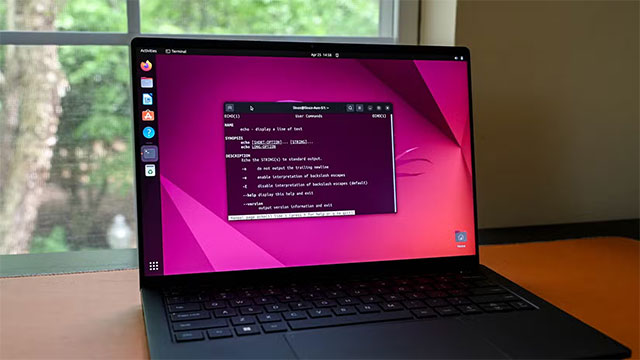
WSL lets you get started with Linux slowly. By default, WSL installs Ubuntu, but you can try out over a dozen other distributions by:
- Open PowerShell, type wsl --list --online to see the list.
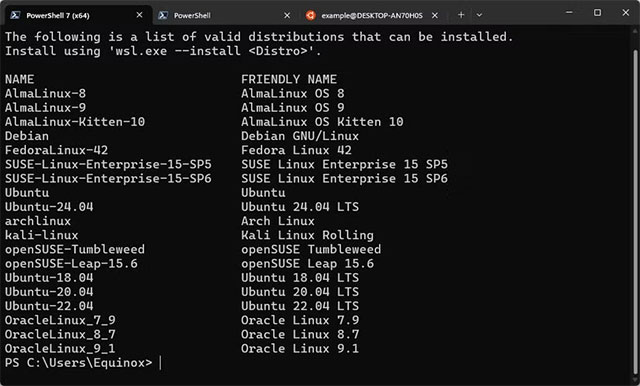
- Install the desired distribution with the command:
wsl --install
3. No Need Dual Boot
Dual booting is complicated and risky. If something goes wrong, it can take a long time to fix. WSL eliminates these hassles, allowing you to run Linux right on Windows without affecting your system.
4. Access Linux Applications and Commands
The Linux open source ecosystem has thousands of useful tools, but many of them only run on Linux. WSL lets you use these tools directly from Windows, and even manipulate Windows files with Linux utilities.
If you're familiar with Bash scripting, you can use Bash instead of learning PowerShell. Starting in 2021, WSL2 will also support Linux GUI applications.
5. Easier Programming
The majority of servers and smart devices in the world today run Linux because this operating system is well optimized for resource-constrained systems. Therefore, writing code on Windows and then porting it to Linux for testing often leads to unexpected compilation errors.
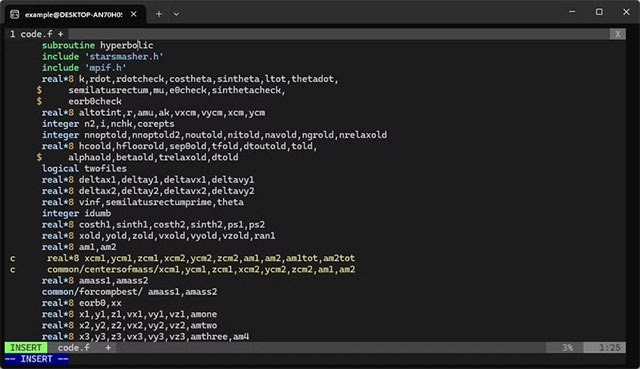
Linux is a more developer-friendly environment. for instance, to install the GNU Compiler Collection (GCC) on Ubuntu, you just need to use the command:
sudo apt install build-essential
While on Windows, you have to install MSYS2 , mingw-w64 and edit environment variables manually.
6. WSL Is Easier to Use Than Linux with Wine/Proton
If you need to use both Windows and Linux, WSL is more convenient than running Wine/Proton on Linux to use Windows software.
for instance, gamers have trouble with anti-cheat software on Linux, and applications like Photoshop require complex operations to run on the operating system. In this case, running Linux via WSL and keeping Windows is the optimal choice.
WSL also helps you get used to the command line – the 'hard' part of Linux. When you switch to Linux full-time, you will find that everyday tasks do not require the command line as much as Windows/macOS.
In short, WSL is the perfect bridge to explore Linux, develop software, or take advantage of open source tools right on Windows. Try it now to experience the flexible world of two operating systems in one!
FAQ
How were the reasons you should try windows subsystem for linux (wsl) options evaluated?
The comparison focuses on practical features, ease of use, limitations, compatibility, and the type of user each option is most likely to help.
Which option is best for beginners?
Beginners should prioritize a clear interface, useful documentation, reliable support, and the core features needed for their first project.
Should I choose a free or paid option?
Start with a free option when it covers your needs. A paid plan may be worthwhile when you need advanced tools, commercial rights, collaboration, or professional support.
Related Articles
 Instructions for Installing Windows Linux Subsystem on5 minutes read
 How to Install Windows Subsystem for Linux 2 on Windows 105 minutes read
 Windows Subsystem for Linux Is About to Appear on Windows Server3 minutes read
 How to Run Linux Desktop Using Windows Subsystem for Linux9 minutes read
 How to Enable the Windows Subsystem for Linux3 minutes read
 Windows Subsystem for Linux: Complete Guide7 minutes read
Reader Comments 0
Sign in with email or Google to join the discussion.