Table of Contents
Over time, or sometimes by nature, useful apps become so overloaded with so much nonsense that they become much less appealing. These Windows bloatware apps leave you longing for simpler options with fewer features, but that get the job done.
4. Microsoft 365/Office
Have you ever stopped to notice how much stuff is packed into Office applications like Word and Excel? Even though these programs are the foundation of many Office and home environments, you may not be using half of their features.
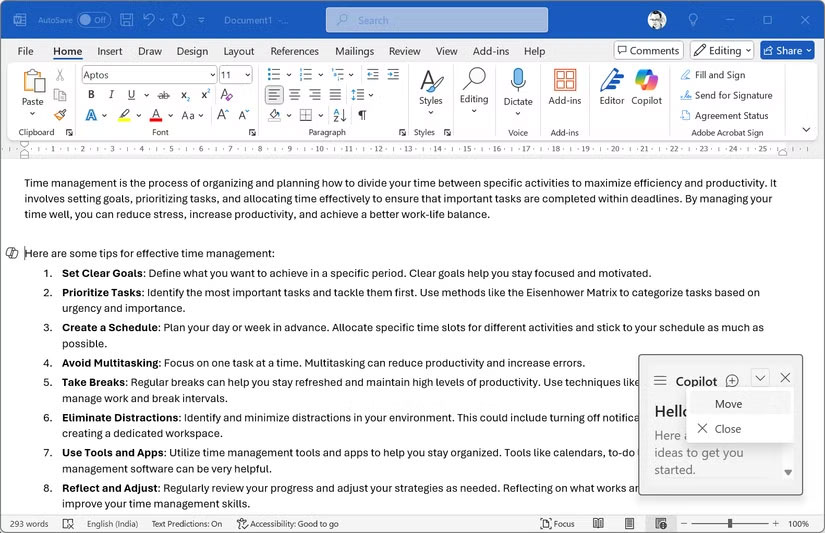
Many people don't even use core features like Styles, paragraph breaks, and content controls. Then you have to dig through all the ribbons, buttons, settings menus, and other ways to use Word and Excel to find their buried tools. So it's no wonder most people don't know about half of the coolest Office features.
3. Security toolkits
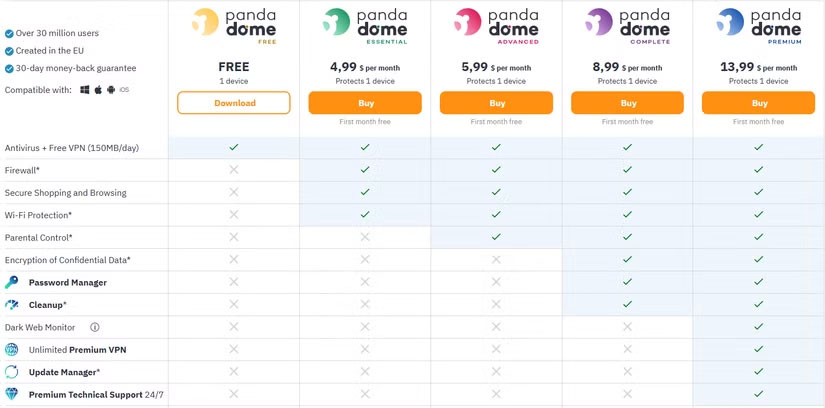
Security tools like AVG, Avast, and Norton used to offer core antivirus protection and a few other features. But after Windows finally included its own antivirus software with Microsoft Defender, third-party security suites started adding more features to make their products more valuable.
This has led to multi-tiered subscriptions, where services that once focused on malware protection are now trying to become all-in-one toolsets for anything security-related.
For instance, Avast has two paid tiers, with the more expensive option including a VPN, PC cleanup tools, and online identity protection. Meanwhile, Norton's top plans include phishing protection, cloud backup, a password manager, VPN, parental controls, identity theft protection, and more.
2. ShareX
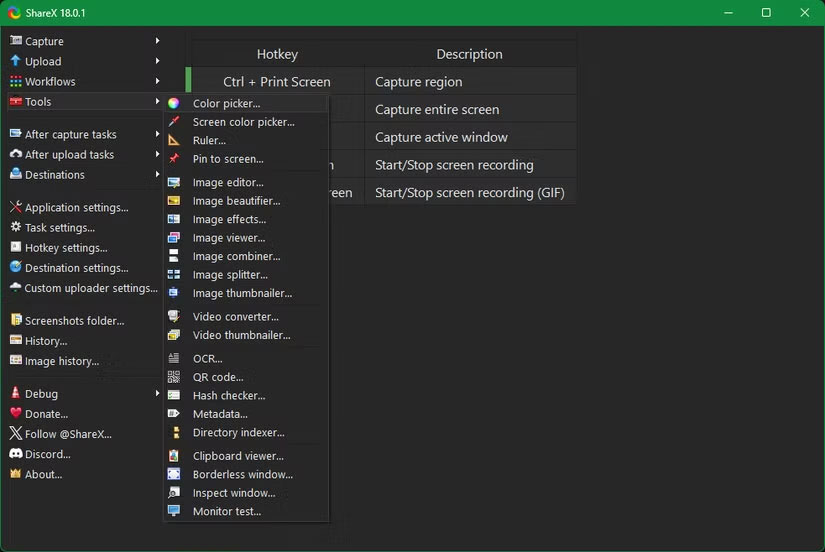
Despite calling ShareX bloatware, it's not a bad app. In fact, it's arguably the best free screenshot tool for Windows. However, its high level of customization and power may not be suitable for newcomers or anyone who wants a simpler screenshot app.
Sharex includes a wide range of capture options, plus a powerful editor for editing screenshots after you've taken them. This is all to be expected, but the app's tons of options quickly become overwhelming for most people.
1. PC Manager
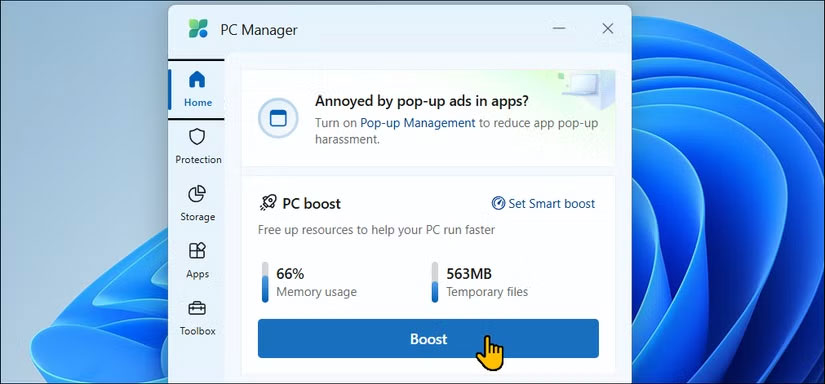
Microsoft released PC Manager in 2024 as a way to help optimize your system. And while it's a lot better than third-party cleaning apps that can mess up your system, it's still bloated beyond its intended purpose and doesn't offer many unique features.
PC Manager consists of several tabs. At Home , PC Boost lets you free up RAM, which can provide a temporary boost on weak systems but isn't a long-term solution.
Protection includes security scans, updates, and restoring the taskbar and default apps to factory settings (so Microsoft can push its tools on you). Pop-up management can be useful, but in most cases you're better off uninstalling pop-up spam or disabling notifications you don't want from legitimate apps. Network check is a handy troubleshooter when problems arise.
Storage duplicates some tools like Disk Cleanup and Storage Sense, though it lets you easily find large and duplicate files, which is useful. Everything on the Apps page is duplicated from the apps panel in Settings and Task Manager. And Toolbox packs useful features in one place, but you can have shortcuts to apps you use often. The Restore panel is dedicated to changing settings back to their defaults, like making Bing the default search in Edge.
Final Thoughts
The development covered in this article is worth following, but specifications, dates, and feature details may change until the relevant company or organization publishes an official confirmation.
FAQ
What is the main development covered in this article?
Over time, or sometimes by nature, useful apps become so overloaded with so much nonsense that they become much less appealing. These Windows bloatware apps leave you longing for simpler options with fewer features, but that get the job done.
What should you know about 4. Microsoft 365/Office?
Have you ever stopped to notice how much stuff is packed into Office applications like Word and Excel? Even though these programs are the foundation of many Office and home environments, you may not be using half of their features.
Is every reported detail officially confirmed?
Not necessarily. Product leaks, preview builds, research reports, and early announcements can change. Confirm important specifications, dates, and availability through an official source before making a decision.
Related Articles
 How to Quickly Remove Bloatware from Windows 11: Complete Guide8 minutes read
 3 Disadvantages of Removing Bloatware on Windows 11: Practical Guide5 minutes read
 3 Reasons Why You Need to Remove Bloatware from Windows Immediately8 minutes read
 Bloatware List Can Be Uninstalled or Safely Deleted from Android Device Synthesized by Androidsage11 minutes read
 How to Remove Bloatware Software on Android5 minutes read
 What Is Bloatware? How to Remove Bloatware?12 minutes read
Reader Comments 0
Sign in with email or Google to join the discussion.