Table of Contents
Command Prompt is a simple command-line shell. You can use it to copy files, command line logic, and even as a download manager. However, it was never on par with its Unix counterparts. There are no tabs and no split-screen; just one black window at a time.
Windows Terminal was released in 2019, but many people didn't switch to the new app until Microsoft made it the default option in Windows 11. Windows Terminal handles everything Command Prompt does, plus the workflow features Linux users have loved for decades.
4. Multiple tabs and split panes
Great for multitasking
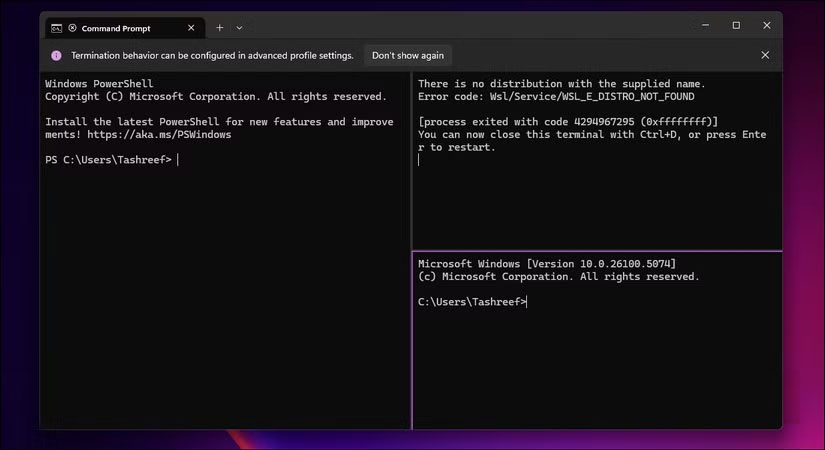
Windows Terminal adds support for multiple tabs, something Command Prompt never had. When you open the terminal, press Ctrl + Shift + T to open a new tab, and Ctrl + Tab to switch between tabs. Each tab maintains its own session, so you can run a build process in one tab while monitoring logs in another without cluttering your taskbar with separate windows.
Not only that. Windows Terminal also offers a split pane feature, which lets you split a tab into multiple panes. Press Shift + Alt + Minus (-) to split horizontally or Shift + Alt + Equals (=) to split vertically.
If you press Shift + Alt + Arrow keys , you can adjust the frame size.
3. One terminal, many shells
All command line tools, including CMD and PowerShell
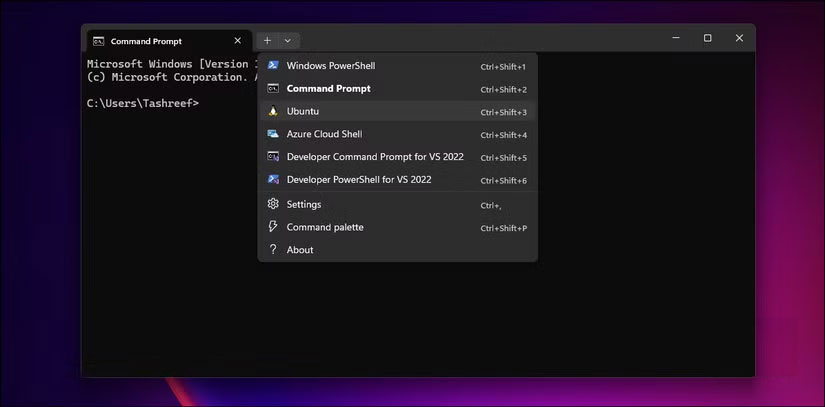
One nice thing about Windows Terminal is that if you're used to using cmd.exe or classic PowerShell, you can launch them from the terminal app. It unifies everything, so command line shells like Command Prompt, PowerShell, Git Bash, Azure Cloud Shell, and any WSL distribution are all in the same app.
Each tool has its own profile with customizable settings. Your PowerShell profile may use a different color scheme and fonts than your Command Prompt profile. Improved font rendering also means that PowerShell modules like PSReadLine and Terminal-Icons display correctly with syntax highlighting and file type icons.
2. Better customization options
Personalize with custom colors and themes
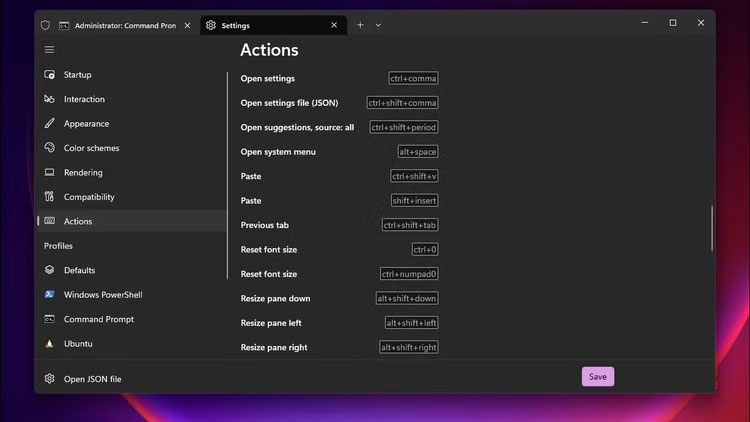
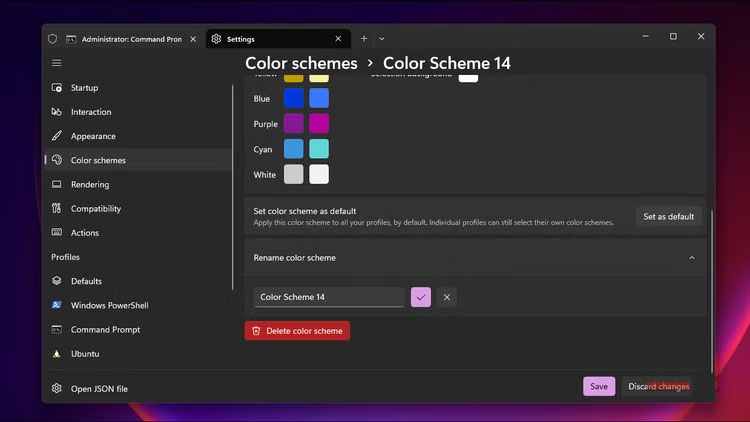
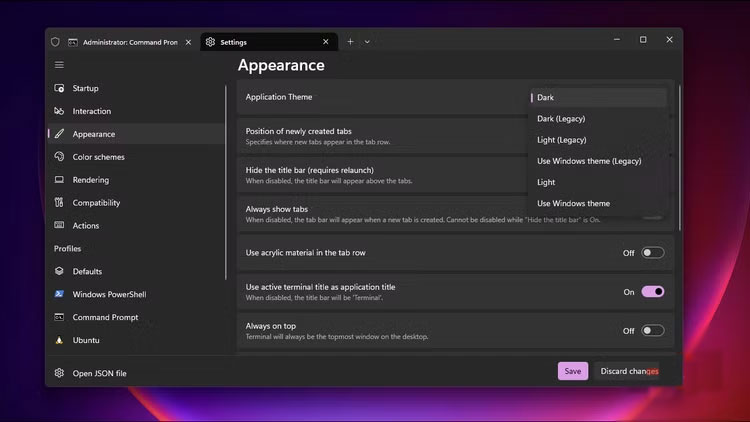
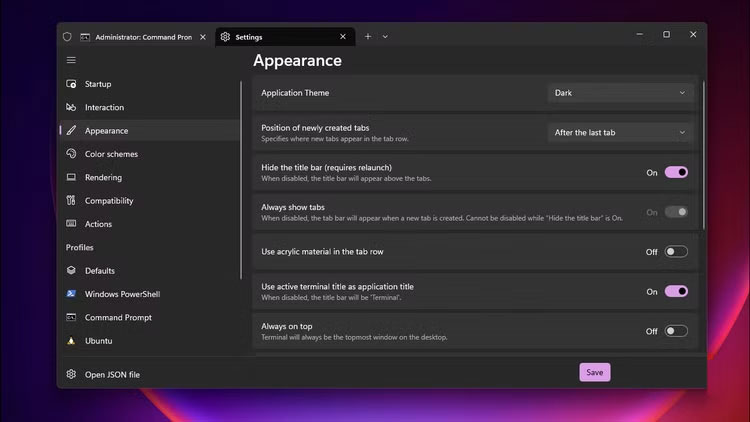
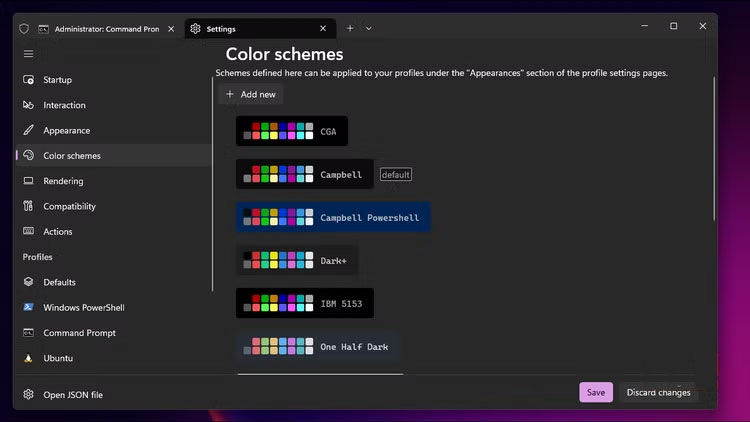
Windows Terminal is also great for customization. You can change the look of the prompt, choose a custom font, adjust the text size, and apply a full theme. While Command Prompt offers 16 colors and two fonts, Windows Terminal supports any monospaced font on your system and allows full RGB color customization.
You can access Settings via the GUI or by editing the settings.json file directly. This allows you to set transparency with an opacity slider, add a background image to your profile, adjust spacing for better readability, and import community themes with just a few clicks. Each profile maintains its own appearance settings.
1. Built-in Linux support
Works well with Windows Subsystem for Linux
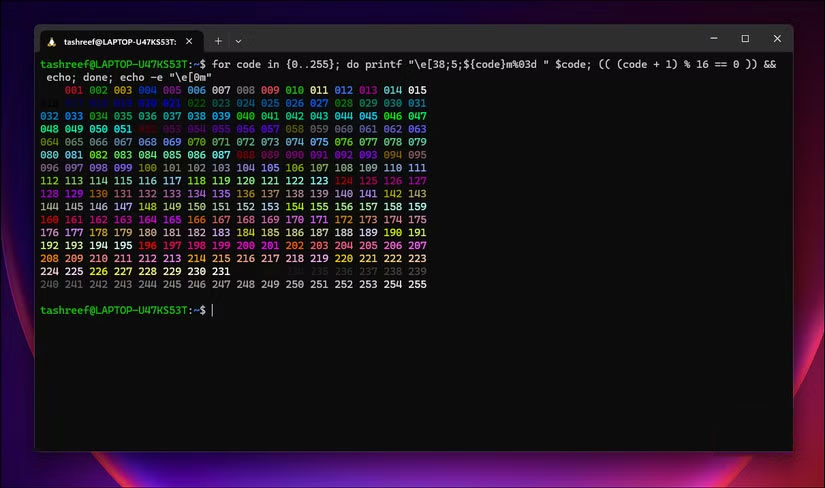
Windows 10 and 11 let you run Linux environments on your Windows PC, thanks to the Windows Subsystem for Linux (WSL). Windows Terminal lets you access Ubuntu in the same place as PowerShell, treating Linux distributions as part of the operating system rather than an add-on.
When you install a WSL distribution, Windows Terminal automatically creates a configuration for that distribution. You can open Ubuntu, Debian, and Alpine tabs alongside Windows shells. Windows Terminal supports clickable paths, and with WSL's path translation feature, you can easily navigate between Linux and Windows file systems.
In Command Prompt, accessing WSL means typing wsl and losing all Windows context. You can't easily copy paths between environments or maintain visual consistency. Windows Terminal gives the native WSL feel.
Final Thoughts
The development covered in this article is worth following, but specifications, dates, and feature details may change until the relevant company or organization publishes an official confirmation.
FAQ
What is the main development covered in this article?
Command Prompt is a simple command-line shell. You can use it to copy files, command line logic, and even as a download manager. However, it was never on par with its Unix counterparts. There are no tabs and no split-screen; just one black window at a time.
What should you know about Great for multitasking?
Windows Terminal adds support for multiple tabs, something Command Prompt never had. When you open the terminal, press Ctrl + Shift + T to open a new tab, and Ctrl + Tab to switch between tabs.
Is every reported detail officially confirmed?
Not necessarily. Product leaks, preview builds, research reports, and early announcements can change. Confirm important specifications, dates, and availability through an official source before making a decision.
Related Articles
 How to Set Windows Terminal to Always Open with Command3 minutes read
 Set up Windows Terminal to Always Open with Command Prompt3 minutes read
 Notable Changes in Windows Terminal Ver 0.113 minutes read
 6 Best Command Prompt Alternatives for Windows6 minutes read
 How to Delete the User and the Machine Name in the Command Prompt3 minutes read
 Windows Terminal Will Soon Become the Default Terminal3 minutes read
Reader Comments 0
Sign in with email or Google to join the discussion.