Table of Contents
Learn how to choose the best AI tool for different needs with clear steps, practical tips, and troubleshooting guidance for a reliable result.
Writing and Marketing
While most AI chatbots handle basic writing tasks, they don't always do a good job of making text sound human or catering to a specific type of content, such as marketing or social media.

To create text-based content, use:
- ChatGPT – Ideal for outlining, conducting research, editing content, and making AI content sound more human-like. With the right techniques, the free version works quite well.
- Claude – It excels at complex writing tasks, including creative writing. It also works well for research, which makes it useful for technical writing as well.
- Grammarly – While Grammarly can generate content, it's an indispensable tool for editing AI-powered content. Find errors, change the tone, and rewrite in seconds.
- Jasper and Writesonic – This article groups these two tools together because both are used for writing and managing marketing content. The downside is that neither is free, although they offer free trials. However, as versatile AI marketing content chatbots, they are hard to beat.
Research and analysis
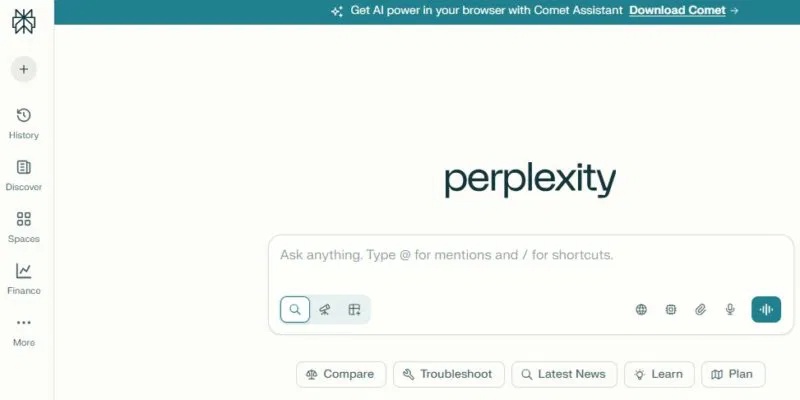
Most AI chatbots offer web research functionality, but some do it better than others. If you need more in-depth research and analysis, try asking your questions with:
- Consensus – Unlike AI models that are trained on anything they can find on the internet, Consensus uses verified research papers to provide answers based on academic research.
- Perplexity – Source verification is crucial when using AI for research. Perplexity does a great job of citing sources better than most other AI chatbots. The free plan is very generous, but for regular users, upgrading to the $20/month plan with higher limits might be worthwhile. It even has its own browser.
Create image
People have tried several AI chatbots to generate images, and the results have been terrible. Some are even hard to tell that AI was used. While ChatGPT 's GPT-40 and DALL·E 3 models perform well, they are still not the best choice for more detailed and realistic images.
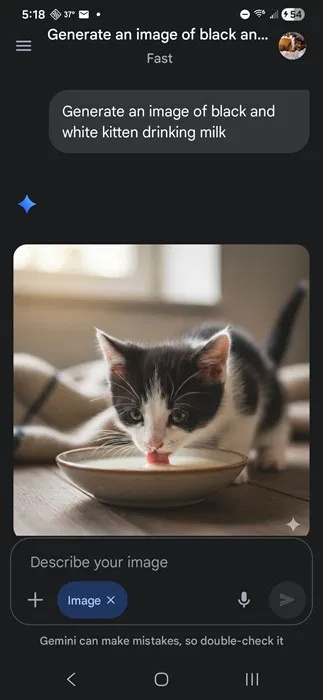
Instead, try this:
- Google Gemini (Nano Banana) – Nano Banana is one of the easiest chatbots to use and works well with realistic images. It's also free to use, although the free plan has some limitations.
- Adobe Firefly – For any Adobe user, Firefly is a no-brainer choice. Easily create detailed images, fine-tune details, and integrate your creations directly into other Adobe applications.
- Stable Diffusion – This is one of the most feature-rich options for image creation. There are many ways to use it, including a web version. It's open source and well worth learning how to create stunning images.
Create video
Choosing the best AI chatbot for video creation depends on the type of video you want to create.
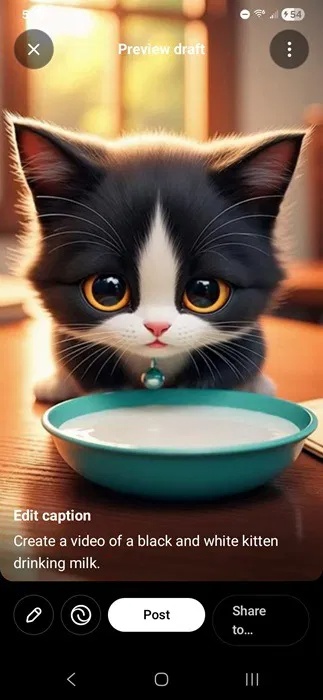
The best options include:
- Sora – You can access Sora through ChatGPT or the Sora app. It's one of the most popular chatbots for creating more realistic video clips and even stylized clips.
- Google Veo 3 – You'll find this chatbot in Gemini or Google AI Studio. It easily creates both surreal and stylized videos using commands. Try it for free with certain limitations, or upgrade for higher limits starting at $20/month.
- Adobe Firefly – For brand-safe AI videos, this is your best option. The app allows you to create basic yet high-quality clips for free.
Productivity integration
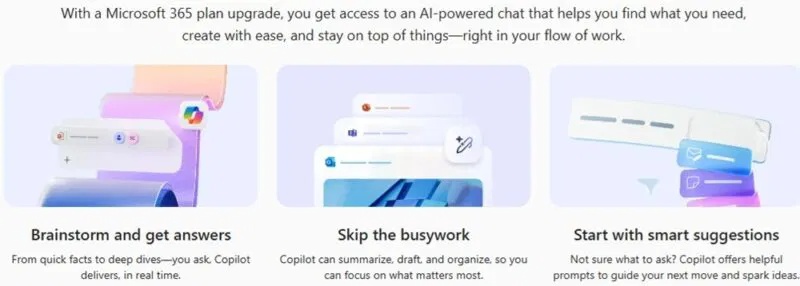
Many people appreciate not having to sign up for another app, so if you want to integrate an AI chatbot with the productivity tools you already use, choose:
- Microsoft 365 Copilot – This application is built into Windows and, for Microsoft 365 users, you can use it directly in most Office products. It works well for writing, editing, image processing, and even video.
- Google Gemini – If you prefer Google Workspace, use Gemini. You only need the Google Workspace premium plan to use it. Otherwise, it works similarly to Copilot in Microsoft 365. You can also disable it if you don't like it.
Final Thoughts
Use this guide as a practical checklist for how to choose the best ai tool for different needs. Work through the steps in order, verify each result, and adjust the options to match your needs.
FAQ
What do you need before following this How to Choose the Best AI Tool for Different Needs guide?
Review the required tools, accounts, settings, or materials mentioned in the article. Learn how to choose the best AI tool for different needs with clear steps, practical tips, and troubleshooting guidance for a reliable result.
What are the main steps for how to choose the best ai tool for different needs?
Follow the sections in order, especially Writing and Marketing, Research and analysis, Create image. Complete each step before continuing and verify the result as you go.
What should you do if the process does not work as expected?
Recheck the prerequisites, update the relevant app or service, review the settings, and repeat the step that caused the issue. Use any troubleshooting notes included in the guide.
Related Articles
 Microsoft's New Tool Helps Select the Right Windows 10 Device3 minutes read
 How to Choose All the Same Colors in Photoshop6 minutes read
 Sharex vs Greenshot: Which Screen Capture Tool Should You8 minutes read
 Choose Laptops: So Choose a Computer, Laptop How to Fit?6 minutes read
 How to Choose SSD to Suit Your Needs7 minutes read
 Tinder Integrates a New AI Tool to Automatically Select the Most3 minutes read
Reader Comments 0
Sign in with email or Google to join the discussion.