Table of Contents
Discover why is chrome's sync feature a privacy nightmare and explore the main causes, risks, practical effects, and recommended actions.
With sync, you can switch from one device to another and pick up where you left off, as Chrome saves your browsing history to the cloud. However, while it makes it convenient to switch from mobile to PC and pick up where you left off, many people have recently stopped using sync after discovering how much of their data is uploaded to the cloud.
What does Chrome sync upload to the cloud?
Huge amounts of data are uploaded to the cloud
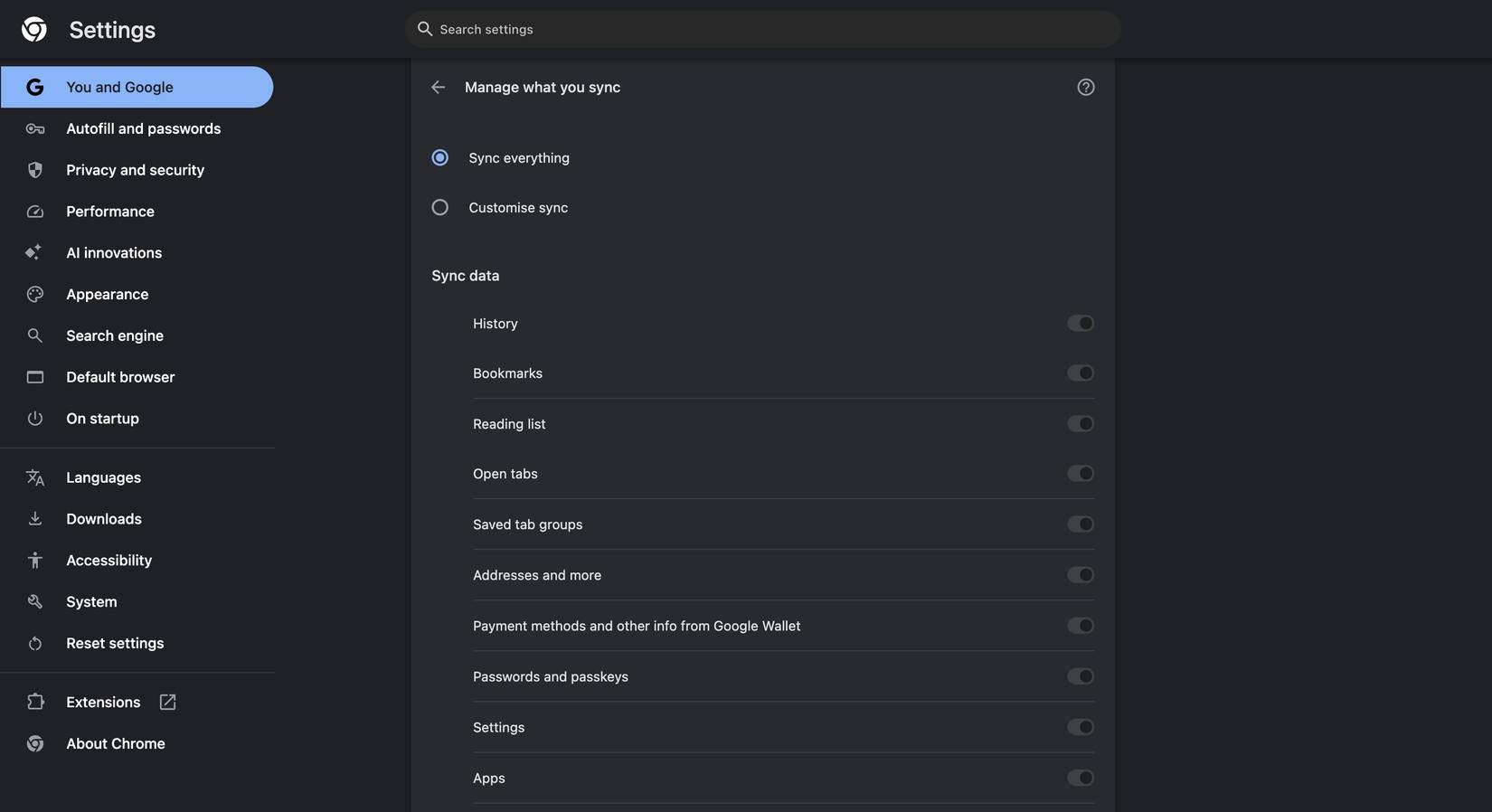
For those who don't know, Chrome's sync feature links your Google account to the browser, saving various types of data to your account. To allow you to switch between devices and pick up where you left off without missing anything, Chrome has to upload various types of data to Google's cloud for sync to work.
This includes things like bookmarks, history, extensions, payment details, addresses, phone numbers, themes, settings, and reading list entries. That means almost everything (if not everything) you do in your browser is recorded by Google and saved to the cloud. Every article you save for later and tab you open is uploaded too—even the ones you want to keep private.
That's a lot of personal data, but it doesn't stop there. If you're using Google's Password Manager, which is built into Chrome, all your passwords will also be uploaded to the cloud if sync is enabled. While Google gives you flexibility on what you sync, all of this data is synced by default if you don't do anything. That means most people have all of their data sent to Google's servers without a second thought, just for convenience's sake.
Why is Chrome's sync feature a privacy nightmare?
It's convenient, but it comes at a high price
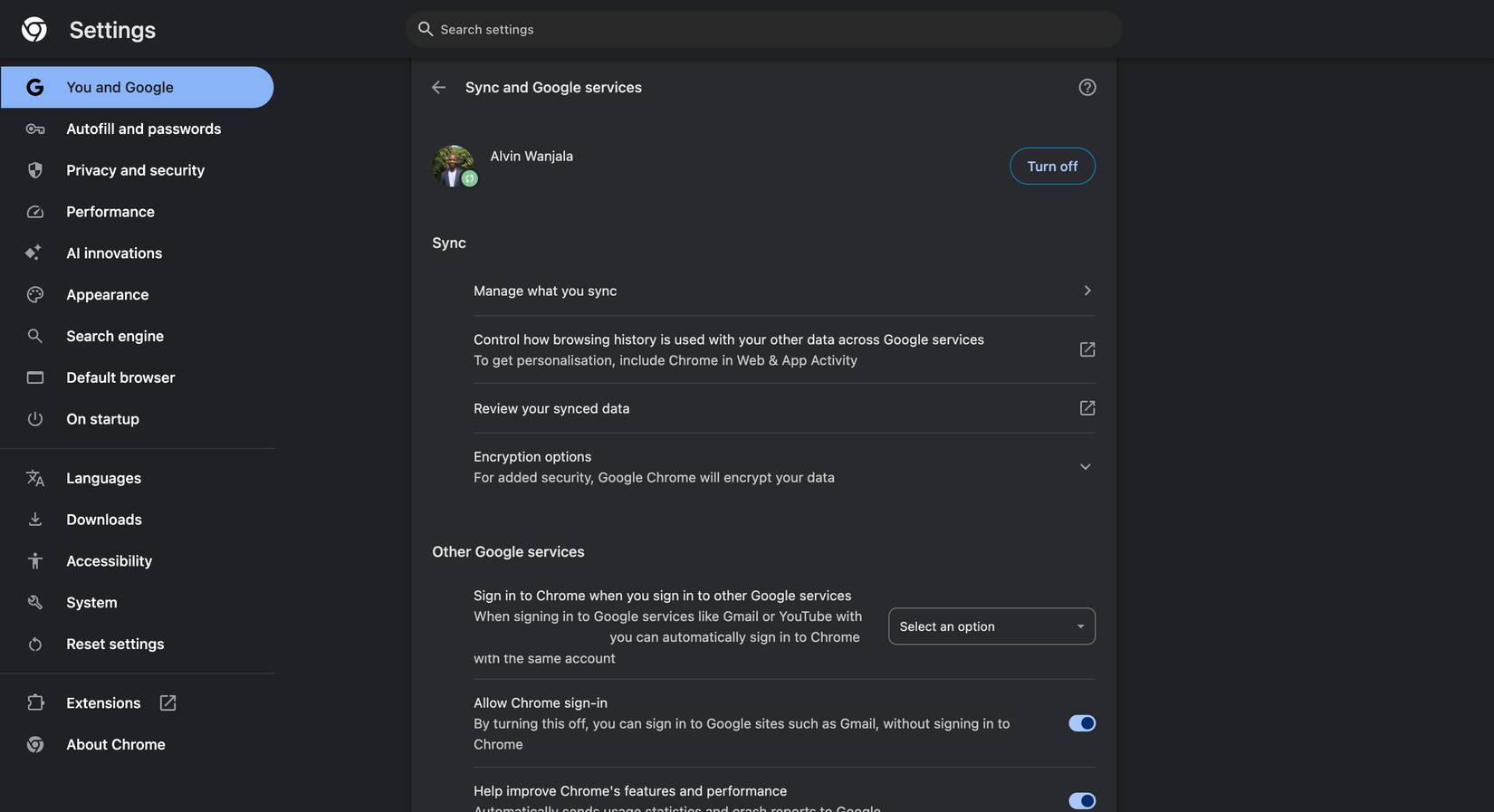
The beauty of Chrome's sync feature, of course, is its convenience and how easy it is to switch from one device to another. It works like magic. You just pick up your tablet or phone and whatever you were reading on your laptop is instantly available. Great, right? But after learning about the data being uploaded to Google's servers, many people are starting to wonder how much this convenience is costing them in terms of privacy.
The biggest downside is that all this data is not only uploaded to a cloud server somewhere, but also linked to your Google account. That means Google holds a detailed snapshot of almost everything about you. It's not just your personal data—like your name, birthday, or location—but also details you've never been asked for and would never willingly share, like what you read, what you buy, and even what you plan to do or where you plan to go next.
While Google claims that this synced data is safe, the issue isn't just security. Unauthorized access is another big concern. If someone gains access to your Google account, they'll have all of your information—passwords, browsing history, and pretty much everything else that's synced. There's also the issue of cross-device tracking, as all of your activity across devices is saved to one account. This makes it easy for Google to create a timeline of your online activity by tracking your every move so you can seamlessly transition between devices.
By syncing all your browsing data across devices, the company actually knows more about you than you realize. Of course, this benefits the company when it comes to its vast advertising business, which relies heavily on tracking user activity and building user profiles to serve targeted ads. So don't be surprised if you search for rental properties and start seeing more ads from real estate companies—you're telling Google you're looking for a new place to live.
Google has even been fined for tracking user activity in Chrome's Incognito mode, which shows just how far the company is willing to go to track your activity, and why you shouldn't trust Chrome's Incognito mode. That's just one example. Google's privacy issues are well-documented across the internet. The company's past privacy policies certainly didn't help, as many people were willing to stop using Sync after learning about it.
You don't need to sync browser data with Google servers
Chrome's sync feature seems like a must-have, but you don't need it. It has its benefits, but the price of convenience is high. If you're not sure you're taking advantage of its main strength—the ability to seamlessly switch from one device to another—it doesn't make sense to have it. If you're wondering which password manager to use instead of Chrome, there are plenty of options out there, like Bitwarden, 1Password, Keeper, and Dashlane.
Final Thoughts
Understanding why is chrome's sync feature a privacy nightmare makes it easier to evaluate the information and apply the most relevant recommendations. Focus on the key points above and verify details that may change over time.
FAQ
What is why is chrome's sync feature a privacy nightmare?
Discover why is chrome's sync feature a privacy nightmare and explore the main causes, risks, practical effects, and recommended actions.
What key points does this article cover?
The article focuses on What does Chrome sync upload to the cloud?, Huge amounts of data are uploaded to the cloud, Why is Chrome's sync feature a privacy nightmare?, with practical explanations and examples.
How can you use this information in practice?
Use the explanations to compare options, verify important details, and make a more informed decision. Apply the recommendations that best match your goals and situation.
Related Articles
 How to Fix Sync Feature on Windows 10 Not Working6 minutes read
 Android Phone Default Settings Are a Privacy Nightmare11 minutes read
 Fix the Google Chrome Sync Feature Not Working6 minutes read
 Code Endless Nightmare 5: Latest Curse and How to Enter the Code6 minutes read
 What Is Privacy Dashboard on Android 12? Why Can It Be5 minutes read
 Sync Photos on Mobile with Facebook Account4 minutes read
Reader Comments 0
Sign in with email or Google to join the discussion.