Table of Contents
Google Opal lets you build small AI-powered workflows without writing conventional code. You connect input, generation, and output steps visually, then describe what each step should do in plain language.
The Agent step makes those workflows more flexible. Instead of following only one fixed sequence, an agent can choose an appropriate action, follow conditional instructions, remember approved context, and ask follow-up questions. The three patterns below are useful when a basic prompt-to-output app is no longer enough.
Availability and labels can change while Opal is experimental. If a control described here is missing, check the options shown in your workspace rather than assuming every account has the same rollout.
1. Route requests according to their content
A simple Opal workflow usually has a predictable path: collect input, generate a result, and display it. That is suitable when every user needs essentially the same operation. It becomes restrictive when different requests require different tools or outputs.
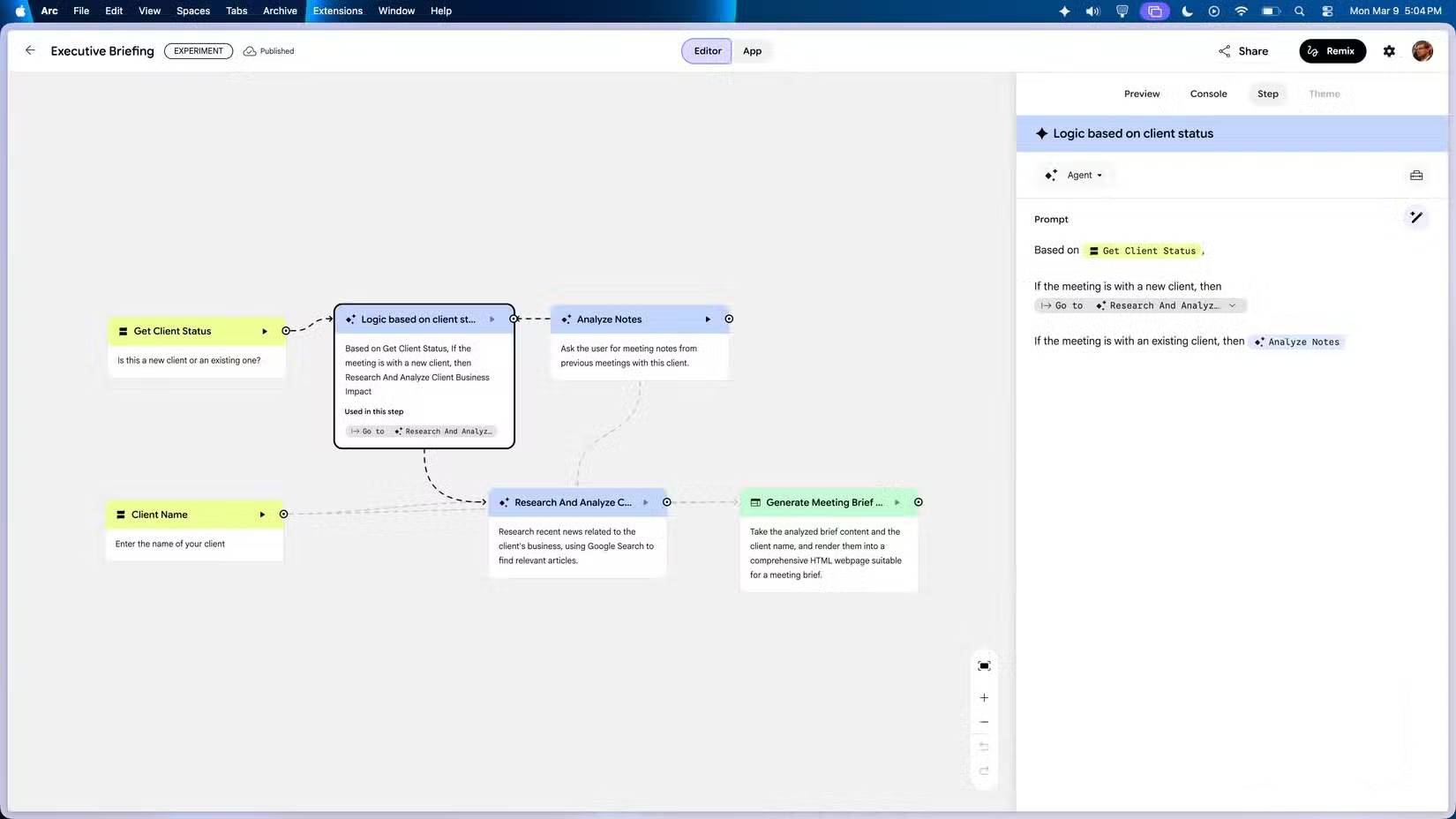
An Agent step can interpret the request and decide which permitted path to use. For example, a content assistant could:
- summarize text when the user pastes an article;
- suggest headlines when the user provides a topic and audience;
- create an image brief when the request is visual;
- ask for clarification when essential information is missing.
Write the routing rules explicitly. Plain-language conditions are easier to test than a vague instruction such as “handle the request intelligently.” A useful instruction might be:
If the user provides source text, summarize only that text. If the user provides a topic but no source, create an outline. If neither is present, ask for the topic and intended reader before continuing.
Keep the number of branches manageable. If one agent must choose among too many unrelated jobs, errors become harder to diagnose. Separate workflows are often clearer for tasks with different inputs, privacy requirements, or success criteria.
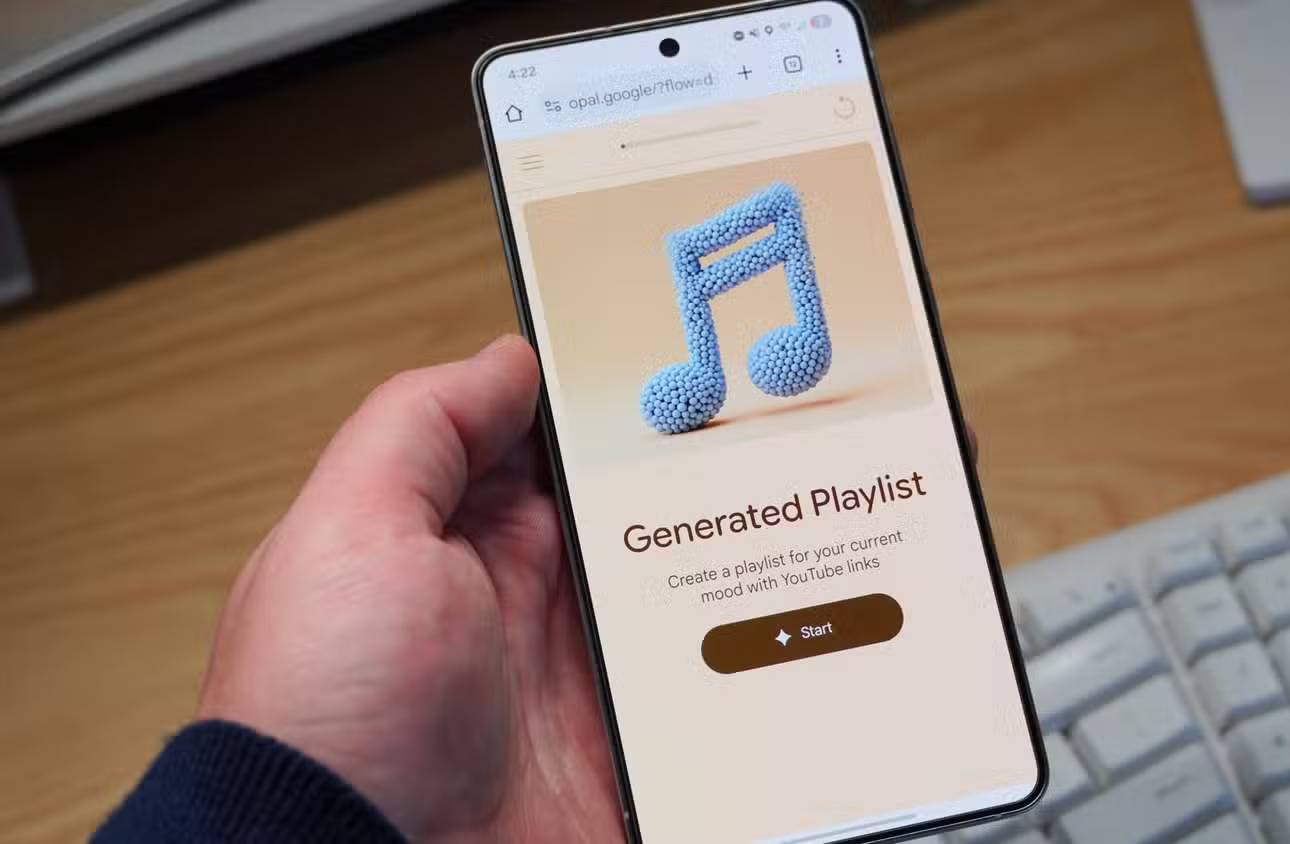


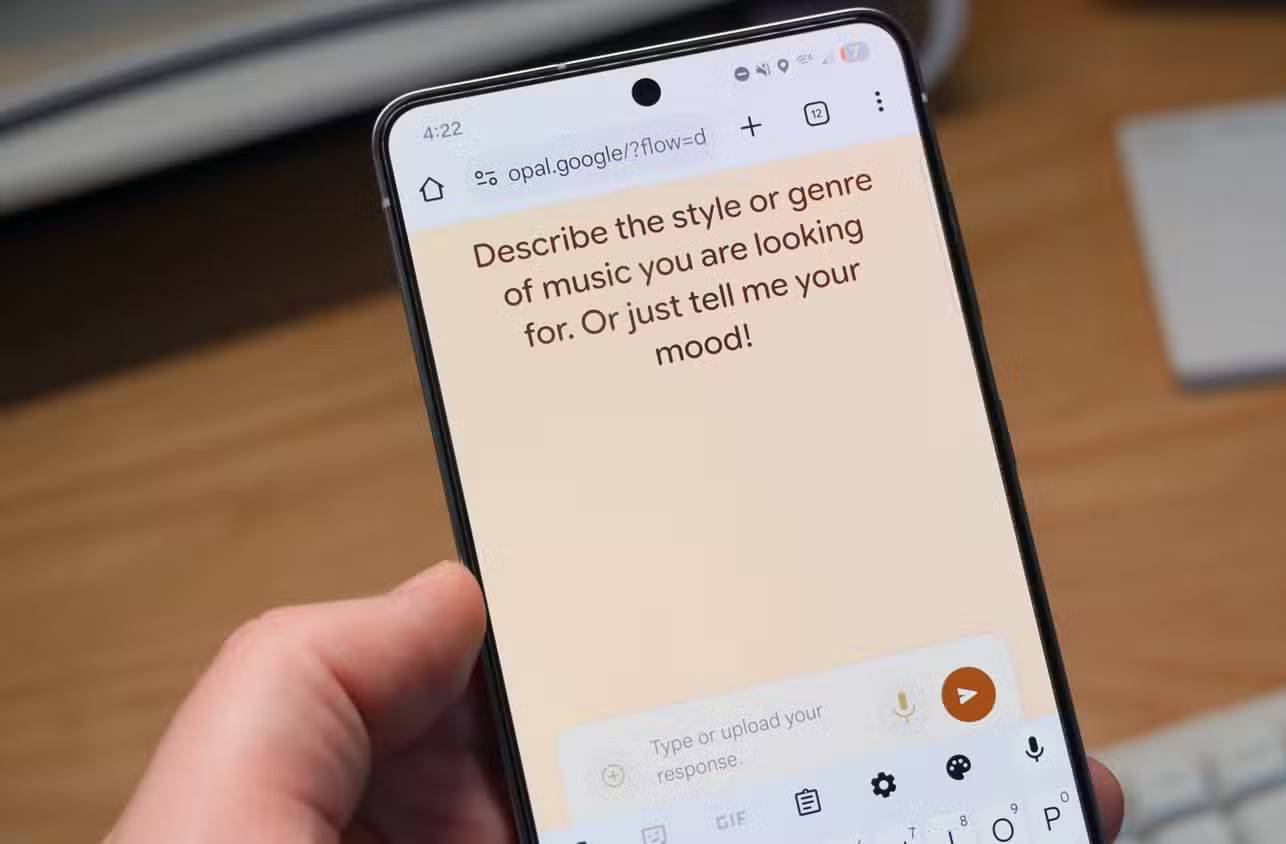

How to test conditional routing
- Create one representative input for every branch.
- Add an ambiguous input that should trigger a follow-up question.
- Add a request that the app should refuse or route to a safe fallback.
- Run each case and note which step was chosen.
- Tighten any condition that overlaps with another branch.
Do not judge routing from one successful example. A mini app should behave predictably across ordinary, incomplete, and unexpected requests.
2. Use memory for stable, approved context
Repeatedly entering the same brand voice, audience, or project background wastes time. When memory is available, an Agent step can reuse that context in later interactions.
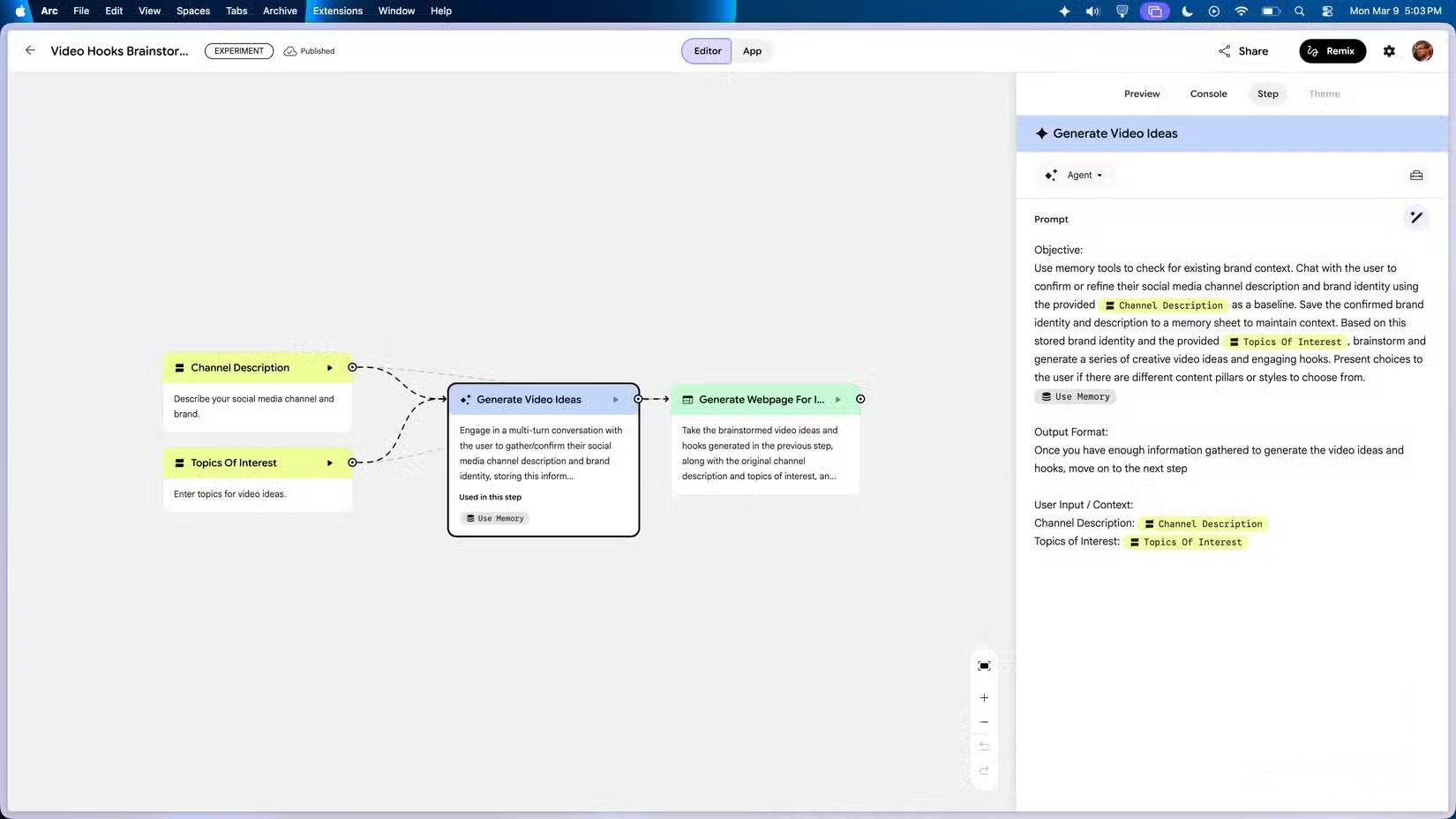
Good candidates for memory include a confirmed company description, preferred output format, product terminology, or a user's stated writing tone. Temporary requests and sensitive data should not be stored by default.
A safer memory instruction has three parts:
- Read: check whether relevant context already exists.
- Confirm: show or summarize it when accuracy matters.
- Write: save only information the user has approved for reuse.
For example: “Check saved brand context. Ask the user to confirm or correct the audience and tone. Save the confirmed version for future content requests.” This is more dependable than silently treating the first answer as permanent.
Give users a way to correct memory
Persistent context becomes harmful when it is outdated. Include a command or branch that lets a user review, replace, or clear saved details. For shared mini apps, avoid memory that could expose one person's information to another session. Test the app with a fresh account or clean session before distributing it.
3. Let the agent ask follow-up questions
A single input box often does not collect enough information for a useful result. A campaign brief, for example, may need an audience, goal, channel, tone, constraints, and source material. Creating a separate fixed input for every possibility can make the workflow cumbersome.
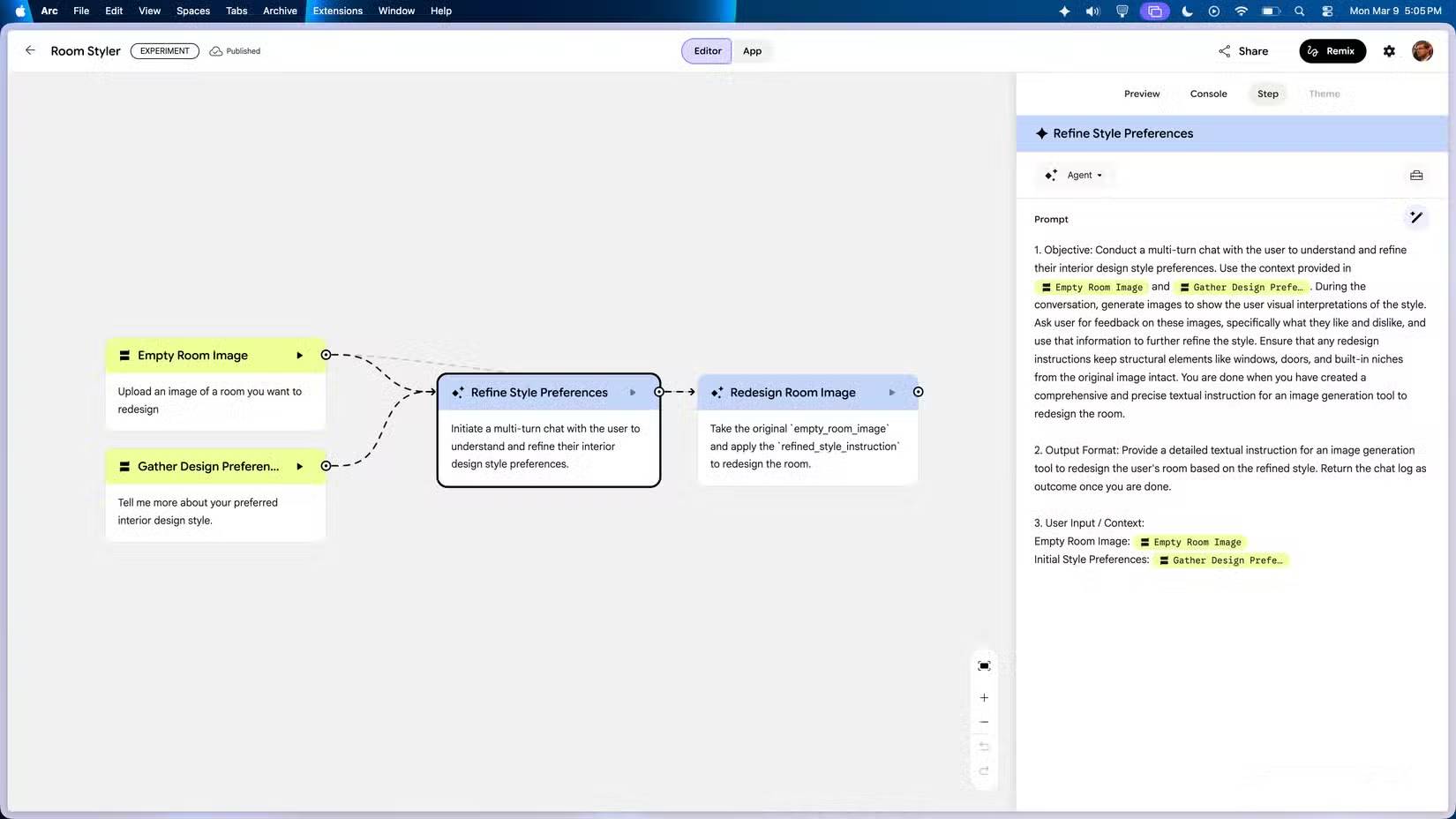
With a multi-turn Agent step, the mini app can inspect the initial request and ask only for missing details. The instruction should identify what is essential and when the agent must stop asking questions.
For a social-post generator, you might specify:
- Always obtain the platform and intended audience.
- Ask for tone only if the user has not supplied one and no approved preference is stored.
- Ask no more than three concise follow-up questions at a time.
- Before generating, briefly restate the constraints for confirmation when the request is high impact.
This prevents two common failures: producing a generic answer too early and trapping the user in an unnecessarily long interview.
Combine the three patterns in one practical app
Consider a mini app that turns rough product notes into marketing material:
- The agent asks for the product, audience, and desired channel if any are missing.
- It reads an approved brand profile from memory and lets the user update it.
- It routes the request to a short post, email outline, or image brief according to the chosen channel.
- It displays the result with the assumptions used, making mistakes easier to spot.
Build and test each behavior separately before combining them. Start with the normal path, add one conditional branch, then introduce memory and conversation. This makes it much easier to identify whether a poor result comes from the prompt, the routing rule, stale context, or insufficient input.
Final checks before sharing an Opal mini app
- Test every route with realistic and incomplete inputs.
- Confirm that remembered data is necessary, accurate, and removable.
- Do not place passwords, API keys, or confidential records in prompts or memory.
- Make fallback behavior clear when an action or model is unavailable.
- Ask another person to try the app without instructions; their confusion will reveal gaps in the flow.
Agent-based workflows are most useful when they reduce rigid setup without hiding important decisions. Clear conditions, controlled memory, and focused follow-up questions make a no-code mini app more adaptable while keeping its behavior understandable.
Related Articles
 What Is Google Opal? A Guide to Building AI Mini Apps9 minutes read
 Learn About Mini PC8 minutes read
 The 7 Top Mini PCs for Every Budget: Top Picks and Buying Guide10 minutes read
 Australia Discovered Dinosaur Fossils Turned into Gems8 minutes read
 Why Mini PC Is All You Need?6 minutes read
 Why Upgrade from Mac Mini M1 to Mac Mini M4?8 minutes read
Reader Comments 0
Sign in with email or Google to join the discussion.