Article on the subject of "find my iphone"
-
Warning: A website appears to help bad guys lock iCloud remotely and turn your iPhone into a brick
this site allows bad guys to turn any iphone into a paperweight if the owner is open.
-
Tips to find the lost AirPods headphones again
the $ 159 for a pair of airpods is not cheap, so before you consider buying a new one, try using these search methods.
-
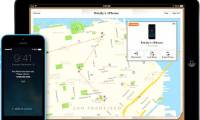
Find iPhone, iPad lost by Find My iPhone
how to find lost iphone? on iphone, ipad with find my iphone feature is very useful in this case. this is a specific guide to find lost iphone, ipad with find my iphone, find my ipad for you.
-
Instructions for using Apple Watch to find iPhone
if you accidentally leave your iphone somewhere, don't remember. you don't know how to find iphone. the following article the network administrator will show you how to find an iphone phone with an apple watch watch.
-
How to avoid being stalked through smartphones?
sometimes it is our daily smartphone usage habits that are helping the stalker sneak out causing troublesome things like revealing personal information, private conversations ... so, to restricting these bad things from happening, you may need the following measures.
-
The security 'standalone' for iPhone. How many methods do you know?
although apple has always wanted to make the iphone the most secure device in the world, however, you still cannot be 100% sure that the iphone you own will be safe. the best thing you can do to reduce the risk of attack is to increase the security of your iphone. please refer to the security
-
4 data security applications on iPhone that you should have
security applications on smartphones will help users to ensure all the data in the device, avoid being stolen or delete remote data.
-
Instructions for deleting personal data on iPhone
when deciding to switch to a new iphone, one of the most important tasks is to delete the data on the old device. but you absolutely should not delete manually and will lose data on icloud accounts. to safely delete personal data and not affect its use, please refer to our instructions below.
-
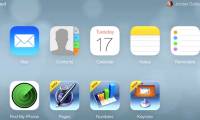
iCloud interface changes iOS 7 style
apple has officially converted the entire interface of icloud service, with design and style bearing the stamp of ios 7.
-
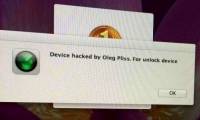
Apple device users are attacked by hackers remotely locking computers
it is likely that hackers have taken advantage of the find my iphone feature to hack and lock devices such as iphone, ipad, mac ... then ransom the victim's ransom or delete the data.
-
Protect iPhone, iPad before iCloud security hole
ios device users should set a password or use fingerprint identification to improve security. page 9to5mac has posted information about vulnerabilities in ios 7.1 that can be exploited to disable the find my iphone feature.
-
Protect the iPhone from theft
losing your iphone is not just about losing your hardware, it also means that all your data is lost and likely to be accessed by hackers with malicious intent. when the theft of the phone is very unpredictable, there are a number of ways that users can use it to retrieve the phone more easily or
-
Manage mobile devices using iOS 5 remote with Find My iPhone
one of the many improved features in this ios 5 upgrade version is the find my iphone app - previously a separate support application, but now apple has upgraded and integrated the program enters the operating system by default. in the article below, we will guide you c
-
How to turn off find iPhone (Find My iPhone)
how to turn off find iphone (find my iphone). find iphone is a pretty good security utility and unique on iphone. with this utility, you can find the missing device on the map and can perform operations such as play a sound (to find the thief more easily.
-
Instructions for using Apple Watch to find iPhone
if you accidentally leave your iphone somewhere, don't remember. you don't know how to find iphone. the following article the network administrator will show you how to find an iphone phone with an apple watch watch.
-
How to disable Find iPhone remotely
when you want to exit find iphone, power off the device you want to disable
-
Find iPhone, iPad lost by Find My iPhone
how to find lost iphone? on iphone, ipad with find my iphone feature is very useful in this case. this is a specific guide to find lost iphone, ipad with find my iphone, find my ipad for you.
-
Find the lost Apple Watch with the Find My iPhone app
apple watch has long had the find my iphone function to quickly search for smartphones but what happens when you lose or forget the apple watch somewhere? very simple, follow the article below for more details!
-
Ways to Find an iPhone Using 'Ping'
you still have a way to force your iphone to play a sound even if you have activated silent mode by ping.
-
9 Default Settings You Should Change After Buying a New iPhone
you just bought an iphone and don't know what to do? check out the 12 basic steps below for new iphone users such as creating an apple id account, using itunes, setting up, syncing iphone, setting up find my iphone, touch id...
-
Should iPhone 7, 7+ update iOS 14?
apple launches ios 14 to support many iphone models. a lot of people using iphone 7 / iphone 7+ are wondering whether to upgrade their operating system? tipsmake will help you find the answer.
-
12 things to do when buying an iPhone
you just bought an iphone and don't know what to do? please refer to the following 12 basic steps for new iphone users such as creating an apple id account, using itunes, setting up, iphone sync, find my iphone, touch id settings ...
-
Steps to find old messages on iPhone
unless you're running low on space, you can use the messages app on your iphone or ipad as an unlimited cache of chats. there's only one small hitch: how do you quickly find old messages when you need them?
-
How to find lyrics of songs currently playing on iPhone
to quickly find the lyrics you are listening on the iphone, users can immediately use siri shortcuts application.
-
How to find your favorite photos on iPhone
many people are still unfamiliar with this arrangement, such as not finding their favorite photos on the iphone. here is a guide to finding favorite photos on the iphone.
-
How to search for text messages on iPhone and iPad
do you know the messaging application on the iphone and ipad with the search function? yes, you can easily search through imessages and text messages, or quickly find messages by name, word, phrase or search phrases.
-
What is iPhone tracking even when powered off? How to disable this
you're powering off your iphone and suddenly see the message 'iphone findable after power off', you might be wondering what that means.
-
New features in the Find My app on iOS 15
ios 15 brings some major new features to find my, including features like live location and the ability to track an iphone even if it's been erased or powered off.
-
Manage mobile devices using iOS 5 remote with Find My iPhone
one of the many improved features in this ios 5 upgrade version is the find my iphone app - previously a separate support application, but now apple has upgraded and integrated the program enters the operating system by default. in the article below, we will guide you c
-
How to restore original iPhone settings on Find My Phone
it is not always possible to reset iphone directly on the phone, in case of losing your computer, you need to restore the original iphone settings to delete data, avoid information leakage, so what to do?
-
How to add AirTag to the Find My app on iPhone
apple's airtags are small, button-shaped devices designed to attach to items such as keys and wallets to allow these accessories to be tracked by bluetooth right next to apple devices in the find app. my.
-
5 tips to make 'Find My' on iPhone more accurate
when find my becomes inaccurate or unreliable, apply a few tweaks to make it more accurate when it's needed most.
-
How to Lock a Lost Phone
today's tipsmake will show you how to lock a lost or stolen smartphone. once done, users will not be able to log in and hard reset, meaning the phone is almost unusable until you unlock it. you can lock a lost or stolen iphone, android or samsung galaxy phone on the manufacturer's 'find' website,