Table of Contents
This article provides a clear overview of Some Good Tips for Office Informatics Users, with the main facts, useful context, and practical details organized for easy reading.

[if gte mso 9]> Normal 0 false false false EN-US X-NONE X-NONE
Here are some common good tips:
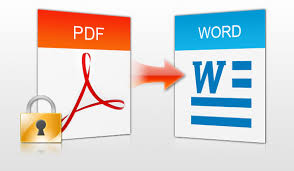
How to convert from PDF to Word : Often you use the Nitro PDF Reader application or PDF to Word service to transfer files. This conversion method allows you to easily convert files from PDF to Word quickly, but there are many cases where the font error is incompatible. So this article 'How to convert PDF to Word without font error' will helpyou a lot.
Automate manipulating macros : In Microsoft Office, the built-in Marco feature helps automate repetitive tasks. To use this feature, activate the Developer tab in Office in the upper left corner -> Word Options -> Show Developer on the Ribbon -> Developer (select the operation record card) -> record (record the operation and assign or key) certain button for the operation you just wrote). This feature is used in Office 2007
Remove all text formats: Ctrl C-> Edit-> Paste special-> Unformatted Text. This will help you eliminate all font formats, links to web pages. Or you can paste directly into notepad.
Set a password for a document: Microsoft Word allows you to set a password for the document to prevent others from viewing and editing the document. File -> Save As -> Tools -> Security Options (if using Office 2007, select General Options).
Remove notifications: To disable Outlook sounds and notification messages, go to Tools-> Options-> Preferences-> E-mail Options-> Advanced E-mail Options. In the When new items arrive in My Inbox section, uncheck all the options.

Automatically insert date and time into text In your text, if you may need to display the current date and time details in a text document, click the cursor to the position you may need to insert and then access the menu Insert> Date and Time. Here you select a type of insertion in the Available Formats area and then click the OK button to insert them in the position you have selected.
Inserting captions is quite helpful
Inserting comments is a fairly necessary feature in the process of creating or editing Word documents. You just need: Highlight the text you may need to insert comments -> Review tab -> New Comment. If you may need to create additional notes:Stay on the Review tab -> Track Changes> Track Changes. Then you make corrections to the words you may need to correct
social shareand social shareFAQ
What is the main focus of Some Good Tips for Office Informatics Users?
The article explains the most important facts, context, and practical details related to Some Good Tips for Office Informatics Users.
Who may find this information useful?
It is useful for readers who want a clear overview, practical context, and a better understanding of the subject.
What should readers verify before taking action?
Check current product versions, official requirements, regional availability, and any details that may have changed since the original publication.
Related Articles
 Some Tips in Office Informatics: Complete Guide6 minutes read
 10 Good and Useful Office Tips17 minutes read
 Tips for Working with Functions in Excel5 minutes read
 Common Shortcuts in Microsoft Office: Complete Guide4 minutes read
 Microsoft Office for Internet and Smartphones: Informatics Office4 minutes read
 Top 10 MOS Training and Computer Training Centers11 minutes read
Reader Comments 0
Sign in with email or Google to join the discussion.