Table of Contents
Windows has always been the preferred platform for PC gaming, but after years of putting up with its quirks, many people finally tried switching to Linux. Now they're never going back.
Game compatibility has never been an issue
The biggest concern is whether the game will actually run. A few years ago, when people tried to play games on Linux, they couldn't even run a single game. But Valve has made a lot of progress since then, improving the Proton compatibility layer, which allows you to run Windows games on Linux. This means developers don't have to do any extra work to port their games to Linux.
If you play mostly single-player games, most of them will work perfectly without any tweaks or fixes. In fact, there have been times when you have had to troubleshoot on Windows for games to run smoothly on SteamOS, and many emulators even work better.

Just because someone else's game runs doesn't mean you'll have the same experience, though. If you primarily play multiplayer games, especially ones with kernel-level anti-cheat like Call of Duty or Valorant, they won't run on Linux. Instead of jumping straight into SteamOS and testing things yourself, you should check ProtonDB, a community forum that benchmarks the performance of specific games through Proton.
Games run much better now
When switching to SteamOS, performance is a bit worse because everything runs through a compatibility layer. But surprisingly, almost every game I tested ran better on SteamOS than on Windows 11. It's amazing how bloated Windows has become over the years, and how much performance is lost if you don't make an effort to remove the bloatware in your Windows system.
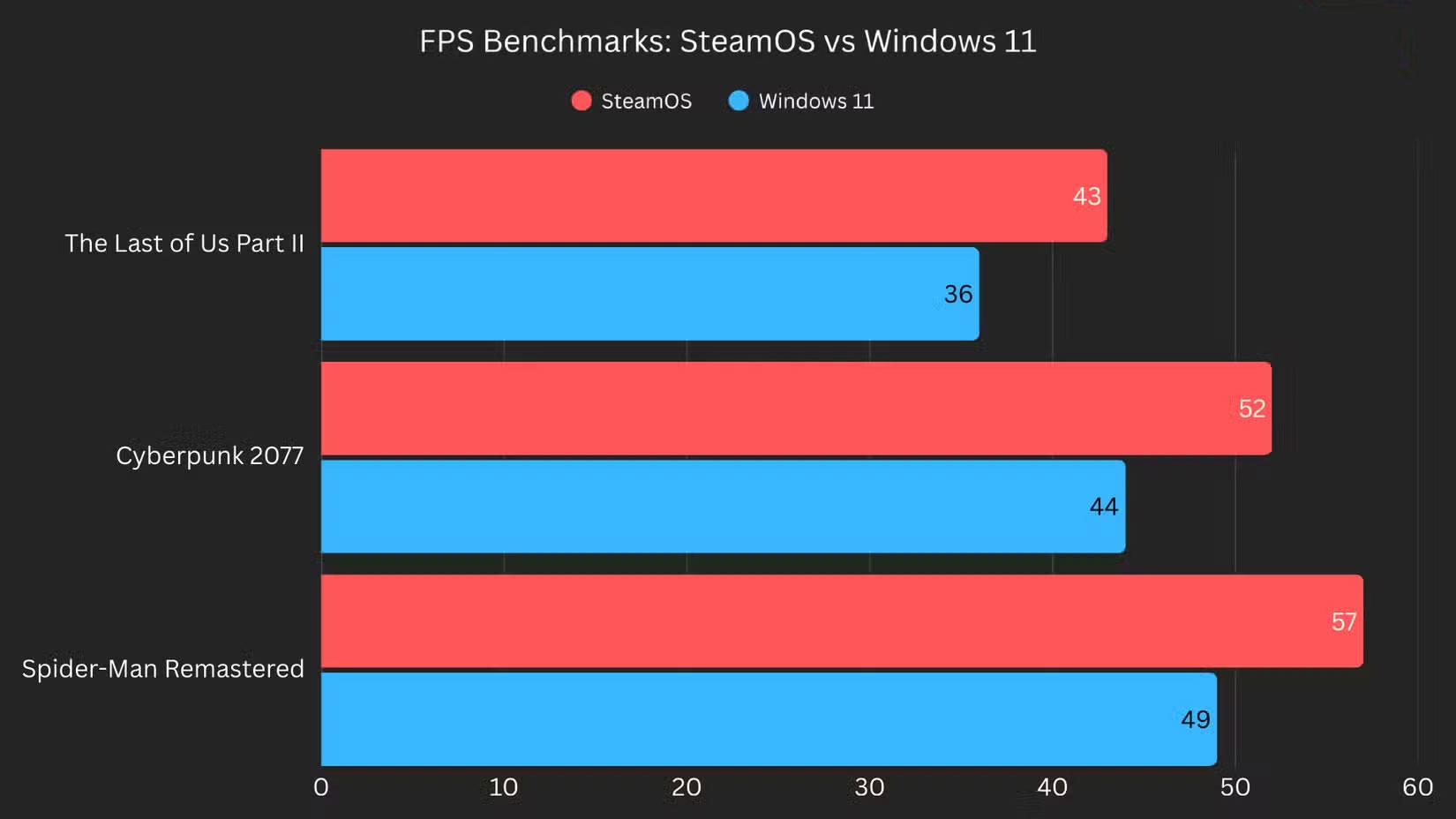
All of these tests were run using the same graphics settings and performance modes. But beyond the numbers, the game stutters a lot less on Linux. While the FPS difference isn't huge, the framerate graph on SteamOS looks much smoother than on Windows, which is notorious for stuttering.
Even when you connect ROG Ally to a monitor and use it in desktop mode like a regular computer, it still runs much smoother than Windows. Plus, you don't have to worry about Microsoft pushing ads, forcing you to use a Microsoft account, or having to update, which makes the experience even better.
SteamOS really feels like an operating system designed specifically for gaming
If you have a PC that's hooked up to a TV or a handheld device, or if you only use your PC for gaming and regularly connect a controller, you know how frustrating it can be to work with Windows on a touchscreen or with a controller. If that's the case, you should make the switch immediately.
Since SteamOS is designed specifically for gaming, it's an obvious choice for anyone who just wants to boot up and play. It offers the closest experience to a console on PC hardware, with a user interface that works well with keyboard, mouse, and controllers.
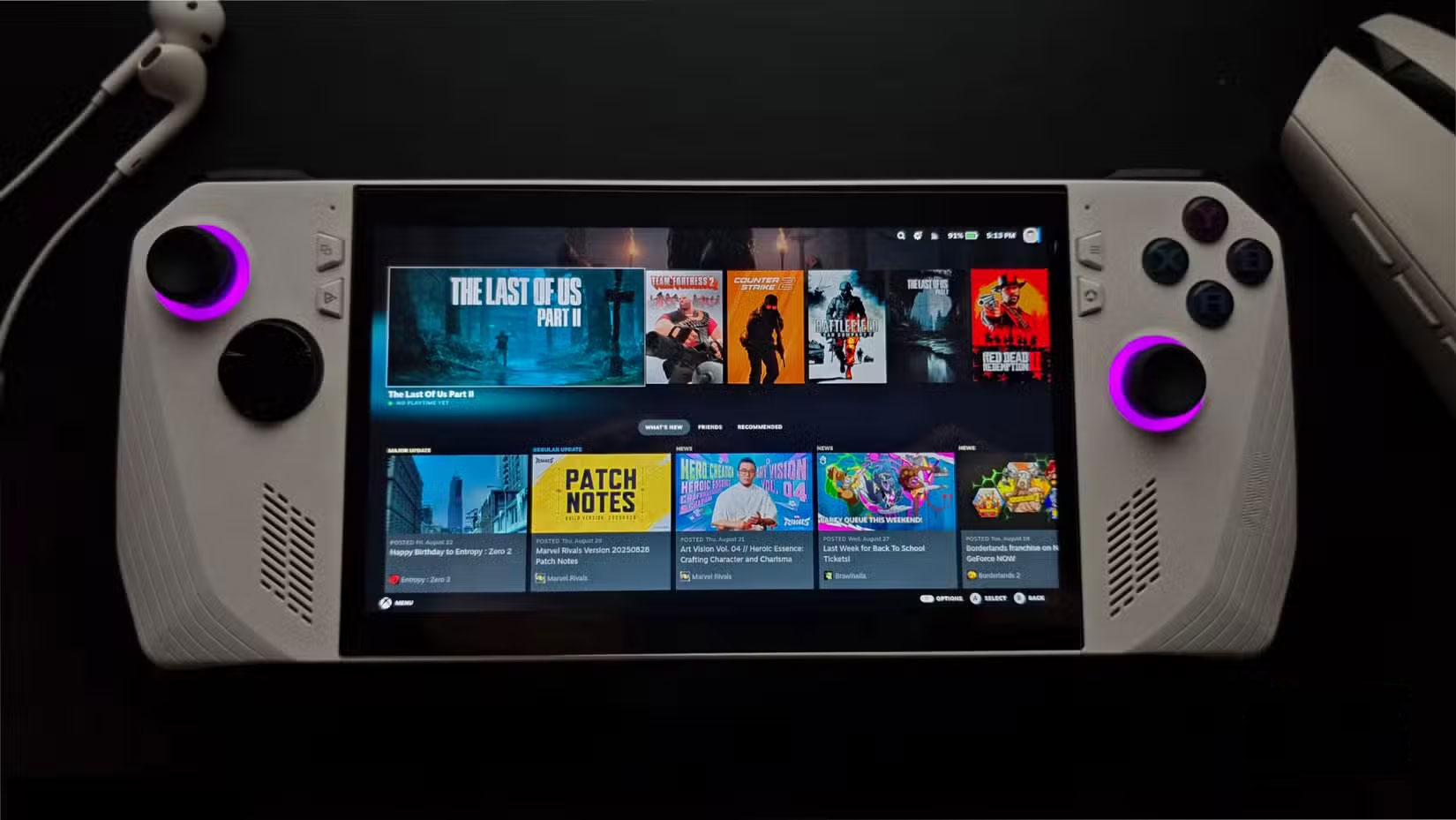
Even basic features like SteamOS' built-in performance monitoring tool, or a sleep mode that actually works (unlike Windows), make it a solid overall package for a gaming machine.
While Microsoft has steadily improved the Xbox app as Windows' default gaming hub, working well with controllers, it's not going to be overly dependent on that gaming ecosystem, given the company's recent track record with the Xbox brand and its history with the now-defunct Games for Windows – Live service.
Despite the shift to Linux for gaming, macOS is still a more powerful alternative to Windows for everyday computing. It's more polished and better suited for productivity work.
Linux has come a long way, though, and SteamOS in particular has helped it become the second choice. As long as you spend less time struggling with Windows and more time enjoying your device, you'll be perfectly happy with your setup.
Final Thoughts
Overall, Linux Is Actually a Better Operating System for Gaming is best understood by considering the main facts, practical context, and limitations together. Use the details above as a clear starting point and confirm time-sensitive information when necessary.
FAQ
What does this article explain about Linux Is Actually a Better Operating System for Gaming?
Windows has always been the preferred platform for PC gaming, but after years of putting up with its quirks, many people finally tried switching to Linux. Now they're never going back.
What should you know about Game compatibility has never been an issue?
The biggest concern is whether the game will actually run. A few years ago, when people tried to play games on Linux, they couldn't even run a single game.
Should time-sensitive details be verified?
Yes. Software features, game codes, product specifications, prices, and research findings can change. Confirm important details with an official or primary source when accuracy affects your decision.
Related Articles
 10 Things to Keep in Mind When Switching to Linux Mobile10 minutes read
 Compare the Most Popular Linux Distributions Today11 minutes read
 6 Top Linux Distributions for Windows Users: Expert Selection Guide9 minutes read
 12 Best Linux Server Operating Systems17 minutes read
 Instructions for Installing Linux Operating System on Chromebook5 minutes read
 Is Linux the Supported Operating Systems or the Kernel?5 minutes read
Reader Comments 0
Sign in with email or Google to join the discussion.